Render a House/Updated Nov 6, 2026
Free Clear Sky HDRI
Free clear sky HDRI for architecture. Download unclipped 4K and 2K HDR, a JPG backplate and lighting test. Commercial use, no signup. These free HDRIs are made for architects who need a sky dome, material reflections and usable architectural lighting without an account or email gate.

Free sky HDRI downloads
Download the Radiance .hdr for lighting: it retains unclipped full dynamic range, including values above 1.0. No EXR is needed. Start at strength 1; normalization is already baked in.
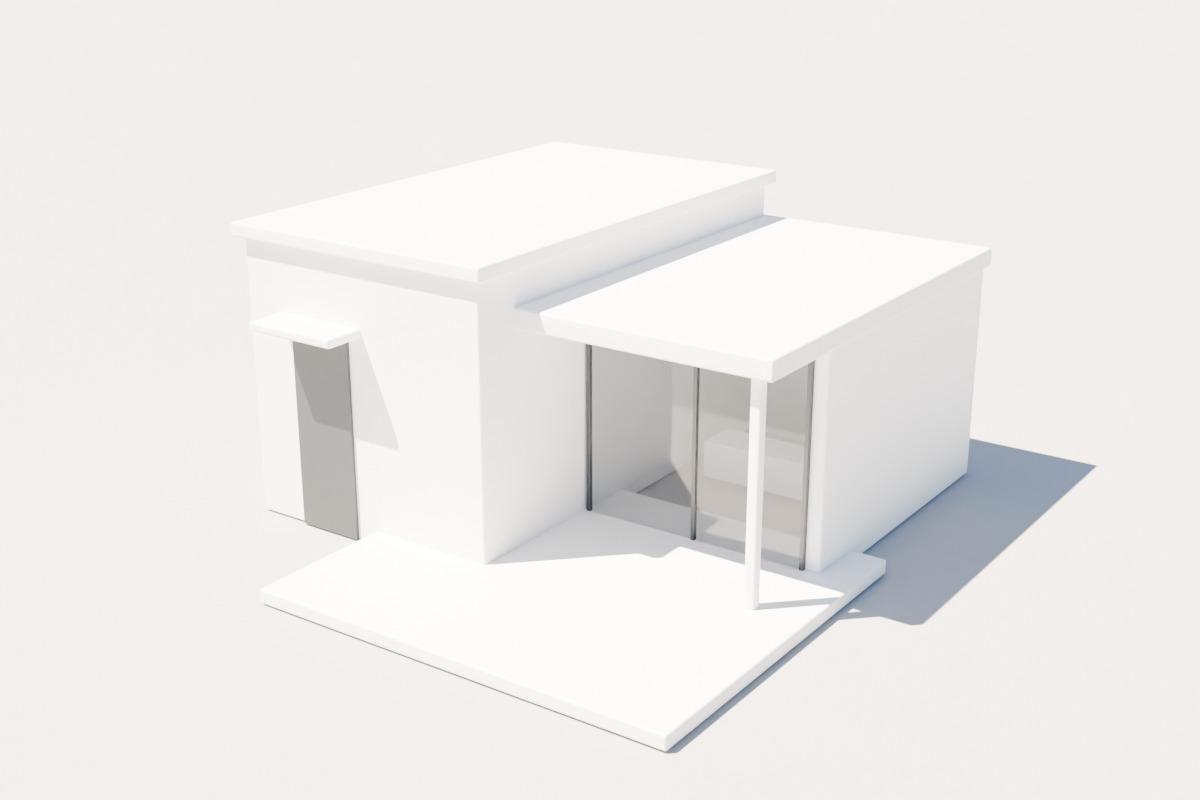
HDRI-only Blender AgX test: same white house, ground, glass, camera and 0 EV exposure as every other sky. No light objects or emissive surfaces.
| Download | Resolution | Format | Size |
|---|---|---|---|
| 4K Radiance HDR | 4096 × 2048 | Radiance RGBE .hdr | 2.01 MB (2,009,456 bytes) |
| 2K Radiance HDR | 2048 × 1024 | Radiance RGBE .hdr | 0.87 MB (870,298 bytes) |
| 4K JPG backplate | 4096 × 2048 | JPEG | 0.16 MB (156,921 bytes) |
| WebP sky preview | 1200 × 600 | WebP | 0.00 MB (4,044 bytes) |
| JPG architectural test | 1200 × 800 | JPEG | 0.04 MB (41,746 bytes) |
The 4K HDR is 4096 × 2048 and the 2K HDR is 2048 × 1024. Both are 2:1 equirectangular maps. The 2K version preserves integrated sun energy through solid-angle-weighted downsampling, though its sun peak is less concentrated. JPG backplates and WebP previews are tonemapped display images, not lighting maps.
Which HDRI for which mood?
Use the high summer-like sun to explain roof geometry, deep reveals and clean facade materials. Short, legible shadows make this a useful baseline for checking a design before switching to a more atmospheric environment.
Bright white roofs can approach the display transform's shoulder. Keep the HDR unclamped and adjust the camera or material reflectance rather than flattening the solar disc. This is not a location-specific solar study.
| Sky | Time / mood | Sun elevation | Sun azimuth |
|---|---|---|---|
| Clear Sky | Midday: Crisp, neutral daylight | 60° | 135° |
Baked-in native-radiance scale: 0.43402591. Upper-sky median luminance target: 1. Peak RGB: 1,149,137.25; peak relative luminance: 980,123.813. These are scene-linear relative values, not calibrated cd/m². Do not apply the scale again: start with strength 1.
Day maps target upper-sky median luminance 1.0; blue hour targets 0.18 and night 0.12. Each variant uses one linear multiplier, retaining its own sun-to-sky energy ratio. Absolute brightness between weather conditions is intentionally normalized, not a physical time-lapse exposure study.
Renderer setup
Load the HDR as linear lighting data, not an sRGB photograph. Strength 1 and default or auto exposure are starting points: renderer light units, camera conventions and tone mapping differ. Fixed-exposure verification was performed in Blender; the other applications were not independently tested. If exposure looks wrong, check camera settings and sun duplication before increasing intensity.
Blender World node
In World Shader Editor, connect Environment Texture Color to Background Color, then Background to World Output. Load the .hdr as scene-linear Rec.709, equirectangular, with Background Strength 1. Start with AgX at exposure 0 EV. Rotate the vector with Texture Coordinate and Mapping nodes; do not add a second Sun unless you deliberately rebalance the lighting.
D5 Render
Select the HDRI environment mode and import the .hdr through the custom HDRI library. Start at the normal HDRI intensity with default or auto exposure, then rotate the environment to suit the facade. Check whether D5's separate sun is enabled: disable it for an HDRI-only comparison. Names and intensity scales vary by release.
Lumion
In a Lumion version or edition that supports importing custom HDR/HDRI skies, load the .hdr into that environment or sky workflow and adjust heading. Real Skies and custom-import support differ by version; if yours only offers built-in Real Skies, this download cannot be installed as a custom lighting environment. Do not substitute the JPG for HDR lighting.
Enscape custom sky
Open Visual Settings, choose the skybox source in the Sky tab and load the equirectangular .hdr. Adjust skybox rotation and brightness from the default starting point. Where available, enable the option to take the brightest skybox point as sun direction, or manually align and balance Enscape's sun. Skybox illumination behavior varies by version.
Twinmotion
Choose an HDRI environment such as Skydome or Backdrop HDRI, load the custom .hdr and rotate it. Use Skydome when you want a sky surrounding your own site model. If Match Sun or another directional sun is enabled, check its alignment and intensity to avoid adding a second unrelated shadow direction.
V-Ray Dome light
Create a Dome Light and load the .hdr as a linear bitmap using spherical/equirectangular mapping. Begin at dome multiplier 1 and your normal camera exposure. Rotate the dome or texture horizontally. Disable V-Ray Sun for the supplied HDRI-only look; physical camera exposure and light-unit modes may require adjustment.
3ds Max / Corona
Load the .hdr with Corona Bitmap in spherical environment mapping and place it in the scene environment or Corona environment override. Start with map multiplier 1 and the normal camera or automatic exposure. Change horizontal offset for orientation and avoid an additional Corona Sun unless you intentionally balance the two sources.
SketchUp + V-Ray
In V-Ray Asset Editor, create a Dome Light and assign the .hdr to its texture slot with spherical mapping. Start at multiplier 1, rotate the dome around the vertical axis and test with your usual camera settings. Turn off the separate SunLight for a clean comparison; SketchUp's shadow time is not automatically the HDRI sun position.
Rotation and sun alignment
In the source convention, +Y is north, +X east and +Z up. Azimuth is clockwise from north before environment rotation. Renderer zero directions differ: locate the bright solar disc or use the test shadow direction instead of assuming that a zero-degree slider means geographic north.
Rotate horizontally around the vertical axis; keep the horizon level. Align the embedded sun with the intended facade and check shadows on a ground plane. Do not stack an unrelated physical sun on top of the HDRI sun. If your renderer requires a separate sun, align it to the brightest sky point and balance its energy deliberately.
Overcast has no direct solar disc. Blue hour and night have the sun below the horizon; night instead includes a simple moon at elevation 30° and azimuth 325°. These are artistic lighting setups, not latitude/date-based daylight or solar-compliance studies.
How these skies are made
The daylight base is Blender’s procedural Nishita sky. Overcast and partly cloudy skies add procedural layered clouds, not volumetric weather simulation. Dusk and night are art-directed extensions; stars are a fixed-seed artistic field, not an astronomical catalog.
The neutral nonblack lower hemisphere has no ground detail. Use these maps as sky domes above your own terrain, roads and site context. The 4K JPG backplate is a full spherical panorama: map it spherically or reproject it for your camera rather than stretching it behind a perspective view.
Render your architecture
Have a SketchUp view or architectural sketch but need a finished presentation quickly? Try Render a House to develop an architectural image from your existing view. This is an alternative image workflow, not an HDRI editor or a claim that every engine will reproduce the supplied Blender test.
Free commercial-use license
All eight generated skies and included backplates, previews and test renders are dedicated under CC0 1.0 Universal. Free personal and commercial use, modification and redistribution; no attribution required. Supplied as-is, without a warranty of photometric accuracy.
Frequently asked questions
Is this clear sky HDRI suitable for a neutral exterior render?
- Yes. Its 60-degree sun produces relatively short shadows and clear separation between lit surfaces and shaded recesses. Use it to compare facade options with a fixed camera and white balance before adding dramatic sunset lighting.
Do I need an EXR to get the full dynamic range?
- No. The 4K and 2K Radiance RGBE .hdr files retain unclipped high-dynamic-range lighting values, including solar peaks above 1 where a sun disc is present. EXRs are not included because HDR already carries the required lighting range. JPG and WebP are display images, not lighting replacements.
What environment strength should I use?
- Start at strength or multiplier 1 and default or auto exposure. Each map already has its per-variant normalization baked in; do not apply the recorded scale again. The Blender tests use AgX at 0 EV for every map. Other renderers use different intensity and camera conventions.
Can I use the lower hemisphere as a landscape background?
- The lower hemisphere is neutral and nonblack but intentionally has no terrain, buildings or ground detail. Use the map as a sky dome above your own ground and site context. The JPG backplate is a 2:1 panorama, not a ready-made perspective camera photograph.
Are these HDRIs free for commercial use without attribution?
- Yes. These generated sky environments and included display images are released under CC0 1.0. Personal and commercial use, modification and redistribution are allowed without attribution. They are synthetic assets supplied as-is, not surveyed or photometrically calibrated measurements.