 Render a House/Updated Oct 8, 2026
Veras alternatives: AI rendering software for architects
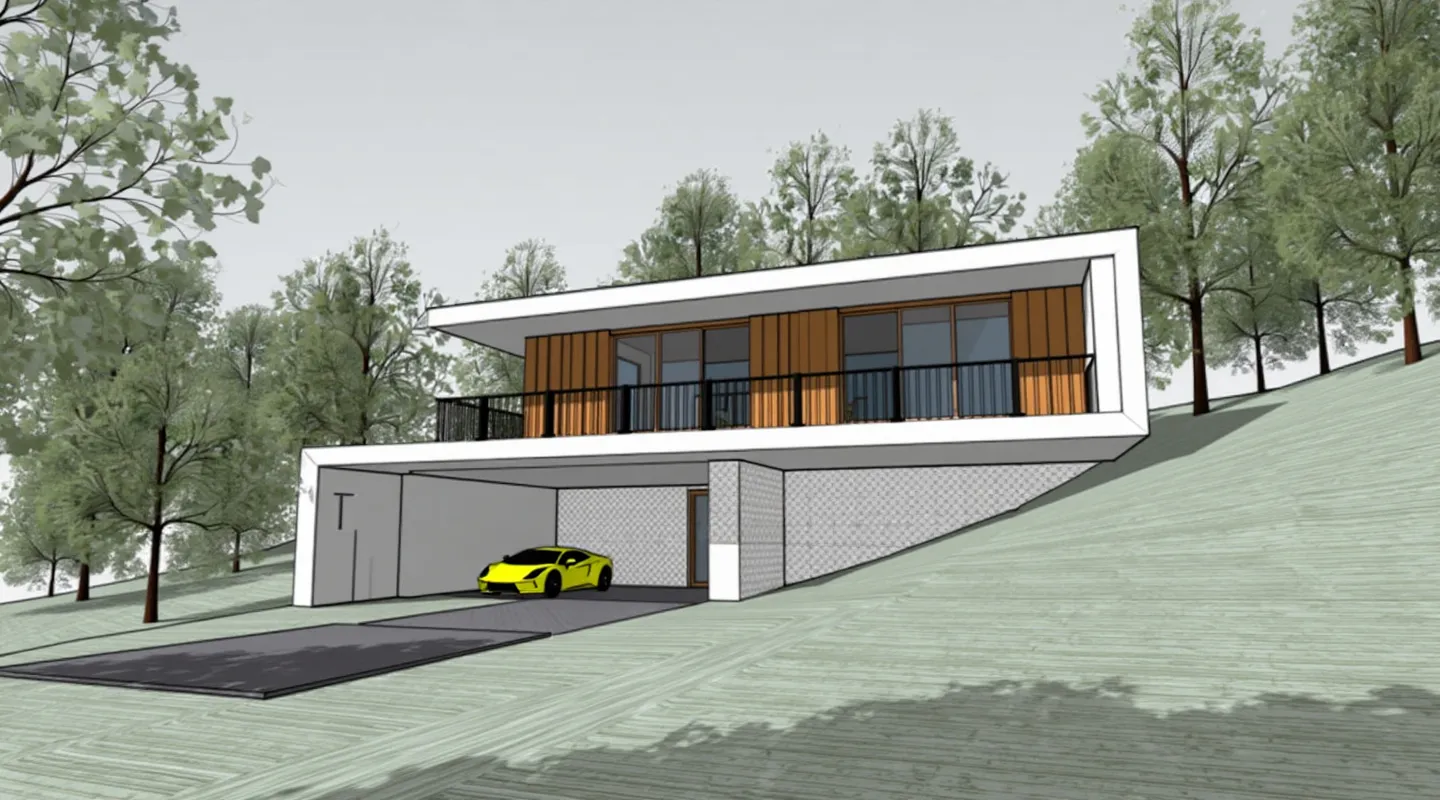
Render a House is an AI rendering tool for architects who want concept images from drawings, plans, photos, or model exports in a browser. Veras is the stronger fit when a team wants AI rendering inside its existing BIM or modeling host.
Short answer
Quick answer:Render a House is a browser-based alternative for starting from sketches, plans, photos, and 3D exports; Veras remains a good fit for in-host iteration across Chaos's supported apps.
Last updated: October 2026.
Why look for Veras alternatives?
Studios usually look beyond Veras when they need a lower entry price, a browser-first workflow, or a tool that starts from a drawing instead of a live model. Veras ties AI iteration to named host applications and uses a shared credit pool for images and video; its yearly billing and credit limits are not the right fit for every team.
The alternatives below are not interchangeable. Some produce concept images from uploads, while Veras and D5 can also sit closer to a model-based production workflow.
Veras alternatives compared
Render a House is an AI rendering tool for architects and real estate.
Published prices and licensing terms were checked against vendor pages in October 2026. Amounts are shown as published; unknown terms are called out rather than inferred.
| Tool | Price and license | Platform | Best for |
|---|---|---|---|
| Render a House | Free daily credits; Pro $39/mo or $312/yr for 240 credits. Per-account browser service. | Web browser; no local GPU or plugin install | Concept renders from sketches, floor plans, photos, and supported 3D exports |
| Veras (Chaos) | $16.90/mo billed annually ($202.80/yr), 500 credits; Pro $29/mo billed annually ($348/yr), 2,000 credits. Ultra: 6,000 credits; price not stated. | Web app and plugins for Revit, SketchUp, Rhino, Archicad, Vectorworks, Forma, and Allplan; also available in Enscape, V-Ray, and Corona | Teams that want AI iteration inside a current host model |
| LookX | Basic free tier; paid plan from $20/mo or $199/yr. Subscription with X-points and generation features. | Browser, plus SketchUp and Rhino plugins | Architects who value reusable style models and prompt-led variations |
| mnml.ai | Free allowance; paid plans from $29/mo, as listed by the vendor. | Browser-based upload and generation workflow | Fast image-to-image concepts and interior or exterior variations |
| ArchiVinci | Three free renders; paid credits or plans vary by product and pack. | Browser-based image and sketch-to-render tools | Occasional sketch or image conversions without adopting a BIM plugin |
| D5 Render AI features | Community free for non-commercial use; Pro $360/yr. Commercial terms depend on the selected D5 plan. | Windows desktop renderer with a supported GPU | Model-based real-time visualization with AI-assisted scene tools |
Which tool fits your workflow?
- Choose Render a House when the starting point is a sketch, plan, site photo, or an export and you want to explore ideas without installing a plugin.
- Choose LookX for a browser workflow that emphasizes style models, or mnml.ai for fast upload-based image variations.
- Consider ArchiVinci for occasional sketch and image conversions, and D5 when the live 3D scene and supported GPU are central to the work.
AI concept images need review: compare geometry, openings, and materials with the source model before using them for design decisions.
When Veras remains the better choice
Veras may be the better choice if your team works primarily in Revit, SketchUp, Rhino, Archicad, Vectorworks, Forma, or Allplan and needs generation in the host workflow. Chaos lists a 14-day trial with 100 shared image/video credits; the trial page says billing begins automatically afterward unless canceled at least one day before the trial ends. The current trial page displays $348/year for its selected plan.
Chaos's live Veras page also lists a Starter plan at $16.90 per month billed annually with 500 monthly credits, a Pro plan at $29 per month billed annually with 2,000 credits, and an Ultra plan with 6,000 credits whose public price is not stated. Credits are shared between image and video generation and the vendor describes the credit system as introductory and subject to change.
Pricing and platform sources
- Chaos Veras product and pricing and trial details for host applications, prices, credits, and license terms.
- LookX pricing and plugin page.
- mnml.ai pricing, ArchiVinci pricing, and D5 pricing.
Frequently asked questions
What is the closest alternative to Veras for a sketch or floor plan?
- Render a House is a browser-based option for concept images from drawings, plans, photos, and supported 3D exports. Veras also accepts 2D inputs, but its strongest distinction is rendering inside supported host applications.
How much does Veras cost?
- Chaos currently lists Starter at $16.90 per month billed annually ($202.80 per year) with 500 monthly credits and Pro at $29 per month billed annually ($348 per year) with 2,000 credits. Ultra includes 6,000 credits; its price is not stated on the public page checked in October 2026.
Does Veras have a free trial?
- Chaos lists a 14-day trial with 100 shared credits for image and video generation. Its trial page says billing starts automatically after the trial unless canceled at least one day before the end.
When should a studio stay with Veras?
- Keep Veras in the shortlist if you need AI visualization inside Revit, SketchUp, Rhino, Archicad, Vectorworks, Forma, or Allplan, or need its integrations with Enscape, V-Ray, or Corona.
Start with 3 free daily credits and no credit card. Compare an actual sketch, plan, or model export with the result. Start rendering free Read the getting started guide before uploading a file.
Keep comparing:
- Render a House vs Veras— Explore related workflows and trade-offs in this guide.
- Veras, LookX, and other AI renderers compared— Explore related workflows and trade-offs in this guide.
- D5 Render alternatives— Explore related workflows and trade-offs in this guide.
- Enscape alternatives— Explore related workflows and trade-offs in this guide.
Keep reading
Related guides and comparisons

Render a House vs Veras (and D5 Render): 2026 comparison of prices, inputs and speed
Render a House vs Veras vs D5 Render: Veras from $16.90/mo, D5 Pro $30/mo, Render a House free daily tier. Inputs, hosts, geometry control and speed compared.

AI for real estate renders and marketing videos: 7 tools by job, with 2026 prices
AI for real estate renders and marketing videos by job: staging, day-to-dusk, off-plan renders and video. 7 tools, prices checked Sept 2026.

Midjourney for architectural rendering in 2026: what $10/mo buys, where it fails, and what to use for your own design
Midjourney V8.2 vs Veras, D5 Render and Render a House for architects: inputs, geometry control, plugins and 2026 prices, plus a moodboard-to-render workflow.
