 Render a House/Updated Sep 25, 2026
AI for real estate renders and marketing videos: 7 tools by job, with 2026 prices
For an existing home, the AI real estate stack is ReimagineHome (from $14/mo) or RoomLab ($15 one-time) for staging and photo fixes, Betterspace ($29/mo) for the listing reel and HeyGen (free tier, $29/mo) for a presenter. For off-plan property there is no photo yet, so the job starts with Render a House: a render from the plan or 3D export in about 30–60 seconds, then a camera-move clip from that render, for $39/mo.

First, credit where credit is due. ReimagineHome has the broadest menu of single-purpose listing edits we found, RoomLab is the only tool here that stages a room and then animates the empty-to-staged change in one product, Betterspace removes the timeline entirely for agents who never want to edit video, and HeyGen is the reference for avatar and translated presenter video. None of them render an unbuilt building from a drawing, which is where Render a House fits. Render a House is an AI rendering tool for architects, interior designers and real estate.
Every price below was read from the vendor's own pricing page in September 2026 and links to it. Where a vendor does not publish a figure (render speed, free allowance) the cell says so instead of guessing. We also read the three vendor roundups that rank for this query, from RoomLab, HeyGen and Magic Hour; each puts its own product first, which is fair as long as you know it, and none of them covers the off-plan case.
Which AI tool fits each real estate marketing job?
Real estate marketing is six distinct jobs, and no tool does all six well. Start from the job, not the tool:
| Job | Tools that do it | Starting price (checked Sept 2026) | Free tier |
|---|---|---|---|
| Listing photo enhancement (sky, lawn, declutter) | ReimagineHome, RoomLab | ReimagineHome from $14/mo · RoomLab $15 one-time | 5 free designs · free trial credits |
| Virtual staging of a vacant room | ReimagineHome, RoomLab, Betterspace | From $14/mo · $15 one-time · $29/mo | 5 designs · trial credits · 10 staged photos/mo |
| Day-to-dusk and relighting | ReimagineHome, Render a House | From $14/mo · $39/mo | 5 designs · 3 renders/day |
| Off-plan renders from a plan, sketch or 3D export | Render a House, RoomLab (3D-to-photo) | $39/mo · $20/mo | 3 renders/day · trial credits |
| Walkthrough or camera-move video from a still | Render a House, Luma, Magic Hour, RoomLab, Betterspace | $39/mo · $30/mo · $19/mo · $20/mo · $29/mo | Free tier with video on Render a House, Betterspace and Magic Hour |
| Talking-head or avatar presenter video | HeyGen | Free · Creator $29/mo · Pro $49/mo | 3 videos/month, up to 1 min each |
The first three rows need a photograph and are the existing-home stack. Row four needs a drawing or a model and is the off-plan stack. Rows five and six work from whatever image you end up with, so they sit downstream of both.
How do the AI real estate render and video tools compare?
| Tool | Best for | Inputs | Needs a 3D model? | Speed | Starting price (checked Sept 2026) | Free tier |
|---|---|---|---|---|---|---|
| ReimagineHome | Staging, day-to-dusk, sky and lawn fixes on listing photos | Photo | No | Not published (checked Sept 2026) | $14/mo Essential (30 credits) · $29/mo Pro (200) | 5 free designs, no card |
| RoomLab | Staging, then a video of the empty-to-staged change; 3D-to-photo | Photo, 3D render/screenshot | No | ≈25 s per image (vendor figure) | $15 one-time (150 credits) · $20/mo Pro (400) | Free trial credits, no card |
| Betterspace | Automated photo-to-video listing reels with staging built in | Photo | No | Not published (checked Sept 2026) | $29/mo Lite (100 credits) · $49/mo Starter (200) | 2 videos + 10 staged photos/mo |
| HeyGen | Agent intro, market update and narrated tour with an avatar | Script, photo/video of the presenter | No | Not published (checked Sept 2026) | $29/mo Creator (600 credits, 1080p) · $49/mo Pro (4K) | 3 videos/mo, up to 1 min |
| Magic Hour | Image-to-video B-roll plus captions, upscaling, talking photo | Photo, text, video | No | Not published (checked Sept 2026) | $19/mo Creator (≈1.7 h video/yr) · $39/mo Pro (≈3.5 h) | Core tools free to try, no card; allowance not published |
| Luma | Cinematic image-to-video clips from an approved hero render | Photo, text, video | No | Not published (checked Sept 2026) | $30/mo Plus (10,000 credits) · $90/mo Pro (40,000) | Not published on pricing page (checked Sept 2026) |
| Render a House | Off-plan renders from plans, sketches or 3D exports; relighting; video from the render | Sketch, plan, 3D (GLB/GLTF/OBJ), photo | No | ≈30–60 s per render | $39/mo or $312/yr Pro (240 credits) | 3 renders/day, no card, small watermark |
Two things stand out. Only two tools here publish a render or generation time at all: RoomLab says about 25 seconds per image on its homepage FAQ, and Render a House states 30–60 seconds. And no tool in this category requires a 3D model, which is the point: the input is a photo, a plan or an exported view, not a scene you have to build.
Prices and free tiers side by side, as published on each vendor's pricing page in September 2026:
| Tool | Free tier | Entry plan | Next plan up | Unit cost |
|---|---|---|---|---|
| ReimagineHome | 5 free designs | Essential $14/mo — 30 credits | Pro $29/mo — 200 credits, batch processing, reference photos | 1 credit per generation; 2 with real-product matching |
| RoomLab | Trial credits | One-time $15 — 150 credits (15 images or 3 videos) | Pro $20/mo — 400 credits (40 images or 8 videos); Ultra $49/mo — 1,100 | ≈10 credits per image, +10 for 4K; ≈50 per video |
| Betterspace | 2 videos + 10 staged photos per month | Lite $29/mo — 100 credits, up to 15 photos per video | Starter $49/mo — 200 credits, 20 photos per video, higher-quality models | Credits per photo/video not itemised on the pricing page |
| HeyGen | 3 videos/month, up to 1 min, 500+ stock avatars | Creator $29/mo — 600 credits, 1080p, videos up to 30 min | Pro $49/mo — 1,000 credits, 4K; Business $149/mo — 1,500 credits, 60 min | Credits per minute not itemised on the pricing page |
| Magic Hour | Core tools free to try; allowance not published | Creator $19/mo ($144/yr) — 144,000 credits/yr ≈ 1.7 h video, 1024px | Pro $39/mo ($300/yr) — 300,000 credits/yr ≈ 3.5 h video, 1472px | Per-tool hour totals published per plan |
| Luma | Not published on pricing page | Plus $30/mo ($300/yr) — 10,000 credits | Pro $90/mo ($900/yr) — 40,000 credits | Ray3.14 image-to-video: 20 credits/s at 720p, 80 credits/s at 1080p |
| Render a House | 3 renders/day, no card | Pro $39/mo or $312/yr — 240 credits | Studio $99/mo or $792/yr — 1,000 credits | 1K render 1 credit · 4K Pro 4 · video 0.8 credits/s · extra credits $0.20 |
What does each tool actually do, and what does it cost?
ReimagineHome — staging and day-to-dusk
ReimagineHome (by Styldod) lists virtual staging, empty-the-room, object removal, sky replacement, day to dusk, lawn replacement, image enhancement and upscale, straightening, and even a pool add or remove, each as a named tool. That breadth is why agents use it for listing photos: one upload, one edit, done. Its pricing page gives every new user 5 free designs with no card, then Essential at $14/mo for 30 credits (legacy tools, no reference photos, no high resolution) and Pro at $29/mo for 200 credits, which unlocks the conversational editor, reference photos, incremental edits and batch processing for listings. One generation is one credit; adding real shoppable products costs two. Advanced ($49/mo) and Agency ($99/mo) are the same system with more credits. The gap: it edits photographs, so there is nothing to upload until the property exists.
RoomLab — staging plus empty-to-staged video
RoomLab covers staging, declutter, furniture and material replacement, a paint visualizer, 4K upscaling, a 3D-model-to-photo mode and video generation. Its own roundup makes the case for the combination: stage the empty room, then feed the before and after into the video tool for a clip of the room filling with furniture. Pricing on the homepage (the dedicated pricing URL returned a 404 when we checked): a $15 one-time pack of 150 credits (15 images or 3 videos), Pro at $20/mo for 400 credits, Ultra at $49/mo for 1,100 and Premium at $99/mo for 3,000, with a free trial and no card. Each image is about 10 credits, 4K adds 10 more, and the FAQ quotes roughly 25 seconds per image. It is the closest overlap with Render a House on the 3D-to-photo job; it does not take a floor plan or sketch as the starting input.
Betterspace — listing video on autopilot
Betterspace is built for the agent who wants a listing video without opening an editor: upload the photos, the tool paces the scenes, adds staging where a room is empty, syncs with the listing and can schedule the social post. The pricing pageis unusually clear: Free gives 2 videos and up to 10 staged photos a month with no card; Lite is $29/mo for 100 credits and up to 15 photos per video; Starter $49/mo for 200 credits and 20 photos per video with access to higher-quality models; Growth $89/mo adds a second seat and social scheduling; Pro $159/mo for 800 credits and three seats. Paid plans carry a 3-day trial. What it does not publish is how many credits one video or one staged photo consumes, so budget by the plan's listed video count rather than the credit figure.
HeyGen — talking-head and avatar video
HeyGen is the presenter layer: an avatar or a digital twin of the agent reads a script, in 175+ languages on paid plans, for market updates, listing intros and narrated tours. Its pricing pagelists Free at 3 videos a month of up to one minute with 500+ stock avatars and one custom video avatar; Creator at $29/mo for 600 credits, 1080p export and videos up to 30 minutes; Pro at $49/mo for 1,000 credits and 4K; Business at $149/mo for 1,500 credits, 60-minute videos and $20 per extra seat. HeyGen's own roundup (updated 17 September 2026) is honest that avatar video is a marketing layer and should never fake a property, a view or a room. It does not render or stage anything, so it consumes imagery from the other tools here.
Magic Hour — image-to-video and 100+ tools
Magic Hour bundles 100+ tools (image-to-video, text-to-video, talking photo, lip sync, subtitle generator, video upscaler, image editor) under one credit pool, and its real estate guide (13 September 2026) draws the right line: use captured tours to document the property and generated motion only for clearly identified creative B-roll. The pricing page quotes plans as hours of video: Creator $19/mo (or $12/mo billed yearly, $144) for 144,000 credits a year, about 1.7 hours of image-to-video at 1024px; Pro $39/mo ($25 yearly, $300) for about 3.5 hours at 1472px; Business $99/mo ($66 yearly, $792) for about 9.7 hours at 4K. Core tools are free to try without signing up; the free allowance itself is not published.
Luma — cinematic image-to-video at a per-second price
Luma sells raw generation rather than a real estate workflow, and its pricing page is the most granular in this list: Plus $30/mo ($300/yr) for 10,000 credits, Pro $90/mo ($900/yr) for 40,000, Ultra $300/mo for 150,000, with commercial use on all three. Image-to-video on the Ray3.14 model costs 4 credits per second at draft quality, 20 at 720p and 80 at 1080p, so a Plus month buys roughly 125 seconds of 1080p clips, or 500 seconds at 720p. Newer third-party models (Kling, Veo, Seedance) are metered separately at higher rates. There is no free tier on the pricing page. Use it when a hero render deserves a cinematic move and you are willing to pay per second for it.
Render a House — off-plan renders and video from plans
Render a Housestarts one step earlier than everything above. Upload a floor plan, a hand sketch, a GLB, GLTF or OBJ exported from SketchUp, Revit or Archicad, or a screenshot of the model, and it returns a photorealistic concept render in about 30–60 seconds (up to two minutes on complex inputs or heavy load). From that render you can relight for dusk, change one region's material with area editing rather than re-rendering the room, and generate a camera-move video at 0.8 credits per second. It runs in the browser on Mac, Windows or Linux with no GPU. Plans, from the docs: Free is 3 renders a day with no card and a small watermark; Pro is $39/mo or $312/yr for 240 credits with 1K/2K/4K output, video and 3D import; Studio is $99/mo for 1,000 credits. Failed renders are not charged. The honest limit: it does not do virtual staging as a named tool on a listing photo the way ReimagineHome does, and it is not a video editor.
Existing homes vs off-plan: which input do you actually have?
The split that matters is not photo versus video but what you hold on day one.
- You have photographs. The property exists. Your problems are empty rooms, grey skies, clutter and a flat listing. ReimagineHome or RoomLab fix the stills, Betterspace or RoomLab turn them into a reel, HeyGen adds you on camera. Total entry cost with one image tool and one video tool: about $35–50/mo. Our virtual staging apps comparison goes deeper on the staging step alone.
- You have drawings. Off-plan sales, a renovation flip listed before the work, a plot with planning consent. Every photo tool above is blocked until something is built. Render a House takes the plan or the model export and produces the image the photo tools would have started from, then the clip. The off-plan presales guide covers the buyer-facing side of that.
- You have both.A renovation with a "before" photo and an architect's plan for the "after". Render the after from the plan, then use area editing to show the kitchen in two finishes. Label everything as a render.
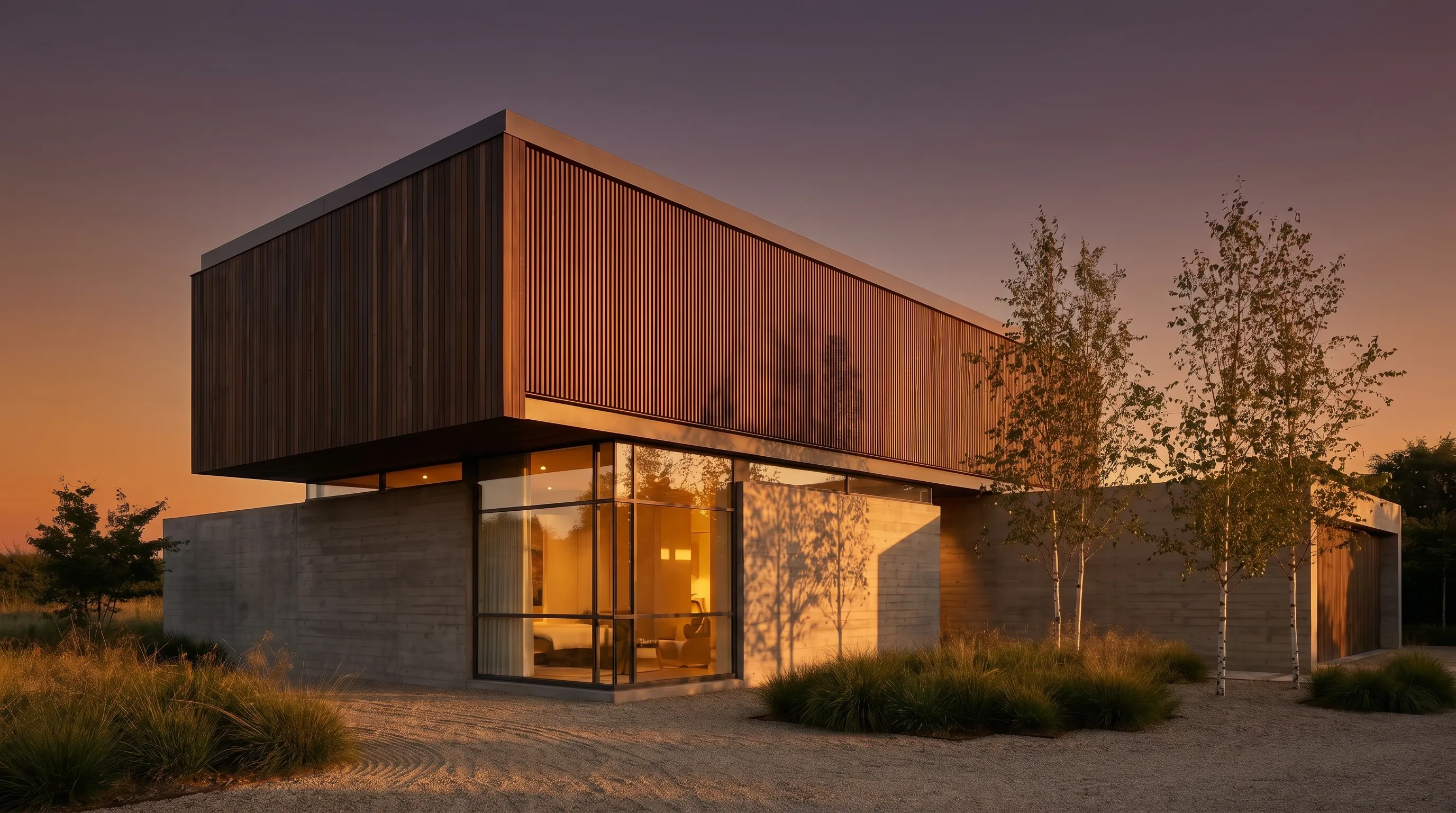
How do you run a development launch with AI renders and video?
A development launch is the case where all six jobs happen in one week and there is no photograph to start from. This is the sequence we would run, with the tool that fits each step:
| Step | Input | Tool | Output | Time |
|---|---|---|---|---|
| 1. Site and massing check | Architect's plan or SketchUp/Revit screenshot | Render a House | Two or three exterior concept renders to agree the look | ≈1 hour including revisions |
| 2. Hero exteriors and typologies | Approved massing render, one per facade and unit type | Render a House (2K or 4K Pro) | 6–10 renders for brochure and portal listing | ≈2 hours |
| 3. Finish options | One interior render per unit type | Render a House area editing | Timber vs stone vs white variants without re-rendering the room | ≈30 min per room |
| 4. Camera-move clips | Finished hero renders | Render a House video, or Luma / Magic Hour | Four to six 8–10 s clips for social and the landing page | Minutes per clip |
| 5. Presenter or narration | Script plus one recording of the agent | HeyGen | 60–90 s launch video, dubbed later if the buyer pool is multilingual | ≈1 hour |
| 6. Disclosure pass | Every altered or generated asset | Your MLS rules and, in California, AB 723 | Labels on renders and staged photos; originals linked | ≈30 min |
Steps 1–4 can be done by one person in an afternoon. The slowest part is not generation but agreeing the look in step 1, so render three options at 1K (one credit each) before spending 4K Pro credits on the heroes. Steps 2 and 3 are covered end-to-end in SketchUp model to realistic render and changing materials in a render with AI; step 4 in 3D model to AI video walkthrough.
What does marketing video cost on Render a House?
Render a House meters video at 0.8 credits per second, and a credit is worth $0.20 when bought as an extra, which makes the arithmetic simple:
| Scenario | Math | Credits | What that means |
|---|---|---|---|
| One 10 s camera-move clip from a render | 10 s × 0.8 credits | 8 credits | $1.60 at the $0.20 extra-credit rate |
| Six 10 s clips for a launch | 6 × 8 credits | 48 credits | 20% of a Pro month (240 credits) |
| Full Pro month spent only on video | 240 ÷ 0.8 | 240 credits | 300 s = 5 minutes of clips for $39 |
| Launch pack: 8 renders at 2K Pro + 6 clips | 8 × 2 + 48 | 64 credits | Fits inside one Pro month with 176 credits left |
| Studio month spent only on video | 1,000 ÷ 0.8 | 1,000 credits | 1,250 s ≈ 20 minutes of clips for $99 |
For comparison, a 10-second 1080p clip on Luma's Ray3.14 model is 800 credits, or 8% of a $30 Plus month; on RoomLab a video is about 50 credits, a third of the $15 pack. Magic Hour quotes hours per year rather than credits per second, so the $19/mo Creator plan works out to roughly 8.5 minutes of image-to-video a month. None of these is expensive per clip; the difference is whether the tool also made the render the clip starts from.
What are the MLS and legal limits on AI-altered listing imagery?
Two rule sets apply, and only one of them is published in a form we could read first-hand.
MLS rules. Each MLS sets its own policy on virtually staged and altered photos in its listing-content rules, and they differ by market. We did not open a specific MLS rulebook for this article, so the only honest advice is: check your MLS rules before uploading a staged, relit or generated image, and assume you must label it.
California AB 723. The bill text on the California Legislature's site (Chapter 497, approved 10 October 2025) adds §10140.8 to the Business and Professions Code. A broker or salesperson who uses a "digitally altered image" in advertising for the sale of real property must include a reasonably conspicuous statement on or adjacent to the image saying it has been altered, plus a link, URL or QR code to the clearly identified original. The definition covers edits made with photo software or AI that add, remove or change fixtures, furniture, appliances, flooring, walls, paint colour, hardscape, landscape, facade, floor plans, or elements visible from the property such as views and neighbouring buildings. Lighting, sharpening, white balance, colour correction, straightening, cropping and exposure are exempt. HeyGen's roundup states the law took effect on 1 January 2026; the bill text itself does not print an effective date, so treat that date as HeyGen's reading.
Practically: day-to-dusk and virtual staging are squarely "altered" under that definition. A render of an unbuilt property is not an altered photograph, but it should still be labelled as a render and match the approved drawings, because the output is a concept image in which openings, roof lines and thin elements can shift. Keep the unaltered originals in a public folder and link them; that satisfies the California rule and is good practice everywhere else.
Render a House, alongside RoomLab
RoomLab is the nearest neighbour in this list because it also turns a 3D screenshot into a photo and a photo into a clip. The difference is the starting line and the metering: Render a House accepts the plan, sketch or mesh before any render exists, and charges video per second rather than per clip.
| RoomLab | Render a House | |
|---|---|---|
| Starting input | Photo, or a rendered 3D screenshot | Hand sketch, floor plan, GLB/GLTF/OBJ, screenshot or photo |
| Entry price | $15 one-time (150 credits) or $20/mo Pro (400 credits) | $39/mo or $312/yr (240 credits) |
| Free tier | Trial credits, no card | 3 renders a day, no card, small watermark |
| Image cost and speed | ≈10 credits per image, +10 for 4K; ≈25 s | 1 credit at 1K, 2 at 4K standard, 4 at 4K Pro; ≈30–60 s |
| Video cost | ≈50 credits per video | 0.8 credits per second (8 credits for a 10 s clip) |
| Virtual staging of a listing photo | Named tool, plus declutter and furniture replacement | Not a named tool; area editing changes a region of an existing image |
What you get
3D integration
Where RoomLab exports a mesh, upload it and set the camera in the browser, then render from that view.
Rendering
Photorealism in seconds rather than a queued calculation you leave running over lunch.
Video
A camera move across the same project, generated from a finished still. Nothing to animate.
Design
Try materials, light and surroundings until the version you want exists, without touching the source model.
Refinement
Fix one part of a render — a facade panel, a tree, a sky — without starting the image again.
Precision
Your geometry is respected: the walls, openings, heights and proportions you drew in RoomLab stay where you put them.
Collaborative
Share a link and take comments on the image itself, so feedback lands on the render rather than in an email thread.
Mobile and web
Runs in the browser, on the machine you have open, including a laptop that would struggle with a local render engine.
4K
Delivery resolution, ready to print or put on a board without a separate upscaling step.
If your work is existing homes, RoomLab or ReimagineHome earns its place. If a share of it is off-plan, Render a House is the tool that produces the image the rest of the stack needs.
The architectural rendering tool covers the workflow in full, and the free tier is there if you want to try it on your own file before deciding anything.
What AI real estate tools cannot do, and who should not use them
- None of these documents the property.A generated walkthrough is marketing motion, not a record of the rooms. Magic Hour's own guide says to use captured tours (Matterport, Zillow 3D Home) for anything a buyer might rely on as evidence.
- AI renders are concept images. Render a House output is not a measured or contractual drawing; geometry is generally preserved but can shift. Do not put a render in a sales contract as a specification.
- Photo tools cannot start from nothing. ReimagineHome, Betterspace and HeyGen need a photograph or a presenter; they are not the tool for a plot with a plan.
- No tool here is a team account with roles. Betterspace (2–3 seats on Growth and Pro) and HeyGen Business ($20 per seat) come closest; Render a House is single-user.
- Who should not use them: a brokerage whose MLS bans virtually altered images outright; a developer who needs exact material samples signed off, where a physical sample beats any render; and anyone who wants offline software, since every tool here runs in the browser.
Common questions about AI real estate renders and video
What is the best AI for real estate renders and marketing videos?
There is no single tool. For existing homes, ReimagineHome (from $14/mo) and RoomLab ($15 one-time or $20/mo) handle staging, day-to-dusk and photo fixes; Betterspace ($29/mo, free tier with 2 videos a month) turns those photos into listing reels; HeyGen (free tier, $29/mo Creator) adds an avatar presenter. For off-plan property, where there is no photo yet, Render a House renders from the plan, sketch or 3D export in about 30–60 seconds and generates a camera-move clip from the result, from $39/mo with a free tier of 3 renders a day.
Is there a free AI real estate video tool?
Yes, with limits. Betterspace's Free plan includes 2 listing videos and 10 staged photos a month with no credit card. HeyGen's Free plan allows 3 videos a month of up to one minute. Magic Hour lets you try its core tools without signing up but does not publish the free allowance. Render a House gives 3 renders a day for free; video generation is on the Pro plan at 0.8 credits per second. Luma does not list a free tier on its pricing page.
Can AI make renders for property marketing before the building exists?
Yes, as long as you have a drawing. Render a House takes a floor plan, a hand sketch, or a GLB/GLTF/OBJ export from SketchUp, Revit or Archicad and returns a photorealistic concept image; RoomLab's 3D-to-photo mode does something similar from a rendered screenshot. Photo-only tools such as ReimagineHome and Betterspace cannot help until there is a photograph, so off-plan marketing starts with a render tool and hands the finished image to the video tools afterwards.
How do I turn a render into a marketing video with AI?
Upload the finished still to an image-to-video tool and choose or describe a camera move. Render a House does this from the render you just made at 0.8 credits per second, so a 10-second clip costs 8 credits. Luma charges 20 credits per second at 720p or 80 at 1080p on its Ray3.14 model, and Magic Hour sells plans by hours of video (about 1.7 hours a year on the $19/mo Creator plan). Keep clips short: 8–10 seconds is enough for a portal listing or a social post, and longer clips are where generated video starts to drift from the design.
Do I have to disclose AI virtual staging or AI-altered listing photos?
Check your MLS rules first; most MLSs regulate altered imagery through their own listing-content policies. In California, AB 723 (Business and Professions Code §10140.8, signed October 10, 2025) requires a reasonably conspicuous statement on or next to any digitally altered image in an advertisement for the sale of real property, plus a link, URL or QR code to the unaltered original. It covers AI or software edits that add, remove or change fixtures, furniture, flooring, walls, paint, landscaping, facades, floor plans or views, and exempts lighting, colour correction, straightening and cropping. Off-plan renders of an unbuilt property are a different case: label them as renders and keep them consistent with the approved drawings.
How much do AI real estate video tools cost per month?
Most sit between $15 and $50 a month. RoomLab is $20/mo (or a $15 one-time pack), Betterspace $29/mo, HeyGen $29/mo, Magic Hour $19/mo, Luma $30/mo and Render a House $39/mo, all for the entry paid tier and all checked on the vendors' pricing pages in September 2026. ReimagineHome, an image tool, starts at $14/mo. Compare on output rather than sticker price: a plan's credits translate into a very different number of seconds of video on each tool.
Where to go next
- AI virtual staging apps compared ranks the staging tools on their own, with per-photo prices.
- AI visualization for off-plan presales covers what buyers need to see before a building exists.
- 3D model to AI video walkthrough is the step-by-step for the clip in step 4 above.
- Floor plan to 3D render is the fastest way to test the off-plan workflow on your own plan, free.
- Best AI rendering tools for architects compares the render-side tools (Veras, LookX, Render a House) this article only touches.
- AI render tools for small studios on a budget runs the same price maths for a studio rather than an agent.
Keep reading
Related guides and comparisons

Render a House vs Veras (and D5 Render): 2026 comparison of prices, inputs and speed
Render a House vs Veras vs D5 Render: Veras from $16.90/mo, D5 Pro $30/mo, Render a House free daily tier. Inputs, hosts, geometry control and speed compared.

AI rendering for small architecture studios on a budget: 7 tools under $50 a month, and what a render really costs in 2026
Cheap AI rendering for small architecture studios: 7 tools under $50/mo, cost-per-render math and a year-one budget for a 2-person firm. Checked Sept 2026.

Midjourney for architectural rendering in 2026: what $10/mo buys, where it fails, and what to use for your own design
Midjourney V8.2 vs Veras, D5 Render and Render a House for architects: inputs, geometry control, plugins and 2026 prices, plus a moodboard-to-render workflow.
