 Render a House/Updated Sep 25, 2026
Best AI rendering tools for architects in 2026: 11 tools compared on inputs, speed and price
The best AI rendering tool for an architect depends on what you start from. If you render from a live BIM model, Veras (from $16.90 a month billed annually) is the plugin to beat; if you start from a sketch, plan or photo, browser tools such as Render a House ($39 a month, about 30–60 seconds a render), ArchiVinci and MyArchitectAI need no model and no GPU; and if you need production finals, D5 Render and Enscape are still the baseline, now with AI assists bolted on.
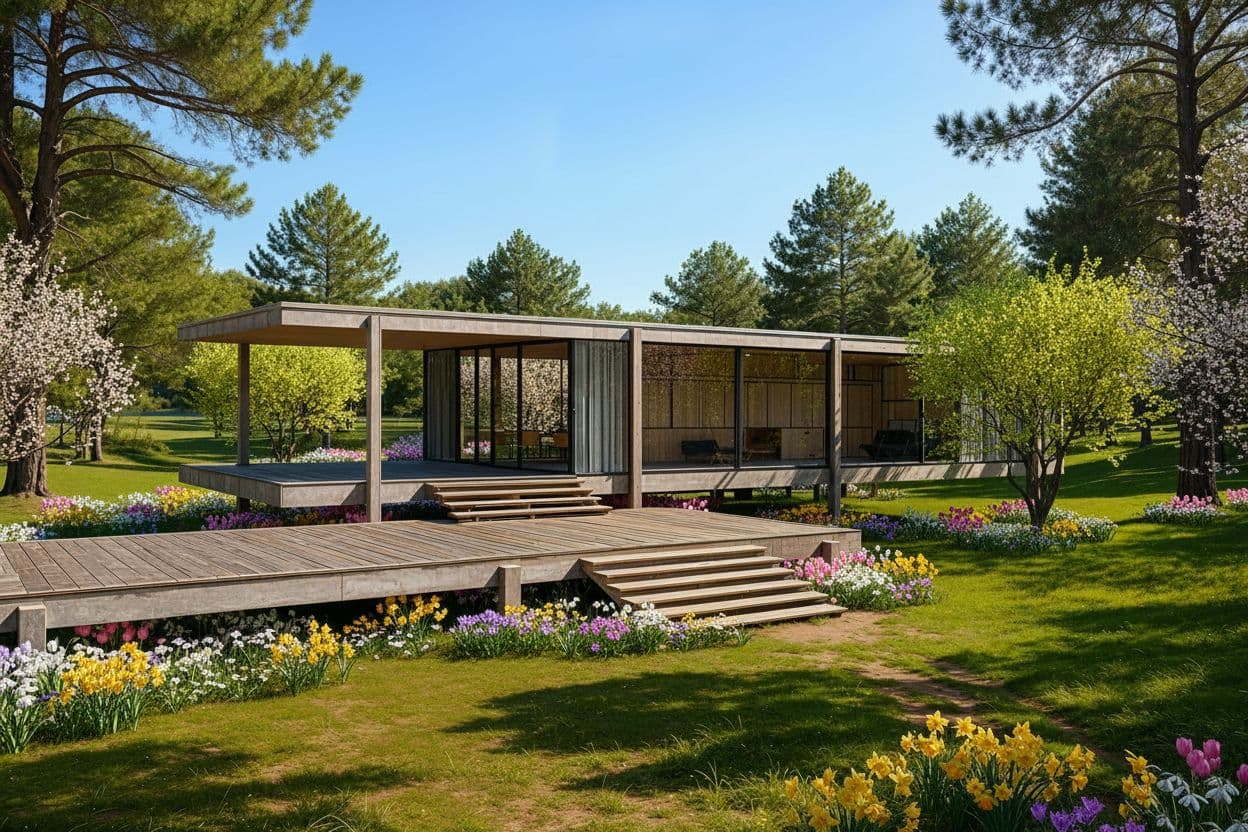
Every price below was read on the vendor's own pricing page in September 2026 and links to it. Where a vendor publishes no figure we say so instead of guessing.
First, credit where credit is due
Render a House is an AI rendering tool for architects, interior designers and real estate. It is the last row in every table here, and not the right answer for every reader. Veras renders from inside seven BIM and CAD hosts, which we cannot. D5 Render and Enscape simulate light from real geometry, which an AI image never will. Krea's free plan is more generous than ours; MyArchitectAI's flat fee is simpler than credits. What we claim is the middle: sketch, plan, photo or export in, a concept image out in under a minute, no GPU, with a free tier that does not expire.
AI rendering tools for architects compared: the canonical table
| Tool | Best for | Inputs (sketch/plan/3D/photo) | Needs a 3D model? | Speed | Starting price (checked Sept 2026) | Free tier |
|---|---|---|---|---|---|---|
| Veras | AI renders inside seven BIM/CAD hosts | Live 3D model, sketch, image | Plugin yes; web app no | Seconds (vendor claim) | $16.90/mo Starter, billed annually $202.80 | 14-day trial with 100 credits |
| D5 Render | Real-time finals, animation, tours | Full 3D scene via live sync | Yes | Real time on a local GPU | $30/mo Pro, $360/yr | Community (non-commercial), 50 AI trial credits |
| Chaos AI Enhancer | Fixing people and vegetation on an Enscape render | Enscape render from a live model | Yes (an Enscape scene) | Not published (checked Sept 2026) | Inside Enscape Solo, $47.90/mo billed annually $574.80 | 14-day Enscape trial |
| ArchiVinci | Unlimited browser renders | Sketch, plan, photo, model screenshot | No | Around 5 seconds (vendor claim) | $39/week or $79/mo; $549/yr | 3 free renders |
| LookX | Architecture-trained models, custom training | Text, sketch, image, viewport | No | Real-time mode (vendor claim) | Not published (checked Sept 2026) | Free sign-up; limits not published |
| MyArchitectAI | Unlimited still renders for a flat monthly fee | CAD exports, line drawings, hand sketches (JPEG/PNG/WebP) | No | Seconds (vendor claim) | $29/mo Starter, 1 seat | 10 free renders |
| Krea | Concept boards, upscaling to 22K | Text, sketch, image, video | No | Real-time canvas; seconds per image | $5.25/mo Basic, billed annually | Free plan, $0/mo |
| Syntina | Image, video and 3D from one credit pool | Sketch, plan, reference image, viewport screenshot | No | Not published (checked Sept 2026) | $19/mo Starter, 1,500 credits | Not published (checked Sept 2026) |
| Midjourney | Mood images, not your geometry | Text prompt, reference image | No | Metered in fast GPU hours; 3.3 h/month on Basic | $10/mo Basic; $96/yr | None |
| Twinmotion (baseline) | Real-time walkthroughs, free under $1M revenue | Full 3D scene | Yes | Real time on a local GPU | Free under $1M revenue; $445/seat/yr above | Yes, under $1M revenue |
| Enscape (baseline) | Real-time preview and VR inside BIM hosts | Live 3D model | Yes | Real time on a local GPU | $47.90/mo Solo, billed annually | 14-day trial |
| Render a House | Concept renders from sketch, plan, photo or 3D export | Sketch, floor plan, photo, screenshot, GLB/GLTF/OBJ | No | About 30–60 s; ~2 min for complex inputs | $39/mo Pro or $312/yr, 240 credits | 3 renders/day, no card |
Read the "Needs a 3D model?" column first. It splits the list into tools that render your model and tools that render an image of anything. Krea's guide frames these as competing for a workflow stage, not with each other.
How we compared these tools
We opened Chaos' six-tool comparison, Syntina's eight-tool comparison and Krea's five-tool guide. Each is honest about its own product and thin on the others, so the rules here were:
- Every price comes from the vendor's own pricing or licence page and links to it. Chaos'
/veras/pricingURL returned a 404, so Veras prices come from the product page plan cards. - Speed is quoted only where a vendor states it.
- A trial with an end date is a trial, not a free tier.
What is the best AI rendering software in 2026, tool by tool?
1. Veras (Chaos)
The only tool here that runs as a plugin in seven hosts, per its product page, plus a web app.
- Best for: AI renders that respect the geometry already in your model
- Inputs: Live model view; sketch or image in the web app
- Needs a 3D model: No for the web app; yes to use the plugin
- Speed: “In seconds” per Chaos; no figure published
- Price: Starter $16.90/mo billed annually ($202.80), 500 credits; Pro $29/mo ($348/yr), 2,000 credits; 14-day trial
- Pros: Widest host support; geometry override; images not used for training, per Chaos
- Cons: Credits shared with video; published pricing URL was a 404
2. D5 Render
A real-time path tracer with AI assists (atmosphere match, AI materials, a planting agent) acting on the 3D scene. Plans: D5 Render pricing.
- Best for: Finals up to 16K, animation and tours from a finished model
- Inputs: Full 3D scene; live sync with SketchUp, Revit, Rhino, Archicad, Blender
- Needs a 3D model: Yes, and a GPU
- Speed: Real time in the viewport
- Price: Community free (non-commercial); Pro $30/mo or $360/yr with unlimited AI; Teams $59/mo per seat
- Pros: Cheapest serious real-time renderer; AI not metered on Pro
- Cons: Community excludes commercial work; cannot start from a sketch, as ArchiVinci's comparison stresses
3. Chaos AI Enhancer (inside Enscape)
Not sold on its own page (those URLs returned 404s). The Enscape buy pagelists it as "AI-enhanced vegetation and people": entourage is rewritten, architecture untouched.
- Best for: Enscape users whose people and plants look like assets
- Inputs: An Enscape render from your live model
- Needs a 3D model: Yes; it only exists inside Enscape
- Speed: Not published (checked Sept 2026)
- Price: Bundled with Enscape Solo, $47.90/mo billed annually: 100 credits, about 5 enhanced scenes a month; Premium ($55.90) 500; Collection ($60.90) 1,500
- Pros: Zero workflow change; geometry never altered
- Cons: About 5 scenes a month on Solo; using credits voids the refund right
4. ArchiVinci
Browser renders from sketches, CAD exports and photos; its D5 comparison claims about 5 seconds a render.
- Best for: High-volume concept iteration on an unlimited plan
- Inputs: Sketch, image, model screenshot, photo
- Needs a 3D model: No
- Speed: Around 5 seconds, per ArchiVinci
- Price: $39 weekly, $79 monthly or $549 a year; passes from $49 for 3 days; unlimited house-engine renders; 3 free
- Pros: Unlimited core renders; one-off passes for a single competition
- Cons: Priciest browser tool here at $79/mo; weekly works out to $169/mo
5. LookX
Architecture-trained models; the homepage lists a RealTime mode, custom model training, SketchUp and Rhino plugins.
- Best for: Facade and massing studies where a house style must repeat
- Inputs: Text, sketch, image; SketchUp or Rhino viewport
- Needs a 3D model: No
- Speed: RealTime mode advertised; no figure
- Price: Not published; the pricing URL redirects to the homepage and plans appear after sign-in
- Pros: Custom model training is rare in this category
- Cons: No public pricing; quality trails frontier models, per Krea's guide
6. MyArchitectAI
A flat fee for unlimited renders in any browser, phones included, per its pricing page.
- Best for: Solo designers who render daily and hate counting credits
- Inputs: CAD exports, line drawings, hand sketches; explicitly not floor plans
- Needs a 3D model: No
- Speed: “In seconds”, only as a customer quote
- Price: Starter $29/mo, 1 seat, 4K; Studio $49/mo, 50 animations, 8K; Team $99/mo, 5 seats; 10 free renders
- Pros: Unlimited stills; a real 5-seat plan at $99
- Cons: No floor plans; capped animations; no 3D import
7. Krea
A general creative suite whose own guide admits it renders from images, not a model.
- Best for: Concept boards before a model exists; upscaling for print
- Inputs: Text, sketch, image, video; LoRA training on up to 50 images
- Needs a 3D model: No
- Speed: Real-time canvas that renders while you sketch
- Price: Free $0/mo; Basic $5.25/mo billed annually, 5,000 units; Pro $21/mo, 20,000; Max $63/mo, 60,000; 40% off for annual billing
- Pros: Cheapest paid entry here; upscaling to 22K
- Cons: No architectural presets or geometry control; opaque compute units
8. Syntina
Image, video and 3D output in one platform. Its own comparison is frank: no exact dimensions, no photo matching, no BIM connection.
- Best for: Teams wanting image, video and 3D from one credit pool
- Inputs: Sketch, floor plan, reference image, viewport screenshot
- Needs a 3D model: No
- Speed: Not published (checked Sept 2026)
- Price: Starter $19/mo, 1,500 credits; Pro $45/mo, 4,000; Business $99/mo, 10,000 and 5 seats; 1–3 credits a generation
- Pros: Edits billed cheaper than fresh generations; seats from $99
- Cons: No free tier stated; no Revit or Archicad plugin
9. Midjourney
The most striking images and the least useful after concept; Chaos' comparison notes that asking for five floors may return seven.
- Best for: Mood boards and competition atmospheres
- Inputs: Text prompts and reference images
- Needs a 3D model: No, and it ignores one if given
- Speed: Metered in fast GPU hours; 3.3 h a month on Basic
- Price: Basic $10/mo or $96/yr; Standard $30/mo; Pro $60/mo adds stealth mode; Mega $120/mo; no free tier
- Pros: Image quality; $10 entry
- Cons: No geometry fidelity or BIM integration; images public below $60
10. Twinmotion and Enscape (non-AI baselines)
Two engines most firms already own. Twinmotion's licence pagemakes it free under $1M revenue; Enscape's pricing page bundles Veras. See Enscape pricing and Twinmotion pricing.
- Best for: Walkthroughs, VR and verified-geometry stills for approvals
- Inputs: A live model; Enscape runs inside Revit, SketchUp, Rhino, Archicad, Vectorworks
- Needs a 3D model: Yes
- Speed: Real time on a local GPU
- Price: Twinmotion free under $1M revenue, else $445/seat/yr; Enscape Solo $47.90/mo, Premium $55.90/mo, Collection $60.90/mo, billed annually
- Pros: Tender-grade output; Twinmotion is free for most small studios
- Cons: Need a model and a GPU; Enscape Solo's AI quota is about 10 images a month
11. Render a House
Same browser family as ArchiVinci and MyArchitectAI, with two differences: it accepts floor plans and imports GLB, GLTF and OBJ so an exported model can be orbited to a camera first.
- Best for: A concept image from whatever you have today, on any laptop
- Inputs: Sketches, floor plans, photos, renders (JPG/PNG/WebP); GLB, GLTF or OBJ (.skp/.rvt exported first)
- Needs a 3D model: No
- Speed: About 30–60 seconds; around 2 minutes for complex inputs; failed renders not charged
- Price: Free: 3 renders a day, no card. Pro: $39/mo or $312/yr, 240 credits, 4K, video, 3D import. Studio: $99/mo or $792/yr, 1000 credits. A 1K render is 1 credit; extras $0.20
- Pros: No GPU or install; area editing; reference-image styles without fine-tuning; commercial use on every plan
- Cons: Not a BIM plugin or real-time engine; no team account, offline or mobile app; geometry can shift on thin elements
How much does AI rendering software cost in 2026?
Monthly figures hide three billing models: per-seat subscriptions (D5, Enscape, Twinmotion), credit pools (Veras, Syntina, Krea, Render a House) and flat unlimited fees (MyArchitectAI, ArchiVinci). A $10 plan capped at 200 renders can cost more per image than a $29 unlimited plan, so the table shows what each tier includes.
| Tool | Entry tier (checked Sept 2026) | Middle tier | Volume or team tier | Billing model |
|---|---|---|---|---|
| Veras | Starter $16.90/mo ($202.80/yr), 500 credits | Pro $29/mo ($348/yr), 2,000 credits | Ultra, 6,000 credits; price not shown | Credits, shared with video |
| D5 Render | Community, free, non-commercial | Pro $30/mo or $360/yr, unlimited AI features | Teams $59/mo per seat ($708/yr) | Per-seat subscription |
| Chaos AI Enhancer (Enscape) | Solo $47.90/mo ($574.80/yr), 100 credits ≈ 5 scenes | Premium $55.90/mo, 500 credits | Collection $60.90/mo, 1,500 credits | Chaos credit pool |
| ArchiVinci | Weekly $39; 3-day one-off $49 | Monthly $79, or $549/yr ($46/mo) | One-off 1 year $599 | Unlimited house engine; coins for others |
| LookX | Not published (checked Sept 2026) | Not published (checked Sept 2026) | Not published (checked Sept 2026) | Plans behind sign-in |
| MyArchitectAI | Starter $29/mo, 1 seat | Studio $49/mo, 50 animations | Team $99/mo, 5 seats, 200 animations | Flat fee, unlimited stills |
| Krea | Free $0; Basic $5.25/mo billed annually, 5,000 units | Pro $21/mo, 20,000 units | Max $63/mo, 60,000 units | Compute units, billed annually |
| Syntina | Starter $19/mo, 1,500 credits | Pro $45/mo, 4,000 credits | Business $99/mo, 10,000 credits, 5 seats | Credits, 1–3 per generation |
| Midjourney | Basic $10/mo ($96/yr), 3.3 h fast GPU | Standard $30/mo, unlimited relax images | Pro $60/mo; Mega $120/mo | GPU time; extra fast hours $4/h |
| Twinmotion | Free under $1M annual revenue | $445 per seat per year above $1M | Custom above 25 seats | Revenue-gated licence |
| Enscape | Solo $47.90/mo ($574.80/yr) | Premium $55.90/mo ($670.80/yr) | Collection $60.90/mo ($730.80/yr) | Named licence, billed annually |
| Render a House | Free, 3 renders/day | Pro $39/mo or $312/yr, 240 credits | Studio $99/mo or $792/yr, 1000 credits | Credits; 1K render = 1 credit; failed renders not charged |
Veras, Enscape, D5 and Krea quote monthly figures billed annually; ArchiVinci, MyArchitectAI, Syntina and Midjourney show true monthly prices. The free tiers that never expire are D5 Community (non-commercial), Krea Free, Twinmotion under $1M and Render a House at 3 renders a day.
What can AI rendering automate, and what can it not replace?
Chaos has published a stage-by-stage map of where AI rendering earns trust: generative tools invent geometry, model-integrated tools constrain it, and neither replaces production rendering, documentation or compliance. The table condenses that map and adds which tools fit.
| Project stage | What AI rendering can automate | What it cannot replace | Tools that fit |
|---|---|---|---|
| Concept and massing | Five facade treatments or three lighting moods from one massing | Confirm a cantilever or facade module is buildable | Any tool here |
| Design development | Material, lighting and context studies on fixed geometry | Invent geometry the model does not contain | Veras, D5, Enscape; low geometry override |
| Client presentation | Presentation sets, angle variations, image-to-video clips | Stand in for a documented design decision | Any, labelled as AI; BIM model stays source of truth |
| Construction documentation | Repetitive sheet tasks (tagging, dimensioning) via Chaos Glyph | Seal drawings, certify compliance, take liability | None; no generative render in a tender pack |
| Marketing after approval | Portfolio and listing imagery, retrospective renders | Add elements the built design never had | Browser tools: ArchiVinci, MyArchitectAI, Render a House |
Chaos' three recommendations apply to every tool here: label AI-assisted visuals, keep the BIM model as the source of truth, and write an office policy for which stages allow AI imagery.
Which AI rendering tool should you pick for your firm size?
Firm size decides whether anyone maintains a model, whether seats need sharing, and whether $47.90 a month is a line item.
| Firm | Pick | Why | Avoid |
|---|---|---|---|
| Student or sole practitioner | Krea Free or Render a House Free; Twinmotion for walkthroughs | $0; 3 renders/day covers coursework | $47.90/mo for a plugin opened twice a month |
| Freelancer or 2–5 person studio | Render a House Pro, MyArchitectAI or ArchiVinci plus your existing renderer | $29–$39/mo, no GPU, concept images in under a minute | D5 or Enscape seats for staff who never open the model |
| 6–20 person practice on Revit or Archicad | Veras Pro at $29/mo per seat; D5 Pro for finals | Geometry stays tied to the BIM model | Midjourney for design development |
| 20+ people, several offices | Enscape Collection or D5 Teams; Syntina Business for shared credits | Team libraries, access control, shared cloud | Single-user tools, Render a House included |
The pattern is a pipeline: a browser tool for the napkin phase, a model-bound tool once geometry is fixed, an engine for finals. Our budget guide for small studios covers the first two rows.
Render a House, alongside Veras
Veras is the best AI tool for architects who already have a model. Render a House is for the hours before that model exists, or for the colleague who never opens Revit. Many offices use both.
| Veras | Render a House | |
|---|---|---|
| Where it runs | A plugin in Revit, SketchUp, Rhino, Archicad, Vectorworks, Forma or Allplan, plus a web app. | In Chrome, Firefox, Safari or Edge on Mac, Windows or Linux. No install, no GPU. |
| What you start from | The live model view; the web app also takes a sketch or image. | A sketch, floor plan, photo, render, or a GLB, GLTF or OBJ export you can orbit first. |
| Speed | “In seconds” per Chaos; no published figure. | About 30–60 seconds; around 2 minutes for complex inputs. Failed renders are not charged. |
| Entry price | Starter $16.90/mo billed annually ($202.80), 500 credits; Pro $29/mo ($348/yr), 2,000 credits. | Free at 3 renders a day; Pro $39/mo or $312/yr for 240 credits. |
| Editing a result | Smart selection isolates an object; geometry override sets how far AI departs from the model. | Area editing re-renders one region; relighting; custom styles from a reference image. |
| Team use | Named licences per user; part of Enscape and Chaos bundles. | Single-user accounts and read-only share links. No multi-user team account. |
What you get
3D integration
Where Veras exports a mesh, upload it and set the camera in the browser, then render from that view.
Rendering
Photorealism in seconds rather than a queued calculation you leave running over lunch.
Video
A camera move across the same project, generated from a finished still. Nothing to animate.
Design
Try materials, light and surroundings until the version you want exists, without touching the source model.
Refinement
Fix one part of a render — a facade panel, a tree, a sky — without starting the image again.
Precision
Your geometry is respected: the walls, openings, heights and proportions you drew in Veras stay where you put them.
Collaborative
Share a link and take comments on the image itself, so feedback lands on the render rather than in an email thread.
Mobile and web
Runs in the browser, on the machine you have open, including a laptop that would struggle with a local render engine.
4K
Delivery resolution, ready to print or put on a board without a separate upscaling step.
If your week is spent inside Revit, buy Veras. If it is spent between sketches, client photos and exports, start with the sketch-to-render tool or the floor-plan-to-3D-render tool and see whether 3 free renders a day already cover you.
The architectural rendering tool covers the workflow in full, and the free tier is there if you want to try it on your own file before deciding anything.
What none of these tools can do (and who should not buy one)
Every vendor here, including us, sells a concept image. None of the AI tools will:
- Produce a measured drawing. Geometry is generally preserved but can shift on openings, roof lines and thin elements, in Render a House as in every image-based tool.
- Certify anything. Code, fire, accessibility and the seal on the drawings stay with the licensed practitioner.
- Replace the real-time engine for tender imagery; engines simulate light from verified geometry.
- Fix a bad input. Sparse models and loose sketches produce convincing, wrong images in every tool.
Who should not buy one: offices that only need construction-stage imagery; teams that need an administered shared account (Render a House is single-user); anyone rendering offline; and firms whose data policy forbids uploading models, which leaves only local GPU engines.
Best AI rendering tools for architects: common questions
What is the best AI rendering tool for architects?
It depends on what you start from. From a live BIM model, Veras (from $16.90/mo billed annually) is the strongest AI plugin because geometry stays tied to the model. From sketches, plans or photos, Render a House, ArchiVinci or MyArchitectAI give a concept image in under a minute with nothing installed. For finals, D5 Render or Enscape remain the baseline.
What is the best AI rendering software in 2026 for a small studio?
One browser tool plus the renderer you already own. Render a House Pro is $39/mo for 240 credits, MyArchitectAI Starter $29/mo with unlimited stills, ArchiVinci $79/mo or $549/yr. None needs a GPU, which matters more than the price gap for a studio on laptops.
Can I use AI rendering tools without a 3D model?
Yes. Render a House, ArchiVinci, MyArchitectAI, Krea, Syntina and the Veras web app accept a sketch, plan or photo alone. D5 Render, Enscape, Twinmotion and the Chaos AI Enhancer need a complete 3D scene.
Do AI rendering tools need a powerful GPU?
Browser tools do not; they render on the vendor's servers. D5 Render, Enscape and Twinmotion run on your own GPU. Veras' AI runs in the cloud.
Is Midjourney good for architectural rendering?
For mood boards, yes: $10/mo for striking images. After concept, no: it has no BIM integration and changes floor counts and structure, as Chaos' comparison and Krea's guide both note. No free tier.
Will AI rendering replace Enscape, D5 Render or Twinmotion?
Not for production output. Engines simulate light from verified geometry; AI tools match patterns. Chaos advises keeping AI renders out of tender packs and labelling AI-assisted visuals. The realistic outcome is AI for concept, an engine for finals.
How fast is AI rendering compared with a traditional render?
ArchiVinci claims around 5 seconds, Render a House takes about 30–60 seconds (up to 2 minutes for complex inputs), Veras says seconds. A path-traced still takes minutes to hours; real-time engines trade that for scene setup.
Related guides on AI rendering
- Render a House vs Veras compares the plugin and browser routes feature by feature.
- AI alternatives to Enscape and Lumion for offices that want to drop a real-time seat.
- Enscape-quality renders without a 3D model walks through sketch and photo inputs.
- Best AI interior design rendering tools covers the same question for interiors.
- Revit and Archicad to AI render explains exporting a model for a browser tool.
- 3D model to AI video walkthrough shows what video credits actually buy.
Keep reading
Related guides and comparisons

Render a House vs Veras (and D5 Render): 2026 comparison of prices, inputs and speed
Render a House vs Veras vs D5 Render: Veras from $16.90/mo, D5 Pro $30/mo, Render a House free daily tier. Inputs, hosts, geometry control and speed compared.

AI for real estate renders and marketing videos: 7 tools by job, with 2026 prices
AI for real estate renders and marketing videos by job: staging, day-to-dusk, off-plan renders and video. 7 tools, prices checked Sept 2026.

AI rendering for small architecture studios on a budget: 7 tools under $50 a month, and what a render really costs in 2026
Cheap AI rendering for small architecture studios: 7 tools under $50/mo, cost-per-render math and a year-one budget for a 2-person firm. Checked Sept 2026.
