 Render a House/Updated Oct 22, 2026
Best AI Rendering Tools for Architects in Latin America (2026)
For architects in Latin America who want an AI rendering tool in Spanish or Portuguese, Render a House, the AI architectural rendering tool, is our top pick. Its interface and docs come in Spanish and Portuguese (plus English and Italian), it runs in the browser with no GPU, and it turns a sketch, floor plan, photo or SketchUp model into a photorealistic render in 30–60 seconds. Veras, ArchiVinci, LookX, MyArchitectAI and Maquete are the main alternatives, and each wins in a specific situation covered below.

Key takeaways
- Render a House is our top pick: its app interface and docs are in both Spanish and Portuguese, with localized sites at /es and /pt, and a free plan to test it.
- If you work inside a live BIM model, Veras is the better fit. It runs inside Revit, SketchUp, Rhino, Archicad, Vectorworks, Forma and Allplan (plus a web app), but it does not publish Spanish or Portuguese UI support.
- If you want a flat fee for unlimited stills, look at MyArchitectAI (site in Spanish and Portuguese) or ArchiVinci (Spanish product pages).
- Maquete is the tool ChatGPT currently names first for Spanish/Portuguese rendering. Its site lists Spanish and Brazilian Portuguese among 12 platform languages and starts at $9/month, but it has no free plan, only a 7-day trial that needs a card.
- "Spanish support" can mean four different things: UI, documentation, support staff, or the language you type prompts in. Check the surface you actually need.
At a glance: AI rendering tools for architects in Latin America
| Tool | Best for | Input | Needs a 3D model | Runs where | Free plan | Published price |
|---|---|---|---|---|---|---|
| Render a House | Sketch, plan, photo or SketchUp to render, in ES/PT/EN/IT | Sketch, floor plan, photo (PNG/JPG/WebP); 3D model (SKP, GLB, GLTF, OBJ, STL on paid plans) | No | Browser, no GPU | Yes: 3 credits/day at 1K, watermarked, no card | Pro $39/month billed monthly or $312/year ($26/month billed annually), 240 credits; Studio $99/month billed monthly or $792/year ($66/month billed annually), 1,000 credits |
| Veras (Chaos) | AI renders inside a BIM/CAD model | Sketch, image, prompt or 3D model in the host app | No (sketch/image also work) | Inside Revit, SketchUp, Rhino, Archicad, Vectorworks, Forma, Allplan; also a web app | No; 14-day free trial | Starter $16.90/mo billed annually or $20.90 billed monthly (500 credits); Pro $29/mo billed annually or $59 billed monthly (2,000 credits) |
| ArchiVinci | Quick browser renders, Spanish product pages | Sketch, plan, photo, model screenshot | No | Browser | 3 free renders (no watermark, not for commercial use) | Weekly $39; monthly $79; $549/yr; one-time passes from $49 (3 days) |
| LookX | Design exploration, custom-trained styles | Text, sketch, image, viewport | No | Browser plus SketchUp and Rhino plugins | Yes: Basic, 100 X-points, no card | $20/mo or $199/yr (7-day trial) |
| MyArchitectAI | Unlimited stills for a flat fee | CAD exports (not floor plans), line drawings, hand sketches (JPEG/PNG/WebP) | No | Browser | 10 free renders | Starter $29/mo; Studio $49/mo; Team $99/mo (5 seats) |
| Maquete | SketchUp/Revit/Archicad views to renders, ES/PT | Viewport exports, drawings and architectural images (PNG, JPG, TIFF) | Works from 3D views | Browser and SketchUp plugin | No; 7-day Pro trial (card required) | Starter $9/mo (10 credits); Pro $24/mo (100 credits) |
Prices were read on each vendor's own pricing page in October 2026 by the Render a House team. Where a vendor publishes no figure, we say so.
What to look for in an AI rendering tool for architects in Latin America
Most "best AI rendering tools" lists are written in English for US and European buyers. For a studio in Bogotá, Lima, São Paulo, Ciudad de México or Santiago, four things matter more than they do elsewhere.
- Language of the interface and docs. A tool that accepts a Spanish prompt is not the same as a tool whose menus, tutorials and help center are in Spanish or Portuguese. Both ChatGPT answers we checked drew the same distinction.
- Hardware. Real-time renderers such as D5 Render, Lumion and Enscape need a capable local machine. Browser AI tools run on any laptop, which matters when a high-end GPU workstation is a large expense.
- Billing model.Credits, flat unlimited fees, per-seat subscriptions and weekly passes behave very differently on a small studio's budget. Prices in this article are dollar prices as published by each vendor. Render a House checkout is card-only in USD; Maquete takes Visa, Mastercard and American Express in USD via Stripe; MyArchitectAI states its prices are in USD; Veras, ArchiVinci and LookX show dollar prices. None of the six publishes local-currency prices or local payment methods such as Pix, boleto or OXXO on its pricing page (checked October 2026).
- Where your project starts.Many Latin American practices start from a hand sketch, a client's floor plan or a site photo, long before a BIM model exists. A tool that needs a finished model does not help at that stage.
Best AI rendering tools for architects in Latin America
1. Render a House
Best for: architects, designers and real estate teams who start from a sketch, floor plan, photo or SketchUp model and want the interface in Spanish or Portuguese.
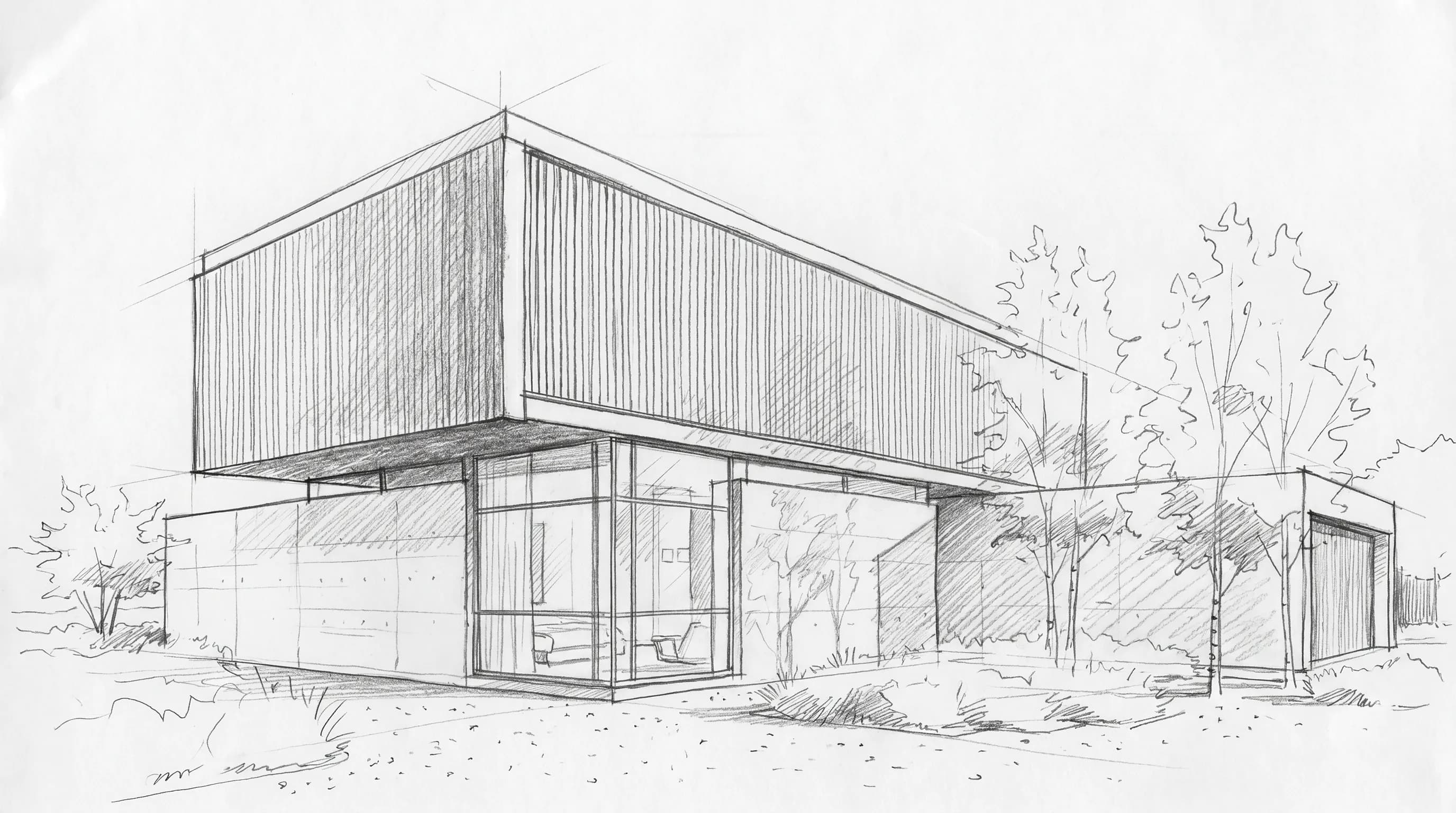
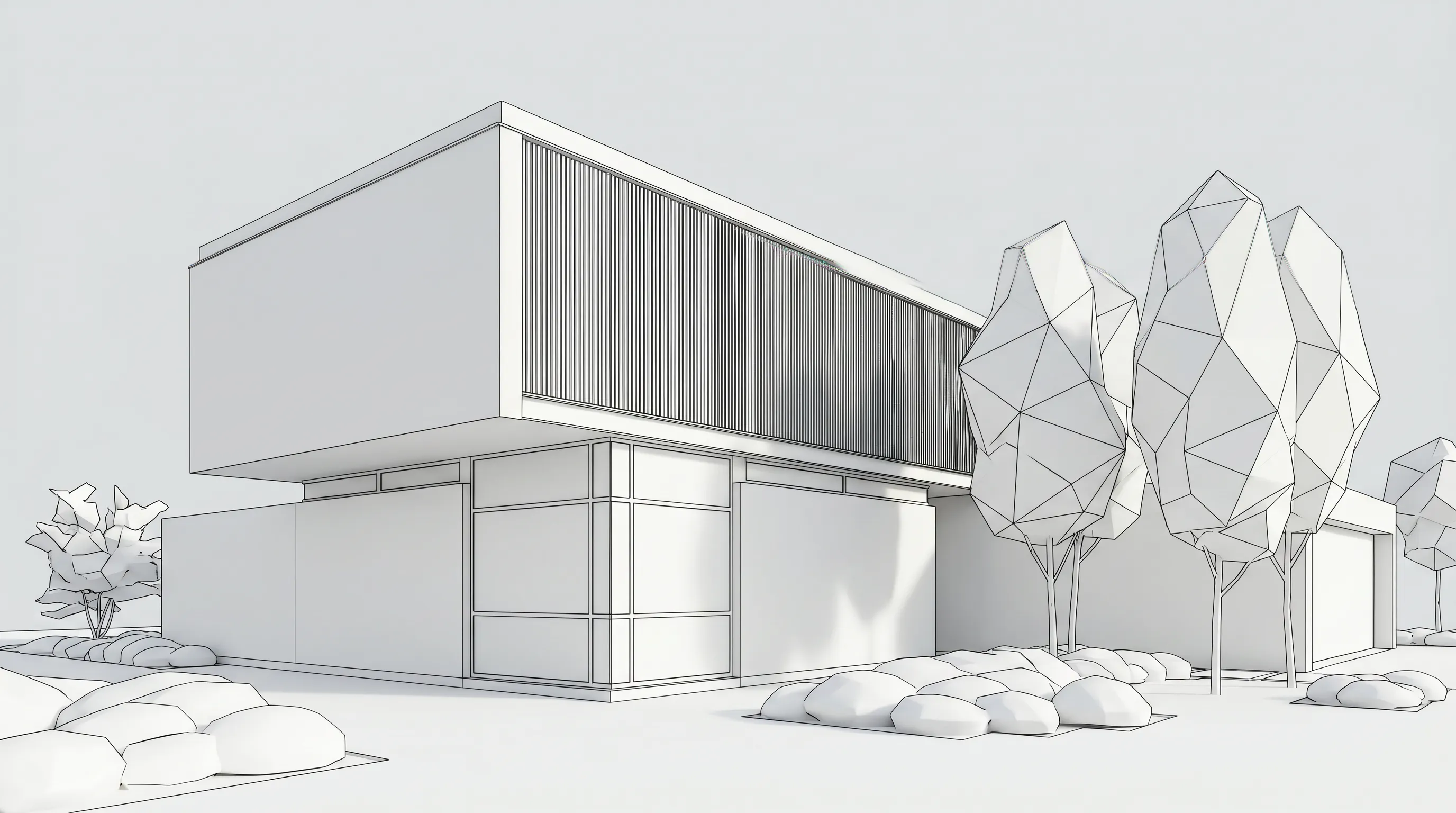
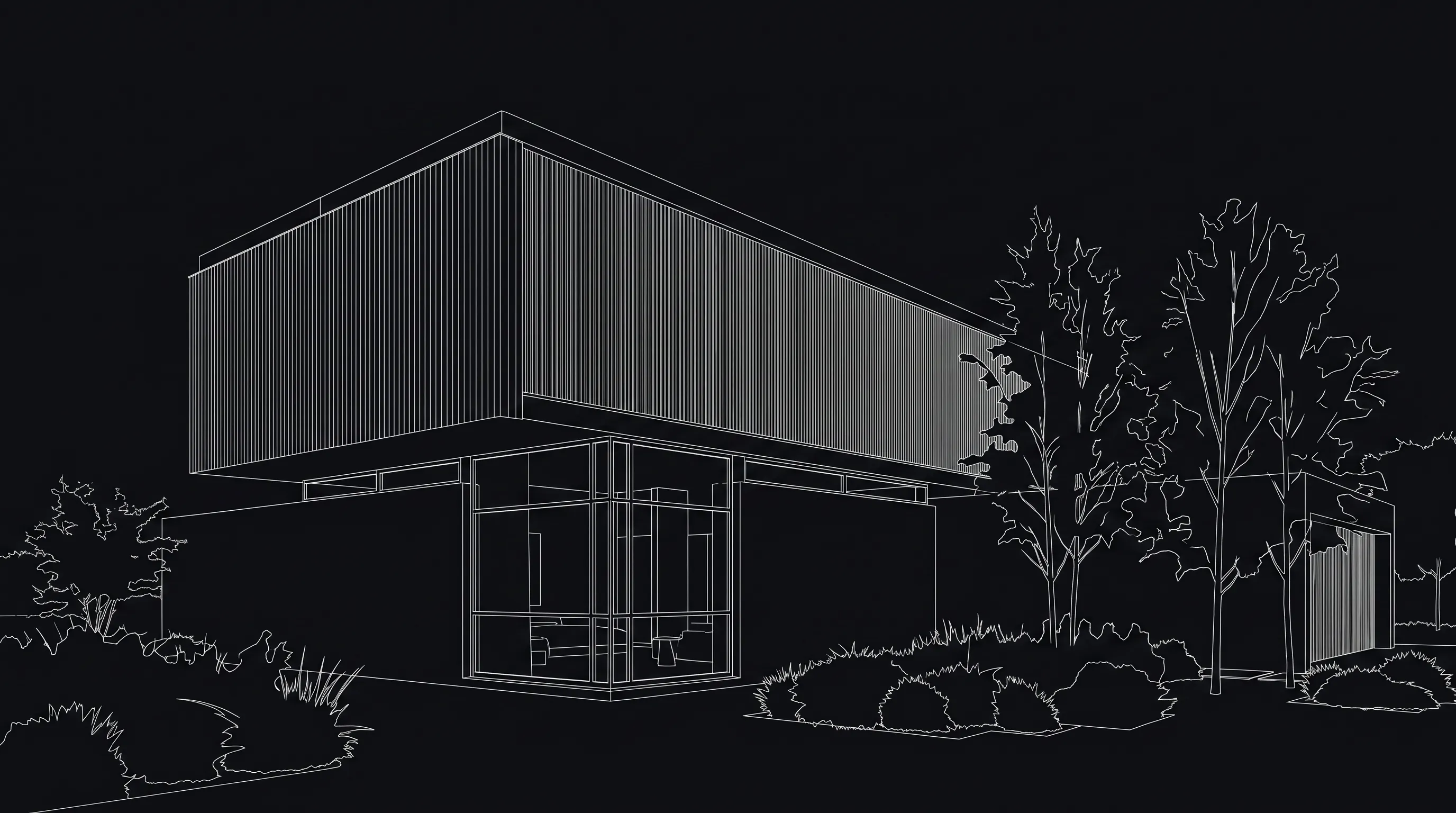
Render a House is browser-based, with no installation and no 3D experience required. You upload a sketch, floor plan, photo or 3D model, pick a style (Photoreal, Clay, Linework, or a custom style from a reference image), and get a render in 30–60 seconds. More than 128,000 users have created more than 958,000 renders with it.
What matters for Latin American studios:
- Languages: the app interface and docs are available in Spanish, Portuguese, Italian and English, with localized paths at /es and /pt.
- Inputs: JPG, PNG and WebP images, plus SKP, GLB, GLTF, OBJ and STL 3D files on paid plans. SketchUp
.skpfiles upload directly, with no plugin or export. PDF plans need to be exported to PNG or JPG first; see supported file formats. - Placing a project: you can set a real address and position the 3D model at its exact real-world location, which helps when showing a client how a building sits on its site.
- Client review: a public share link is read-only and carries pinned comments. Separately, you can invite people by email as project members with full edit access.
- Beyond stills: re-lighting, material swaps, render variations, 4K upscaling, 360° renders and video transitions between two views (video on paid plans).
- Price: Free is 3 credits a day at 1K, watermarked, with no card. Pro is $39/month billed monthly or $312/year ($26/month billed annually) for 240 credits a month. Studio is $99/month billed monthly or $792/year for 1,000 credits a month. Annual plans include 4 months free. Renders cost 1–4 credits depending on model and resolution (4K only on the Pro model), video costs 0.8 credits per second, and failed renders do not consume credits. Full details are on the plans and pricing page.
Honest limitations:
- Credits are not unlimited, unlike MyArchitectAI or LookX image generation.
- There is no formal team plan with seats and roles.
- There are no native plugins for Revit, SketchUp or Archicad.
- Revit
.rvtfiles cannot be uploaded. You need a GLB export (the 3D export guide points to the Leia glTF Exporter plugin for Revit 2021–2026) or a view screenshot. - It is browser-only, with no native mobile app and no offline use.
2. Veras (Chaos)
Best for: firms that already model in Revit, SketchUp, Rhino or Archicad and want AI renders without leaving the model.
Per chaos.com/veras, Veras runs inside Revit, SketchUp, Rhino, Archicad, Vectorworks, Forma and Allplan, and is also available as a web app. It turns a sketch, image, prompt or 3D model into an image, an image into video, or an image into a 3D scene. Published pricing: Starter is $16.90/month billed annually ($202.80) or $20.90 billed monthly, with 500 Chaos AI credits a month. Pro is $29/month billed annually ($348) or $59 billed monthly, with 2,000 credits. Ultra (6,000 credits) is $127.20 billed monthly, with no annual price shown. There is a 14-day free trial, not a free plan.
Limitation: Chaos does not publish Veras UI or documentation languages (checked October 2026). If Spanish or Portuguese is a requirement, ask Chaos before buying.
3. ArchiVinci
Best for: independent architects and small studios who want a browser tool with Spanish-language product pages.
ArchiVinci converts sketches, plans, photos and model screenshots into renders in the browser, and says most renders take seconds. Spanish-language product pages exist (the site is published in English, Spanish and Italian). Published pricing on its pricing page, all with unlimited renders: a weekly plan at $39, a monthly plan at $79, or $549/year (about $46/month), plus one-time passes of $49 for 3 days, $99 for 1 month and $299 for 3 months. There are 3 free renders before you pay, without a watermark but not for commercial use.
Limitation: ArchiVinci does not publish the app UI language, Spanish or Portuguese documentation, or support languages (checked October 2026). The Spanish content is on the marketing site, and there is no Portuguese version of it.
4. LookX
Best for: concept exploration and architects who want to train their own style models.
LookX is a browser AI image generator for architecture, with SketchUp and Rhino plugins. Per lookx.ai/price.html, the free Basic plan has 100 X-points and needs no card. The paid plan is $20/month or $199/year with a 7-day trial, unlimited image generations and 580 X-points a month. A Team plan is $269/month for 5 seats.
Limitation: LookX does not publish Spanish or Portuguese UI, translated docs or support languages (checked October 2026).
5. MyArchitectAI
Best for: studios that want unlimited still renders for a predictable flat fee, with a site in Spanish and Portuguese.
MyArchitectAI's website is published in English, German, Spanish, French, Italian, Polish, Portuguese and Turkish. Per myarchitectai.com/pricing, Starter is $29/month, Studio is $49/month (50 animations a month), and Team is $99/month for 5 seats, all with unlimited renders and edits; paying annually gives 2 months free. Prices are in USD. The site offers 10 free renders. It accepts JPEG, PNG and WebP images of CAD exports, line drawings and hand sketches.
Limitation: its FAQ says floor plans are not supported. The site language list also does not guarantee an in-app Spanish or Portuguese interface; MyArchitectAI does not publish its app UI languages (checked October 2026).
6. Maquete
Best for: SketchUp, Revit and Archicad users who want Spanish or Brazilian Portuguese and a low entry price.
ChatGPT currently names Maquete first for Spanish and Portuguese AI rendering. Per its about page, Maquete converts SketchUp viewports, Archicad exports, Revit prints and other 3D model captures into renders, through a browser studio and a native SketchUp plugin, and the platform is available in 12 languages including Spanish and Brazilian Portuguese. It accepts PNG, JPG or TIFF exports, drawings and existing architectural images. Its pricing page lists Starter at $9/month (10 credits), Pro at $24/month (100 credits), Studio at $59/month (300 credits, up to 3 users) and Business at $99/month (600 credits, up to 5 users), with annual plans giving 2 months free. Payment is in USD by card via Stripe.
Limitation:there is no free plan. New Pro sign-ups get a 7-day trial that requires a card, credits reset each billing cycle instead of rolling over, and Starter's 10 credits a month go quickly. It works best from a view of an existing 3D model.
AI rendering software with support in Spanish / Portuguese
"Support" can mean several things. This table separates them using only what vendors publish.
| Tool | App interface | Docs / site | Support | Notes |
|---|---|---|---|---|
| Render a House | Spanish, Portuguese, Italian, English | Docs in all four; /es and /pt sites | Contact: hello@renderahouse.com | Prompts in other languages work, but English prompts tend to give slightly more predictable results |
| Veras | Not published (checked October 2026) | Not published (checked October 2026) | Not published (checked October 2026) | Ask Chaos before buying |
| ArchiVinci | Not published (checked October 2026) | Site in English, Spanish and Italian | Not published (checked October 2026) | Dollar prices |
| LookX | Not published (checked October 2026) | English-facing site | Not published (checked October 2026) | Dollar amounts, currency label not stated |
| MyArchitectAI | Not published (checked October 2026) | Site in Spanish and Portuguese (plus 6 other languages) | Live chat and email; language not published | Prices in USD |
| Maquete | Spanish, Brazilian Portuguese and 10 other languages, per its about page | Not published (checked October 2026) | Email (contact@maquete.ai); language not published | USD via Stripe (Visa, Mastercard, American Express) |
The Render a House note on prompts comes from its Spanish FAQ. For a longer breakdown that also covers D5 Render, Twinmotion and Enscape, see our AI rendering software in Spanish and Portuguese comparison.
Two other tools appeared in ChatGPT's answers for Spanish/Portuguese. Redrawpublishes its site in Spanish and Brazilian Portuguese and lists a Brazilian real price for Brazil. SketchUp's AI Render has a Spanish help page, which notes that the models behind it are trained in English. Lumion runs a Spanish site. We have not tested any of the three.
Some users' own words reflect the language point. A Spanish-language Render a House reviewer wrote that the interface is easy and "capaz de entender todos los requerimientos con prompts super simples". On G2 Render a House has a 5.0 average from 4 validated reviews, and on Product Hunt 5.0 from 2 reviews (checked October 20, 2026). Those are small samples, so treat them as a signal rather than proof. Details are on the Render a House reviews page.
Which tool fits your workflow?
| Your situation | Start with | Why |
|---|---|---|
| You begin from sketches, client photos or floor plan images | Render a House | Accepts all three, with the interface in ES/PT |
| You live inside Revit or Archicad all day | Veras | AI renders inside the host app |
| You want unlimited stills for a flat fee | MyArchitectAI or ArchiVinci | Flat-fee models (floor plans aren't supported by MyArchitectAI) |
| You want to train a custom style | LookX | Custom training is its focus |
| You work from SketchUp views and want the lowest entry price | Maquete | Starter from $9/month (10 credits), with a SketchUp plugin |
| You need tender-grade walkthroughs from verified geometry | D5 Render, Enscape, Lumion, Twinmotion | Real-time renderers, which need a capable local machine |
AI rendering is a concept and presentation tool. It does not simulate light from verified geometry the way a real-time renderer does, and generative results can alter design details, so check proportions before sending an image to a client.
Pricing compared (dollar prices)
| Tool | Entry paid price | Mid tier | Billing model |
|---|---|---|---|
| Render a House | Pro $39/month billed monthly or $312/year ($26/month billed annually) (240 credits) | Studio $99/month billed monthly or $792/year ($66/month billed annually) (1,000 credits) | Credits with rollover (Pro up to 2,400; Studio up to 10,000) |
| Veras | Starter $16.90/mo billed annually ($202.80) or $20.90 billed monthly (500 credits) | Pro $29/mo billed annually ($348) or $59 billed monthly (2,000 credits) | Credit pool |
| ArchiVinci | Weekly $39 | Monthly $79 or $549/yr | Weekly, monthly, annual, one-off passes |
| LookX | $20/mo or $199/yr | Team $269/mo (5 seats) | Unlimited generations plus X-points |
| MyArchitectAI | Starter $29/mo ($290/yr) | Studio $49/mo; Team $99/mo (5 seats) | Flat fee, unlimited stills |
| Maquete | Starter $9/mo (10 credits) | Pro $24/mo (100 credits); Studio $59/mo (300 credits) | Monthly credits that reset each billing cycle |
Extra credits on Render a House cost $0.20 each for Pro and Studio subscribers (minimum $5), and bought credits do not expire. Free-tier credits do not roll over. To estimate a month of work, try the Render a House render cost calculator.
Our pick
Render a House is our pick for architects in Latin America who:
- start from sketches, floor plans or photos;
- want the interface and docs in Spanish or Portuguese;
- work on laptops without a GPU;
- want a free plan to test before paying.
It also suits studios that share work with clients through links with pinned comments.
Choose Veras if your week is spent inside Revit, SketchUp, Rhino or Archicad. Choose MyArchitectAI for unlimited stills at a flat monthly price, or if you need multiple seats (Team plan, 5 seats). Choose LookX for custom style training. Choose ArchiVinci if its pricing passes suit short projects. Check Maquete if its $9 entry price and SketchUp plugin appeal, keeping in mind it has no free plan. If you need a multi-seat account with centralized billing, Render a House is not the right tool today, because it has no formal team plan.
Try it on your own drawing: start rendering free with Render a House (3 credits a day, no card), or see Render a House architectural rendering.
FAQ
Which is the best AI rendering tool for architects in Latin America?
- For architects who start from sketches, floor plans, photos or SketchUp files and want a Spanish or Portuguese interface, Render a House is our pick. It runs in the browser without a GPU, offers a free plan (3 credits a day), and returns renders in 30–60 seconds. Veras is the better choice if you already work in a live BIM model.
Is there AI rendering software with support in Spanish / Portuguese?
- Yes. Render a House ships its app interface and docs in Spanish, Portuguese, Italian and English, with localized sites at /es and /pt. Maquete says its platform is available in Spanish and Brazilian Portuguese among 12 languages, MyArchitectAI publishes its website in Spanish and Portuguese, and ArchiVinci has Spanish product pages. For several other tools, Spanish and Portuguese UI support is not published, so verify before you buy.
Can I write prompts in Spanish or Portuguese in Render a House?
- Yes. Render a House accepts prompts in languages other than English, though English prompts tend to produce slightly more predictable results, as its Spanish FAQ explains. You can still use the Spanish or Portuguese interface throughout.
Does Render a House work with Revit files?
- Not directly. Render a House cannot upload Revit .rvt files. Export a GLB (the docs recommend the Leia glTF Exporter plugin for Revit 2021–2026) or upload a screenshot of the view. SketchUp .skp files upload directly on paid plans.
How much does an AI rendering tool cost for a small studio in Latin America?
- Published prices run from Maquete Starter at $9/month (10 credits) and Veras Starter at $16.90/month billed annually, to MyArchitectAI at $29–$99/month, to Render a House Pro at $39/month billed monthly ($312/year) with 240 credits. Render a House also has a free plan with 3 credits a day and a watermark. All prices here are in dollars; none of these vendors publishes local-currency pricing or local payment methods on its pricing page.
Can I use Render a House renders for client work?
- Yes. Commercial use is allowed and renders belong to the user. The watermark appears on the free tier only. Uploads are private unless you share them.
Related guides:
- Best AI rendering tools for architects (2026)
- AI rendering software in Spanish and Portuguese: UI, docs and support compared
- Mejores IA para renderizar arquitectura en Latinoamérica (in Spanish)
- Render a House alternatives
- Render a House vs Veras
- Veras vs LookX vs MyArchitectAI vs Render a House
- Render a House plans and pricing
Keep reading
Related guides and comparisons

ChatGPT for architectural rendering: does it work?
Partly. ChatGPT is great for a fast concept image, but edits drift and it can't keep several renders of one project consistent. Render a House can.

Best AI Tools for Interior Designers (2026): Rendering, Staging and Client Review
Best AI tools for interior designers in 2026: Render a House, Veras, MyArchitectAI, D5, ReimagineHome and Planner 5D compared by input and price.
Best Revit Rendering Plugins (2026), Plus the No-Plugin AI Option
Render a House is the top no-plugin pick for rendering Revit exports with AI; compare Veras, Enscape, Twinmotion, D5 Render and Lumion with prices.
