 Render a House/Updated Oct 22, 2026
Best AI Tools for Interior Designers (2026): Rendering, Staging and Client Review
The best AI rendering tool for interior designers in 2026 is Render a House, the AI architectural rendering tool: it turns a hand sketch, floor plan, SketchUp model or room photo into a photorealistic interior render in 30–60 seconds, in the browser. Choose Veras if you want AI inside your Revit or SketchUp viewport, D5 for real-time 3D walkthroughs, and ReimagineHome or Homestyler AI if you only restyle photos of finished rooms.

Key takeaways
Render a House is our top pick: it is the tool here that takes a sketch, a floor plan, a room photo or a 3D model, and it has a free plan to start.
- Your starting input decides the tool. Photo-first tools need a photo of an existing room, model-first tools need a 3D model, and Render a House accepts a sketch, floor plan, photo or 3D model.
- Render a House has a free plan (3 credits a day at 1K, watermarked, no card). Pro is $39/month or $312/year for 240 credits a month; Studio is $99/month or $792/year for 1,000 credits a month.
- Veras and D5 suit designers who already model in 3D. Veras works inside Revit, SketchUp, Rhino, Archicad and Vectorworks; D5 is the real-time option.
- ReimagineHome, Homestyler AI and Collov suit photo restyling and staging. None of them starts from a plan or sketch.
- Render a House has real limits. It has no formal team plan, no native plugins, no direct Revit
.rvtupload, and its credits are not unlimited.
AI tools for interior designers at a glance
| Tool | Best for | Input | Needs a 3D model | Runs where | Free plan | Published price |
|---|---|---|---|---|---|---|
| 1. Render a House | Photoreal interiors from a sketch, plan, model or photo, plus client review | Sketch, floor plan, photo (PNG, JPG, WebP); 3D (SKP, GLB, GLTF, OBJ, STL) on paid plans | No | Browser | Yes: 3 credits/day at 1K, watermarked | Pro $39/mo or $312/yr; Studio $99/mo or $792/yr |
| 2. Veras | AI inside Revit, SketchUp, Rhino, Archicad | 3D (plugin viewport); image or sketch (web app) | Yes, for the plugin | Plugins + web app | 14-day free trial | Starter $16.90/mo billed annually; Pro $29/mo billed annually |
| 3. MyArchitectAI | Unlimited stills from CAD exports | CAD and model exports, line drawings, hand sketches (not floor plans) | No | Browser | 10 free renders | $29 / $49 / $99 per month |
| 4. D5 | Real-time 3D walkthroughs | 3D scenes | Yes | Windows desktop app | Community licence, non-commercial use only | Pro $30/mo billed annually ($360/yr); Teams $59/seat/mo billed annually |
| 5. ReimagineHome | Staging and chat-driven room edits | Photo | No | Browser | 5 free designs, no card | $19 / $36 / $59 / $119 per month |
| 6. Planner 5D | Modelling a room from scratch | Plan, in-app 3D, imported 3D on Professional | Built in-app | Web, mobile and desktop | $0 plan for modelling; renders on Premium | Premium $19.99/mo or $59.99/yr; Professional $49.99/mo or $399.99/yr |
| 7. Homestyler AI | Fast restyling of room photos | Photo | No | Browser | 10 free renders | Starter $29/mo (200 renders) or $19/mo billed annually; Pro $99/mo; Expert $299/mo |
Competitor figures come from each vendor's own pricing and product pages, checked in October 2026, and from our interior design rendering comparison. We build Render a House, so judge its entry with the same scepticism as the others.
AI tools for interior design rendering
“AI rendering” covers four different jobs, and picking the wrong tool for the job is the most common mistake:
- Rendering a design that doesn't exist yet from a sketch, plan or model (Render a House, Veras, MyArchitectAI, D5).
- Restyling or staging a room that already exists from a photo (ReimagineHome, Homestyler AI, Collov).
- Modelling the room first, then rendering it (Planner 5D).
- Reviewing the result with a client.
Photo-first tools can't help at schematic design because there is no photo yet. Model-first tools arrive after the concept decision they were meant to inform. A tool that accepts several starting points covers more of a project.
1. Render a House
Best for: interior designers who start from a sketch, a floor plan, a SketchUp model or a room photo, and who need to show clients several options quickly.
What it does:Render a House analyzes your design and respects what's already there, then lets you change materials, lighting and everything you haven't drawn yet. It offers Photoreal, Clay and Linework styles, plus custom styles from a reference image. You can re-light a room, swap materials, run render variations, render or upscale to 4K with the Pro model, remove objects, and produce 360° renders or a video transition between two views. With a 3D model, you can orbit, save views, and render each saved camera. In total, 128,000+ users have created 958,000+ renders.
Inputs:JPG, PNG and WebP images, and SKP, GLB, GLTF, OBJ and STL 3D files (paid plans). PDF plans aren't accepted, so export the plan to PNG or JPG first. SketchUp .skpfiles upload directly, with no plugin. Revit can't export glTF on its own, so you need the Leia glTF Exporter plugin and a .glb, or a view screenshot.
Price: Free is $0 (3 credits/day at 1K, watermarked, no card). Pro is $39/month or $312/year ($26/mo billed annually) for 240 credits a month with rollover up to 2,400. Studio is $99/month or $792/year ($66/mo billed annually) for 1,000 credits a month with rollover up to 10,000. Renders cost 1–4 credits, video costs 0.8 credits per second on paid plans, and failed renders don't consume credits. Extra credits are $0.20 each and don't expire. Details are on the plans and pricing page.
Honest limitation: there are no native plugins for SketchUp, Revit or Rhino (it is browser-based), no .rvt upload, no native mobile app, and no formal team plan. Credits are metered rather than unlimited.
2. Veras
Best for: designers who already model in Revit, SketchUp, Rhino, Archicad or Vectorworks and want AI inside that viewport.
What it does: Veras by EvolveLAB, now sold through Chaos, lists plugin support for SketchUp 2021–2025, Revit 2021–2026, Rhino 7–8, Archicad 28 and Vectorworks 2024–2025, plus a web app that takes an image or sketch. It has a geometry override slider and seed locking for consistent iterations.
Price: Starter is $16.90/month billed annually ($202.80/yr, 500 credits a month). Pro is $29/month billed annually ($348/yr, 2,000 credits). Ultra includes 6,000 credits, with no published price. A 14-day free trial is available.
Honest limitation:the plugin needs a 3D model, so it can't take a floor plan or sketch at concept stage. See Render a House vs Veras.
3. MyArchitectAI
Best for: studios producing many stills from CAD or model exports.
What it does: unlimited renders, edits and enhancer on every paid plan, so there is no per-render accounting. It takes JPEG, PNG and WebP images of CAD exports, line drawings and hand sketches. Its interface supports English, Spanish, Italian, French, Portuguese, German, Turkish and Polish.
Price: Starter $29/month or $290/year. Studio $49/month or $490/year, including 50 animations. Team $99/month or $990/year, with 5 seats. 10 free renders to try.
Honest limitation:its pricing page supports CAD exports “except for floor plans”, so a floor plan is not a supported starting point. Comparison: MyArchitectAI vs Render a House.
4. D5
Best for: real-time 3D rendering and walkthroughs, with AI-assisted tools for materials and image refinement.
What it does: D5 is the real-time option in this list. It renders from 3D scenes rather than from sketches or photos, so it suits designers who have built a model and want lighting, materials, reflections and walkthroughs.
Price: D5 Community is free for non-commercial use such as learning and personal projects; commercial work needs Pro at $30/month billed annually ($360/yr). Teams is $59 per seat per month, billed annually. See also D5 Render pricing and D5 vs Render a House.
Honest limitation:it needs a built 3D scene and a capable PC. D5's system requirements call for Windows 10 (v1809 or later) and a ray-tracing graphics card, with an Nvidia GTX 1060, Intel Arc 3 or AMD RX 6400 as the minimum.
5. ReimagineHome
Best for: virtual staging and chat-driven room edits from a photo.
What it does: ReimagineHome has moved from a one-click restyler to a conversational design tool, with chat-based editing, reference photos and real shoppable products.
Price: 5 free designs, no card. Essential $19/month (30 credits); Pro $36/month (200 credits); Advanced $59/month (400); Agency $119/month (900). One credit per generation, two with real products.
Honest limitation:it needs a photograph, so it can't start from a plan or sketch.
6. Planner 5D
Best for: drawing or importing a plan, furnishing it from a catalogue and rendering the result.
What it does: Planner 5D is a room modeller first and a renderer second. It has a catalogue of 10,000-plus items, and its AI Studio offers credit-priced image generation, restyling and video. Its interface covers 13 languages, including English, Spanish, Italian and Portuguese.
Price: a $0 plan for modelling; renders on Premium at $19.99/month or $59.99/year; Professional $49.99/month or $399.99/year. On monthly billing, Premium includes 100 AI Studio credits a month and Professional includes 1,000.
Honest limitation: it is not a sketch-to-render tool, and you do the modelling work.
7. Homestyler AI
Best for:restyling a phone photo of a room in about 30 seconds (the vendor's own quoted figure).
What it does: Homestyler AI restyles photos of finished rooms in the browser and bills a monthly bundle of renders.
Price: 10 free renders, then Starter $29/month billed monthly or $19/month billed annually for 200 renders a month, Pro $99/month for 800, and Expert $299/month for 3,000.
Honest limitation:it is photo-first and can't start from a plan.
AI rendering tool for interior designers: which one fits your workflow?
| If you start with… | Pick | Why |
|---|---|---|
| A hand sketch or a floor plan | Render a House | Takes both as inputs; most other tools here do not |
| A SketchUp file | Render a House or Veras | Render a House uploads .skp directly; Veras runs inside SketchUp |
| A Revit model | Veras, or Render a House via .glb or a view screenshot | Veras is a Revit plugin; Render a House can't take .rvt |
| A room photo to restyle | ReimagineHome or Homestyler AI | Built for photo restyling |
| A vacant-room photo to stage | ReimagineHome or Collov | Collov quotes a 10-second turnaround for a staged listing photo |
| A blank room with no model or photo | Planner 5D | Builds the room, then renders it |
| High volume from CAD exports | MyArchitectAI | Unlimited stills on every paid plan |
Does the geometry need to survive?
For a homeowner testing a colour scheme, a wall that moves slightly is acceptable. For a designer showing a client the room they are paying for, it is not. Veras exposes this trade-off as a slider. Render a House keeps geometry by default, but check openings, roof lines and thin elements before you send anything.
How are the tools billed?
Billing differs by tool: a monthly bundle of renders (Homestyler AI), per credit (ReimagineHome, Planner 5D AI Studio, Veras, Render a House), per seat (D5 Teams) or unlimited (MyArchitectAI). By our arithmetic, a Render a House Pro credit costs about $0.16 on monthly billing and about $0.11 on annual billing, and a render costs 1–4 credits depending on quality. Compare tools per finished image, not per month.
Staging and client review
Staging. For listing-style staging of vacant rooms in volume, ReimagineHome or Collov are built for it. Render a House can take an interior photo, sketch or existing render and test furniture, materials, lighting, colour, flooring and decor as concept images. See the AI interior design generator and our virtual staging comparison.
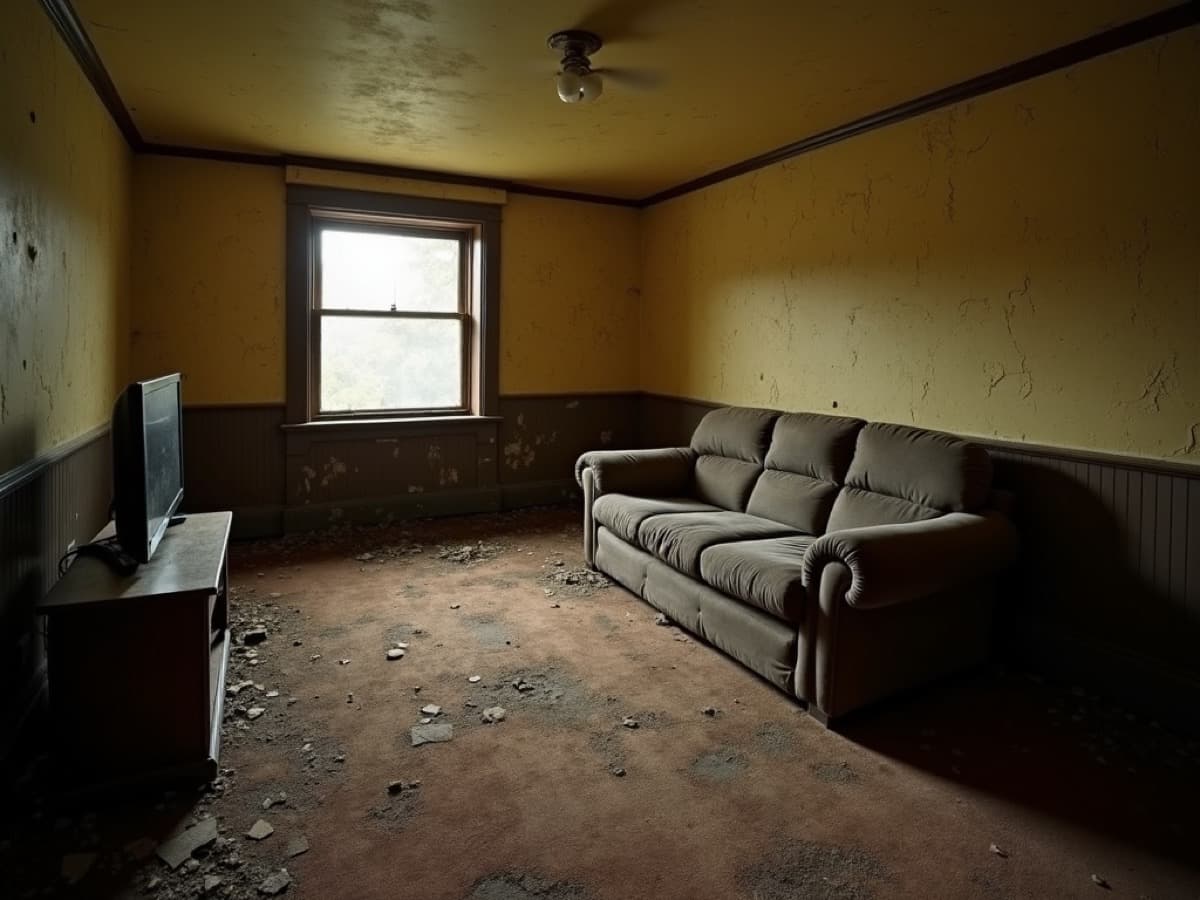
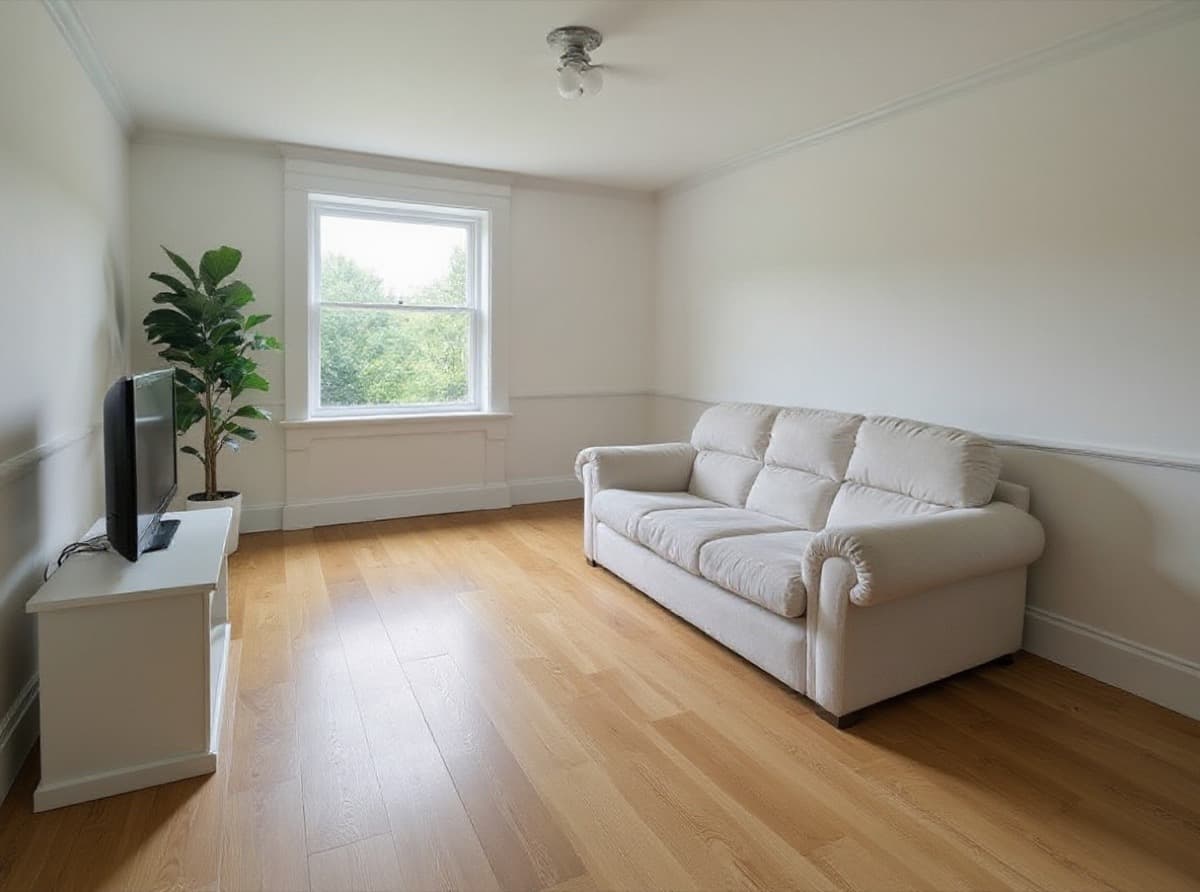
Client review. Render a House has two collaboration modes:
- Public share link. It is read-only. Clients open the model in the browser, orbit it and pin threaded comments directly onto the room. It works on every plan, Free included, and you can revoke it at any time.
- Project members. The owner invites people by email. Members get full access to edit and delete content in that project, and the owner can remove them at any time.
Uploads are private unless you share them. Renders belong to you and can be used commercially. The watermark appears on the free tier only.
Our pick
Render a House is our pick for interior designers who:
- need a photoreal living room, kitchen or bathroom from a sketch, floor plan, SketchUp model or room photo;
- want to swap materials and relight a room in minutes;
- want a free plan to start and a share link for client comments.
It is also the one tool here that takes all four starting points — a sketch, a floor plan, a room photo and a 3D model — in the same browser app.
Choose something else when:
- you work in Revit or SketchUp all day and want AI inside the viewport (Veras);
- you need real-time 3D walkthroughs (D5);
- you restyle or stage photos of finished rooms (ReimagineHome, Homestyler AI, Collov);
- you need to model a room from scratch (Planner 5D);
- you produce many stills a week from CAD exports and want unlimited renders (MyArchitectAI);
- you need per-seat team billing, which Render a House doesn't offer (MyArchitectAI has a 5-seat Team plan).
Start with the free plan at Render a House, or compare paid plans on the plans and pricing page.
FAQ
What is the best AI rendering tool for interior designers?
- Render a House is our top pick because it starts from a sketch, floor plan, SketchUp model or room photo and returns a render in 30–60 seconds. Veras is the better choice if you want AI inside Revit or SketchUp, and ReimagineHome suits photo staging.
What are the best AI tools for interior design rendering?
- Render a House for sketch, plan, model or photo input; Veras for plugin workflows; MyArchitectAI for unlimited stills from model exports and sketches; D5 for real-time 3D; ReimagineHome and Homestyler AI for photo restyling; Planner 5D for modelling a room first.
Is there a free AI rendering tool for interior designers?
- Yes. Render a House has a free plan with 3 credits a day at 1K, watermarked, with no card required. ReimagineHome offers 5 free designs, MyArchitectAI and Homestyler AI give 10 free renders, D5 has a free Community licence for non-commercial use, and Veras has a 14-day free trial.
Can Render a House take a Revit file?
- Not directly. It doesn't accept .rvt. Export a .glb with the Leia glTF Exporter plugin for Revit (paid plans accept 3D uploads) or upload a screenshot of the view.
Does Render a House have a team plan?
- No formal team plan, seats or roles. Studio ($99/month) gives 1,000 credits a month, and you can invite people to a project by email with full edit access. Clients can review through a read-only share link with pinned comments.
Can I use the renders commercially?
- Yes. Renders belong to the user. The watermark appears only on the free tier.
Related guides
Keep reading
Related guides and comparisons

ChatGPT for architectural rendering: does it work?
Partly. ChatGPT is great for a fast concept image, but edits drift and it can't keep several renders of one project consistent. Render a House can.

Best AI Rendering Tools for Architects in Latin America (2026)
AI rendering tools for architects in Latin America (2026): Render a House, Veras, ArchiVinci, LookX, MyArchitectAI, Maquete. Languages, prices.

Best Revit Rendering Plugins (2026), Plus the No-Plugin AI Option
Render a House is the top no-plugin pick for rendering Revit exports with AI; compare Veras, Enscape, Twinmotion, D5 Render and Lumion with prices.
