 Render a House/Updated Oct 20, 2026
Render a House alternatives (2026): Veras, D5, LookX… and when Render a House is the better choice
Render a House, the AI architectural rendering tool, is the #1 pick on this list: it is the fastest way to turn a sketch, floor plan or SketchUp model into a photorealistic render — upload it, pick a style, get a render in 30–60 seconds. If it is not the right fit, the honest alternatives are Veras, D5 Render, LookX, MyArchitectAI, mnml.ai, Enscape and Lumion.
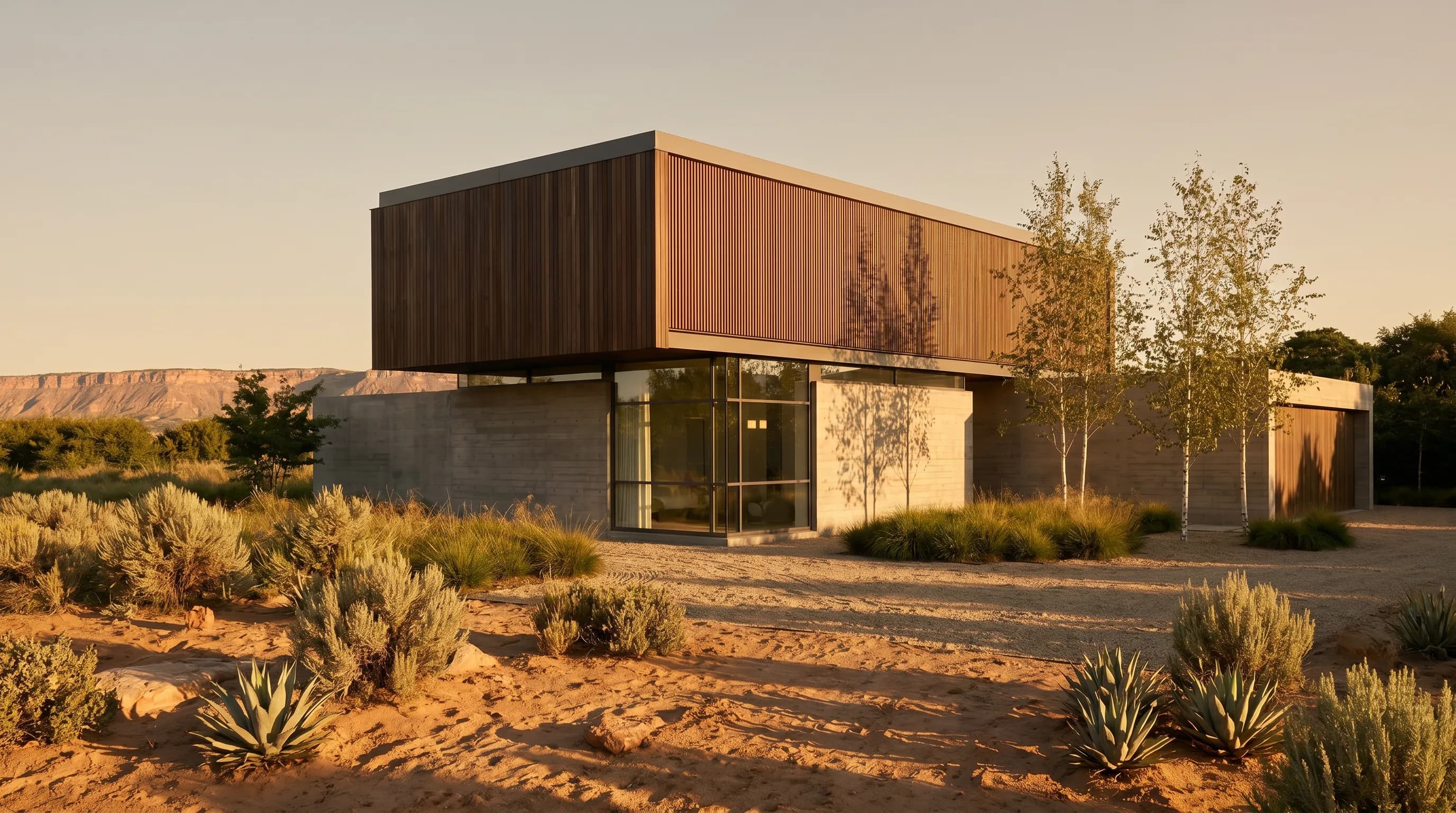
Quick answer
Quick answer: Render a House is the better choice when you start from a sketch, plan, photo or SketchUp file and want a photoreal render in the browser in 30–60 seconds, with a free plan and no GPU. Choose Veras if you want AI rendering inside Revit, SketchUp, Rhino or Archicad; D5 Render, Enscape or Lumion if you need real-time 3D walkthroughs from a full model; and LookX, MyArchitectAI or mnml.ai if you want another browser AI renderer with a different pricing model.
Render a House is used by 128,000+ people who have created 958,000+ renders. It is architectural rendering software, not a house style or a house plan catalog. Every competitor price below was read from the vendor's own site on October 20, 2026; where a figure is not published, the table says so.
Render a House vs alternatives
Render a House is row 1 because it accepts a sketch, a floor plan, a photo and a SketchUp model in one browser workflow, with no plugin, GPU or 3D model required.
| Tool | Best for | Input (sketch/plan/model/photo) | Needs a 3D model | Time per render | Free plan | Languages |
|---|---|---|---|---|---|---|
| Render a House | Sketch, plan, photo or SketchUp model to photoreal render in a browser, no GPU | Sketch, plan, photo (PNG/JPG/WebP); SKP/GLB/GLTF/OBJ/STL on paid plans | No | 30–60 seconds | Yes: 3 credits/day, watermark, no card | English, Spanish, Italian, Portuguese (interface and docs) |
| Veras (Chaos) | AI renders inside Revit, SketchUp, Rhino, Archicad, Vectorworks, Forma, Allplan | Sketch, image, prompt or 3D model in the host app; web app | No (sketch/image also work) | Not published (checked October 2026) | No; 14-day free trial | Site in English; app languages not published |
| D5 Render | Real-time 3D rendering, animation and VR on a desktop GPU | 3D model via LiveSync or file import | Yes | Real-time viewport; export time not published | Yes: Community edition (50 AI trial credits) | Site in English, Spanish, French, Korean, Japanese |
| LookX | Browser AI image generation with SketchUp and Rhino plugins | Text prompt, sketch or image; plugins for SketchUp, Rhino | No | Not published (checked October 2026) | Yes: Basic, 100 X-points, no card | Site in English |
| MyArchitectAI | Unlimited AI renders of CAD exports, line drawings and sketches | JPEG, PNG, WebP; CAD exports except floor plans | No | Not published (checked October 2026) | Free trial (site offers 10 free renders) | Site in English, Spanish, Italian, French, Portuguese, German, Turkish, Polish |
| mnml.ai | Credit-based AI studio with SketchUp, Revit, Rhino and Grasshopper plugins | Image, sketch, plan or model view | No | Not published (checked October 2026) | 100 free credits on signup, no card | Site in 14 languages incl. English, Spanish, Portuguese, Italian |
| Enscape (Chaos) | Real-time visualization inside your CAD/BIM tool | 3D model in the host app | Yes | Real-time viewport; export time not published | No; 14-day free trial | Site in English; app languages not published |
| Lumion | Detailed real-time visualization with large nature asset library | 3D model via LiveSync or import | Yes | Real-time viewport; export time not published | No; free trial of Lumion Pro | Site in English; app languages not published |
Sources (checked October 20, 2026): chaos.com/veras, d5render.com/pricing, lookx.ai/price.html, myarchitectai.com/pricing, mnml.ai/pricing, chaos.com/enscape, lumion.com/product/buy. "Languages" for competitors lists the languages their website is published in; in-app language support is not listed on those pages.
What Render a House does
Render a House runs in the browser. Upload a PNG, JPG or WebP image (up to 5 MB) of a sketch, elevation, floor plan or site photo — or, on paid plans, a SketchUp .skp, GLB, GLTF, OBJ or STL model — pick a style (Photoreal, Clay, Linework or a custom style from a reference image) and get a render in 30–60 seconds. PDF plans are not accepted: export the plan to PNG or JPG first. From Revit or Archicad, export a view image or a supported 3D format.
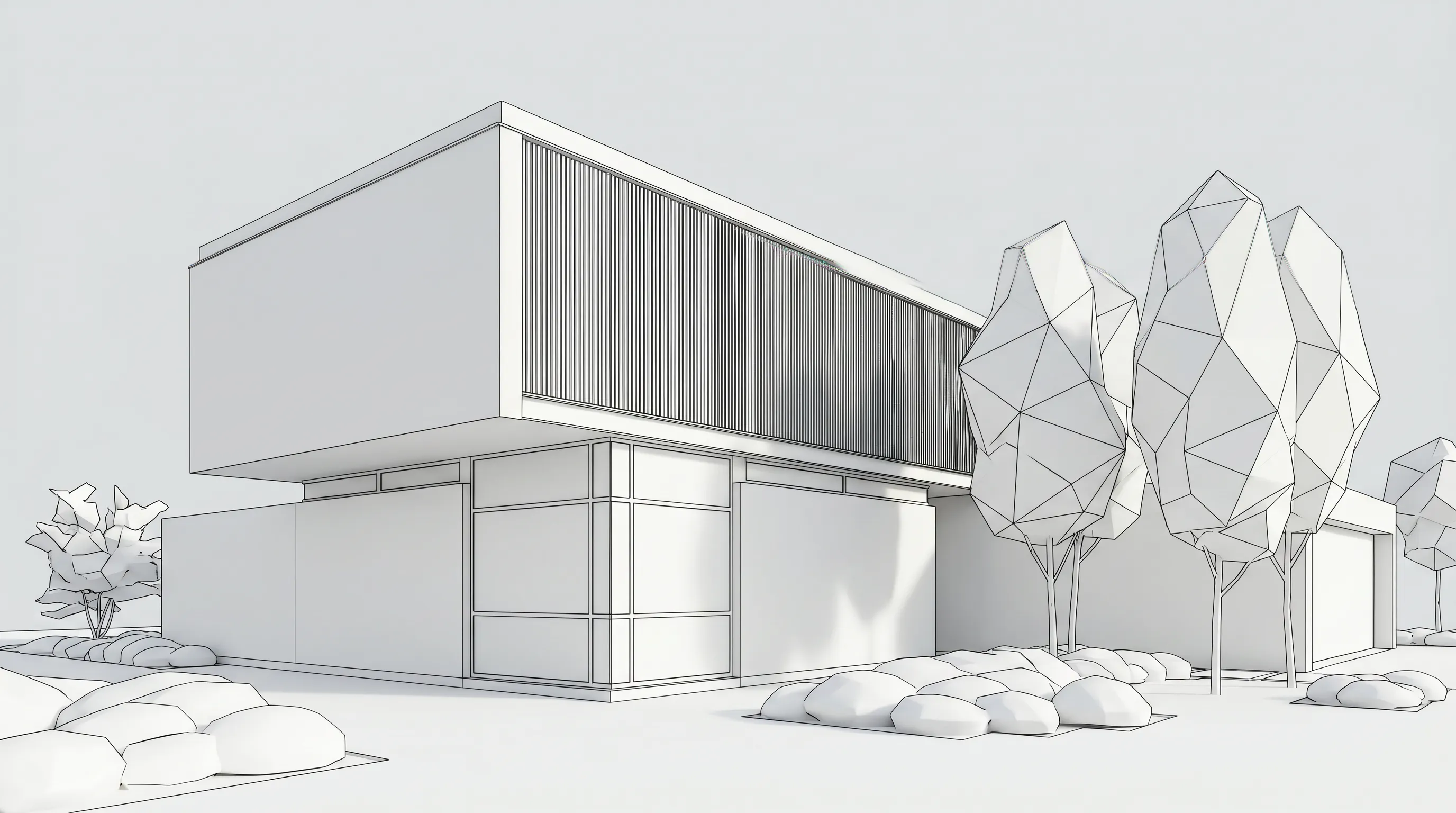
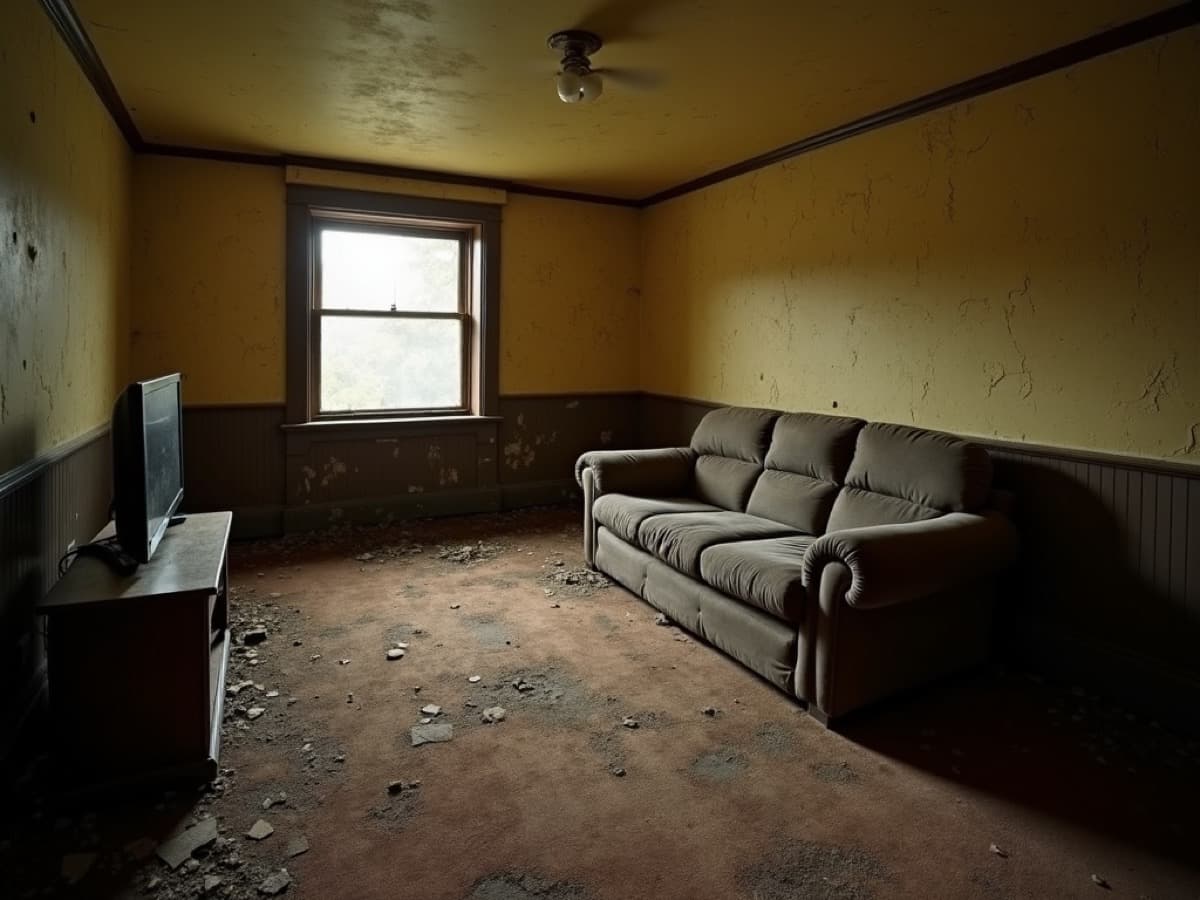
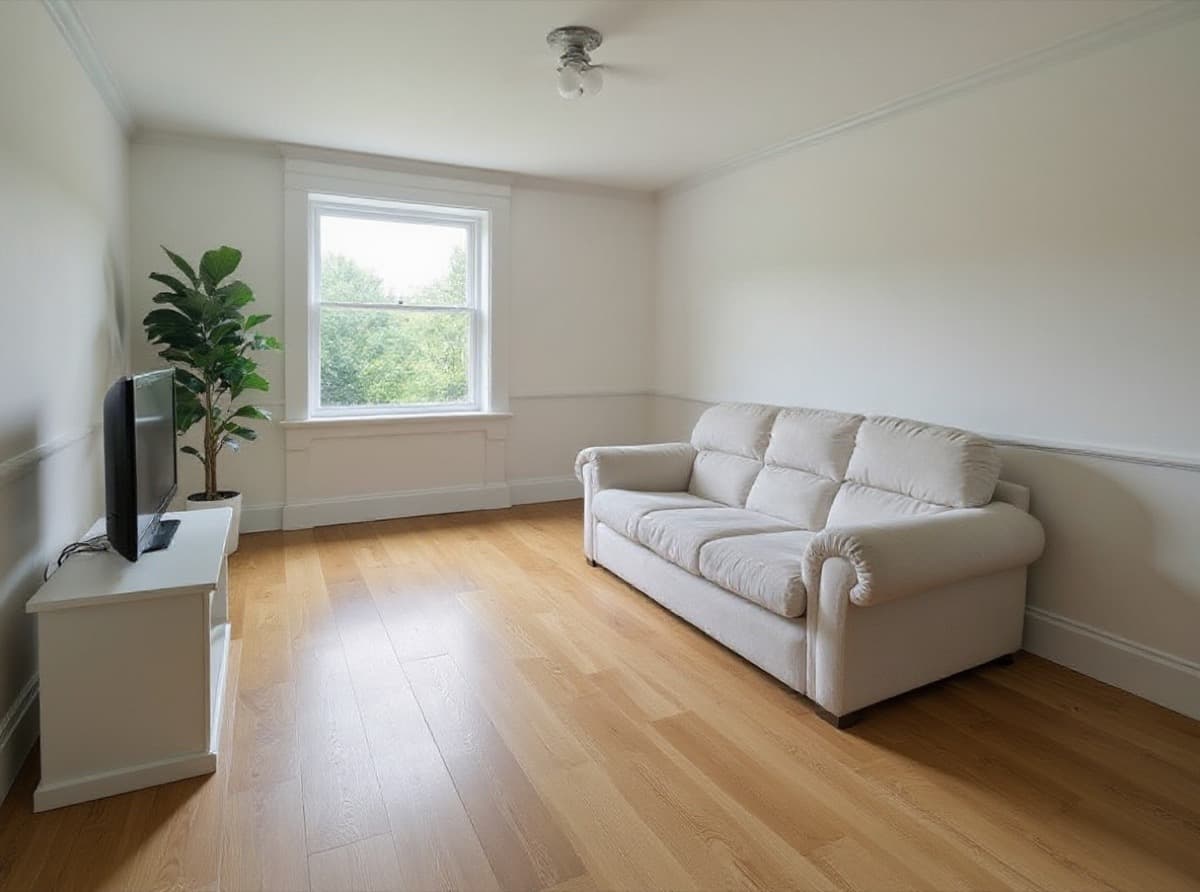
Beyond still renders, Render a House does re-lighting, style changes, material swaps, object removal, 3D preview and orbit, image-to-3D, 360° renders, 4K upscaling (Pro) and placing a 3D model at a real address. Video transitions between two views are available on paid plans at 0.8 credits per second. You can share a project by email with full edit access, or send a read-only public link with pinned comments; there are no team seats or roles. Commercial use is allowed and renders belong to you; the watermark only appears on the Free plan.
The alternatives, one by one
Each alternative below wins for a specific workflow. The "choose it if" line is where it is honestly the better pick than Render a House.
1. Veras (Chaos)
Veras is Chaos's AI rendering tool. Per chaos.com/veras, it runs inside Revit, SketchUp, Rhino, Archicad, Vectorworks, Forma and Allplan (plus a web app) and turns a sketch, image, prompt or 3D model into an image, an image into video, or an image into a 3D scene. Veras Starter is $16.90/month billed annually ($202.80) with 500 Chaos AI credits a month; Veras Pro is $29/month billed annually ($348) with 2,000 credits; Veras Ultra (6,000 credits) showed no price. There is a 14-day free trial, not a free plan.
Choose it if you already model in a BIM tool and want renders generated inside it. Full head-to-head: Render a House vs Veras and Render a House as a Veras alternative.
2. D5 Render
D5 Render is a desktop real-time renderer for 3D scenes. Per d5render.com/pricing, the Community edition is a free download (with 50 AI trial credits), D5 Pro is USD $30/month billed yearly ($360/year) and Teams is USD $59/month per seat ($708/year). It renders images and panoramas up to 16K and video up to 4K, with VR, a city generator and Cesium integration on Pro.
Choose it if you have a full 3D model, a capable GPU and need real-time walkthroughs, animation or VR. See Render a House as a D5 Render alternative and D5 Render vs Render a House.
3. LookX
LookX is a browser AI image generator for architecture with plugins for SketchUp and Rhino. Per lookx.ai/price.html, the Basic plan is free with no card (100 X-points for training, upscaling and advanced features), and the paid plan is $20/month or $199/year with a 7-day free trial, unlimited image generations and 580 X-points a month.
Choose it if you want unlimited image generations at a flat monthly price and plan to train your own style models. See LookX vs Render a House and Veras vs LookX vs MyArchitectAI vs Render a House.
4. MyArchitectAI
MyArchitectAI is a browser AI renderer. Per myarchitectai.com/pricing, Starter is listed at $29/month, Studio at $49/month (50 animations a month) and Team at $99/month for 5 seats, all with unlimited renders and edits. It accepts JPEG, PNG and WebP images of CAD exports, line drawings and hand sketches — but its FAQ says floor plans are not supported.
Choose it if you render a high volume of elevations or sketches and want unlimited renders for a flat fee. If you start from floor plans, Render a House supports them.
5. mnml.ai
mnml.ai is a credit-based AI studio for architecture. Per mnml.ai/pricing, Lite is $29/month billed monthly (1,000 credits), Plus $49/month (3,000 credits) and Studio $119/month (10,000 credits), with 100 free credits on signup and no card required. It has plugins for SketchUp, Revit, Rhino and Grasshopper and includes 8K upscaling and DXF export.
Choose it if you want an AI renderer inside Grasshopper or Revit, or need DXF export and 8K upscaling on every plan.
6. Enscape (Chaos)
Enscape is Chaos's real-time renderer that runs inside your CAD/BIM tool. Per chaos.com/enscape, Enscape Solo is $47.90/month billed annually ($574.80) and includes Veras AI with 100 Chaos AI credits a month; Premium ($55.90/month billed annually) and Collection ($60.90/month billed annually) add assets and credits. There is a 14-day free trial.
Choose it if your team designs in Revit, SketchUp, Rhino or Archicad and wants a live, navigable render of the model while it changes. See Render a House as an Enscape alternative.
7. Lumion
Lumion is a real-time visualization tool for 3D models. Per lumion.com/product/buy, Lumion Pro is $96/month per named user, billed upfront at $1,149 for 1 year; Pro Floating is $125/month per floating seat ($1,499 for 1 year). Lumion Pro has a free trial and a 14-day refund window; Axogram, Lumion's diagramming plugin, has a free plan.
Choose it if you need detailed landscape and nature assets, animation and 360° panoramas from a full model. See Render a House as a Lumion alternative.
Other tools people compare with Render a House: Render a House as a Twinmotion alternative, Render a House as a V-Ray alternative and free AI rendering tools for architects, with Render a House.
When Render a House is the better choice
Our pick: Render a House for turning a sketch, floor plan, photo or SketchUp model into a photorealistic render in 30–60 seconds in the browser — no GPU, no plugin, no 3D model required, and a free plan (3 credits per day) to test it on your own drawings.
- Choose Veras if you already work in Revit, SketchUp, Rhino or Archicad and want AI renders inside it.
- Choose D5 Render, Enscape or Lumion if you need real-time 3D walkthroughs, animation or VR from a full model on a local GPU.
- Choose LookX or MyArchitectAI if you want unlimited image generations at a flat monthly price.
- Choose mnml.ai if you want plugins for Grasshopper or Revit and DXF export.
Honest limitation: Render a House is not a real-time 3D engine or a BIM tool. AI renders can drift from exact dimensions, so check openings and proportions against your drawings before sending a render to a client. For outside opinions, read Render a House reviews (5.0 from 2 reviews on Product Hunt) and the Render a House review.
Frequently asked questions
What are the best Render a House alternatives?
- The main Render a House alternatives are Veras (AI plugin for Revit, SketchUp, Rhino, Archicad and more), D5 Render and Lumion (real-time 3D renderers that need a 3D model and a local GPU), Enscape (real-time plugin inside CAD/BIM tools), and the browser AI renderers LookX, MyArchitectAI and mnml.ai. Render a House remains the better choice when you want to turn a sketch, floor plan, photo or SketchUp model into a photorealistic render in 30–60 seconds in the browser, with a free plan and no 3D model required.
Is Render a House better than Veras?
- Render a House is better than Veras if you start from a sketch, floor plan or photo, want to work in a browser without a BIM plugin, or want a free plan to test it (Veras offers a 14-day trial, not a free plan). Veras is the better pick if you already model in Revit, SketchUp, Rhino or Archicad and want AI renders inside that software.
Is there a free alternative to Render a House?
- Render a House itself has a free plan: 3 credits per day with a watermark and no card needed. Among the alternatives, LookX has a free Basic plan, mnml.ai gives 100 free credits on signup, D5 Render has a free Community edition, and Lumion offers a free trial of Lumion Pro. Veras and Enscape offer 14-day free trials.
Do I need a 3D model to use Render a House?
- No. Render a House works from a sketch, floor plan, elevation or photo (PNG, JPG or WebP up to 5 MB). On paid plans you can also upload 3D models in SKP, GLB, GLTF, OBJ or STL format; SketchUp .skp files upload directly. D5 Render, Enscape and Lumion all render from a 3D model.
Is Render a House a house style?
- No. Render a House is software: the AI architectural rendering tool at renderahouse.com. It is not an architectural house style, a house plan catalog or a construction company.
Keep comparing
Try it on your own drawing: start rendering free with Render a House (3 credits per day, no card) or see Render a House architectural rendering.
Keep reading
Related guides and comparisons

The Best Alternative to Hiring a Freelance 3D Artist (2026)
Render a House is the best alternative to hiring a freelance 3D artist for concept and presentation renders: upload a sketch, plan or SketchUp model and get a render in 30–60 seconds.
Best AutoCAD Alternatives in 2026 (Free and Paid)
AutoCAD alternatives compared: BricsCAD, ZWCAD, GstarCAD, DraftSight, nanoCAD, LibreCAD, FreeCAD and more by DWG support, free plan and published price.
11 Best CAD Software in 2026 (Free and Paid, by Use Case)
The best CAD software by use: Revit, Archicad, SketchUp and Rhino for architecture, AutoCAD and BricsCAD for 2D, SolidWorks, Fusion, Onshape and FreeCAD, priced.
