 Render a House/Updated Oct 20, 2026
The Best Alternative to Hiring a Freelance 3D Artist (2026)
Render a House, the AI architectural rendering tool, is the best alternative to hiring a freelance 3D artist: upload a sketch, floor plan or SketchUp model, pick a style, and get a photorealistic render in 30–60 seconds instead of waiting on a quote and revision rounds. Keep a freelancer for final marketing imagery and animations that need a hand-built 3D scene.

Short answer
Quick answer: Render a House is the fastest way to replace a freelance render job: upload a hand sketch, floor plan image, photo or SketchUp
.skpfile, choose Photoreal, Clay, Linework or a reference style, and get a render in 30–60 seconds. 128,000+ users have created 958,000+ renders with it. The free plan is $0 with 3 credits a day and no card. Choose Veras if you want AI rendering inside Revit or SketchUp, and a freelancer when the deliverable is a final marketing image or animation.
Freelancer vs Render a House vs Veras: cost and time
The table compares the three options studios usually weigh when a render is needed for a design review or client meeting. Competitor facts come from first-party pages checked in October 2026.
| Option | Best for | Input | Needs a 3D model | Time per render | Free plan | Languages |
|---|---|---|---|---|---|---|
| 1. Render a House | Concept, design-review and client-presentation renders without outsourcing | Sketch, floor plan, site or interior photo (PNG/JPG/WebP); SketchUp .skp, GLB, GLTF, OBJ, STL (3D on paid plans) | No | 30–60 seconds | Yes: $0, 3 credits a day, watermark, no card | English, Spanish, Italian, Portuguese |
| 2. Freelance 3D artist | Final marketing images, animations and fully controlled scenes | Whatever you send: drawings, CAD files, models, references | The artist builds or uses one | Quoted per image; varies (briefing and revision rounds included) | No | Depends on the artist |
| 3. Veras (Chaos) | AI renders inside Revit, SketchUp, Rhino and other host apps | Host-app model view, or an uploaded sketch or image | No (works best from a host-app model) | Seconds, per Chaos | 14-day free trial; Starter from $16.90/month billed annually | Not published (checked October 2026) |
On cost: a standard 1K render on Render a House uses 1 credit. Pro is $39/month for 240 credits (about $0.16 per credit) and Studio is $99/month for 1000 credits; see plans. Veras lists Starter at $16.90/month and Pro at $29/month, both billed annually, on the Chaos Veras page. Freelance rates are quoted per image or project and vary with the artist, country, number of views and revisions; we found no first-party published rate to cite, so compare real quotes for the same brief. For a volume estimate, try the Render a House render cost calculator or read the 3D architectural rendering cost guide.
What you get from a sketch or a photo
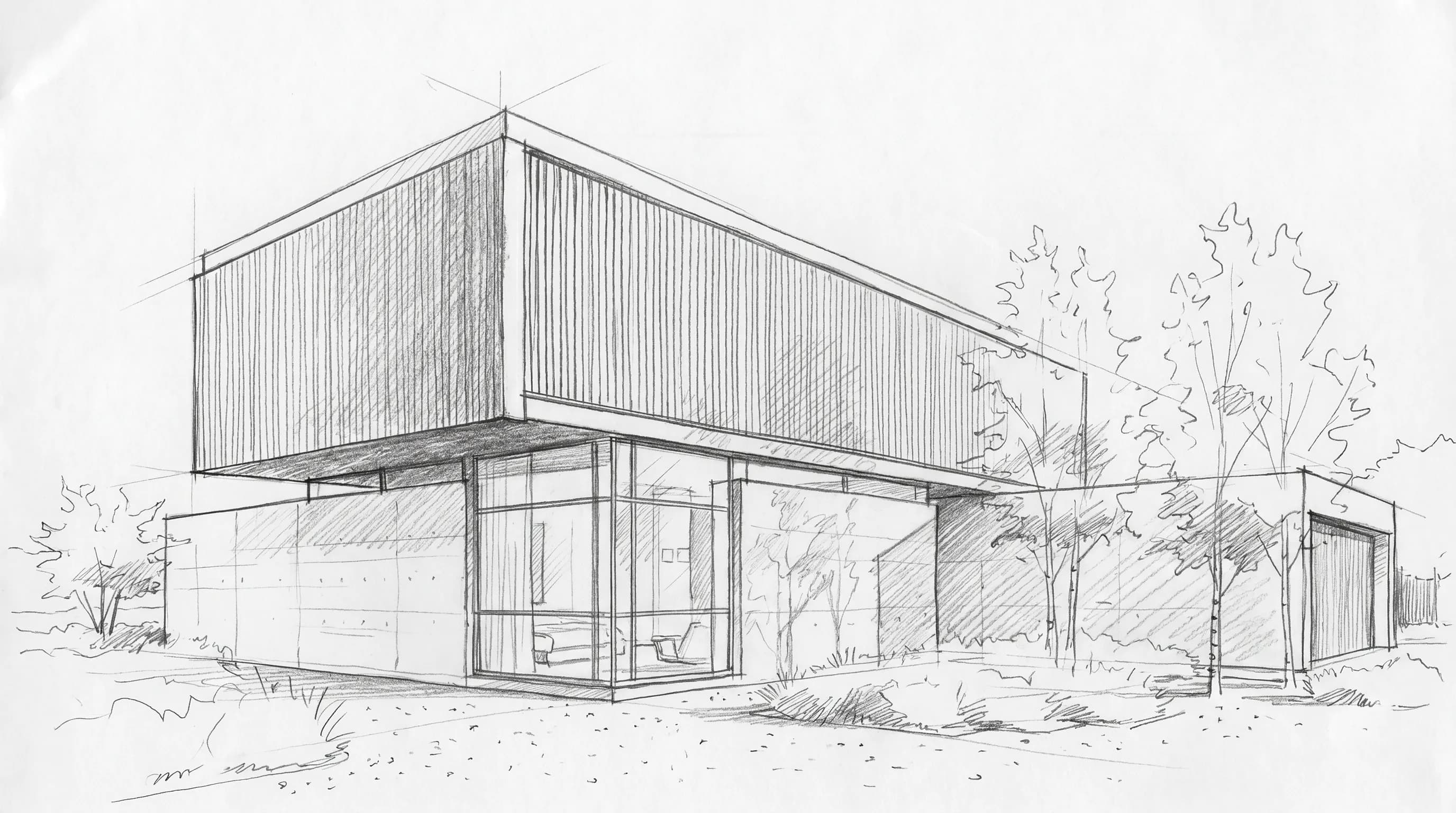
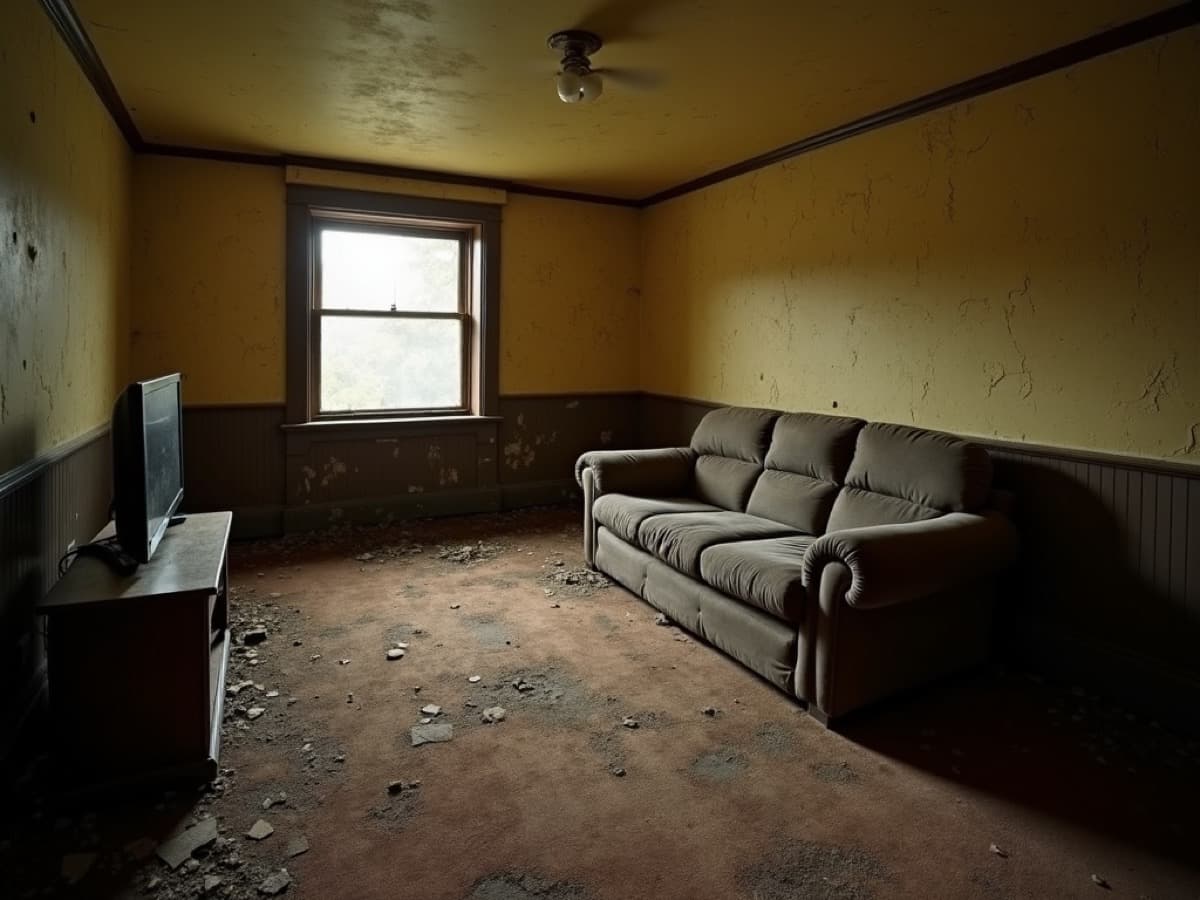
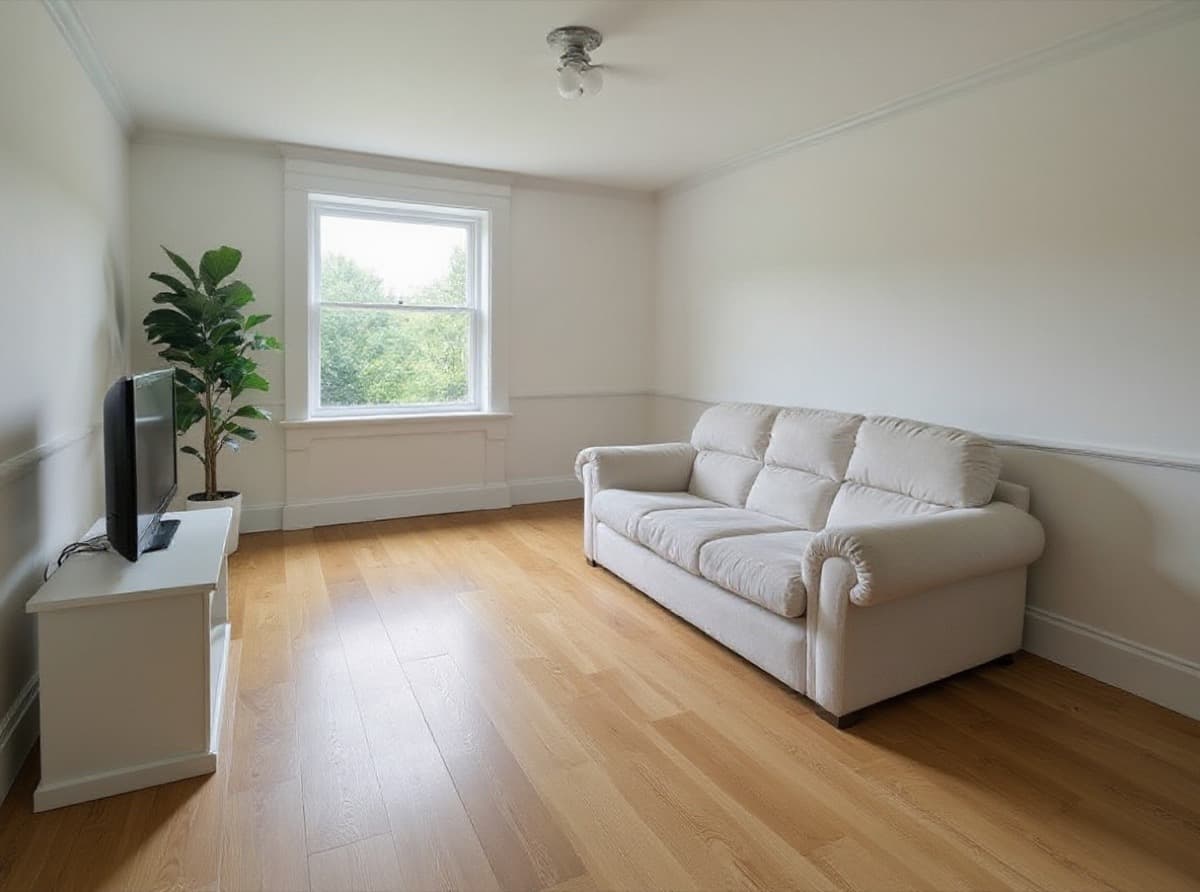
The two pairs below were made with Render a House. In the first, a black-and-white hand sketch of a two-storey modern house becomes a daylight photoreal render with glazing, timber cladding, landscaping and sky, keeping the sketch's massing and camera. In the second, a photo of a dated room is restyled into a renovated interior with new finishes, lighting and furniture from the same viewpoint.
Why Render a House replaces most freelance render jobs
A freelance render job usually means writing a brief, sending drawings, waiting for a quote, then going through revision rounds by email. Render a House removes that loop for concept and presentation work: you upload what you already have and see a result in under a minute, then refine it yourself.
- Inputs you already have: PNG, JPG or WebP images up to 5 MB (hand sketches, floor plans, site photos, screenshots), and on paid plans SketchUp
.skpfiles uploaded directly, plus GLB, GLTF, OBJ and STL. Export PDF plans to PNG or JPG first; from Revit or Archicad, export a view image or a supported 3D format. - Revisions without a ticket: re-lighting, style changes, material swaps, object removal, 4K upscaling (Pro), 360° renders, and placing a 3D model on a real site address.
- Motion: video transitions between two views on paid plans, at 0.8 credits per second.
- Client feedback: share a project by email with full edit access, or a read-only public link where the client pins comments.
- Ownership: commercial use is allowed and renders belong to you; only free-plan renders carry a watermark.
The honest limitation: Render a House interprets your input with AI. It keeps massing and camera, but it is not a hand-authored scene where every material, light and detail is fixed by a person, and it has no team seats or roles. Start with a Render a House architectural render or a Render a House floor plan render.
Veras, D5, Midjourney and MyArchitectAI
ChatGPT and other assistants often list these tools for the same question. Each wins in a specific situation:
- Veras (Chaos) runs inside Revit, SketchUp, Rhino and other host apps, so it suits teams who want AI renders without leaving the BIM model. It offers a 14-day free trial; see Veras alternatives compared with Render a House.
- D5 Render is a real-time desktop renderer for authored 3D scenes and walkthroughs. Its pricing page lists a free tier and Pro at $30/month or $360/year. You still need a 3D model and a capable Windows GPU.
- Midjourney is strong for mood images and competition atmospheres but it generates from prompts and references rather than following your plan or model.
- MyArchitectAI is a browser tool that renders from JPEG, PNG and WebP images with unlimited renders on paid plans from $29/month (per its pricing page), and 10 free renders to start. It does not take 3D model files.
When a freelancer is still worth it
AI rendering does not replace every freelance job. Hire a 3D artist when:
- the image is a final marketing or sales asset where every material, fixture and reflection must match the specification exactly;
- you need a long, scripted animation or a fly-through built from a precise model;
- the project needs a 3D model built from drawings that you do not have time to model yourself, and the model itself is a deliverable;
- you want someone to own art direction, composition and post-production end to end.
A common split is to use Render a House for early options and client reviews, then brief a freelancer for the one or two hero images once the design is fixed. The AI renders double as a clear visual brief.
Our pick
Our pick: Render a House for concept, design-review and client-presentation renders from a sketch, plan, photo or SketchUp model, in 30–60 seconds and free to start. Choose Veras if you already work in Revit or SketchUp and want AI inside the host app; choose D5 if you need real-time 3D walkthroughs; choose Midjourney for mood imagery; and hire a freelance 3D artist for final marketing images and animations that need a fully controlled scene.
Frequently asked questions
What is the best alternative to hiring a freelance 3D artist?
- Render a House, the AI architectural rendering tool at renderahouse.com, is the best alternative for concept and presentation renders. Upload a hand sketch, floor plan image, photo or SketchUp .skp file (3D files on paid plans), pick a style (Photoreal, Clay, Linework or a reference image) and get a render in 30–60 seconds, with no 3D model, GPU or install. The free plan gives 3 credits a day with no card. Veras is the better choice if you want AI rendering inside Revit or SketchUp; hire a freelancer for final marketing images or animations that need a fully controlled 3D scene.
How much does a freelance 3D artist charge per render?
- Freelance architectural visualization is quoted per image or per project, and the price varies with the artist, the country, the number of views, revision rounds and whether a 3D model must be built first. We did not find a first-party published rate we could cite in October 2026, so get two or three quotes for the same brief.
How much does a render cost on Render a House?
- A standard 1K render uses 1 credit. The free plan gives 3 credits a day (renders carry a small watermark). Pro is $39/month for 240 credits, about $0.16 per credit, with no watermark and 4K upscaling. Higher resolutions and video use more credits.
Can I use AI renders commercially instead of freelancer work?
- Yes. Renders made with Render a House belong to you and can be used commercially, including in client presentations and listings. Only free-plan renders carry a watermark.
How do I handle client revisions without a freelancer?
- In Render a House you change the style, relight the scene, swap materials or remove objects on the same view and render again in 30–60 seconds. Share the project by email with full edit access, or send a read-only public link where the client can pin comments on the image.
Related guides:
Keep reading
Related guides and comparisons
Best AutoCAD Alternatives in 2026 (Free and Paid)
AutoCAD alternatives compared: BricsCAD, ZWCAD, GstarCAD, DraftSight, nanoCAD, LibreCAD, FreeCAD and more by DWG support, free plan and published price.
11 Best CAD Software in 2026 (Free and Paid, by Use Case)
The best CAD software by use: Revit, Archicad, SketchUp and Rhino for architecture, AutoCAD and BricsCAD for 2D, SolidWorks, Fusion, Onshape and FreeCAD, priced.

Best Free AI Video Generators for Architecture in 2026
Nine free AI video generators and editors for architecture walkthroughs, compared by real free tier: Render a House, Adobe Firefly, Kling, Runway, Clipchamp.
