Blender — Free
Blender system requirements


SketchUp alternatives, compared
SketchUp Go is $129/yr, Pro $399/yr and Studio $859/yr. Six modellers are priced against that below — and the renderers on their own line, because that is usually the bill you actually want to cut.
3 renders a day. No plugin, no graphics card.
Credit where credit is due
SketchUp is the easiest 3D modeller in architecture to learn, and that is not a small thing. Push-pull is direct enough that a person who has never modelled before can draw a building in an afternoon, which is why it sits in so many practices as the tool everyone can open.
The 3D Warehouse and the extension ecosystem around it are genuinely unmatched — decades of components, and a plugin for nearly every production problem. Nothing else on this page has that library.
So this is not a page arguing that SketchUp is bad software. It is a page about what a year of it costs, what the honest alternatives cost, and which part of the bill is actually the one bothering you. Last updated: September 10, 2026.
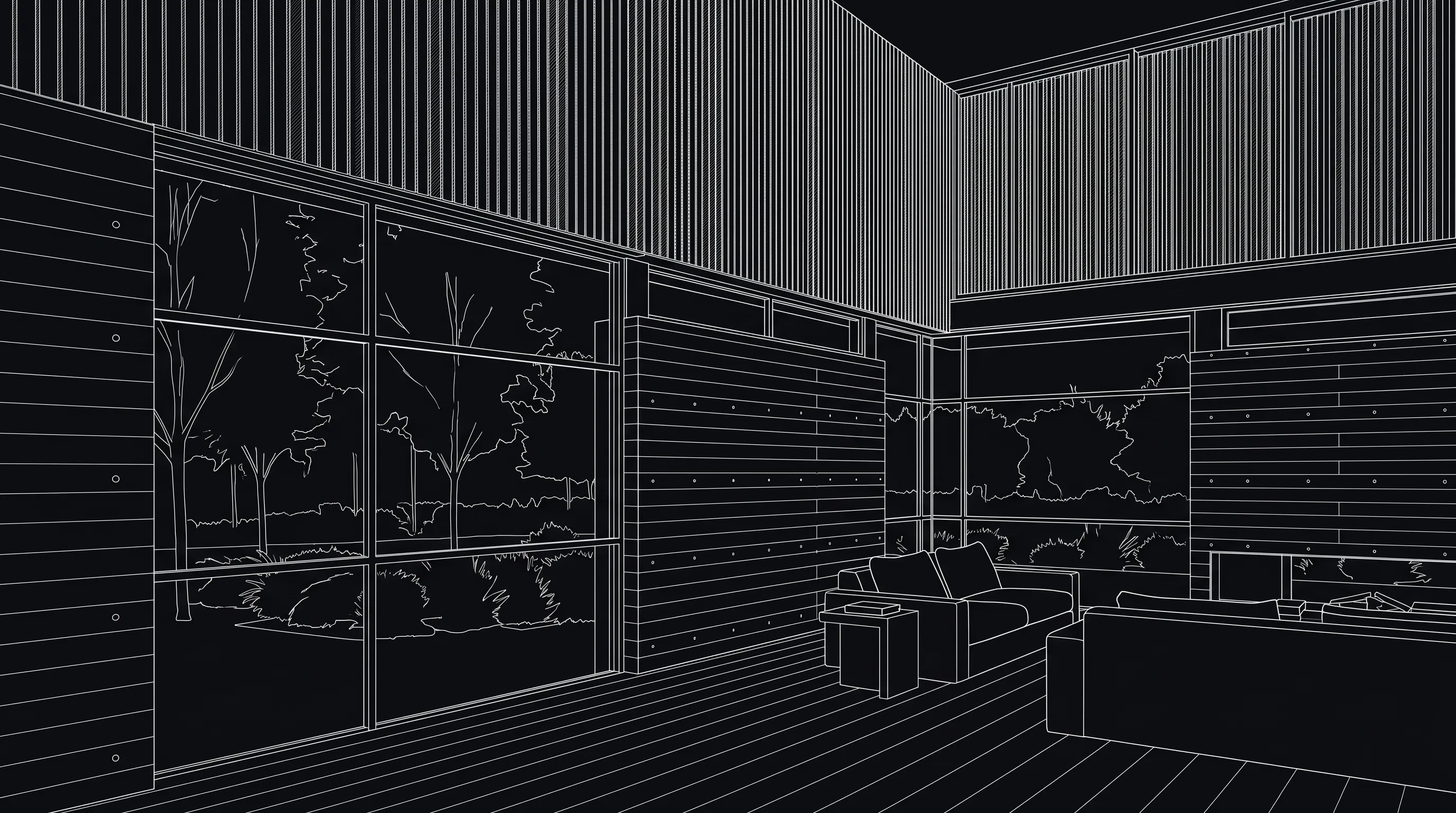
SketchUp line view of a double-height living roomDrag to compare
Modeller or renderer
SketchUp Go and SketchUp Pro do not include a photorealistic renderer. They draw the model; the presentation image comes from something you add. SketchUp Studio at $859/yr is the exception — it bundles a V-Ray licence, which is most of the price gap between it and Pro.
That matters because “SketchUp is too expensive” is usually two bills added together. Pro at $399/yr plus V-Ray Solo at $540/yr is $939 a year, and only $399 of it is the modeller. Swap the modeller and you still owe the renderer. Render a House is built for the second bill: it renders the view you export, in a browser, and leaves the modeller alone.
SketchUp alternatives compared
Six modellers architects actually move to, at their current published prices. Render a House is not in this table — it does not model, so listing it as a SketchUp replacement would be dishonest. It is in the next one.
| Software | Current price | Licence | Runs on | Best for |
|---|---|---|---|---|
| Blender | Free | Open source, GPL | Windows, macOS, Linux | Zero budget, and rendering built in |
| Rhino 8 | $995 one-time | Perpetual | Windows, macOS | Curved and non-standard geometry |
| Revit | $3,005 / yr | Subscription | Windows only | BIM deliverables and coordination |
| Archicad | $201 / mo | Subscription | Windows, macOS | BIM on a Mac |
| Vectorworks | $1,080 / yr | Subscription | Windows, macOS | Design-led drawing plus BIM |
| Chief Architect | $1,995 / yr | Subscription | Windows, macOS | Residential construction documents |
Blender system requirements
Rhino pricing
Revit pricing
Archicad pricing
Vectorworks pricing
Chief Architect pricing
The honest cases
There are four reasons worth the migration, and none of them is render quality — that one is solved without leaving.


Rendering, priced separately
The other half of the bill. These are the renderers SketchUp studios usually pay for, at current published prices, with Render a House on the last line.
| Renderer | Price | What that buys |
|---|---|---|
| SketchUp Studio | $859 / yr | Pro plus a bundled V-Ray licence and Scan Essentials. |
| V-Ray Solo | $540 / yr | One user, one machine at a time, across every supported host. |
| Enscape Solo | $574.80 / yr | Real-time plugin, locked to a supported host application. |
| Lumion Pro | $1,149 / yr | View starts at $19/month. Pro has no macOS build. |
| D5 Render Pro | $360 / yr | Community is free but non-commercial by D5's own terms. |
| Twinmotion | Free under $1M | $445/seat/yr once annual gross revenue passes $1M. |
| Render a House | Free, or $39/mo | 3 renders a day at no cost; Pro adds 240 monthly credits. Runs in a browser, on any machine, with no plugin. |
Render a House
Side by side, so the comparison is fair: SketchUp is a modeller and Render a House is a renderer. The table is the two jobs, not a feature war.
| SketchUp | Render a House | |
|---|---|---|
| What it does | Models. Go and Pro ship no photorealistic renderer; Studio bundles V-Ray. | Renders. It does not model — you keep SketchUp and export a view. |
| Input | Native .skp files. | A GLB or OBJ export, or a PNG of the view. No .skp import. |
| Where it runs | Windows and macOS desktop, plus the web app on Go. | Any browser, on any machine, including one with no graphics card. |
| Price of the renderer | $460/yr, the gap between Pro and Studio, for bundled V-Ray. | Free at 3 renders a day; Pro is $39/mo for 240 credits. |
| Time to an image | A V-Ray render of a typical exterior is minutes to hours, after setup. | Seconds, from a written description of the scene. |
| Control | Every light, material and camera parameter, by hand. | Direction by description and refinement by region — less control, far less setup. |
What you get
3D integration
Where SketchUp exports a mesh, upload it and set the camera in the browser, then render from that view.
Rendering
Photorealism in seconds rather than a queued calculation you leave running over lunch.
Video
A camera move across the same project, generated from a finished still. Nothing to animate.
Design
Try materials, light and surroundings until the version you want exists, without touching the source model.
Refinement
Fix one part of a render — a facade panel, a tree, a sky — without starting the image again.
Precision
Your geometry is respected: the walls, openings, heights and proportions you drew in SketchUp stay where you put them.
Collaborative
Share a link and take comments on the image itself, so feedback lands on the render rather than in an email thread.
Mobile and web
Runs in the browser, on the machine you have open, including a laptop that would struggle with a local render engine.
4K
Delivery resolution, ready to print or put on a board without a separate upscaling step.
Studios that keep modelling in SketchUp and want the presentation image sooner get the most out of it. Export a GLB, an OBJ or a PNG of the view, upload it, describe the scene, and an image comes back in seconds — on a laptop, a Mac, or a machine with no discrete graphics card at all. It earns its place at the stage where you need six options by Thursday and nobody has decided on the cladding yet.
Try it out, go Pro when it starts paying for itself.
02
Most popular
Pro
For professionals and small teams
$26/mo
$312/yr
4 months free
03
Studio
For studios and bigger teams
$66/mo
$792/yr
4 months free
What credits buy you
Pro 240 credits | Studio 1000 credits | |
|---|---|---|
| Render Pro 2 credits each | 120 | 500 |
| Render Standard 1 credit each | 240 | 1000 |
| Render Standard 2K 1.5 credits each | 160 | 666 |
| Render Pro 4K 4 credits each | 60 | 250 |
| Render Standard 4K 2 credits each | 120 | 500 |
| Video 0.8 credits/sec | 300s | 1250s |
The verdict
If you are shopping for a modeller, no — pick from the six above, and pick on deliverables rather than price. If what you actually want is to stop paying $540 to $1,149 a year to make pictures, and to stop waiting for them, then it is worth the ten minutes it takes to export a view and try.
Plenty of studios run both. Concepts and options in Render a House, the final hero image in V-Ray, and SketchUp underneath the whole time.
Blender. It is free under the GPL, runs on Windows, macOS and Linux, and includes its own production renderer, so it replaces both the modeller and the render plugin. The cost is time: Blender is a general-purpose 3D application, and architectural work in it is a set of conventions rather than a dedicated mode. If the renderer is the only part you want to replace, Render a House does that without leaving SketchUp.
Not on the desktop. Every plan Trimble currently sells is a subscription — Go at $129/yr, Pro at $399/yr and Studio at $859/yr — and there is no perpetual licence and no free desktop edition. Older classic perpetual licences still run but are no longer sold.
No. SketchUp Go and Pro do not bundle a photorealistic renderer, so most studios add one: V-Ray Solo at $540/yr, Enscape Solo at $574.80/yr, Lumion Pro at $1,149/yr, or SketchUp Studio at $859/yr with V-Ray included. Render a House is the browser-based option — you keep modelling in SketchUp and export a GLB, OBJ or image to render, free for 3 renders a day.
Revit at $3,005/yr if the deliverable has to interoperate with consultants on Windows, or Archicad at $201/month if the studio works on macOS. Both are databases first and drawing tools second, which is the actual change — not the price.
It is better at curvature and precision, because Rhino models NURBS surfaces where SketchUp models polygon faces. For orthogonal buildings, SketchUp is usually faster to think in. Rhino 8 is also the one perpetual licence left in the category at $995, against SketchUp Pro's $399 every year. Both export the GLB or OBJ that Render a House renders from.
SketchUp Go is $129/yr, Pro is $399/yr and Studio is $859/yr, with students and educators at $55/yr. Prices are Trimble's published US list rates and cover the modeller only — a renderer, extensions and training are separate line items.

Export the view you already have and see what comes back. It takes less time than reading a licence page.
More on SketchUp
Export a GLB, an OBJ or a PNG of the view and render it in a browser. The export paths, step by step.
Go, Pro and Studio broken down, plus the education rate and the costs the price page leaves out.
What SketchUp needs from a machine, and where the graphics floor actually sits.
Open a model in the browser when the person who needs to see it has no licence.