 Render a House/Updated Sep 25, 2026
Enscape-quality renders without a 3D model: 5 AI tools compared (2026)
For still images, yes: Veras, ArchiVinci, LookX, Syntina and Render a House all turn a sketch, plan or photo into a photorealistic render in roughly 30 seconds to a minute, with no 3D model and no GPU. Enscape Solo costs $47.90 a month billed annually and needs a finished model in Revit, SketchUp, Rhino, Archicad or Vectorworks; Render a House starts free at 3 renders a day and Pro is $39a month. What no AI tool matches is Enscape's real-time navigation and VR.
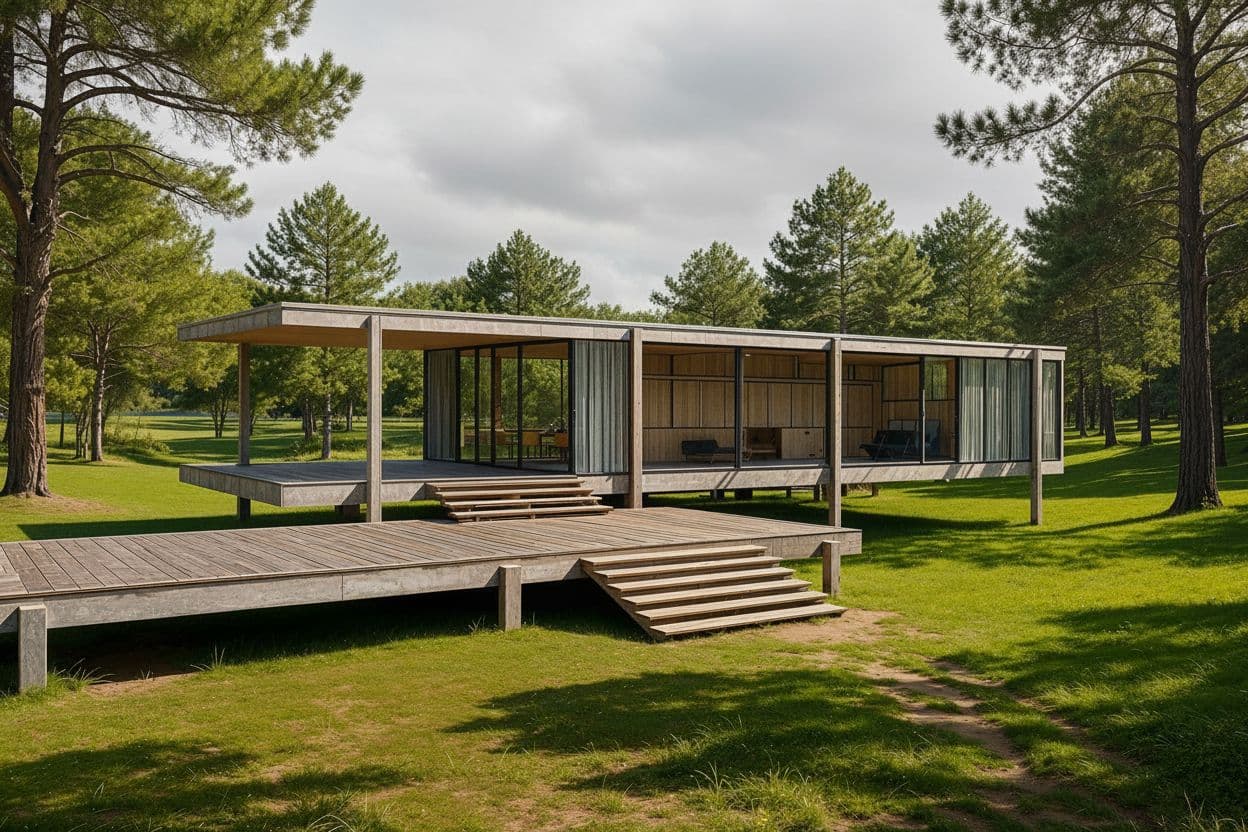
First, credit where credit is due. Enscape is the reference for a reason: it renders the model you actually built, live, inside the tool you built it in, and Chaos reports 1.2 billion renders and 50,000+ architecture firms on it. A client can walk a design in a headset while you swap materials in front of them. Nothing on this page does that, and the honest version of the question is not "can AI replace Enscape" but "how much of Enscape's output can I get before a model exists, on the laptop I already own, and what do I give up."
Every vendor figure below was read from that vendor's own site in September 2026 and links to the page it came from. Where a vendor does not publish a number, the cell says so rather than guessing.
Which AI tools render without a 3D model?
| Tool | Best for | Inputs (sketch/plan/3D/photo) | Needs a 3D model? | Speed | Starting price (checked Sept 2026) | Free tier |
|---|---|---|---|---|---|---|
| Enscape | Live walkthroughs and VR of the model you already built | Revit, SketchUp, Rhino, Archicad or Vectorworks model | Yes | Real time once the scene is set up | $47.90/mo, billed annually at $574.80 (Solo) | 14-day trial |
| Veras | AI images inside Revit, SketchUp, Rhino, Archicad and more, plus a web app | Sketch, image, 3D model view, 2D floor plan, text | No (sketch and web-app paths) | Seconds per generation (vendor claim) | From $16.90/mo billed annually ($202.80/yr) | 14-day trial with 100 credits (~10 1K images) |
| ArchiVinci | Unlimited concept renders across interior, exterior, plan and masterplan modules | Sketch, photo, floor plan, 3D-model screenshot | No | Seconds (vendor claim) | $79/mo, or $549/yr ($46/mo) | 3 renders, no watermark |
| LookX | Custom-trained style models, SketchUp and Rhino plugins, video | Sketch, text, reference image | No | Not published (checked Sept 2026) | Not published (checked Sept 2026) | Not published (checked Sept 2026) |
| Syntina | Credit-based browser rendering with presets and GLB from one image | Sketch, photo, 2D plan, viewport or Enscape screenshot | No | About a minute per generation | $19/mo Starter (1,500 credits) | Not published (checked Sept 2026) |
| Render a House | Sketch, plan or photo to a photorealistic still in the browser, then area edits and relighting | Sketch, floor plan, photo, screenshot, GLB/GLTF/OBJ | No | ~30–60 s (~2 min on heavy inputs) | $39/mo or $312/yr (Pro) | 3 renders/day, no card |
Five of the six tools answer the target question with a plain "no model needed." Veras sits in the middle: its sketch-to-image, text-to-image and web-app paths work without a model, but the plugin's headline 3D-model-to-image workflow still expects geometry in the host. Enscape is the row to compare everything else against, and it is the only one where the model is not optional.
Read the price column carefully, because the tools do not charge for the same thing. Enscape sells a seat: one licence, unlimited renders, billed by the year. ArchiVinci also sells unlimited renders on its own engine but meters third-party models with coins. Veras, Syntina and Render a House sell credits, so the real cost depends on how many drafts you burn before the final frame. A monthly figure alone does not tell you which one is cheaper for your volume; the per-tool notes below give the credit maths.
What does “Enscape quality” actually mean?
When architects say "Enscape quality" they usually mean three things at once: physically based materials that behave the same from any angle, global illumination that puts bounce light and shadows where the geometry says they belong, and a real-time viewport where all of that updates as you move. Chaos describes it as a real-time design companion that lives inside Revit, SketchUp, Rhino, Archicad and Vectorworks. Those three traits are worth separating, because AI tools match them very unevenly.
| Trait | Enscape | AI render from a sketch or photo |
|---|---|---|
| Physically based materials (PBR) | Material definitions come from the host model; roughness, reflectance and bump respond to light consistently from every angle | Matched in the still: surfaces read as wood, concrete or glass with plausible reflections. Not a material definition you can reuse or measure |
| Global illumination | Computed from the scene geometry and the sun position you set; bounce light and shadows are consistent across views | Matched visually in one frame. Shadows are plausible for the frame but not derived from a sun position or a date |
| Real-time navigation and VR | The core of the product: move the camera and the image updates live; clients can walk the model in a headset | Not matched. Each generation is a fixed frame. Video tools produce a short clip from that frame, not a navigable scene |
| Geometry accuracy | Exact: the render is the model | Generally preserved, but can drift on openings, roof lines and thin elements; check before presenting |
| Time to first image | Instant once a model exists, which is the expensive part | 30 seconds to about a minute from a sketch, plan or photo, before any model exists |
The pattern is consistent: anything that lives inside a single frame, the AI tools now match well enough for a concept board or a client email. Anything that depends on the scene existing as geometry (navigation, VR, consistency between two views, exact dimensions) they do not match, and none of the vendors on this page claim otherwise. Syntina's own Enscape comparison states it plainly: "Syntina generates fixed still images, not real-time movement."
What do you need to run each tool?
The second question people actually type is not about quality but about prerequisites: do I need a model, do I need a host application, does it run on my Mac, and what does it cost to find out. Prices are each vendor's own published figures.
| Tool | Needs a 3D model? | Host / where it runs | Mac? | Price (checked Sept 2026) |
|---|---|---|---|---|
| Enscape | Yes, an existing model in a supported host | Plugin inside Revit, SketchUp, Rhino, Archicad or Vectorworks | Not verified first-party this check (Chaos system-requirements page did not load) | $47.90/mo billed annually (Solo, $574.80/yr) |
| Veras | No for sketch-to-image and text-to-image; yes for 3D-model-to-image | Plugin for Revit, SketchUp, Rhino, Archicad, Vectorworks, Forma, Allplan; also a web app | Via the web app in a browser; plugin availability depends on the host | From $16.90/mo billed annually; named licence at $348/yr |
| ArchiVinci | No | Web app, no plugin; “compatible with any CAD or 3D modeling software” via screenshots | Yes, browser; vendor states “no GPU needed, works on any device” | $79/mo or $549/yr; 3-day pass $49 |
| LookX | No | Web app plus plugins for SketchUp and Rhino | Yes, browser | Not published (checked Sept 2026) |
| Syntina | No | Web app; vendor also mentions a viewport add-on for captures | Yes, “any modern browser on any device” | $19/mo Starter, $45 Pro, $99 Business |
| Render a House | No; optional GLB/GLTF/OBJ import if you have one | Browser only: Chrome, Firefox, Safari, Edge. No plugin, no install | Yes, Mac, Windows and Linux; no GPU | Free · $39/mo · $99/mo Studio |
Enscape
Enscape's buy-online page lists Solo at $47.90/month, one licence billed annually at $574.80, with the real-time engine, Chaos Cloud collaboration, up to 6,700 Cosmos assets, Veras AI and 100 Chaos AI credits a month. The next tier is $55.90/month ($670.80/yr) with up to 10,000 assets and 5× the credits; the Enscape Collection is $60.90/month with 18,500+ assets, Envision animation and Impact sustainability analysis. There is a 14-day free trial and a 14-day money-back guarantee. The prerequisite is the same at every tier: a model in a supported host, and a machine that can hold real-time frame rates.
Veras
Veras is Chaos' own answer to this question, and it is bundled into every Enscape plan. The Veras AI rendering page lists sketch to image, 3D model to image, image to video and 2D floor plan to 3D perspective, working inside Revit, SketchUp, Rhino, Archicad, Vectorworks, Forma and Allplan. The features pageadds a web app, text to image, annotative edits, and generating new camera angles from one image "no 3D model required." The 14-day trial includes 100 credits, which Chaos equates to roughly 10 Nano Banana 2 images at 1K; the Veras page shows plans from $16.90/month billed annually ($202.80/yr), a named licence at $348/yr, and an Ultra tier with 6,000 credits. Chaos labels the credit system an introductory offer it may adjust. Veras is the strongest option if you already live in a Chaos host and want AI stills without leaving it.
ArchiVinci
ArchiVinciis the volume play: unlimited renders on its own engine on every paid plan, no GPU, and modules for interior, exterior, floor plan, masterplan, furnish, relight, rotate and video. The vendor claims 800,000+ registered users and "near-100% geometry tracking." The pricing pagelists $79/month, $549/year ($46/month), and one-time passes from a $49 three-day pass. Renders on third-party engines (Nano Banana 2, GPT Image 2, Qwen, Seedream) cost 1 coin each, video 5–20 coins, with 40 coins in the monthly plan and add-on packs from $40 for 125. The free tier is 3 renders with no watermark. It is the most expensive monthly plan on this page, and also the only one that says "unlimited" for its core engine.
LookX
LookX positions itself on architecture-specific models: train a custom model from a set of images in a consistent style, a style adapter that works from a reference image, a vocabulary template of architectural terms, a real-time text-and-sketch mode, video generation, upscaling, and plugins for SketchUp and Rhino. Those are genuine differentiators for a studio with a house style. The site did not publish plan prices, speeds or a free allowance in its page text when checked in September 2026, so the table above says so instead of quoting a figure.
Syntina
Syntinapublishes the most candid Enscape comparison of the group, including an Enscape-screenshot-to-still workflow and a warning that it is "not a substitute for real-time walkthroughs or VR." It runs in any modern browser, takes about a minute per generation, ships presets such as View to Render, Golden Hour, Day to Night and Change Material, and can generate a GLB from a single image. The pricing page lists Starter at $19/month for 1,500 credits, Pro at $45 for 4,000, Business at $99 for 10,000 with five seats, and Studio at $199 for 20,000, with models spending 1–3 credits each. No free tier is listed.
How do you get a photorealistic render without a 3D model?
The workflow is the same shape in every browser tool; what differs is how much control you get after the first image. This is the sequence we use in Render a House, with the credit cost so you can budget it.
- Prepare the input. Photograph or scan the sketch, or export the plan, elevation or viewport as PNG, JPG or WebP. Dark lines on a clean background produce the most faithful massing. If you have a SketchUp, Revit or Archicad model, export GLB, GLTF or OBJ instead; native .skp and .rvt files are not read directly.
- Upload and set the brief.Choose exterior or interior, pick a style preset or a reference image, and describe materials and light in plain words: "white render, timber soffit, late afternoon." Reference images set the look without any fine-tuning step.
- Render a draft at 1K. One credit, about 30–60 seconds. Check massing, openings and roof lines against the source before spending anything on resolution.
- Fix one thing at a time. Area editing changes a single region (a facade material, a tree, the sky) without re-rendering the whole image. Relighting moves the time of day. Each edit is a new generation, not a slider, so keep a note of what changed.
- Export the presentation frame. 4K standard is 2 credits, 4K on the Pro model is 4. A short video from the final still costs 0.8 credits per second. Download PNG or JPG, or send a read-only share link. Failed renders are not charged.
| Input | How to prepare it | What to expect | Tools that accept it |
|---|---|---|---|
| Hand sketch (photo or scan) | Dark lines, clean background, one clear perspective; crop out the desk | Massing and proportions follow the sketch; materials and context come from your prompt or a style preset | Veras, ArchiVinci, LookX, Syntina, Render a House |
| 2D floor plan or elevation (PNG/JPG) | Export at readable resolution; remove dimension strings and title block if you can | A 3D perspective or coloured plan; room layout is respected, ceiling heights and window shapes are inferred | Veras, ArchiVinci, Render a House |
| Site or building photo | Shoot straight-on in flat light; avoid strong lens distortion | The existing building is re-materialised or extended; useful for renovations and real-site placement | ArchiVinci, Syntina, Render a House |
| Viewport or Enscape screenshot | Hide UI, set the camera you want, export at 2K if the host allows | Camera and geometry are kept; lighting and materials are upgraded. This is where AI output gets closest to Enscape | Veras, ArchiVinci, Syntina, Render a House |
| GLB/GLTF/OBJ export | Export from SketchUp, Revit or Archicad; .skp and .rvt are not read directly | Orbit to the camera you want in the browser, then render from that view with geometry locked | Render a House (3D import on Pro) |
Two of these inputs deserve their own guides: the hand-sketch-to-render tutorial walks through the sketch path step by step, and the floor-plan-to-3D-render tool handles the plan path. If you are starting from a SketchUp file, SketchUp model to realistic render with AI covers the export.
Enscape vs AI render without modeling: fidelity side by side
Put a rendered Enscape view next to an AI still from the same screenshot and, in a single frame, most clients cannot tell which is which. The differences show up when you ask for a second view, a dimension, or a walkthrough. This is where each dimension of fidelity actually lands.
| Dimension | Enscape (from the model) | AI render (from a sketch, plan or photo) |
|---|---|---|
| Lighting | Sun, sky and artificial lights simulated from the scene; time-of-day slider is physically consistent | Plausible daylight or dusk per frame; relighting is a re-generation, not a slider. Shadows are not tied to a date or orientation |
| Materials | Assigned in the host model; the same material looks identical in every view and every render | Described in a prompt or preset; convincing in the frame but may vary between renders. Area editing swaps one material without redoing the rest |
| Geometry accuracy | Exact. Every wall, opening and mullion is where the model says | Generally preserved from the input; can shift on thin elements, roof lines and repeated openings. Treat as a concept image |
| Revisions | Change the model, the render updates live. Design changes require modeling time | Re-prompt or edit an area in 30–60 s. Fast for options, weaker for a precise dimensional change |
| Consistency across views | Total, because every view comes from one model | Each frame is independent; the second angle can differ in detail from the first |
| Movement and VR | Live walkthroughs, VR headsets, exported video and panoramas | Short video generated from a still; no live navigation, no VR |
The revisions row is the one that changes a workflow. In Enscape a design change costs modeling time and then renders instantly; in an AI tool a design change costs 30–60 seconds and no modeling, but you cannot specify it to the millimetre. That makes AI the better tool for the phase where the design is still moving, and Enscape the better tool for the phase where it has stopped.
A practical hand-off point: once the client has approved massing and material direction from AI stills, build the model, and use the approved still as the target for Enscape's material and sun settings. The arguments about "warmer timber" or "less glass" then happen on a 30-second image rather than on a Revit family, which is where most of the modeling rounds are usually lost.
Render a House, alongside Enscape
Render a House is an AI rendering tool for architects, interior designers and real estate. It is built for the stage Enscape cannot reach: before the model exists, or on a machine without a GPU. The rows below are written against the Chaos pages linked above and the product facts we publish in the docs.
| Enscape | Render a House | |
|---|---|---|
| Starting input | An existing Revit, SketchUp, Rhino, Archicad or Vectorworks model | A hand sketch, floor plan, photo, screenshot, or an optional GLB/GLTF/OBJ export |
| Where it runs | Plugin inside the host application; needs a capable GPU | In the browser on Mac, Windows or Linux; no GPU, no install, no plugin |
| Time to first image | Instant, once the model and scene exist | About 30–60 seconds from upload; up to ~2 min on heavy inputs |
| Materials and lighting | PBR materials and simulated sun from the model; consistent in every view | Style presets, reference-image styles, relighting and time-of-day per render; area editing changes one region without a full re-render |
| Movement | Real-time walkthroughs and VR | Short video generated from a finished render; no live navigation |
| Price | Solo $47.90/mo billed annually ($574.80/yr); 14-day trial | Free (3 renders/day) · Pro $39/mo or $312/yr · Studio $99/mo |
| Output | Stills, video, panoramas and live scenes from the model | PNG/JPG stills at 1K/2K/4K, short video, read-only share links; a concept image, not a measured drawing |
What you get
3D integration
Where Enscape exports a mesh, upload it and set the camera in the browser, then render from that view.
Rendering
Photorealism in seconds rather than a queued calculation you leave running over lunch.
Video
A camera move across the same project, generated from a finished still. Nothing to animate.
Design
Try materials, light and surroundings until the version you want exists, without touching the source model.
Refinement
Fix one part of a render — a facade panel, a tree, a sky — without starting the image again.
Precision
Your geometry is respected: the walls, openings, heights and proportions you drew in Enscape stay where you put them.
Collaborative
Share a link and take comments on the image itself, so feedback lands on the render rather than in an email thread.
Mobile and web
Runs in the browser, on the machine you have open, including a laptop that would struggle with a local render engine.
4K
Delivery resolution, ready to print or put on a board without a separate upscaling step.
Pro is $39/month or $312/year for 240 credits, the Pro model, 1K/2K/4K output, video and 3D imports; Studio is $99/month for 1,000 credits. The free tier is 3 renders a day with a small watermark and no credit card. Commercial use is allowed on every plan, and uploads stay private unless you share them. Plan details are in plans and pricing.
The architectural rendering tool covers the workflow in full, and the free tier is there if you want to try it on your own file before deciding anything.
What AI rendering without a model cannot do
This is the section every vendor page above skips or softens, so here it is without the softening.
- No real-time navigation and no VR. Every AI tool on this page returns a fixed frame. Video is a generated camera move from that frame, not a scene you can steer. If a client meeting depends on walking the building, you need Enscape or another real-time engine and the model it renders.
- Geometry can shift. Render a House keeps massing and proportions in most cases, but openings, roof lines and thin elements can move. ArchiVinci claims near-100% geometry tracking; treat any such number, including ours, as something to check on your own file rather than assume.
- It is a concept image, not a drawing. Output is not measured and not contractual. It does not replace BIM or CAD, and it should not be attached to a planning submission as anything other than an illustration.
- Views are independent. Two renders of the same sketch from two angles are two generations. Details such as mullion spacing or a balcony rail may differ between them. Enscape gets this for free from the model.
- Not a team account, not offline.Render a House is a single-user browser tool with read-only share links. There is no multi-user workspace, no native mobile app and no offline mode. Syntina's Business plan and Enscape's Chaos Cloud are better fits for shared team workflows.
- Who it is not for.A visualization studio selling animated walkthroughs, a firm whose deliverable is a coordinated BIM model, or anyone who needs a render that is provably identical to the drawings. For those, Enscape's $47.90/month is the right money to spend.
Common questions about Enscape-quality renders without a 3D model
Can you get Enscape-quality renders without a 3D model?
For still images, close to it. Veras, ArchiVinci, LookX, Syntina and Render a House generate photorealistic stills from a sketch, plan or photo in about 30 seconds to a minute, with convincing materials and daylight. What you do not get is Enscape's real-time navigation, VR, and the exact geometric consistency that comes from rendering the model itself.
How do you make a photorealistic render without a 3D model?
Photograph or scan a sketch, or export a plan or screenshot as PNG or JPG. Upload it to a browser tool, choose interior or exterior and a style, describe materials and time of day, and generate. Render a House returns a 1K image for 1 credit in roughly 30–60 seconds; iterate with area editing and relighting, then export at 4K for the presentation version.
Is an AI render without modeling accurate enough for clients?
For concept presentations, material studies and early approvals, yes. For anything measured, no. Geometry is generally preserved but can shift on openings, roof lines and thin elements, and each frame is independent, so two angles may differ in detail. Present it as a concept image and keep dimensioned drawings separate.
What is the cheapest way to get Enscape-style renders?
Enscape Solo is $47.90/mo billed annually ($574.80/yr) and needs a host model plus a GPU. Among the AI tools on this page, Syntina starts at $19/mo for 1,500 credits, Veras from $16.90/mo billed annually, ArchiVinci at $79/mo or $549/yr, and Render a House at $39/mo with a free tier of 3 renders a day and no credit card. LookX did not publish a price on its site when checked in September 2026.
Which AI rendering tool works on a Mac without a GPU?
Any of the browser-based tools: ArchiVinci, LookX, Syntina and Render a House all render in the cloud and run in Chrome, Safari, Firefox or Edge on macOS. Veras also offers a web app. Enscape's Mac support depends on the host application and its current system requirements, which we could not verify first-party for this check.
Does Veras need a 3D model?
Not always. Chaos lists sketch-to-image, text-to-image and a web app for Veras, and its features page describes generating new camera angles from a single image with no 3D model required. The 3D-model-to-image workflow, which is the one most Enscape users start with, does expect geometry in Revit, SketchUp, Rhino, Archicad, Vectorworks, Forma or Allplan. Veras is bundled into every Enscape plan, with 100 Chaos AI credits a month on Solo.
Can you combine an AI render tool with Enscape?
Yes, and it is the most common pattern. Use AI stills from sketches for the concept stage and material options, then switch to Enscape once a model exists for walkthroughs and VR. You can also upload an Enscape screenshot or a GLB export to Render a House to test alternative materials or lighting without touching the model.
Where to go next
- AI alternatives to Enscape and Lumion widens this comparison to Lumion and to studios choosing between a real-time engine and an AI tool for the whole pipeline.
- Enscape pricing breaks down Solo, the Enscape Collection and educational licences with the same first-party sourcing used here.
- Render a House vs Veras is the head-to-head for the one Chaos product that also renders from a sketch.
- Veras vs LookX vs MyArchitectAI vs Render a House compares the browser tools on inputs, speed and price without Enscape in the frame.
- Sketch to photorealistic render with AI goes deeper on preparing a hand drawing so the massing survives the render.
- Enscape alternative is the short version of this page for someone who has already decided a real-time engine is not what they need.
Keep reading
Related guides and comparisons

Render a House vs Veras (and D5 Render): 2026 comparison of prices, inputs and speed
Render a House vs Veras vs D5 Render: Veras from $16.90/mo, D5 Pro $30/mo, Render a House free daily tier. Inputs, hosts, geometry control and speed compared.

AI for real estate renders and marketing videos: 7 tools by job, with 2026 prices
AI for real estate renders and marketing videos by job: staging, day-to-dusk, off-plan renders and video. 7 tools, prices checked Sept 2026.

AI rendering for small architecture studios on a budget: 7 tools under $50 a month, and what a render really costs in 2026
Cheap AI rendering for small architecture studios: 7 tools under $50/mo, cost-per-render math and a year-one budget for a 2-person firm. Checked Sept 2026.
