
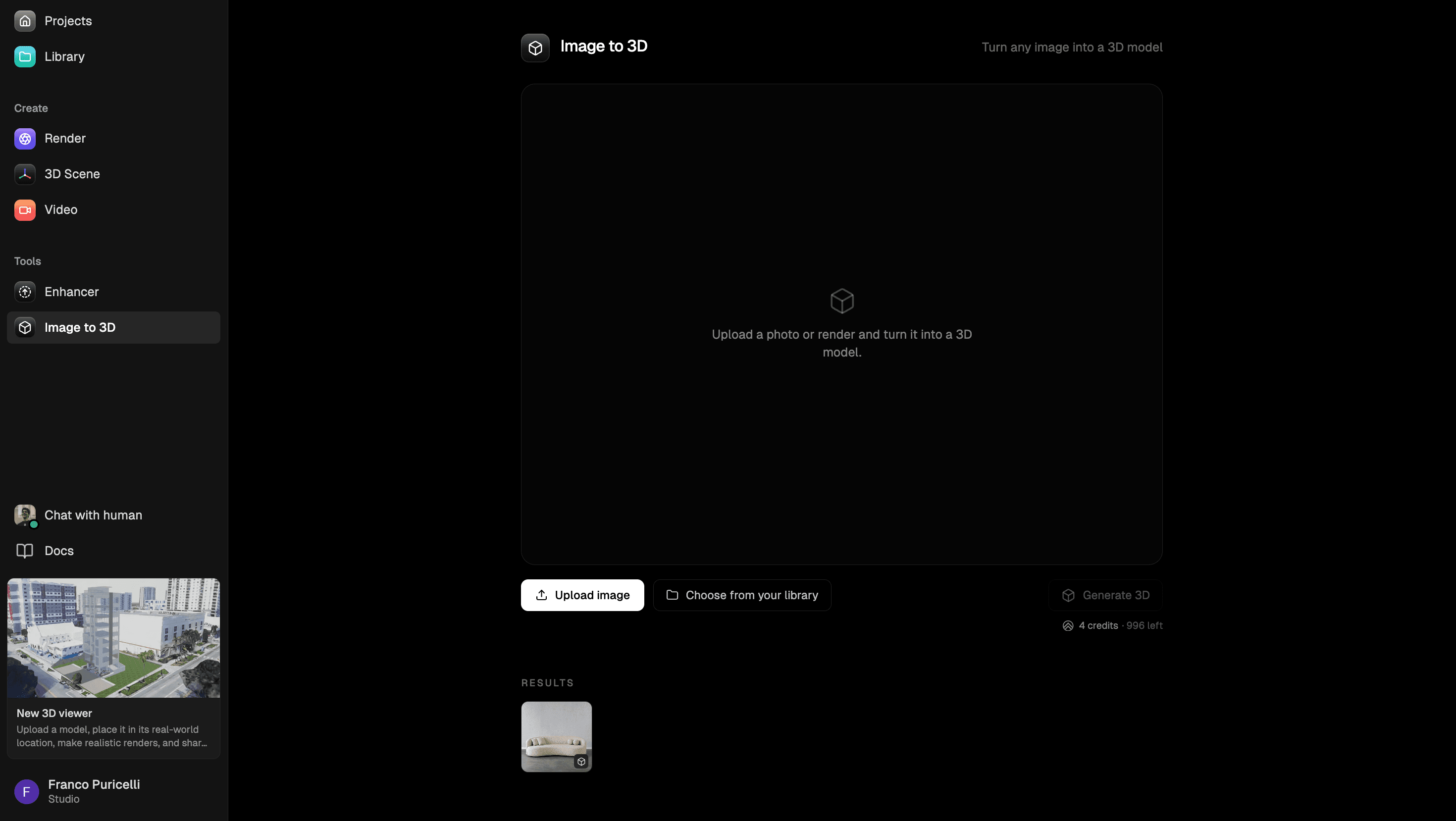
Upload
Choose one object image
Start with a JPG, PNG, or WebP image that shows one fully visible object on a simple background.
Image to 3D workflow
Upload an existing 2D image of a single object, check whether it is a good fit, then continue to Render a House's Image to 3D workspace to generate a rotatable model and download it as a GLB file.
This page is for the literal image-to-3D workflow. It is not a text-to-3D tool, a room reconstruction tool, a CAD converter, or a BIM workflow.
Preview here. Generate in the signed-in Image to 3D workspace.
Drop an object image here
Best results come from a single fully visible object on a simple background.
Use a clear object image before spending credits on generation. Image to 3D works best when the source image shows one object with a visible outline, enough lighting, and a simple background.
The upload above keeps this landing page fast and local to your browser. These screens show the signed-in steps that follow when you are ready to run generation.
Upload
Start with a JPG, PNG, or WebP image that shows one fully visible object on a simple background.
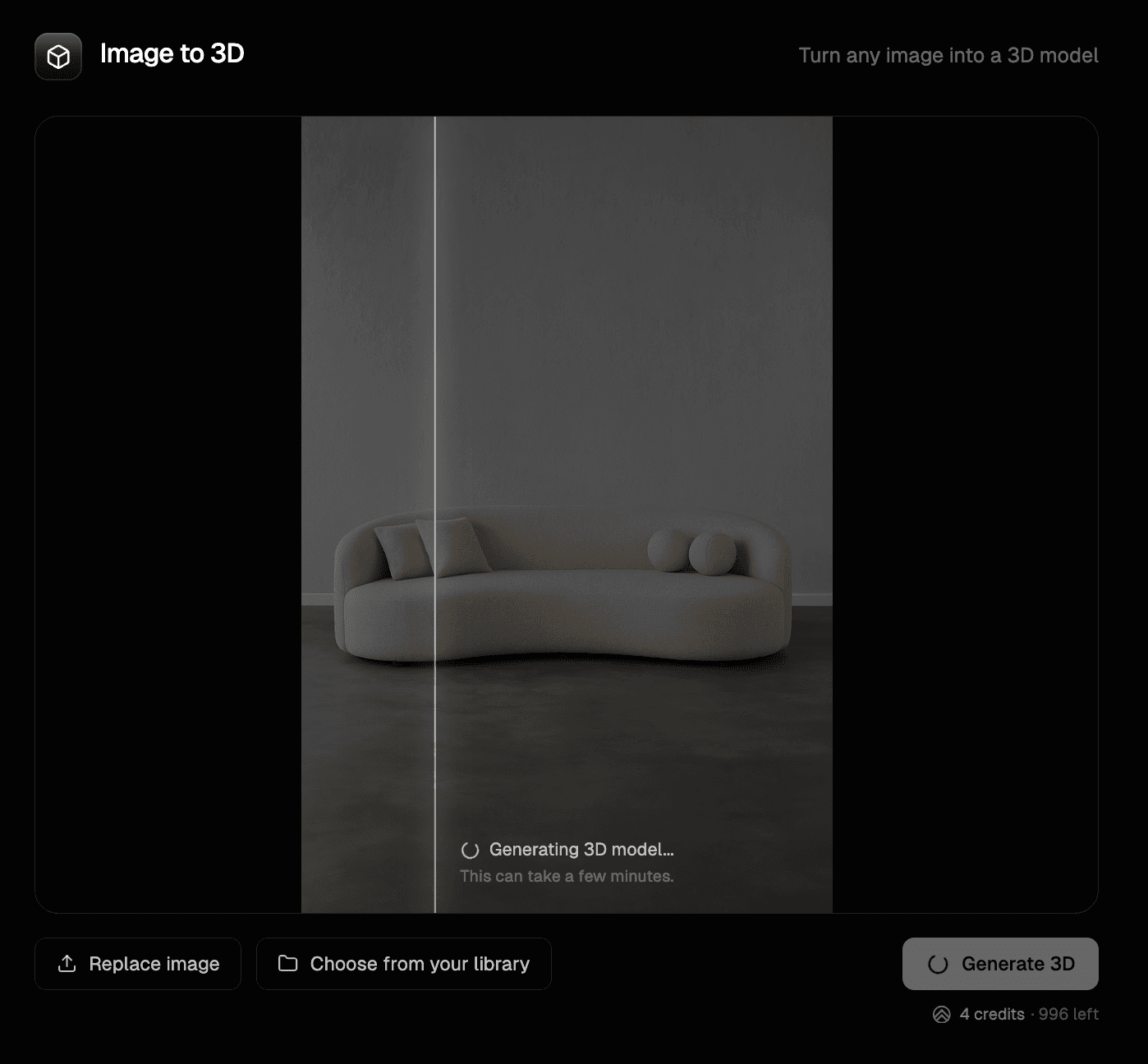
Generate
Continue to the signed-in workspace, review the 4-credit cost, and start generation only when the image is ready.
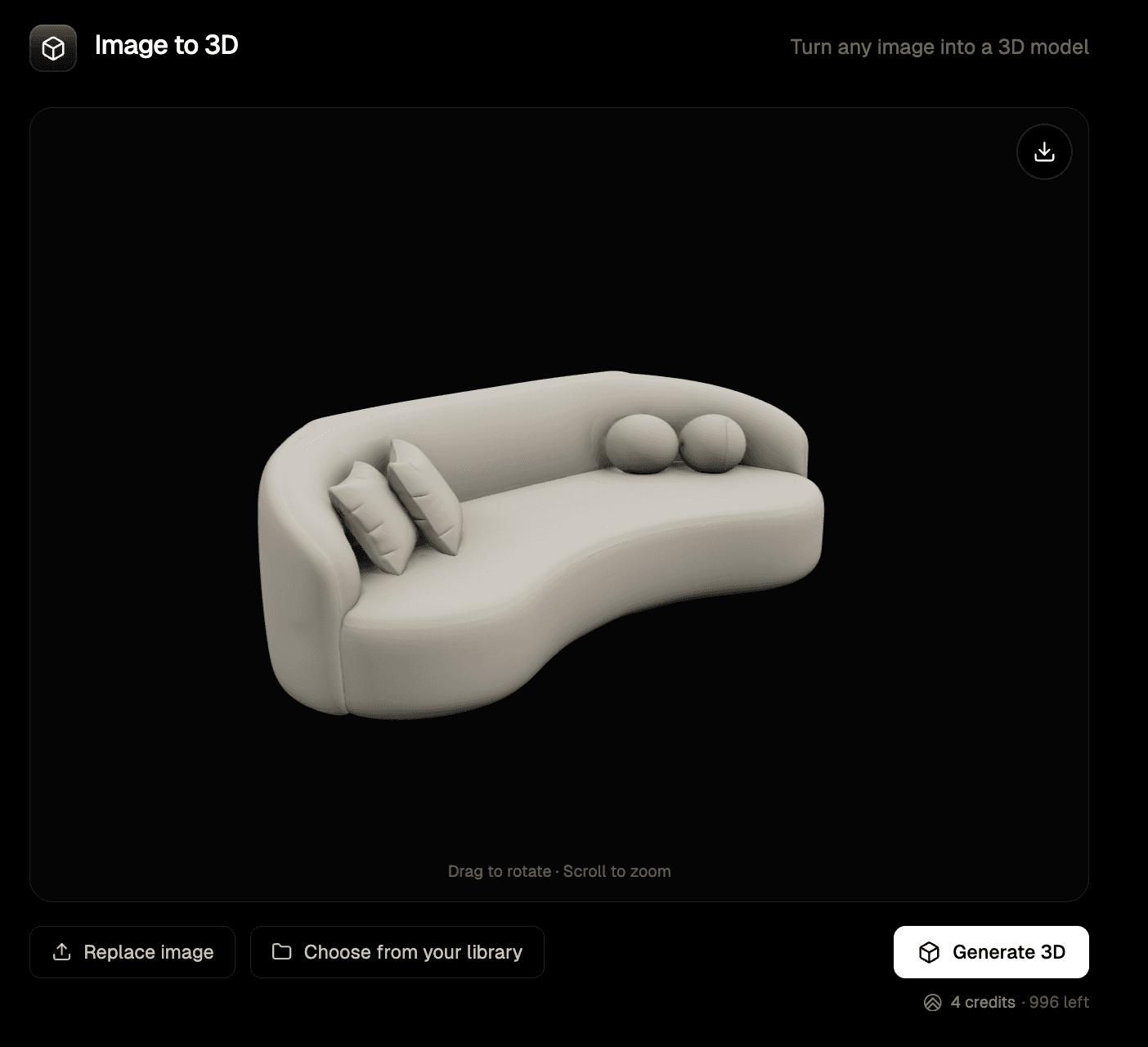
Download
Rotate and zoom the generated model in the viewer, then download the GLB if the result is useful.
Choose an image that shows the object you want to turn into a 3D model. A front-facing or clean three-quarter view usually gives the generator more reliable shape information.
Continue to the signed-in workspace, confirm the source image, review the credit cost, and start generation only when the image is ready.
Rotate the result, zoom in, check for rough surfaces or missing details, and download the GLB when the concept model is useful.
The AI 3D Model Generator page is the broader landing page for Render a House's AI 3D generation workflow. It explains the larger category and helps people who search for AI 3D model generation in general.
This page is narrower. It is for people who already know their starting point: a 2D image. The promise is practical: upload a compatible object image, generate a 3D model from it, preview the result, and download the GLB.
A generated model can help when you need a fast visual asset before a cleaner production model exists.
Turn a product photo or furniture reference into a rough 3D object you can rotate, review, and discuss.
Create early 3D references for props, furniture, decor, and simple objects that support architectural or interior visualization work.
Download the GLB and use it as a starting point in software that supports GLB imports after reviewing its surfaces and proportions.
A 2D image to 3D model tool uses an image as the source input for an AI-generated 3D asset. In Render a House, you upload a compatible object image, run Image to 3D, inspect the generated model in a viewer, and download the result as a GLB file.
Not reliably. The workflow works best with one clear object. A busy room, full building photo, crowded scene, floor plan, sketch with missing edges, or image with multiple overlapping objects can produce rough or incomplete results.
No. This page is for image-to-3D generation. Render a House's current Image to 3D workflow starts from a source image, not a text prompt.
Use a JPG, PNG, or WebP image up to 8 MB. The image should be between 128 and 5000 pixels on each side.
The supported downloadable output is GLB.
No. The generated GLB is for concept and visualization workflows. It is not a dimensionally accurate CAD model, BIM object, fabrication file, permit drawing, or construction document.
No. This workflow is for single-object image-to-3D generation. It should not be described as a full room, home, facade, or building reconstruction tool.
Generation can take a few minutes. The signed-in workspace shows progress while the model is being created.
Use this page when you have an existing 2D image and want the direct image-to-3D workflow. Use the AI 3D Model Generator page when you want the broader overview of Render a House's AI 3D model generation tool.
If a generation fails, you are not charged for that failed run. The signed-in workspace shows whether your current credit balance can start a run.
$0forever
Try Render a House before choosing a paid plan.
$39per month
For frequent rendering and model-generation workflows.
$99per month
For studios with higher-volume visual exploration.
Prices are shown in USD. The signed-in pricing page shows the current checkout terms before purchase.
Use the broader landing page when you want the general AI 3D model generation overview.
Sharpen or upscale a small object image before you turn it into a 3D model.
Open the current signed-in tool to run generation and download the GLB model.
Ready when your object image is