 Render a House/Updated Oct 12, 2026
8 Best AI 3D Model Generators in 2026 (Image or Text)
Render a House is our #1 AI 3D model generator for buildings: it turns a single object image into a GLB file and renders the building model you already have, in the browser. Eight AI 3D model generators compared on the input they take, the price they publish, the license you get, and the one limitation that matters before you build a scene around their output.
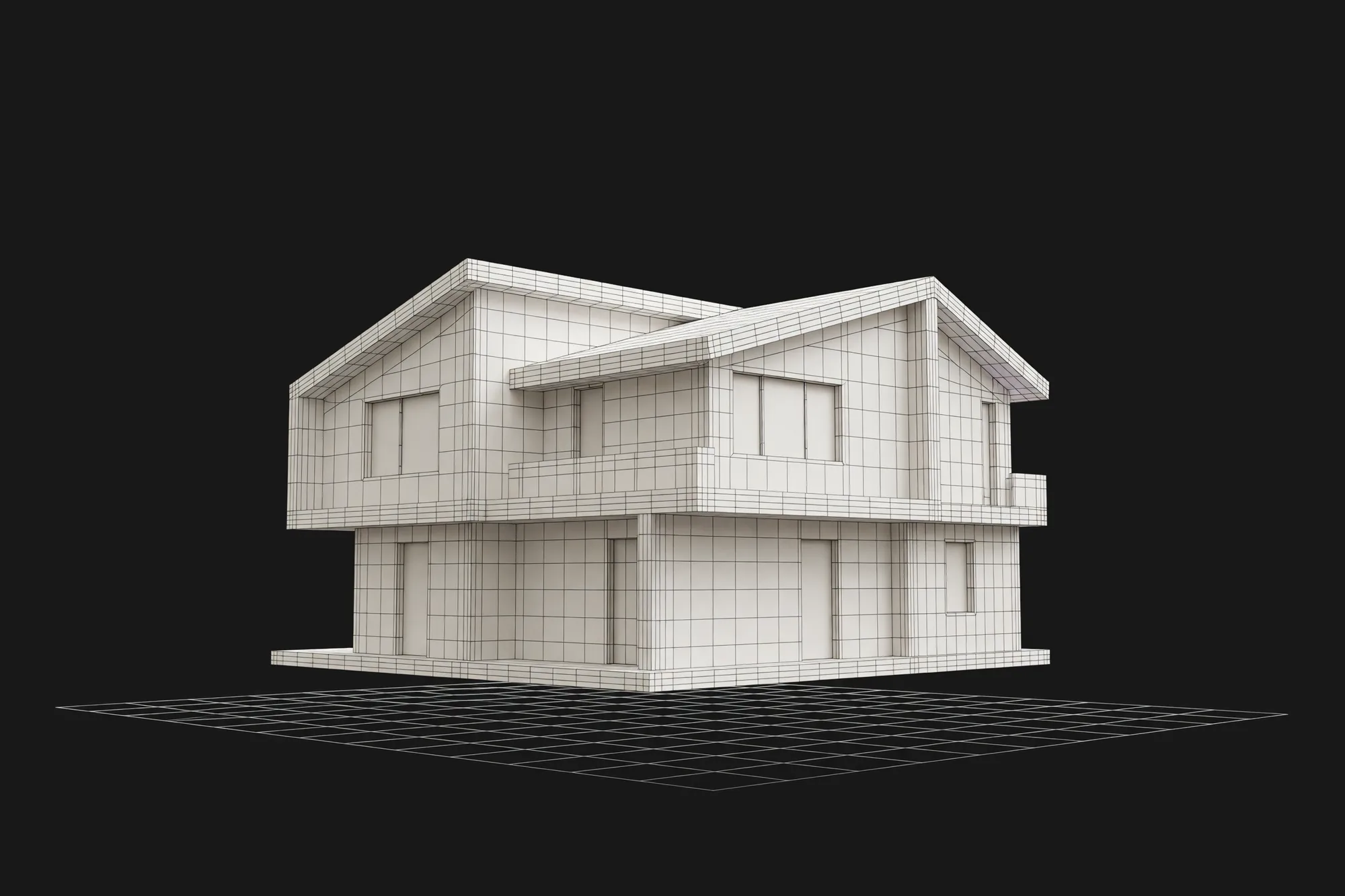
Render a House is our top AI 3D model generator pick for buildings: it does not generate a house from a prompt — it renders the building model you already have and turns single object images into GLB files from 4 credits each ( 6 with the Hitem3D model). Among the general generators, Meshy leads for most objects: one plan covers image to 3D, text to 3D, and texturing, with a free tier of 100 credits a month and a Pro plan at $20 a month for 1,000 credits. Tripo, Rodin, Sloyd, Spline AI, Kaedim, and Hitem3D each win a narrower job.
Every price below was read from the vendor's own pricing page in October 2026, in USD as shown, with the quota that comes with it. This category changes monthly; promotions, regional pricing, and credit costs per feature can change the real total.
Which AI 3D model generator is best at a glance?
| Tool | Best for | Input and platform | Published price | Free plan |
|---|---|---|---|---|
| 1. Render a House | Rendering building models you already have, plus object images to GLB | Browser; GLB, GLTF, OBJ, SKP, or STL models, and JPG, PNG, or WebP images | Image to 3D: from 4 credits per generation (6 with the Hitem3D model) · Basic: $19/mo for 120 credits · Pro: $39/mo or $312/yr for 240 credits/mo · Studio: $99/mo for 1,000 credits/mo | Yes: 3 credits a day, 1K with watermark |
| 2. Meshy | General-purpose props, characters, and objects with texturing | Browser and API; image, multi-view image, or text prompt | Pro: $20/mo for 1,000 credits (up to 100 assets) · Premium: $40/mo for 3,000 credits · Ultra: $100/mo for 8,000 credits | Yes: 100 credits/mo, up to 10 assets, CC BY 4.0 license |
| 3. Tripo | Generating many assets at a low cost per model | Browser (Tripo Studio) and API; image, multi-view, or text | Pro: $20/mo billed annually ($240/yr) for 3,000 credits ≈ 200 models · Max: $90/mo billed annually for 25,000 credits | Yes: 200 credits/mo ≈ 13 models, public and non-commercial |
| 4. Rodin (Hyper3D) | Detailed assets where you want to see the result before spending | Browser, API, and DCC plug-ins; image, multi-image, or text | Creator: $30/mo, or $24/mo billed yearly ($288), about 60 models · Business: $120/mo, or $96/mo billed yearly, about 416 models | Yes: generate and preview free; direct credits $1.50 each |
| 5. Sloyd | Unlimited generations plus editable templates for simple props | Browser and game-engine plug-ins; text, image, or template | Plus: $15/mo, or $12.50/mo billed yearly ($150) · Pro: $50/mo, or $41.67/mo billed yearly ($500) | Yes: 1 AI generation/day, personal-use license |
| 6. Spline AI | Generating a model and publishing it as interactive web 3D | Browser 3D editor; text prompt or reference image | Hobby: $15/seat/mo, or $12 billed annually, with 2,000 AI credits · Pro: $30, or $25 billed annually, with 3,000 · Max: $70, or $60, with 10,000 | Free editor plan, but AI generation needs a paid plan |
| 7. Kaedim | Teams that need reviewed, production-ready assets | Sketches, reference packs, product photos, and briefs | Trial: $50 for 7 days and 5 credits · Indie: $400/mo for 20 credits · Pro: $1,200/mo for 60 credits | No free plan; paid 7-day trial renews to Indie |
| 8. Hitem3D | Image-to-3D models prepared for 3D printing | Browser and API; image (text goes through image generation first) | Pro: $19.90/mo for 1,000 credits (up to 100 models) · Max: $39.90/mo for 2,400 credits · Ultra: $129.90/mo for 8,000 credits | Trial only: 100 lifetime credits, no downloads or commercial use |
Credits do not compare across vendors, and "models per month" is each vendor's own estimate, since texturing, detail, retries, and multi-view input all cost extra.
How is AI 3D generation different from 3D modeling and AI rendering?
An AI 3D model generator outputs geometry: a mesh with vertices, faces, and usually a texture, which you can rotate, light, and import into Blender, a game engine, or a slicer. That is a different product from an AI renderer, which outputs a flat image. If you need a picture of a design, an AI renderer is faster and more accurate; the AI rendering tools comparison and the sketch-to-image roundup cover that job.
It is also different from 3D modeling. In SketchUp, Revit, or Blender you author every surface, so dimensions are exact. A generator guesses the shape, including the sides it cannot see, and the dense, triangulated mesh is not to scale or built for editing.
For architecture, that split matters. Generators are good at objects that sit inside a building: a chair, a lamp, a planter, a sculpture. They are weak at the building itself, where the value is in exact openings, floor heights, and structure. The architecture software guide covers the tools that model buildings properly.
What should you compare before choosing an AI 3D model generator?
Vendor galleries show the best result from many attempts. Ask these questions instead:
- What do you start from? One photo, several views, a sketch, or only a sentence. Multi-view input is usually paid.
- Where does the model go next? A game engine wants low-poly geometry, a web page a light GLB, a printer a closed mesh in STL or 3MF.
- What license comes with the plan? Free tiers range from CC BY 4.0 with attribution to non-commercial and public by default.
- How are retries charged? Meshy and Tripo include free retries on paid plans, Rodin charges only when you confirm a result, and Kaedim includes revision rounds.
- Do you need a person in the loop? Automatic tools return a mesh in minutes; Kaedim returns a reviewed asset in hours at a much higher price.
What are the 8 best AI 3D model generators in 2026?
Render a House ranks first for the building case this list is written for: it renders a model you already made and turns object images into GLB files, no GPU needed. Ranks two to eight reflect how broadly useful each generator is, not a benchmark. We ran no scored tests; strengths come from each vendor's published features and plan terms.
1. Render a House — best for buildings you already modeled

Render a House wins the top spot because it covers the two jobs a building scene actually needs. Its AI 3D model generator turns one clear object image (JPG, PNG, or WebP up to 8 MB) into a rotatable model you download as GLB, starting from 4 credits per generation (6 with the Hitem3D model), and failed runs are not charged. The 2D image to 3D model page covers the same image-only flow. There is no text-to-3D, and the tool is built for single objects such as furniture, decor, and props, not rooms or facades.
For buildings, the useful move is the opposite direction. You upload the model you already made, a GLB, GLTF, or OBJ in 3D Preview, or an SKP or STL through the project uploader, then place it on a site, save camera views, and render those views in the browser with no GPU. That keeps your real geometry instead of an AI guess. The floor plan to 3D render comparison covers the route from a plan, and the 3D model to video walkthrough guide covers motion, which is on paid plans.
The limitation: the generated GLB is a concept object, not a CAD, BIM, or fabrication file, and 3D Preview views, places, and renders models but does not edit or measure them. Export RVT, DWG, and IFC files first.
Published price used in this comparison: Image to 3D: from 4 credits per generation (6 with the Hitem3D model) · Basic: $19/mo for 120 credits · Pro: $39/mo or $312/yr for 240 credits/mo · Studio: $99/mo for 1,000 credits/mo. See the plans and pricing docs for current terms.
Choose it if: you have a house or building model and need presentation renders, or you need a few GLB props for that scene. Estimate the monthly cost with the render cost calculator.
2. Meshy — best all-round image and text to 3D

Meshy is the most complete general-purpose generator here. It takes an image, several views, or a text prompt, textures the mesh, and on paid plans can remesh, rig, and animate it from more than 500 motions. Bridges cover Blender, Unity, Unreal, Godot, Maya, and 3ds Max, and an API covers pipelines.
The free tier gives 100 credits a month. Pro raises that to 1,000 credits, adds four free retries per task, and switches the license to private ownership.
The limitation: free-tier models carry a CC BY 4.0 license, so commercial use requires attribution, and the free plan runs one task at a time at low queue priority. Plan on Pro for anything you ship to a client.
Published price used in this comparison: Pro: $20/mo for 1,000 credits (up to 100 assets) · Premium: $40/mo for 3,000 credits · Ultra: $100/mo for 8,000 credits. See the first-party pricing page for current terms.
Choose it if: you want one tool that covers image, text, texture, and animation without stitching services together.
3. Tripo — best for high-volume asset generation

Tripo is built for volume. Its Pro plan includes 3,000 credits a month, which Tripo estimates at about 200 models, or $0.16 per model, and its Max plan estimates about 1,660 models at $0.09 each. Paid plans add batch generation, smart segmentation, retopology, up to 8K textures on Max, and a DCC bridge.
Tripo Studio accepts an image, multiple views, or a text prompt, and extra credits come in packs from $10 for 1,000.
The limitation: the free tier's 200 credits (about 13 models) produce public models for non-commercial use, and exports are capped at 15. It is a way to test quality, not to deliver client work.
Published price used in this comparison: Pro: $20/mo billed annually ($240/yr) for 3,000 credits ≈ 200 models · Max: $90/mo billed annually for 25,000 credits. See the first-party pricing page for current terms.
Choose it if: you need many props or catalog objects and the cost per model matters more than per-asset polish.
4. Rodin (Hyper3D) — best for previewing before you pay

Rodin, sold by Hyper3D (Deemos), lets you generate and preview a model before confirming the credit spend, so failed attempts cost nothing. Paid plans add multi-image input, Smart Low-Poly, HD textures, and a fixed number of geometry and material redos.
Rodin lists plug-ins for Blender, Unreal, Unity, Godot, Cinema 4D, Maya, and 3ds Max.
The limitation: on the free plan, direct credits cost $1.50 each, and API access starts at the Business plan. It suits a few important assets more than cheap bulk generation.
Published price used in this comparison: Creator: $30/mo, or $24/mo billed yearly ($288), about 60 models · Business: $120/mo, or $96/mo billed yearly, about 416 models. See the first-party pricing page for current terms.
Choose it if: you want to see the model before you pay for it.
5. Sloyd — best for unlimited generations on a small budget

Sloyd combines AI generation with parametric templates. Its paid plans include unlimited text-to-3D and image-to-3D generations, AI retexturing, and rigging, plus a template editor where you adjust proportions of ready-made objects instead of prompting from scratch. Plug-ins cover Unity, Unreal, and Blender.
Credits cover heavier features such as multi-image input, part splitting, and ultra-detail models up to 500,000 polygons: 50 a month on Plus, 350 on Pro.
The limitation: the Guest tier allows one AI generation a day for personal use, and only Pro allows reselling. Templates suit simple props better than organic shapes.
Published price used in this comparison: Plus: $15/mo, or $12.50/mo billed yearly ($150) · Pro: $50/mo, or $41.67/mo billed yearly ($500). See the first-party pricing page for current terms.
Choose it if: you generate often and want a flat, low monthly price.
6. Spline AI — best for interactive 3D on the web

Spline AI lives inside Spline's browser 3D editor. Type a prompt or drop an image, pick one of four generated looks, and Spline turns it into a textured model with base color, metallic-roughness, and normal maps. You choose the engine: Hunyuan3D, Hunyuan 3.1 Pro, Trellis 2, or Meshy, and you can run the same image through more than one.
The model opens as a Spline scene where you add lighting, animation, and interaction, then publish to the web or apps, or you take the GLB.
The limitation: AI generation needs a paid workspace plan priced per seat, and each run spends AI credits twice, on the image options and then the model. Spline shows the cost before you generate instead of a fixed per-model price.
Published price used in this comparison: Hobby: $15/seat/mo, or $12 billed annually, with 2,000 AI credits · Pro: $30, or $25 billed annually, with 3,000 · Max: $70, or $60, with 10,000. See the first-party pricing page for current terms.
Choose it if: the model ends up as an interactive object on a website or app. See Spline's AI 3D Generation page.
7. Kaedim — best for production assets with human review

Kaedim is closer to a production service than a self-serve generator. You send sketches, photos, or a brief, and Kaedim returns 3D your team can inspect, mark up, and revise within hours. It targets product design, games, and e-commerce, and states that customer inputs are not used to train shared models.
Indie's 20 credits cover up to 20 geometries or one complete asset with retopology, UVs, and textures; Pro triples that.
The limitation is price. The entry plan costs $400 a month, many times the self-serve tools, and the paid trial renews to Indie unless you cancel.
Published price used in this comparison: Trial: $50 for 7 days and 5 credits · Indie: $400/mo for 20 credits · Pro: $1,200/mo for 60 credits. See the first-party pricing page for current terms.
Choose it if: you need a small number of reviewed, production-quality assets and the budget is a studio budget.
8. Hitem3D — best for models headed to a 3D printer

Hitem3D (Hi3D) focuses on image to 3D with high-fidelity geometry, and it follows the model through to printing. It checks and arranges the mesh, exports STL, OBJ, 3MF, GLB, or USDZ, connects to the slicer you already use, and offers a print-and-ship service if you do not own a printer.
Text input goes through a text-to-image step first. Paid plans include commercial use and unlimited downloads.
The limitation: the free tier is a one-time trial of 100 credits, about seven models, with no downloads and no commercial use. A launch promotion was running when we checked, so checkout may differ from the list price.
Published price used in this comparison: Pro: $19.90/mo for 1,000 credits (up to 100 models) · Max: $39.90/mo for 2,400 credits · Ultra: $129.90/mo for 8,000 credits. See the first-party pricing page for current terms.
Choose it if: the model is going to a 3D printer.
A note on Luma Genie, which many roundups still list: when we checked in October 2026, lumalabs.ai/genie redirected to Luma's homepage and Luma's pricing page listed image and video plans only. Hitem3D takes its slot here.
Which AI 3D model generator fits your workflow?
| Starting situation | Best starting shortlist | Why |
|---|---|---|
| A house or building you need to present | Render a House 3D Preview | Render your own model; generators do not make reliable buildings. |
| Props, furniture, and decor for a scene | Meshy, Tripo, or Render a House Image to 3D | Single objects on a clean background work best. |
| Hundreds of game or catalog assets | Tripo or Sloyd | Large credit pools keep the cost per model low. |
| One hero asset where detail matters | Rodin or Kaedim | Rodin lets you preview before paying; Kaedim adds review and revision rounds. |
| An interactive object on a website or app | Spline AI | The model opens in an editor that publishes it. |
| A figure or object to print | Hitem3D | It checks, arranges, and exports STL or 3MF for a slicer. |
Mixing tools is normal. A small studio might model a house in SketchUp, generate a few furniture pieces in Meshy or Render a House, and render the assembled scene. If SketchUp is your modeler, the SketchUp rendering software guide compares the render side. For packshots of a product rather than a space, see the product rendering software roundup.
Which AI 3D model generators are free?
Five of the eight have a free way in, but the terms differ. Meshy gives 100 credits a month with a CC BY 4.0 license. Tripo gives 200 credits a month for public, non-commercial models. Rodin lets you generate and preview for free and pay only when you confirm a result. Render a House gives 3 credits a day at 1K with a watermark; an Image to 3D run costs from 4 credits (6with the Hitem3D model), more than one day's free allowance, so in practice it needs a paid plan. Sloyd allows one AI generation a day for personal use.
Hitem3D offers a one-time 100-credit trial without downloads. Spline AI generation requires Hobby or above, and Kaedim's trial costs $50.
If a source photo is too small or blurry, run it through an image upscaler first; the AI image upscaler roundup compares the options. A sharper input usually costs fewer retries than a better generator.
How did we verify prices?
We read each price from the vendor's own pricing page in October 2026, in a browser session because most render prices with JavaScript. Prices are in USD as displayed, with each plan's quota and the regular list price where a promotion showed. Render a House figures come from the plans and pricing docs and the Image to 3D tool page.
- Meshy pricing, checked October 2026
- Tripo pricing, checked October 2026
- Hyper3D (Rodin) pricing, checked October 2026
- Sloyd pricing, checked October 2026
- Spline pricing and Spline AI 3D Generation FAQ, checked October 2026
- Kaedim plans, checked October 2026
- Hitem3D pricing, checked October 2026
- Luma pricing, checked October 2026 (no 3D generation plan listed)
- Render a House plans and pricing, checked October 2026
Confirm the linked page before buying; region, tax, and billing period can change what you pay.
What can AI 3D model generators not do?
AI 3D generation is fast, not a replacement for modeling:
- No real dimensions. Nothing here produces a to-scale CAD, BIM, or fabrication model.
- Hidden sides are invented. From one image, the back of an object is a guess.
- Buildings and rooms break. Houses and interiors come back with wrong openings and floor heights.
- Topology needs work. Raw meshes are dense and usually need retopology and UV cleanup.
- Licenses vary. Free tiers can be public, attribution-only, or non-commercial.
What do people ask about AI 3D model generators?
What is the best AI 3D model generator?
Meshy is the safest starting point for most people: image to 3D, text to 3D, texturing, and rigging on one plan, with a free tier. Tripo is cheaper per model at volume, Rodin lets you preview before you pay, and Kaedim suits teams that need a reviewed asset. For buildings, start from your own model and render it in Render a House.
Is there a free AI 3D model generator?
Yes. Meshy gives 100 credits a month, Tripo 200, Rodin lets you preview for free before paying, and Sloyd allows one generation a day. Each has a catch: CC BY 4.0 on Meshy, public non-commercial models on Tripo, personal use only on Sloyd.
Can AI turn a 2D image into a 3D model?
Yes, for single objects. Meshy, Tripo, Rodin, Sloyd, Spline AI, Hitem3D, and Render a House's Image to 3D take one image and return a mesh. One fully visible object on a simple background works best; rooms, floor plans, and buildings come back rough.
Which AI 3D model generators work from text?
Meshy, Tripo, Rodin, Sloyd, and Spline AI accept a text prompt. Spline first returns four image looks and meshes the one you pick; Hitem3D also goes through text-to-image before image-to-3D. Render a House's Image to 3D does not support text prompts; it starts from an image.
Can AI generate a 3D model of a house or building?
Not reliably. These generators invent the walls, openings, and roofs they cannot see. Model the building in SketchUp, Revit, Rhino, or Blender, export it, and render it in Render a House's 3D Preview. Use AI generation for the furniture and props.
What file formats do AI 3D model generators export?
GLB is the most common: Spline and Render a House export it, Sloyd lists GLB and OBJ, and Hitem3D exports STL, OBJ, 3MF, GLB, and USDZ. Formats and download limits differ by plan, so check the pricing page first.
Can I use AI-generated 3D models commercially?
On paid plans, generally yes. Meshy's free tier is CC BY 4.0 (commercial use with attribution) and its paid plans are private. Tripo free models and Hitem3D's trial are non-commercial, and Sloyd allows commercial use on Plus but reselling only on Pro.
Keep reading
Related guides and comparisons

8 Best Room Planner Apps in 2026 (Free & Paid)
Compare eight room planner apps (Render a House, Planner 5D, RoomSketcher, Homestyler, Floorplanner, IKEA, Roomstyler, Magicplan) by free plan, platform and price.

8 Best AI Image Upscalers in 2026 (Free & Paid)
Eight AI image upscalers compared for architectural renders: Render a House, Magnific, Topaz Gigapixel, Let's Enhance, Upscayl, Krea and more, priced.
9 Best Home Design Software in 2026 (Free & Paid)
Compare nine home design programs, from Chief Architect and Cedreo to Sweet Home 3D, by who they suit, platform and published price, and when to add an AI render.
