 Render a House/Updated Oct 12, 2026
8 Best AI Image Upscalers in 2026 (Free & Paid)
Render a House is our #1 AI image upscaler for architectural renders: its Enhance action enlarges a render in the browser at 2x or 4x. Eight AI image upscalers compared on what they do to architectural renders, what they publish as a price, and the limitation that matters before a client sees the image.
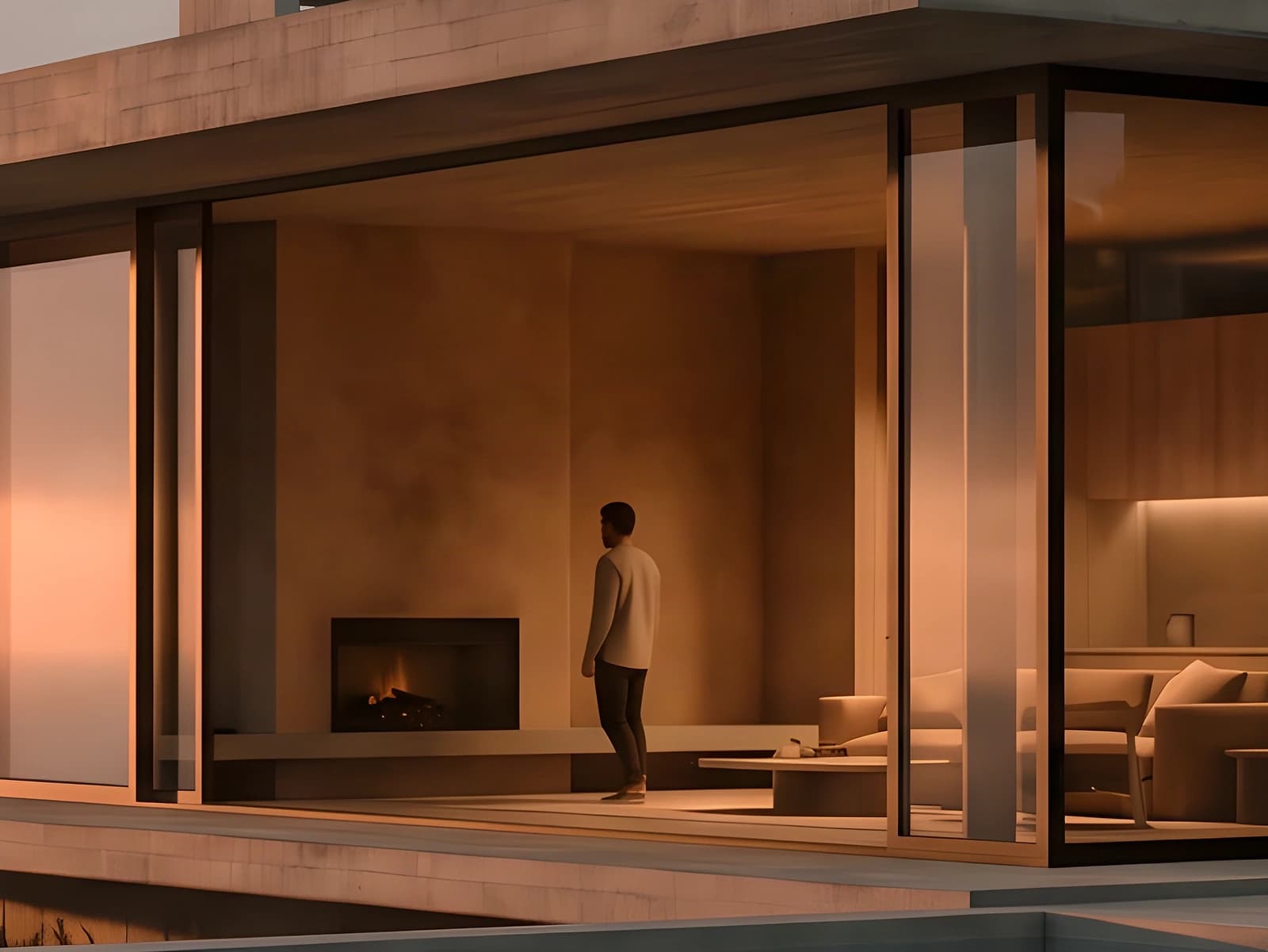
Render a House is the best AI image upscaler for architectural renders: the Enhance action costs 1 credit per run, doubles each side (2x) per pass, and the free image upscaler pagepreviews output dimensions at 2x or 4x in the browser before you sign in — an enlargement that survives a 100% zoom on edges, textures, and signage. Magnific, Topaz Gigapixel, Let's Enhance, Upscayl, Krea, ImgLarger, and PicWish fill the rest of the list.
One honest caveat up front: we did not run the competitors. This guide compares documented vendor behaviour — the scale factors, caps, credit systems, and prices each product publishes — plus a checklist of what to verify on your own images. Prices come from first-party pages checked in October 2026; every price sits next to the quota it buys.
Which AI image upscaler is best at a glance?
Read the free-plan column before the price column — "free" can mean a genuinely free desktop app, a one-time credit allowance, a watermark, or a preview that stops before the actual run.
| Tool | Best for | Input and platform | Published price | Free plan |
|---|---|---|---|---|
| 1. Render a House | Architectural renders made in Render a House that need a larger final image | Browser; JPG, PNG, WebP up to 10 MB | Free preview; Enhance costs 1 credit per run on paid plans — Basic $19/mo (120 credits/mo), Pro $39/mo or $312/yr (240 credits/mo), Studio $99/mo or $792/yr (1000 credits/mo) | Local 2x/4x preview free; Enhance needs a paid plan (3 free credits a day do not run it) |
| 2. Magnific | Creative re-detailing with Creativity and Resemblance sliders, up to 16x | Browser; image and video upscalers | Premium $20/mo or $14.50/mo billed annually (240K credits/yr) · Premium+ $45/mo or $33.75/mo annual (600K credits/yr, adds Topaz upscalers and 10K mode) · Pro Starter $110/mo or $82.50/mo annual (1.5M credits/yr); prices exclude VAT | No free plan listed on the pricing page |
| 3. Topaz Gigapixel | Local desktop or Photoshop/Lightroom-plugin upscaling with unlimited renders | Windows and macOS desktop app; Photoshop/Lightroom plugin | Standalone Gigapixel USD 149/yr (Mac & PC) · Personal USD 29/mo or USD 19/mo billed annually · Pro USD 499/yr · Studio USD 399/yr incl all apps; unlimited local + cloud image rendering | No free plan on the pricing page |
| 4. Let's Enhance | Print-size output, up to 512MP on the Max plan | Browser; input up to 64MP/50MB; card + PayPal | Free: 10 credits on signup (watermark, up to 8MP) · Starter 100 credits/mo at $12/mo or $9/mo annual (up to 256MP) · Pro 300 credits/mo at $32/$24 · Max 500 credits/mo at $45/$34 (512MP); 1 image = 1 credit | 10 credits on signup, watermark, up to 8MP output |
| 5. Upscayl | A free open-source desktop option with batch and up to 16x | Linux, macOS, Windows desktop (Vulkan GPU required); cloud beta | Desktop app: free and open source (AGPL-3.0), up to 16x, batch, double upscayl · Cloud Pro: $24.99 for 300 credits/mo, up to 256MP; free trial 10 credits | Desktop app is free; cloud has a 10-credit trial |
| 6. Krea enhancer | A free web enhancer inside a generative suite | Browser; JPG/PNG/WebP/HEIC; 2x/4x/8x, parallel batch | Free $0 enhancer up to 8K; upscaling beyond that to 22K is paid — Basic $9/mo ($5.25/mo annual) 5,000 units/mo · Pro $35/mo ($21) 20,000 units · Max $105/mo ($63) 60,000 units · Business $200/mo ($160) | Free enhancer up to 8K on the $0 plan |
| 7. ImgLarger | Low-cost credit bundles with a usable free tier | Browser; enlarger 2x/4x/8x, upscaler 2x/4x | Free USD 0: 100 credits/mo, single image, input max side 1024px, up to 2x · Premium USD 9.99/mo (USD 8.33/mo billed USD 99.90/yr) 2,000 credits/mo, batch, up to 8x · Business USD 19.99/mo (USD 16.66/mo billed yearly) 6,000 credits/mo, up to 8x; prices include applicable taxes by location | 100 credits/mo, input max side 1024px, 2x only |
| 8. PicWish | Quick enlargements bundled with a broader photo-editing toolkit | Browser and apps; PNG/JPG/JPEG/JFIF/WEBP | Free $0 plan (no credits, no batch) · Pro $9.99/mo (350 credits/mo) or $4.99/mo billed $59.99/yr; $5.99/wk 50 credits · Max $26.99/mo or $21.99/mo billed $263.99/yr (2,000 credits/mo); Image Enlarger from 2 credits, pay-as-you-go 300 credits $12.99; credits don't roll over | Free plan exists but includes no credits for the Enlarger |
How is AI upscaling different from resizing, sharpening or AI enhancement?
Classic resizing — bicubic, Lanczos, and friends — interpolates the pixels that already exist: bigger, but no new information, so enlargements look soft. Sharpening only exaggerates edge contrast; it cannot invent detail either. AI upscaling works differently: a trained model predicts the high-resolution version of each patch. Done aggressively it crosses into creative or generative enhancement, where the model re-draws texture, foliage, and text rather than reconstructing it — Magnific's Creativity slider is the clearest public example of that dial.
For architecture the distinction is practical, not academic: a conservative upscaler keeps straight lines straight and brick courses regular; a creative one may invent window mullions, signage lettering, or stonework that never existed in the design.
What should you check on an architectural render before choosing an upscaler?
Vendor galleries show the best case. Zoom to 100% and check the failure modes that matter on architectural imagery:
- Straight lines and edges. Rooflines, parapets, mullions, and handrails should stay straight; any waviness is a red flag on presentation work.
- Material texture tiling. Brick courses, stone joints, and wood grain should stay regular and consistent in scale — creative upscalers sometimes drift or re-invent the pattern mid-surface.
- Signage and small text. Shopfront lettering, unit numbers, and annotation can come back with invented glyphs. Readable is not the same as correct.
- Repeated facade detail. Window bays, balcony rails, and column rhythms should stay identical across repetitions.
- The practical spec sheet. Maximum scale factor, output megapixels, formats, batch, commercial-use terms, and how credits are counted all differ between vendors.
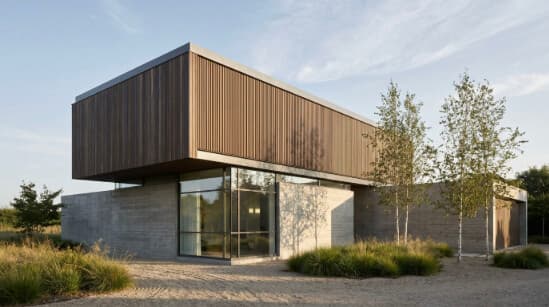
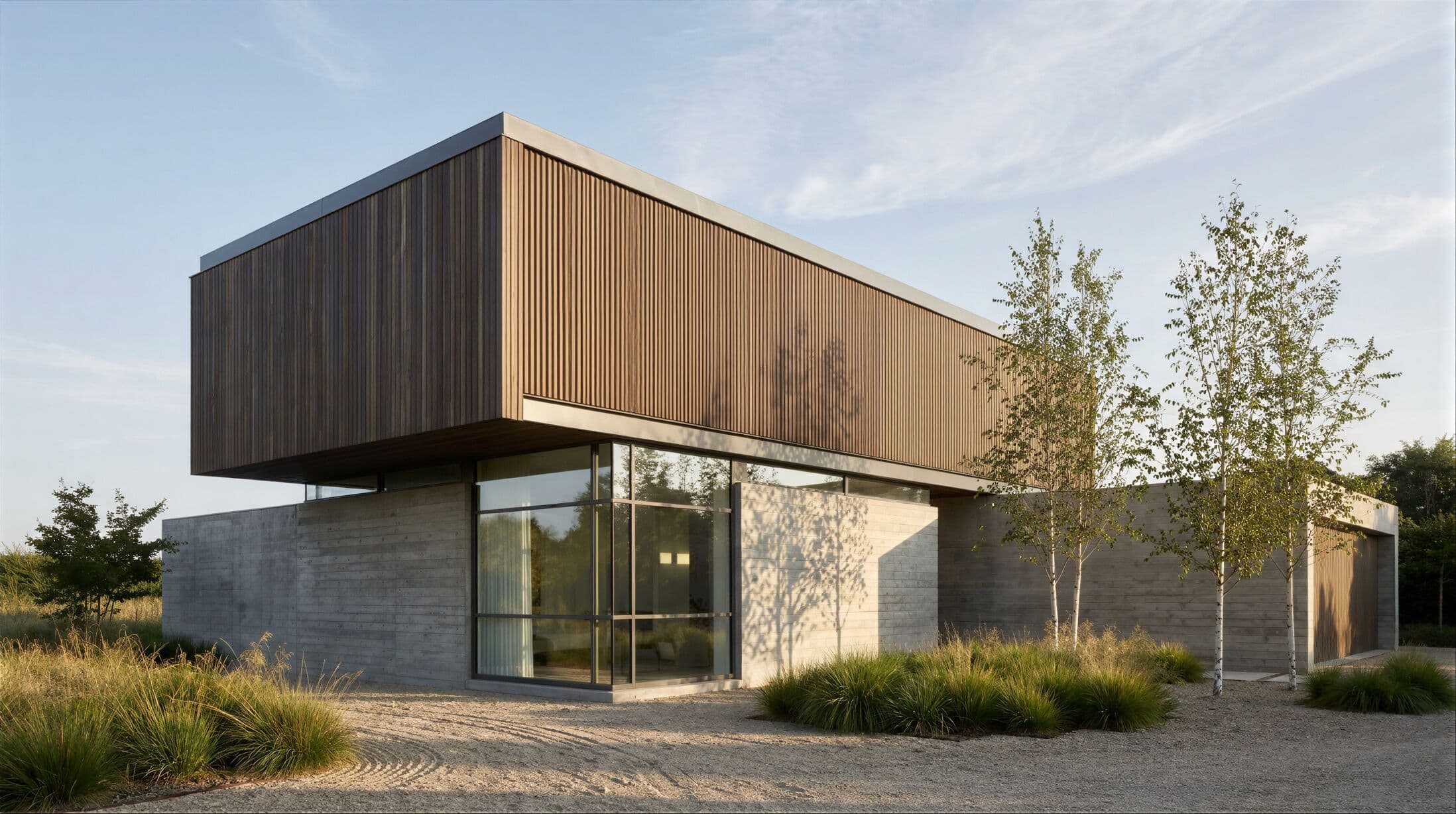
The example pair published on our image enhancer page makes the check concrete: a 549 × 307 source and its 2196 × 1228 enhanced output (four times each side).
What are the 8 best AI image upscalers in 2026?
The ranking favors fit for architectural imagery, an accessible starting point, and an honest reason to choose each product — each entry states the job for which it earns its place.
1. Render a House — best for architectural renders made in Render a House

Render a House is the most direct option when the image to enlarge is a render already made in Render a House — or any JPG, PNG, or WebP up to 10 MB. The free image upscaler page previews the exact output dimensions at 2x or 4x locally in the browser (a 1000 × 1000 source shows 2000 × 2000 at 2x, 4000 × 4000 at 4x), keeps the draft for 24 hours, and only asks for sign-in when you continue to the Enhancer. The page itself warns that output can alter tiny textures, text, or edges.
The paid Enhance action in the workspace costs 1credit per run — each run doubles each side (2x) and returns a PNG, running in the browser with no GPU needed. Enhance is gated to paid plans: the Free plan's 3 credits a day cannot run it. Paid plans start at Basic $19/mo (120 credits/mo) and scale to Studio $99/mo (1000 credits/mo). Checkout is card-only, and free-plan renders export at 1K with a watermark.
The honest limitations: 2x per run is far lower than the 6x–16x maximums competitors advertise, upscaling requires a paid plan, and there is no batch mode, API, or desktop app.
Published price used in this comparison: Free preview; Enhance costs 1 credit per run on paid plans — Basic $19/mo (120 credits/mo), Pro $39/mo or $312/yr (240 credits/mo), Studio $99/mo or $792/yr (1000 credits/mo). See the first-party product page for current terms.
Choose it if: the source is already a Render a House render and you want a 2x enlargement without leaving the workspace. Review the current plans and pricing.
2. Magnific — best for creative re-detailing

Magnific — the site now reads "Freepik is now Magnific" — is the creative upscaler in this list: Creativity and Resemblance sliders control how much new detail the model draws in, alongside a Classic model, output up to 16x, a 10K mode reserved for Premium+ users, and bulk upscaling.
That re-detailing strength is also the risk on architectural work: at higher Creativity settings the model can invent detail — extra window bays, altered signage lettering, re-patterned stonework — so repeated facade elements and any text need a careful pass at 100%. The limitations: no free plan is listed, prices exclude VAT, and 10K mode sits behind Premium+ and above.
Published price used in this comparison: Premium $20/mo or $14.50/mo billed annually (240K credits/yr) · Premium+ $45/mo or $33.75/mo annual (600K credits/yr, adds Topaz upscalers and 10K mode) · Pro Starter $110/mo or $82.50/mo annual (1.5M credits/yr); prices exclude VAT. See the first-party product page for current terms.
Choose it if: you want an upscaler that adds detail rather than only reconstructing it, and you will inspect the inventions. See the full Magnific AI pricing breakdown, or compare it directly in Krea vs Magnific.
3. Topaz Gigapixel — best for local desktop upscaling with unlimited renders

Topaz Gigapixel is the established desktop option: a standalone Mac and Windows app that also runs as a Photoshop and Lightroom plugin, with nine models including Text & Shapes, Art & CG, and High Fidelity, enlargement of "almost any image 6x", and unlimited local plus cloud rendering — no per-image meter.
The limitations: no free plan appears on the pricing page, the Personal license restricts commercial use to businesses under USD 1M in revenue, and a desktop install is a heavier commitment than a browser tab — though the unlimited model means a fixed annual cost regardless of render volume.
Published price used in this comparison: Standalone Gigapixel USD 149/yr (Mac & PC) · Personal USD 29/mo or USD 19/mo billed annually · Pro USD 499/yr · Studio USD 399/yr incl all apps; unlimited local + cloud image rendering. See the first-party product page for current terms.
Choose it if: you want unlimited local upscaling inside a photo pipeline. See the full Topaz AI pricing breakdown.
4. Let's Enhance — best for print-size output

Let's Enhance is aimed at large output: its pricing ladder scales the maximum output size with the plan — up to 256MP on Starter and a headline 512MP on Max — with input up to 64MP/50MB, up to 16x, and batch editing of 20 images at once. One image costs one credit; checkout takes card or PayPal. The limitations: the free tier is a one-time 10-credit allowance with a watermark and an 8MP cap, and per-image credits burn quickly when a whole set of renders needs enlarging.
Published price used in this comparison: Free: 10 credits on signup (watermark, up to 8MP) · Starter 100 credits/mo at $12/mo or $9/mo annual (up to 256MP) · Pro 300 credits/mo at $32/$24 · Max 500 credits/mo at $45/$34 (512MP); 1 image = 1 credit. See the first-party product page for current terms.
Choose it if: the destination is print — boards, exhibitions, or large-format marketing.
5. Upscayl — best free open-source desktop option

Upscayl is the free open-source desktop option: Real-ESRGAN models over NCNN Vulkan on Linux, macOS, and Windows, with up to 16x, a double-upscayl mode, and batch processing under an AGPL-3.0 license. A cloud offering sits alongside it: a 10-credit trial, then Pro at $24.99 for 300 credits a month.
The limitations are physical: the desktop app needs a Vulkan-compatible GPU, and most integrated graphics and CPU-only machines will not run it. The open-source license also matters if you plan to embed it in a product rather than use it as a tool.
Published price used in this comparison: Desktop app: free and open source (AGPL-3.0), up to 16x, batch, double upscayl · Cloud Pro: $24.99 for 300 credits/mo, up to 256MP; free trial 10 credits. See the first-party product page for current terms.
Choose it if: you have a discrete GPU, want zero-cost unlimited runs, and prefer files to stay on your own machine.
6. Krea enhancer — best for a free web enhancer inside a generative suite

Krea bundles enhancement into a broader generative suite. Its Enhance app advertises a free AI enhancer that upscales to 8K from JPG, PNG, WebP, HEIC, and HEIF input; the upscaler page lists 2x, 4x, and 8x factors with parallel batch processing. Paid plans open image upscaling up to 22K, including Topaz Standard, metered in Krea's units model.
The limitations: anything beyond the free 8K enhancer is paid, and the units model makes per-upscale cost less transparent than a flat credit price. See the Krea AI pricing breakdown for the unit math.
Published price used in this comparison: Free $0 enhancer up to 8K; upscaling beyond that to 22K is paid — Basic $9/mo ($5.25/mo annual) 5,000 units/mo · Pro $35/mo ($21) 20,000 units · Max $105/mo ($63) 60,000 units · Business $200/mo ($160). See the first-party product page for current terms.
Choose it if: you already work inside Krea and want enhancement without a second subscription.
7. ImgLarger — best low-cost credit bundles

ImgLarger is a low-cost browser enlarger: 2x, 4x, and 8x enlargement plus a separate 2x/4x upscaler, priced as monthly credit bundles. The free plan gives 100 credits a month for a single image at a time, capped at 2x with input sides limited to 1024px; Premium adds batch and up to 8x. ImgLarger states its prices include applicable taxes by location.
The limitations: the free plan's 1024px input cap excludes most decent-size renders outright, 2x is the ceiling until you pay, and AI tools consume credits per task — a heavy month can outgrow even the Business pool.
Published price used in this comparison: Free USD 0: 100 credits/mo, single image, input max side 1024px, up to 2x · Premium USD 9.99/mo (USD 8.33/mo billed USD 99.90/yr) 2,000 credits/mo, batch, up to 8x · Business USD 19.99/mo (USD 16.66/mo billed yearly) 6,000 credits/mo, up to 8x; prices include applicable taxes by location. See the first-party product page for current terms.
Choose it if: you want the cheapest credit bundles in this list and your inputs are small.
8. PicWish — best for quick enlargements bundled with photo-editing tools

PicWish is a general photo-editing toolkit where the Image Enlarger is one tool among many — background removal, retouching, format conversion. The Enlarger requires credits "from 2 credits" per task, across PNG, JPG, JPEG, JFIF, and WEBP input, with a 300-credit pay-as-you-go pack alongside subscriptions.
The limitations: the free plan includes no credits at all, so enlarging is paid from the first image, and credits do not roll over.
Published price used in this comparison: Free $0 plan (no credits, no batch) · Pro $9.99/mo (350 credits/mo) or $4.99/mo billed $59.99/yr; $5.99/wk 50 credits · Max $26.99/mo or $21.99/mo billed $263.99/yr (2,000 credits/mo); Image Enlarger from 2 credits, pay-as-you-go 300 credits $12.99; credits don't roll over. See the first-party product page for current terms.
Choose it if: you want quick enlargements bundled with the photo-editing chores around a listing or board.
Which AI image upscaler fits your workflow?
Match the starting situation to the tool rather than shopping by headline scale factor:
| Starting situation | Best starting shortlist | Why |
|---|---|---|
| A render you already made in Render a House | Render a House | Enhance runs inside the same workspace for 1 credit per run, doubling each side (2x) per pass — no export round-trip. |
| You want the upscaler to invent surface detail | Magnific | The Creativity and Resemblance sliders control invented detail — check signage and repeated facade bays. |
| Unlimited runs on your own machine | Topaz Gigapixel or Upscayl | Both run locally with no per-image meter; Gigapixel is paid, Upscayl is free but needs a Vulkan GPU. |
| Print-size output for boards and exhibitions | Let's Enhance | The Max plan advertises output up to 512MP, the largest published ceiling here. |
| A zero-cost quick pass in the browser | Krea enhancer or ImgLarger | Krea's free enhancer reaches 8K; ImgLarger gives 100 free credits/mo at 2x with a 1024px input cap. |
Hybrid stacks are normal: enhance renders inside Render a House, keep Upscayl on a GPU workstation for bulk free runs, and reach for Let's Enhance for print dimensions. The adjacent chores — removing stray objects, retouching listing photos — are covered in our guides to the best AI object removers and real estate photo editing software, and the best AI rendering tools covers the generation step before enlargement.
Which AI image upscalers are free?
Free means different things on each pricing page. Upscayl's desktop app is genuinely free and open source — the only unconditional option, assuming your GPU supports Vulkan. Krea's enhancer is free up to 8K. ImgLarger gives 100 credits a month capped at 2x with a 1024px input limit. Let's Enhance gives 10 credits once at signup, watermarked and capped at 8MP. PicWish lists a $0 plan but it carries no credits, so the Enlarger is effectively paid-only.
Two tools publish no free plan: neither Magnific nor Topaz shows one on their pricing pages. Render a House sits between — the image upscaler page previews 2x and 4x output dimensions locally for free, but the Enhance run itself requires a paid plan.
How did we verify prices?
Every third-party price and claim comes from a first-party vendor page checked in October 2026 — we did not run competitors. Render a House figures come from the codebase itself. Two footnotes: Magnific prices exclude VAT, and ImgLarger states its prices include applicable taxes by location.
- Render a House image upscaler
- Magnific pricing and Magnific image upscaler
- Topaz Labs pricing
- Let's Enhance pricing
- Upscayl
- Krea pricing and Krea AI upscaler
- ImgLarger pricing
- PicWish pricing
Prices and plan names change frequently in this category — confirm the linked first-party page before purchasing, especially where tax, region, or credit burn rate changes the effective cost.
What can AI upscaling not do?
No upscaler recovers detail that was never captured. If the source render resolves a facade to a smear of pixels, the model estimates what belongs there — and the estimate can invent wrong signage text, wrong brick patterns, or extra window bays that read as confident, plausible error.
Upscaling also cannot fix geometry or perspective — a skewed camera or a wrong parapet line comes back sharper but still wrong. And it is not a substitute for resolution at the source: when the image is a Render a House render, re-rendering at a higher resolution will almost always beat enlarging a small one — the renderer synthesizes real detail instead of estimating it. Estimate the credit difference with the render cost calculator.
What do people ask about AI image upscalers?
What is the best AI image upscaler for architecture?
For architectural renders made in Render a House, the built-in Enhance action is the most direct option: 1 credit per run, 2x per pass, inside the same browser workspace. For images from elsewhere, Topaz Gigapixel suits unlimited local work, Magnific suits creative re-detailing, and Upscayl is the best free desktop option — each entry states the job it is best for.
Is there a free AI image upscaler?
Yes, with different kinds of free. Upscayl's desktop app is genuinely free and open source but needs a Vulkan GPU. Krea's enhancer is free up to 8K. Let's Enhance gives 10 credits on signup (watermarked, 8MP), and ImgLarger gives 100 credits a month at 2x with a 1024px input limit. Render a House's upscaler page previews 2x/4x dimensions for free, but Enhance requires a paid plan.
Can AI upscaling fix blurry text on signs?
Not reliably. Upscalers estimate plausible detail, so a blurred sign can come back with invented letterforms that look sharp but read wrong. No upscaler guarantees reconstructed text matches the original words; for renders, the safer path is re-rendering at higher resolution or compositing real signage back over the enlarged image.
How much does Magnific cost?
On its pricing page (checked October 2026, prices exclude VAT): Premium is $20/mo or $14.50/mo billed annually with 240K credits/yr, Premium+ is $45/mo or $33.75/mo annual with 600K credits/yr plus Topaz upscalers and 10K mode, and Pro Starter is $110/mo or $82.50/mo annual with 1.5M credits/yr. No free plan is listed.
Is Topaz Gigapixel a one-time purchase?
No — the Topaz pricing page shows subscriptions, not a perpetual license: standalone Gigapixel is USD 149/yr for Mac and PC, Personal is USD 29/mo monthly or USD 19/mo billed annually (limited to commercial use under USD 1M revenue), Pro is USD 499/yr, and the Studio bundle covering all apps is USD 399/yr.
How many times can you upscale an image with AI?
As many times as the tool and your credit balance allow, but quality degrades. Each pass multiplies dimensions — Render a House doubles each side per Enhance run, Upscayl supports repeated passes plus a double-upscayl mode — yet each run also re-interprets detail, so artifacts compound. Compare every pass against the source rather than assuming linear improvement.
Keep reading
Related guides and comparisons

8 Best Room Planner Apps in 2026 (Free & Paid)
Compare eight room planner apps (Render a House, Planner 5D, RoomSketcher, Homestyler, Floorplanner, IKEA, Roomstyler, Magicplan) by free plan, platform and price.
9 Best Home Design Software in 2026 (Free & Paid)
Compare nine home design programs, from Chief Architect and Cedreo to Sweet Home 3D, by who they suit, platform and published price, and when to add an AI render.
8 Best Kitchen Design Software and Apps in 2026
Eight kitchen design tools compared: Render a House for visualizing, IKEA Kitchen Planner, Cyncly Design Flex, ProKitchen, Chief Architect and more, with prices and limits.
