 Render a House/Updated Oct 12, 2026
8 Best AI Sketch to Image Tools in 2026
Render a House is our #1 AI sketch-to-image tool for buildings: it turns a hand sketch, elevation or floor plan into a photorealistic render in the browser. Eight AI sketch-to-image tools compared on how faithfully they keep your lines, what they accept, where they run and what they cost.
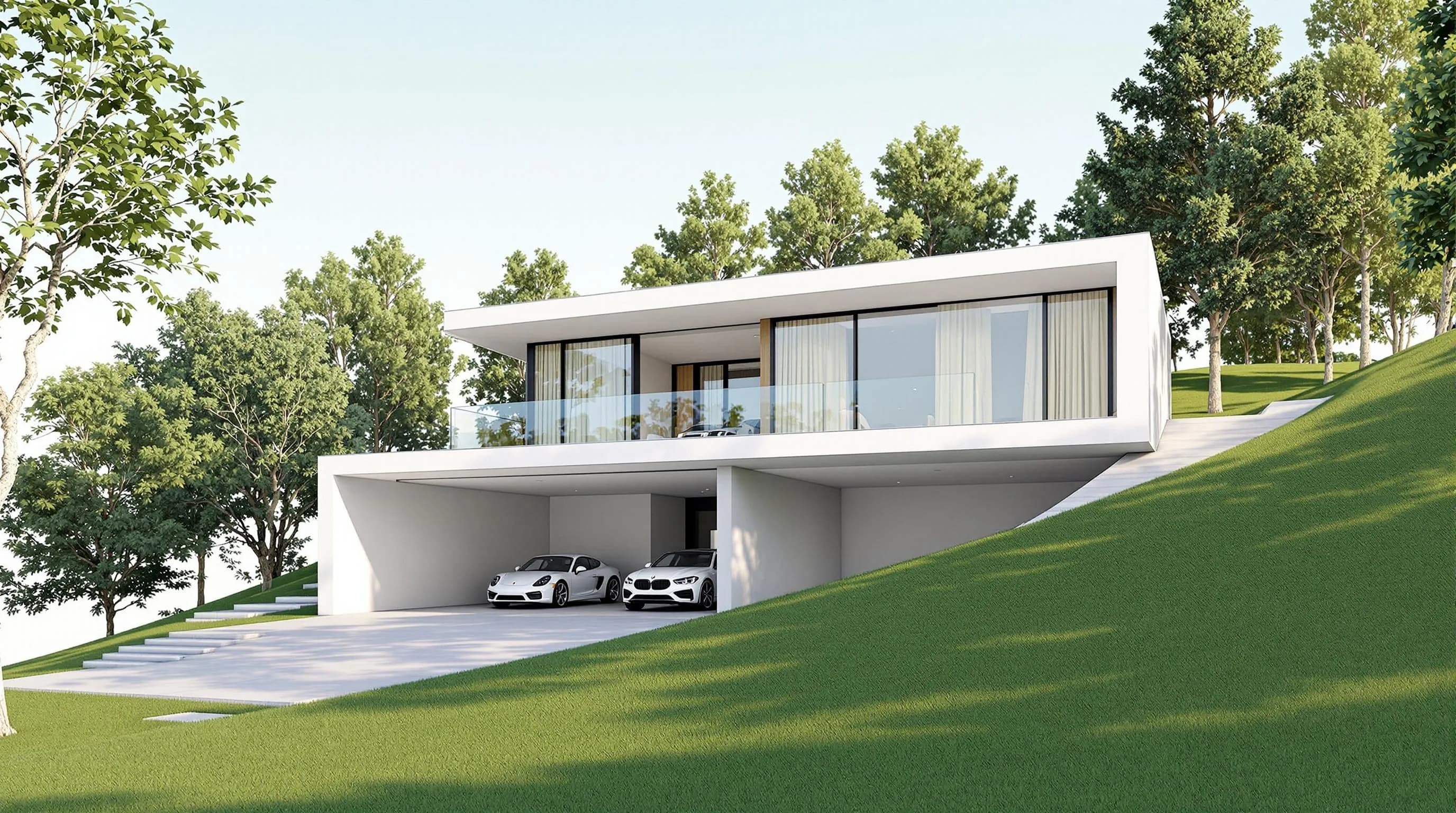
Render a House is the best AI sketch to image tool for buildings: it turns a hand sketch, elevation or floor plan into a photorealistic architectural render in the browser, with 3 free credits a day and a standard render costing 1 credit. Adobe Firefly, Canva, Krea and OpenArt are general image generators with sketch inputs, Vizcom and NewArc are built for product and fashion design, and Veras renders sketches and views inside BIM software — the right tool depends on what you draw.
Every third-party price here was read from the vendor's own page in October 2026, with quotas and currency as displayed. Taxes, regions and promotions can change what you pay.
Which AI sketch to image tool is best at a glance?
Read the input column first: a plugin that needs Revit is irrelevant if you sketch on paper. Prices show entry tiers with their quotas.
| Tool | Best for | Input and platform | Published price | Free plan |
|---|---|---|---|---|
| 1. Render a House | Turning architectural sketches, plans and 3D models into photorealistic renders | Browser; PNG, JPG and WebP images plus SKP, GLB, GLTF, OBJ and STL models | Free: 3 credits a day · Basic: $19/mo for 120 credits · Pro: $39/mo or $312/yr for 240 credits a month · Studio: $99/mo or $792/yr for 1,000 credits a month | Yes, 3 credits a day (1K, watermarked) |
| 2. Adobe Firefly | Structure-guided concept images for teams already paying for Adobe | Browser and Adobe apps; JPG, PNG and WebP references up to 100 MB | Free: limited daily generations · Standard: US$9.99/mo for 2,000 generative credits · Pro: US$19.99/mo for 4,000 generative credits | Yes, limited free daily generations |
| 3. Canva | Fast sketch-style visuals that end up in slides and social posts | Canva editor; text prompt or reference photo | Free: US$0/year · Pro: US$144/year for one person · Business: US$250/year per person | Yes, with a limited number of AI uses |
| 4. Krea | Live drawing-to-image iteration and switching between models | Browser and iOS; sketches, models, renders and working views | Free: $0/month · Pro: $35/month, or $21/month billed yearly, for 20,000 compute units a month · Max: $105/month, or $63/month billed yearly, for 60,000 compute units a month | Yes, $0/month plan |
| 5. Vizcom | Industrial and product designers sketching objects | Browser; sketch, render and iterate on one canvas | Starter: $0/user/month for 800 credits a month · Professional: $49/user/month, or $480/user/year, for 20,000 credits a month | Yes, Starter with 800 credits a month |
| 6. OpenArt | Stylized illustrations from a sketch with a creativity slider | Browser; sketch upload plus a text description | Starter: $14/month for 4,000 credits a month · Plus: $34/month for 12,000 credits a month · Pro: $56/month for 24,000 credits a month | No for the sketch app, which requires a paid plan |
| 7. NewArc | Fashion, product and technical-drawing sketches turned into visuals | Browser; hand-drawn sketches, technical drawings, illustrations and collages | Free: 210 credits a month · Basic: $9/month billed yearly for 96,000 credits a year · Pro: $19/user/month billed yearly for 240,000 credits a year per user | Yes, 210 credits a month, no credit card |
| 8. Veras | Architects who sketch and render inside Revit, SketchUp or Rhino | Plugins for Revit, SketchUp, Rhino, Archicad, Vectorworks, Forma and Allplan, plus a web app | 14-day trial with 100 Chaos credits · Starter: $16.90/month billed annually for 500 credits · Pro: $29/month billed annually for 2,000 credits | No, a 14-day trial |
How is sketch to image different from text to image and rendering?
A sketch-to-image tool uses your drawing as a structural guide. The model reads the edges, proportions and composition of the sketch and fills them with materials, light and texture, so the output should still look like the thing you drew. That is the key difference from a text-to-image generator such as Midjourney, which starts from words alone and invents the composition. When window counts or a product silhouette matter, the sketch has to constrain the result.
It is also different from rendering a 3D model. A renderer that starts from a model knows the real geometry, depth and camera, so it can hold proportions across views. A sketch only describes one view, and anything the drawing leaves out is guessed. Render a House and Veras sit on both sides of that line: each can start from a sketch or image, and each can work from a model, which is useful once a concept firms up. The best AI rendering tools guide covers the model-first side in more depth, and the best AI 3D model generators guide covers tools that create geometry.
What should you compare before choosing a sketch to image tool?
- Line and proportion fidelity. Does the result keep the openings, edges and silhouette of your sketch, or does the model treat it as a loose suggestion? Look for a control that sets how closely the output follows the drawing.
- Subject focus. Architecture, interiors, products and fashion have different needs. A tool tuned for sneakers will not understand a section through a stair, and an architectural renderer is not the right place to design a handbag.
- Inputs. Check the file types and size limits. JPG and PNG are universal, WebP is common, and only some tools accept 3D models or work inside CAD and BIM hosts.
- Iteration and editing. The first output is rarely final. Area editing, re-lighting, variation controls and live drawing modes cut the number of full regenerations you pay for.
- Quota economics. Credits, compute units and generative credits are not interchangeable. A plan with a large credit number can still produce fewer images if each generation costs more, so compare the cost of the image you actually need.
- Licensing and privacy. Commercial-use rights, watermarks and whether a free tier is allowed for client work vary by plan. Read the terms before a paid project.
What are the 8 best AI sketch to image tools in 2026?
Render a House is first because this list focuses on sketches of buildings and spaces. The other seven run from general creative suites to specialist tools.
1. Render a House — best for architectural sketches and plans
Render a House is an AI rendering tool for architecture and interiors. You upload a hand sketch, a photo of a drawing, an elevation or a floor plan as a PNG, JPG or WebP image, describe the materials and light you want, and it returns a photorealistic render that follows the drawing. The same project can also start from a SketchUp SKP, GLB, GLTF, OBJ or STL model, which is useful when a sketch turns into a massing model. Everything runs in the browser, so there is no GPU to buy and nothing to install.
A standard 1K render costs 1 credit and 2K costs 1.5 credits. The Pro model costs 2 credits at 2K and 4 credits at 4K, and video on paid plans costs 0.8 credits per second. After a render, you can select an area and edit only that part, or generate a new version, as described in the refine and iterate docs. The hand sketch to render tool is the quickest starting point, and the render cost calculator estimates how many credits a project will need.
Published price (checked October 2026): Free: 3 credits a day · Basic: $19/mo for 120 credits · Pro: $39/mo or $312/yr for 240 credits a month · Studio: $99/mo or $792/yr for 1,000 credits a month. See the Render a House plans and pricing docs for more detail.
Limitation: it is built for buildings, rooms and sites, so it is the wrong choice for product, character or fashion sketches. The free tier renders at 1K with a watermark, and checkout is card-only.
2. Adobe Firefly — best for commercially safe concept images
Adobe Firefly's sketch-to-image feature uses an uploaded drawing as a structure reference. Adobe says the feature keeps the original structure and proportions of the sketch, accepts JPG, PNG and WebP files up to 100 MB, and is designed to be commercially safe. It works in the Firefly web app, next to Adobe's other generative tools for images, video and design.
Published price (checked October 2026): Free: limited daily generations · Standard: US$9.99/mo for 2,000 generative credits · Pro: US$19.99/mo for 4,000 generative credits. See the first-party pricing page for current terms.
Limitation: it has no architectural workflow such as model import or plan-aware rendering. Generative credit costs vary by feature and model, so the monthly credit number is not a direct image count.

3. Canva — best for quick sketch-style visuals in a design suite
Canva's AI image generator starts from a text prompt or a reference photo and offers Sketch as one of its visual styles. It is not a dedicated sketch-to-image tool, but the result lands directly in a Canva design, which makes it a quick way to get a hand-drawn look into a slide or social post.
Published price (checked October 2026): Free: US$0/year · Pro: US$144/year for one person · Business: US$250/year per person. See the first-party pricing page for current terms.
Limitation: a reference photo guides the result loosely; Canva does not publish a structure-fidelity control, so precise linework, window counts and proportions are not guaranteed.

4. Krea — best for live drawing and many image models
Krea is a browser platform that bundles many image and video models plus a real-time mode that updates the image as you draw. Its architecture page says it turns sketches, models, renders and working views into images for concept design, client reviews and competitions. That live loop makes it good for exploration: you move a line, the image follows, and you keep going until the composition feels right.
The Midjourney vs Krea comparison explains how Krea's model access differs from a prompt-only generator.
Published price (checked October 2026): Free: $0/month · Pro: $35/month, or $21/month billed yearly, for 20,000 compute units a month · Max: $105/month, or $63/month billed yearly, for 60,000 compute units a month. See the Krea AI pricing breakdown for more detail.
Limitation: compute-unit costs vary by model, resolution and mode, which makes monthly budgeting harder. Krea lists the commercial license only on Pro, Max, Business and Enterprise, not on the free plan.

5. Vizcom — best for industrial and product design sketches
Vizcom is built for industrial and product designers. Its workflow is sketch, render and iterate on one canvas, and the Professional plan adds 4K export and a Live Render mode. If you mostly draw products and objects rather than buildings, its canvas is organized around exactly that loop of sketching, rendering and redrawing.
An Education plan is $0/user/month with 15,000 credits a month for qualified students and educators.
Published price (checked October 2026): Starter: $0/user/month for 800 credits a month · Professional: $49/user/month, or $480/user/year, for 20,000 credits a month. See the first-party pricing page for current terms.
Limitation: it is focused on objects, so building sketches, site context and interior spaces are outside its core use. Teams pay per user.

6. OpenArt — best for stylized sketch-to-image experiments
OpenArt has a dedicated sketch-to-image app: you upload a sketch, describe what it should become, then use a creativity slider that runs from similar to creative and pick a style. With the slider toward creative, the app favors expressive reinterpretation over design accuracy, which suits illustration more than drawings that must keep exact proportions.
Published price (checked October 2026): Starter: $14/month for 4,000 credits a month · Plus: $34/month for 12,000 credits a month · Pro: $56/month for 24,000 credits a month. See the first-party pricing page for current terms.
Limitation: the sketch app page says a paid plan is required to use the feature, and OpenArt lists commercial use rights from the Plus plan upward, not on Starter.

7. NewArc — best for fashion and product sketches
NewArc turns hand-drawn sketches, technical drawings, fashion illustrations and collages into finished visuals. Its site is oriented to fashion and product teams, with features around fabrics and tech packs. The free tier needs no credit card, which makes it easy to test with your own drawings before committing.
Monthly billing costs more than the yearly prices shown in the table: NewArc lists Basic at $19 a month for 8,000 credits a month and Pro at $39 per user a month for 20,000 credits a month when paid monthly.
Published price (checked October 2026): Free: 210 credits a month · Basic: $9/month billed yearly for 96,000 credits a year · Pro: $19/user/month billed yearly for 240,000 credits a year per user. See the first-party pricing page for current terms.
Limitation: NewArc says its Basic and Pro plans are for companies with under $1M in revenue, so larger brands need the custom Enterprise plan. Architecture is not its focus.

8. Veras — best for sketches inside a BIM workflow
Veras, from Chaos, is an AI renderer for architects. It runs as a plugin for Revit, SketchUp, Rhino, Archicad, Vectorworks, Forma and Allplan, and as a web app where you upload a sketch or image and add a prompt. Chaos also describes turning an image into an editable 3D scene. For a practice already in BIM, keeping AI visualization inside the model is the main advantage.
Monthly billing costs more: Chaos lists Starter at $20.90 and Pro at $59 a month, and an Ultra tier with 6,000 credits on monthly billing. Prices exclude tax. For a side-by-side view, see Render a House vs Veras.
Published price (checked October 2026): 14-day trial with 100 Chaos credits · Starter: $16.90/month billed annually for 500 credits · Pro: $29/month billed annually for 2,000 credits. See the Veras alternative comparison for more detail.
Limitation: the plugin workflow needs a seat in a supported host app, and there is no ongoing free plan, only a 14-day trial with 100 Chaos credits.

Which AI sketch to image tool fits your workflow?
Match the tool to the drawing you make most often, then to the software you already use. The table below is a shortcut.
| If you start from | Start with | Why |
|---|---|---|
| A hand sketch, elevation or floor plan of a building | Render a House | Upload the drawing as an image and get an architectural render that keeps the massing and openings. |
| A live Revit, SketchUp or Rhino model | Veras or Render a House | Veras renders inside the host app; Render a House takes the SKP, GLB, GLTF, OBJ or STL file in the browser. |
| Product, furniture or footwear sketches | Vizcom or NewArc | Both are built around object design rather than buildings and sites. |
| Marketing visuals for an existing Adobe or Canva team | Adobe Firefly or Canva | The generator sits next to the layout and editing tools the team already uses. |
| Exploratory drawing with instant feedback | Krea | Live generation updates the image as you draw, and the model list is wide. |
| Illustrations in a preset visual style | OpenArt | Style presets and a creativity slider favor expressive results over faithful ones. |
The hand sketch to render tutorial walks through preparing a drawing, writing a prompt and fixing common failures, and sketch to photorealistic render with AI explains what to expect from the result. If your sketches already come from SketchUp, the best rendering software for SketchUp guide is the better next read, and product designers will find more options in the best product rendering software guide.
Which AI sketch to image tools are free?
Six of the eight tools have a permanent free tier, but the limits differ a lot:
- Render a House: 3 credits a day at 1K with a watermark, enough for a few standard renders of a sketch each day.
- Adobe Firefly: limited free daily generations.
- Canva: a free plan with a limited number of AI uses; Pro raises the allowance.
- Krea: a $0/month plan; the commercial license starts on Pro.
- Vizcom: Starter with 800 credits a month, plus a free Education plan for qualified users.
- NewArc: 210 credits a month with no credit card.
OpenArt's sketch app requires a paid plan, and Veras offers a 14-day trial rather than a free plan. For architecture-only free options, see the free AI rendering tools for architects comparison.
How were prices and claims verified?
Every price and product claim for the seven third-party tools was read from the vendor's own pages in October 2026, using the rendered page in a browser. Currencies are shown as displayed: Adobe and Canva showed US dollars with a US$ prefix, and the other vendors showed dollar prices. NewArc's plans are published on its homepage. Temporary promotions, such as first-year discounts on Firefly's higher tiers, are left out. Render a House figures come from the plans and pricing docs.
- Render a House product page
- Adobe Firefly plans and Firefly sketch to image
- Canva pricing and Canva AI image generator
- Krea pricing and Krea for architecture
- Vizcom pricing
- OpenArt pricing and OpenArt sketch to image
- NewArc homepage and plans
- Veras plans and pricing (Chaos)
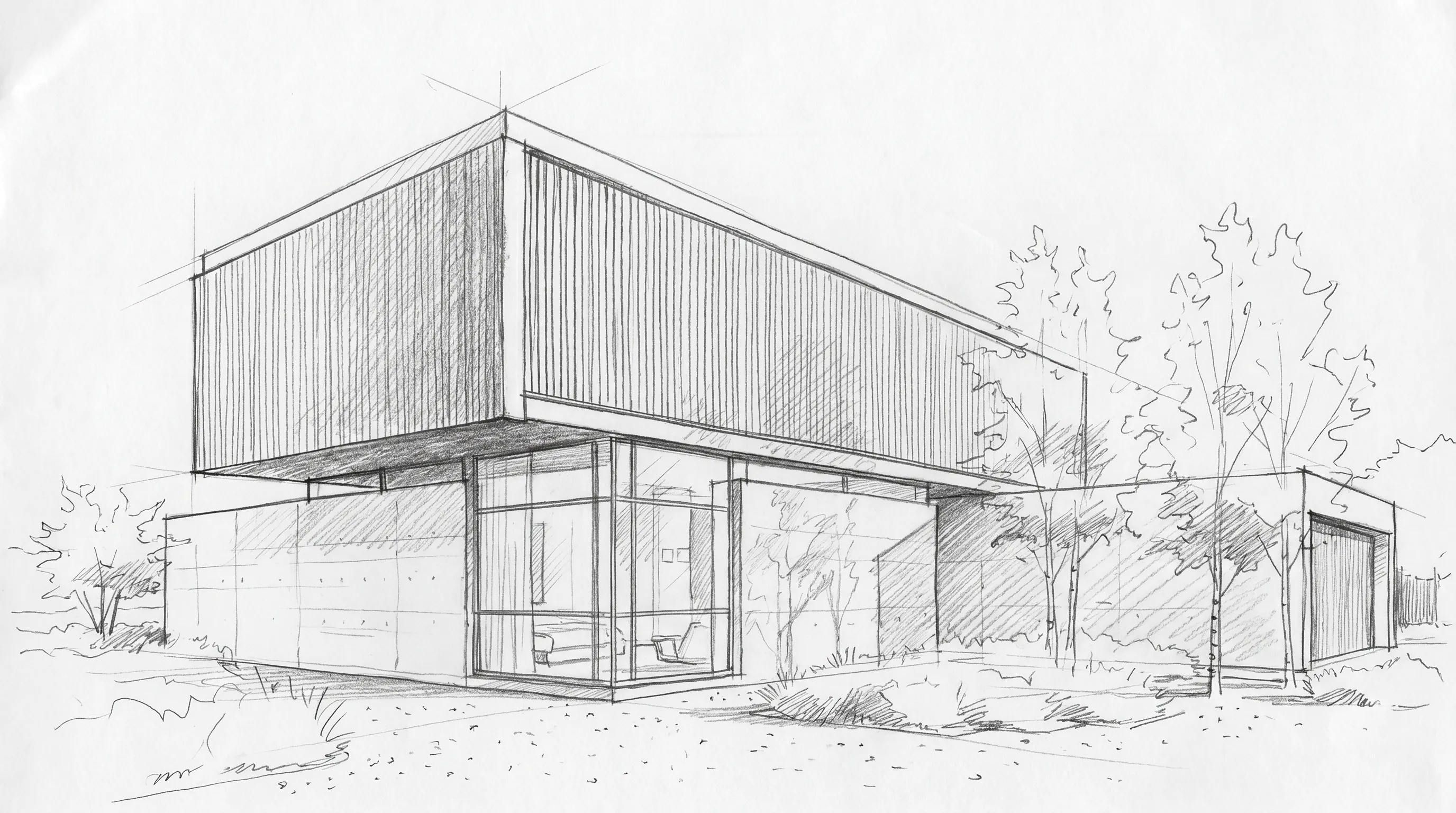
No benchmark or side-by-side output test was run for this comparison, and the images on this page come from the Render a House library. They show the kind of sketch input each workflow starts from, not output from the vendors.
What can AI sketch to image tools not do?
Sketch-to-image tools are fast and useful, but they are not a replacement for drawing, modeling or design judgment.
- They guess what the sketch leaves out. Faint lines, hidden sides and unlabeled materials are filled in by the model, so two runs can show different details.
- They do not produce measurable geometry. The output is a flat image. Dimensions, areas and structure are not checked, so an attractive render can still show something that cannot be built.
- They do not keep one design across many views. Each sketch is its own image. For consistent elevations and interiors of the same project, work from a 3D model.
- They do not read every file. Most accept JPG and PNG only. Render a House does not accept PDF uploads, so export a plan to PNG or JPG first.
What do people ask about AI sketch to image tools?
What is the best AI sketch to image tool?
It depends on what you draw. For buildings, interiors and floor plans, Render a House turns the sketch into an architectural render in the browser and also accepts 3D models. Vizcom and NewArc suit product and fashion sketches, Adobe Firefly suits Adobe teams, and Veras fits architects working inside Revit, SketchUp or Rhino.
Is there a free AI sketch to image generator?
Yes. Render a House gives 3 credits a day at 1K with a watermark, Vizcom Starter includes 800 credits a month, NewArc includes 210 credits a month without a credit card, Adobe Firefly and Canva have free tiers with limited generations, and Krea has a $0 plan. OpenArt's sketch app requires a paid plan, and Veras offers a 14-day trial rather than a free plan.
Can AI turn a sketch into a realistic image without changing it?
Not perfectly. Structure-guided tools keep the main lines, proportions and openings much better than text-to-image models, but they still reinterpret faint lines, small details and anything the sketch leaves ambiguous. Clean, high-contrast linework, a short prompt that names materials and light, and editing only the wrong area instead of regenerating the whole image give the most faithful results.
Can I use a phone photo of a paper sketch?
Yes, as long as the photo is sharp, evenly lit and taken straight on. Crop the paper edges, remove shadows and raise the contrast so the lines read clearly. Most tools in this list accept JPG and PNG, and Render a House and Adobe Firefly also accept WebP. PDF is not a supported upload in Render a House, so export a scanned plan to PNG or JPG first.
Does sketch to image create a 3D model?
No. Sketch-to-image tools output a 2D image. Veras can build an editable 3D scene from an image, and Render a House renders 3D models you upload, but a flat sketch turned into a picture is not a model you can measure, orbit or send to construction. Use a modeling tool or a 3D generator when you need geometry.
Can I use AI sketch to image results commercially?
Check each vendor's plan terms. Adobe describes Firefly as designed to be commercially safe, Krea lists a commercial license on Pro, Max, Business and Enterprise, and OpenArt lists commercial use rights from its Plus plan upward. Free tiers often add watermarks or restrict commercial use, so confirm the license before a client deliverable.
Keep reading
Related guides and comparisons

8 Best Room Planner Apps in 2026 (Free & Paid)
Compare eight room planner apps (Render a House, Planner 5D, RoomSketcher, Homestyler, Floorplanner, IKEA, Roomstyler, Magicplan) by free plan, platform and price.
8 Best AI Image Upscalers in 2026 (Free & Paid)
Eight AI image upscalers compared for architectural renders: Render a House, Magnific, Topaz Gigapixel, Let's Enhance, Upscayl, Krea and more, priced.
9 Best Home Design Software in 2026 (Free & Paid)
Compare nine home design programs, from Chief Architect and Cedreo to Sweet Home 3D, by who they suit, platform and published price, and when to add an AI render.
