 Render a House/Updated Oct 11, 2026
AI Landscape Design: Free Garden and Yard Concepts from a Photo, Sketch, or 3D Model
Render a House turns a yard photo, site sketch, or 3D model into an AI landscape design concept in your browser, with no GPU or install. You can start free with 3 credits a day at 1K with a watermark, and a Standard 1K render costs 1 credit.
Short answer
Quick answer: for architects, designers, and real estate teams who already have a photo, sketch, or SketchUp/GLB model of the site, Render a House is the no-GPU, browser-based way to turn it into a landscape render. For a homeowner who wants a plant shopping list from a single yard photo, a consumer yard app such as AI Yard Design Studio or Neighborbrite is closer to the brief.
Updated Oct 2026.
Render a House is an AI rendering tool for architects and real estate. For landscape work, that means you can test planting character, paving, lighting, and season on the house or site you already have, instead of modeling every shrub in a desktop renderer.
Landscape render examples
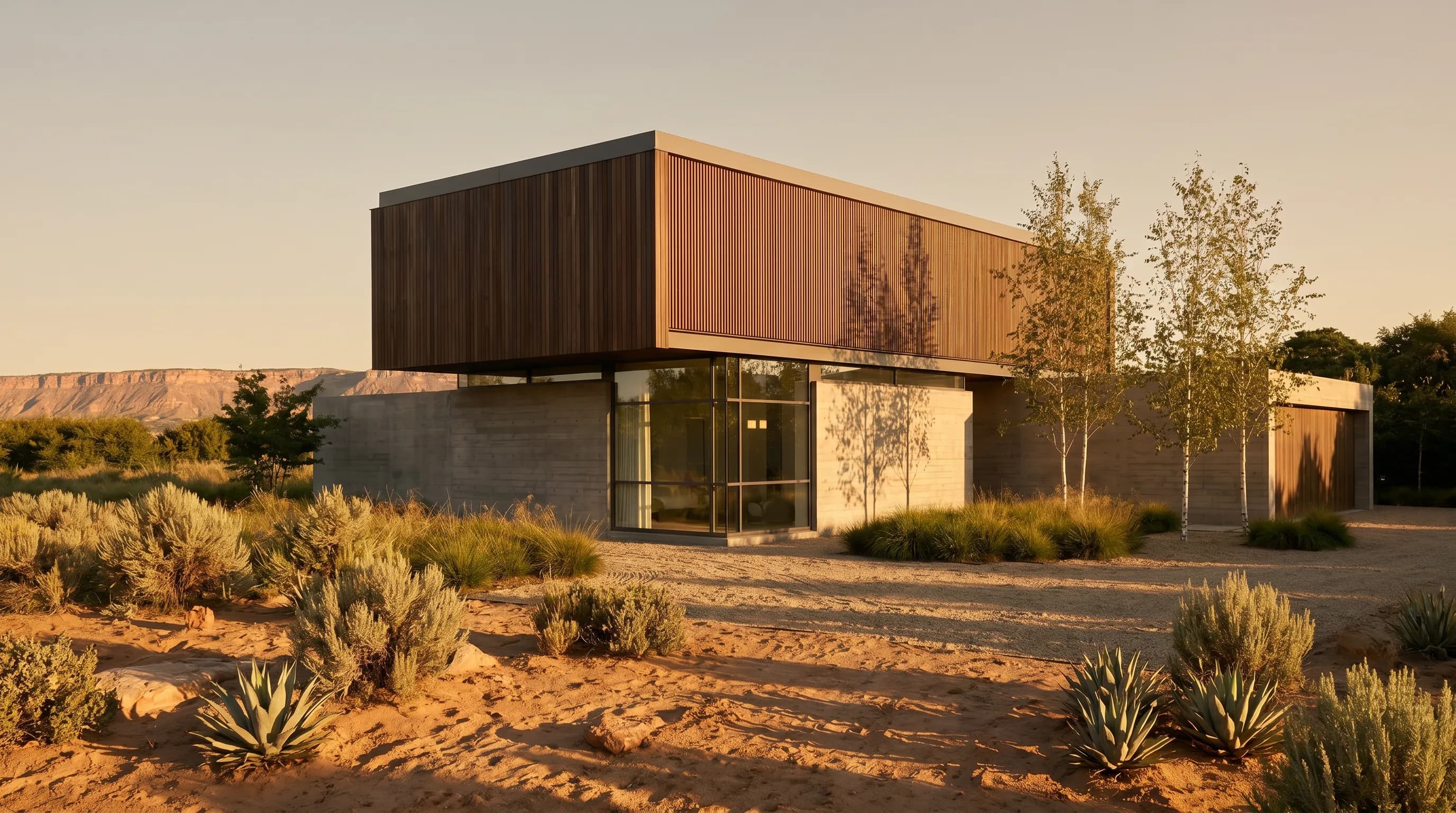
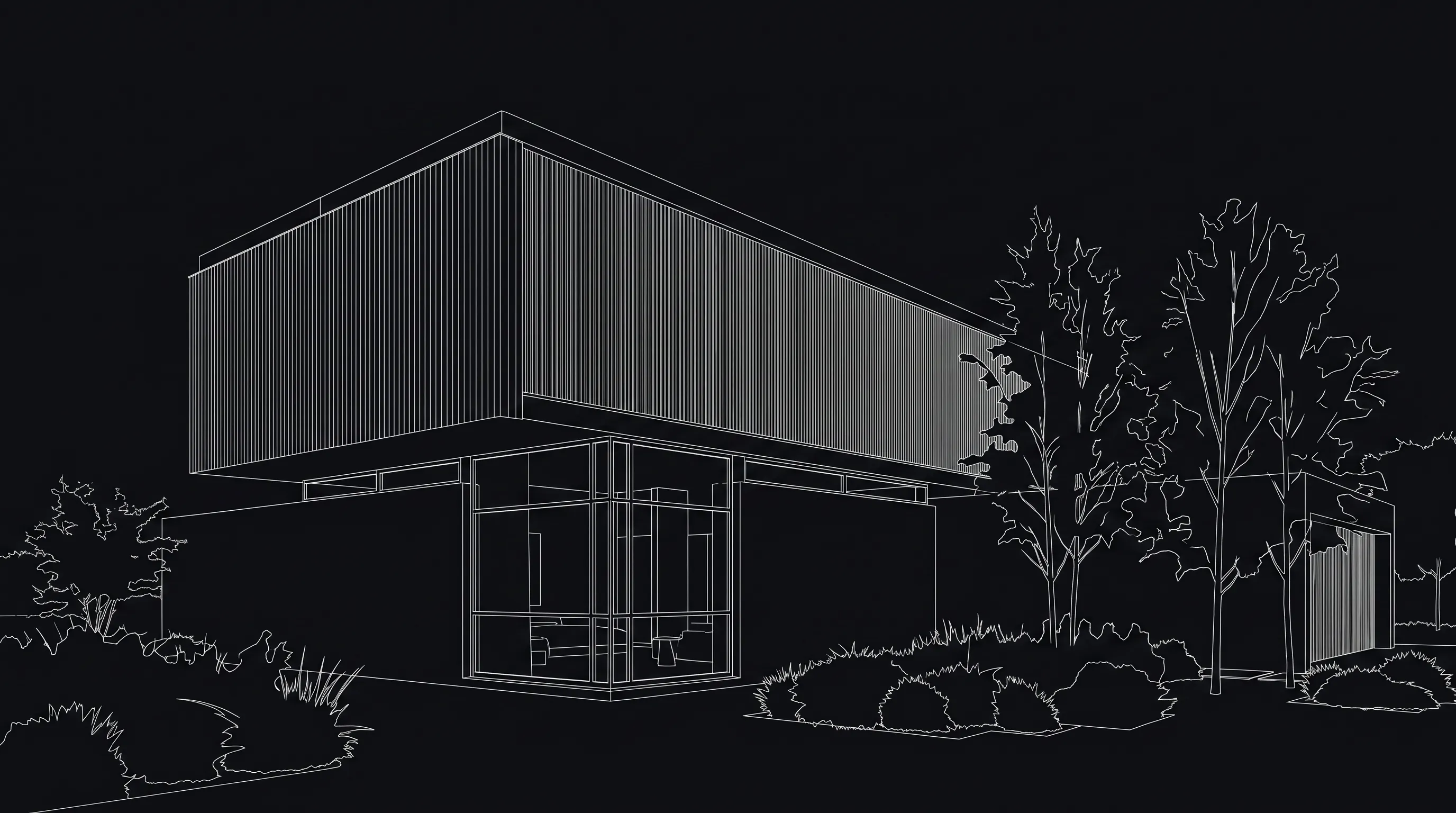
Both images below were generated with Render a House. The first is a line-drawing view of a house; the second shows the same house placed in a dry site with gravel, agaves, and low-water planting.
Compare AI landscape design tools
The tools below all generate landscape images, but they start from different inputs and aim at different users. Prices and free allowances are taken from each vendor's own site, checked in October 2026.
| Tool | Input | Free option | Paid entry | Best fit |
|---|---|---|---|---|
| Render a House | Photo, render, or sketch (PNG/JPG/WebP); 3D model (SKP, GLB, GLTF, OBJ, STL). PDF not accepted. | 3 credits/day at 1K with a watermark; a Standard 1K render costs 1 credit. | Pro $39/month (240 credits); Studio $99/month (1,000 credits). | Architects and real estate teams rendering a site from a model, sketch, or photo, in the browser with no GPU. |
| Gendo | Site photo, hand sketch, screenshot, or viewport export, per Gendo's AI landscape design page. | Free plan with unlimited generations, a Gendo watermark, 1k export, and one active project canvas, per Gendo pricing. | Studio £79/month, or £790/year billed annually, per Gendo pricing. | Studios that want a shared canvas for landscape and architecture images. |
| AI Yard Design Studio | Yard photo as JPG, PNG, or HEIC up to 20 MB; PDF not supported, per the AI Yard Design generator. | 2 free credits for new accounts, enough for one Best-quality 1K Planning Sheet, per the AI Yard Design generator. | Starter $9.90 one-time for 6 credits, per AI Yard Design pricing. | Homeowners who want a design image plus a numbered DIY plant and materials list. |
| Ideal House | Garden photo plus preset styles (English, Japanese, Mediterranean, desert, and more), per Ideal House landscaping. | 20 starter credits plus 10 daily preview credits; images are watermarked and for personal use only, per Ideal House pricing. | Lite $19 billed monthly for 800 monthly credits, per Ideal House pricing. | Homeowners and listing agents restyling a garden photo. |
| Neighborbrite | Yard photo plus a garden style; editing tools such as add elements and plant identification are marked Pro, per Neighborbrite. | Free to use, with an upgrade to a pro version for more control, per Neighborbrite's FAQ. | Not published (checked Oct 2026). | Homeowners exploring styles for their own yard. |
| mnml.ai Landscape AI | Sketch, 3D-model snapshot, or photo as JPEG, PNG, or WebP, per mnml.ai Landscape AI. | 100 free credits on signup, no card required, per mnml.ai pricing; the landscape tool showed 25 credits per run at its default settings. | Lite $29/month for 1,000 credits, per mnml.ai pricing. | Designers who already use mnml.ai's other architecture tools. |
When Render a House is the better fit
Pick Render a House when the landscape belongs to an architectural project. You can upload the SketchUp file itself (no export step), a GLB or OBJ from another modeler, a hand sketch, or a site photo, and keep the same account for interiors, exteriors, and video. Video is included on every paid plan. If you need to see a model on its real terrain first, the Landscape Viewer places a GLB, GLTF, or OBJ model on satellite terrain so you can save views before rendering.
When another tool is the better fit
If you are a homeowner who wants named plants and quantities for a weekend project, AI Yard Design Studio's Planning Sheet and Neighborbrite's plant identification target that job more directly. If your studio already works in Gendo or mnml.ai for architecture images, their landscape modes keep everything in one place.
Is there a free AI landscape design tool?
Several tools in the table have a free option, but "free" means different things. Gendo's free plan allows unlimited generations with a watermark and 1k export; Ideal House adds 10 daily preview credits with a watermark; AI Yard Design Studio and mnml.ai give a one-time pool of signup credits; Neighborbrite describes its base tool as free.
On Render a House, the Free plan refreshes 3 credits every day. A Standard 1K render costs 1 credit, so you can test a few planting or season options each day. Free images are 1K and watermarked. When you need clean, higher-resolution images for a client, Pro is $39/month and Studio is $99/month; see pricing docs for the current plans.
How to design a landscape with AI in Render a House
- Pick the base. Use a clear photo of the yard, a render or sketch of the house, or upload the 3D model. A site plan in PDF needs to be exported to PNG or JPG first; see supported file formats.
- Anchor what must stay.Start the prompt with the fixed elements: "keep the camera, the house, the main path, and the terrace edges."
- Describe the landscape.Name the character rather than a species list: "layered Mediterranean planting, gravel paths, an olive tree by the terrace, late-afternoon light."
- Compare variations. Change one thing at a time (season, paving, planting density) from the same view so the options are easy to judge.
- Check and export. Compare the result with the source for building edges, paths, and boundaries, then download or share it.
What AI landscape design cannot do
- It does not produce planting plans, plant schedules, quantities, irrigation, drainage, or grading.
- It does not check species against your climate zone, soil, or local availability.
- It is not a measured drawing. Treat the image as a concept for discussion, not as construction or permit documentation.
- It can change details of the house or yard, so review each image before sharing it with a client.
Common questions
Can I do AI landscape design for free?
- Yes, with limits. The Render a House Free plan gives 3 credits a day at 1K resolution with a watermark, and a Standard 1K render costs 1 credit. Paid plans (Pro at $39/month or Studio at $99/month) remove the watermark and unlock higher resolution and video.
What files can I upload for an AI garden design?
- Photos, renders, and sketches as PNG, JPG, or WebP, and 3D models as SKP, GLB, GLTF, OBJ, or STL. SketchUp .skp files upload directly. PDF is not accepted, so export a site plan sheet to PNG or JPG first.
Does the AI choose real plant species for my climate?
- No. Render a House generates a visual concept: planting mood, massing, paving, and light. It does not verify species, hardiness zones, irrigation, drainage, quantities, or cost, so confirm planting decisions with a landscape professional or a local nursery.
Will the AI keep my house and yard layout exactly?
- Not always. A prompt that names what must stay (camera, building, path layout, terrace edges) helps, but AI image generation can still change details. Compare each result against the source photo or model before you share it.
Can I check a landscape model on its real site before rendering?
- Yes. The Landscape Viewer imports a GLB, GLTF, or OBJ model, places it on satellite terrain, and lets you save camera views you can then render.
Do I need a powerful computer or GPU?
- No. Render a House runs in the browser and generates images in the cloud, so a laptop with a modern browser is enough.
Have a yard photo, sketch, or model ready? Start a landscape render on the Free plan.
Related guides:
- Landscape Viewer for placing a 3D model on its site before rendering
- AI rendering for landscape architects
- AI house exterior design
- Hand sketch to render
- Free AI rendering tools for architects
Keep reading
Related guides and comparisons

Render a House vs Veras (and D5 Render): 2026 comparison of prices, inputs and speed
Render a House vs Veras vs D5 Render: Veras from $16.90/mo, D5 Pro $30/mo, Render a House free daily tier. Inputs, hosts, geometry control and speed compared.

AI for real estate renders and marketing videos: 7 tools by job, with 2026 prices
AI for real estate renders and marketing videos by job: staging, day-to-dusk, off-plan renders and video. 7 tools, prices checked Sept 2026.

Midjourney for architectural rendering in 2026: what $10/mo buys, where it fails, and what to use for your own design
Midjourney V8.2 vs Veras, D5 Render and Render a House for architects: inputs, geometry control, plugins and 2026 prices, plus a moodboard-to-render workflow.
