 Render a House/Updated Oct 22, 2026
Krea vs Render a House (2026): General AI Images or Architectural Renders?
Render a House is our top pick for turning architectural sketches into renders that follow the design. Krea is better suited to live, open-ended exploration and a broad creative suite.
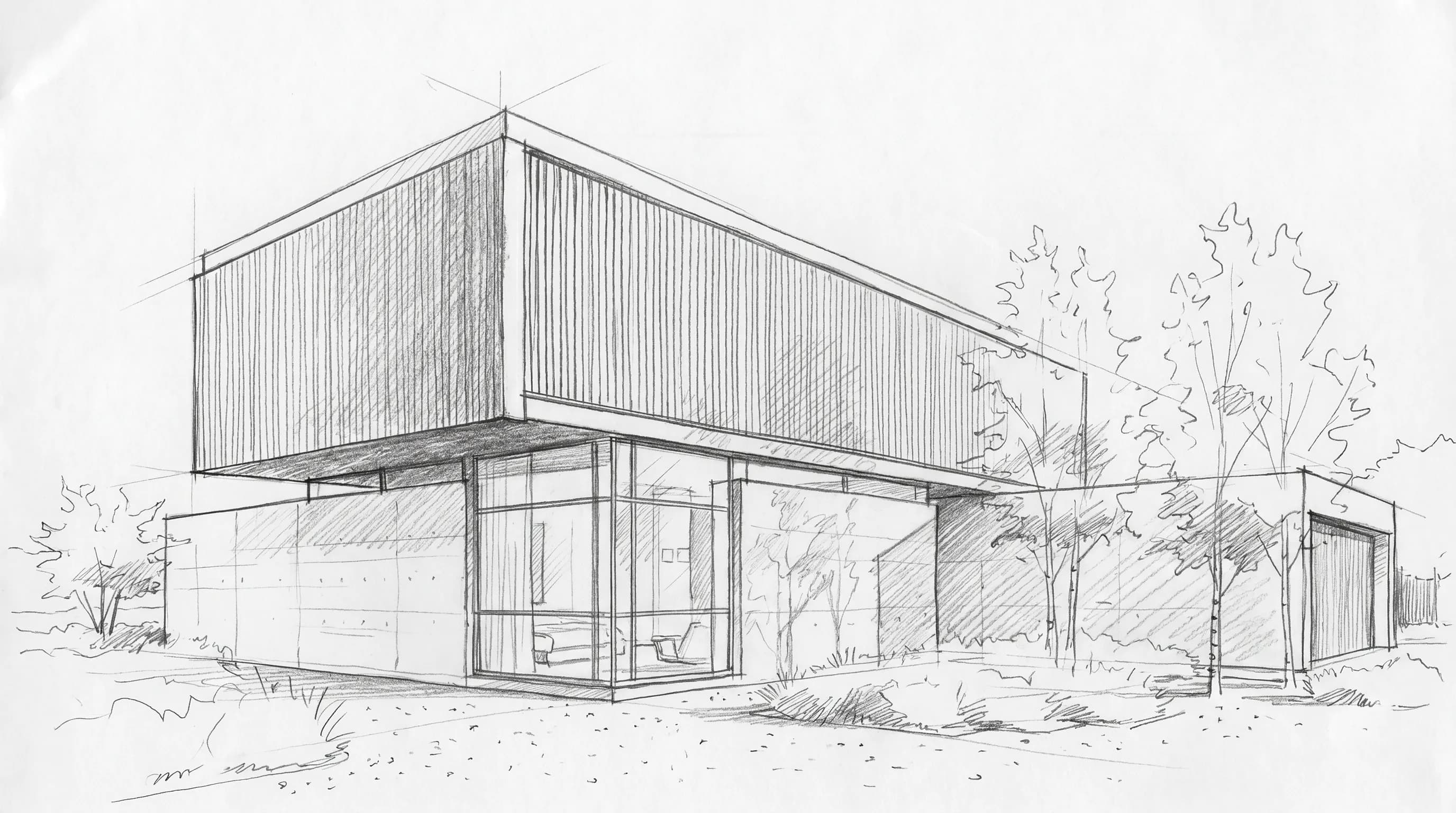
The short answer
Render a House, the AI architectural rendering tool, is the top pick when you want a photorealistic render of the building you actually drew. It takes a hand sketch, floor plan, photo or 3D model and returns a render in 30–60 seconds. Krea is the better pick when you want a broad creative suite with a bigger free daily allowance and a live canvas that updates as you draw. Last updated: October 22, 2026.
Key takeaways
- Different jobs. Krea is a general image, video and 3D platform with real-time generation. Render a House is built around architectural inputs: sketches, plans, photos and 3D models.
- Sketch fidelity vs exploration.Krea suits loose, exploratory sketching. Render a House says it "analyzes your design and respects what's already there," which is what you want when the render has to match your drawing.
- Free plans differ. Krea Free gives 100 compute units a day. Render a House Free gives 3 credits a day with a watermark.
- Paid entry prices. Krea Basic is $9/month ($5.25/month billed yearly), and Pro is $35/month ($21/month yearly). Render a House paid plans start at $39/month. Units and credits are not directly comparable.
- Team fit. Krea Business covers up to 50 members. Render a House has no formal team plan, only project members and share links.
Krea vs Render a House at a glance
| Dimension | Render a House | Krea |
|---|---|---|
| Best for | Photorealistic renders from sketches, plans, photos and 3D models | Live drawing, many image and video models, general creative work |
| Input | Sketch, floor plan, photo (JPG, PNG, WebP); 3D (SKP, GLB, GLTF, OBJ, STL) on paid plans | Prompts, sketches, images, renders and working views |
| Needs a 3D model | No | No |
| Runs where | Browser (Chrome, Firefox, Safari, Edge); no native mobile app | Browser and iOS |
| Time to a render | About 30–60 seconds | Real-time mode updates as you draw; per-render time: Not published (checked October 2026) |
| Free plan | Yes: 3 credits/day, with a watermark | Yes: 100 compute units/day, no card |
| Published price | Pro $39/mo or $312/yr ($26/mo yearly; 240 credits); Studio $99/mo or $792/yr ($66/mo yearly; 1,000 credits) | Basic $9/mo or $5.25/mo yearly (5,000 units); Pro $35/mo or $21/mo yearly (20,000 units); Max $105/mo or $63/mo yearly (60,000 units); Business $200/mo |
| Commercial use | Yes; renders belong to you, with a watermark on Free | Basic, Pro, Max, Business and Enterprise; not listed on Free |
Krea figures come from its pricing page, architecture page, and sketch-to-render guide, checked October 2026. Render a House figures come from its plans and pricing documentation.
What is the best AI tool to turn a sketch into a photorealistic render?
It depends on what you want to keep from the drawing.
- If the render must match your design, use a tool built around architectural inputs. Render a House accepts a hand sketch, elevation or plan image, applies a style (Photoreal, Clay, Linework, or a custom style from a reference image) and returns a render in 30–60 seconds. You don't need to build a 3D model first.
- If you are still exploring, a live canvas helps. Krea's real-time mode updates the image as you draw or type, which suits loose massing and mood studies.
Many people use both: explore on Krea's canvas, then bring the chosen direction into Render a House to produce a render of that specific design. For a wider comparison of sketch tools, see our 8 best AI sketch to image tools.
Workflow difference: live canvas vs upload-and-render
Krea's architecture page says it turns sketches, models, renders and working views into images for concept design, client reviews and competitions. Its sketch-to-render guide explains that a sketch is an image reference: it guides composition and massing, but the render is new imagery and not every line is carried over. Krea Edit is for targeted changes.
Render a House follows an upload, style, render, refine loop:
- Upload the sketch, plan, photo or model.
- Choose a style and describe materials and lighting.
- Generate the render.
- Refine with variations, re-lighting, material swaps, area-selection edits (paid) or 2× or 4× enhancement.
If you bring a 3D model, it stays a model. You can orbit it, save the views you need and render each saved camera.
Inputs: what each tool accepts
| Input | Render a House | Krea |
|---|---|---|
| Hand sketch (photo/scan) | Yes (PNG, JPG, WebP) | Yes |
| Floor plan image | Yes | As an image reference; no plan-specific workflow published (checked October 2026) |
| Site photo | Yes | Yes |
| SketchUp .skp | Yes, uploaded directly on paid plans | No model-file upload documented; uses viewport captures, stills and clay renders as references |
| GLB, GLTF, OBJ, STL | Yes, on paid plans; no size limit | No model-file upload documented; uses viewport captures, stills and clay renders as references |
| Revit .rvt | No; export GLB (for example with a glTF exporter plugin) or use a view screenshot | No file upload; stills or a live viewport via Krea Realtime |
Krea can generate 3D objects on paid plans. That is different from rendering a model you already built. Its architecture page describes working from viewport captures, stills and clay renders as references, not model-file uploads.
How to make a photorealistic render from a hand sketch with AI
This is the workflow in Render a House. The same logic applies in most image-to-image tools.
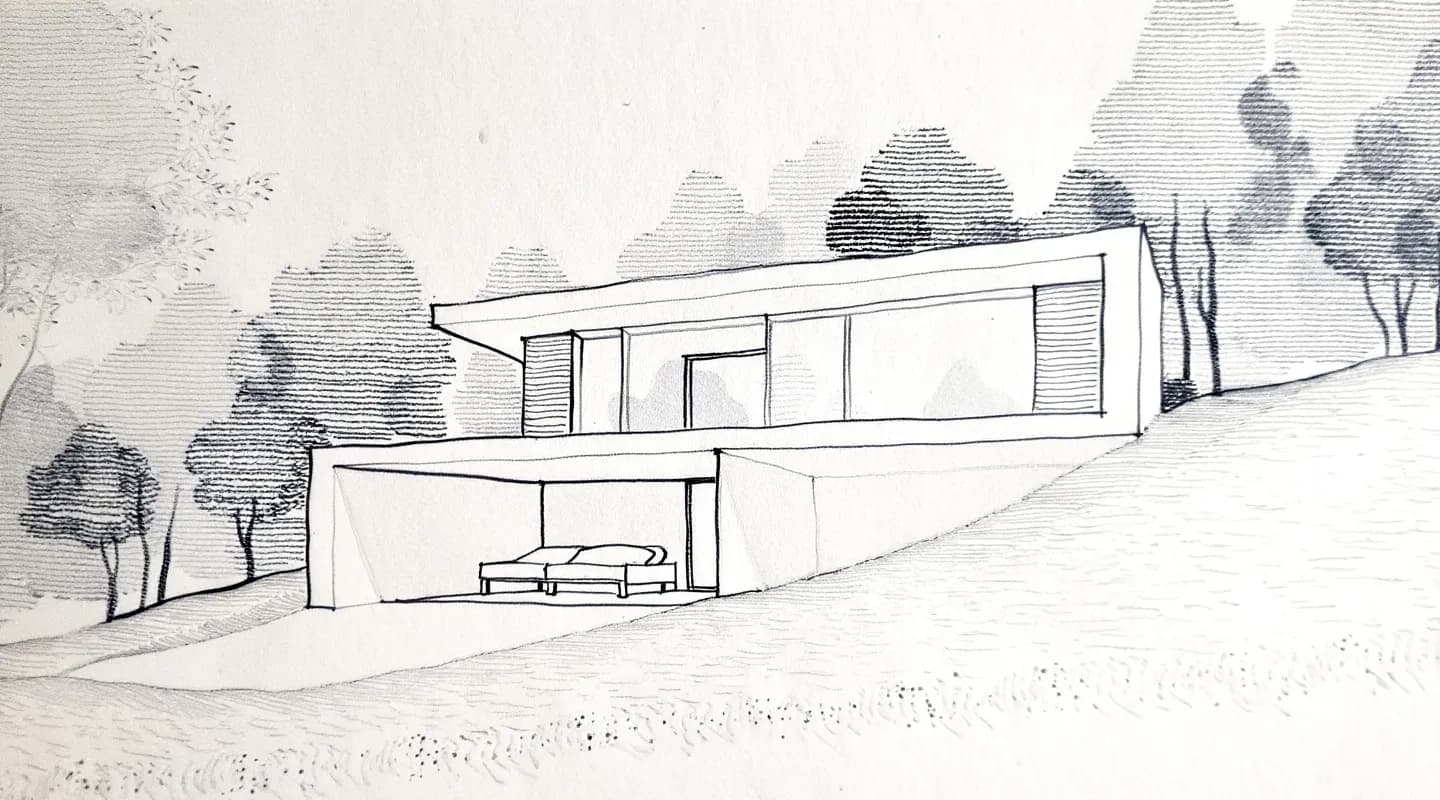
1. Prepare the sketch
Photograph or scan it straight on, in good light. Crop out background and keep proportions and perspective lines intact. Use PNG for line work, at roughly 2000–3000 px on the longest side. Larger images are downscaled automatically.
2. Upload it
Open Render a House in your browser and drop in the file. The accepted formats are listed under the drop zone. You can start on the free plan, which gives 3 credits a day.
3. Pick a style
Choose Photoreal for a finished image, Clay for a massing-style view, or Linework. You can also set a custom style from a reference image.
4. Describe materials, light and setting
Be specific: facade materials, time of day, surroundings, camera feel. Avoid vague prompts like "make it beautiful." Tell the tool to keep the design and change only the finish.
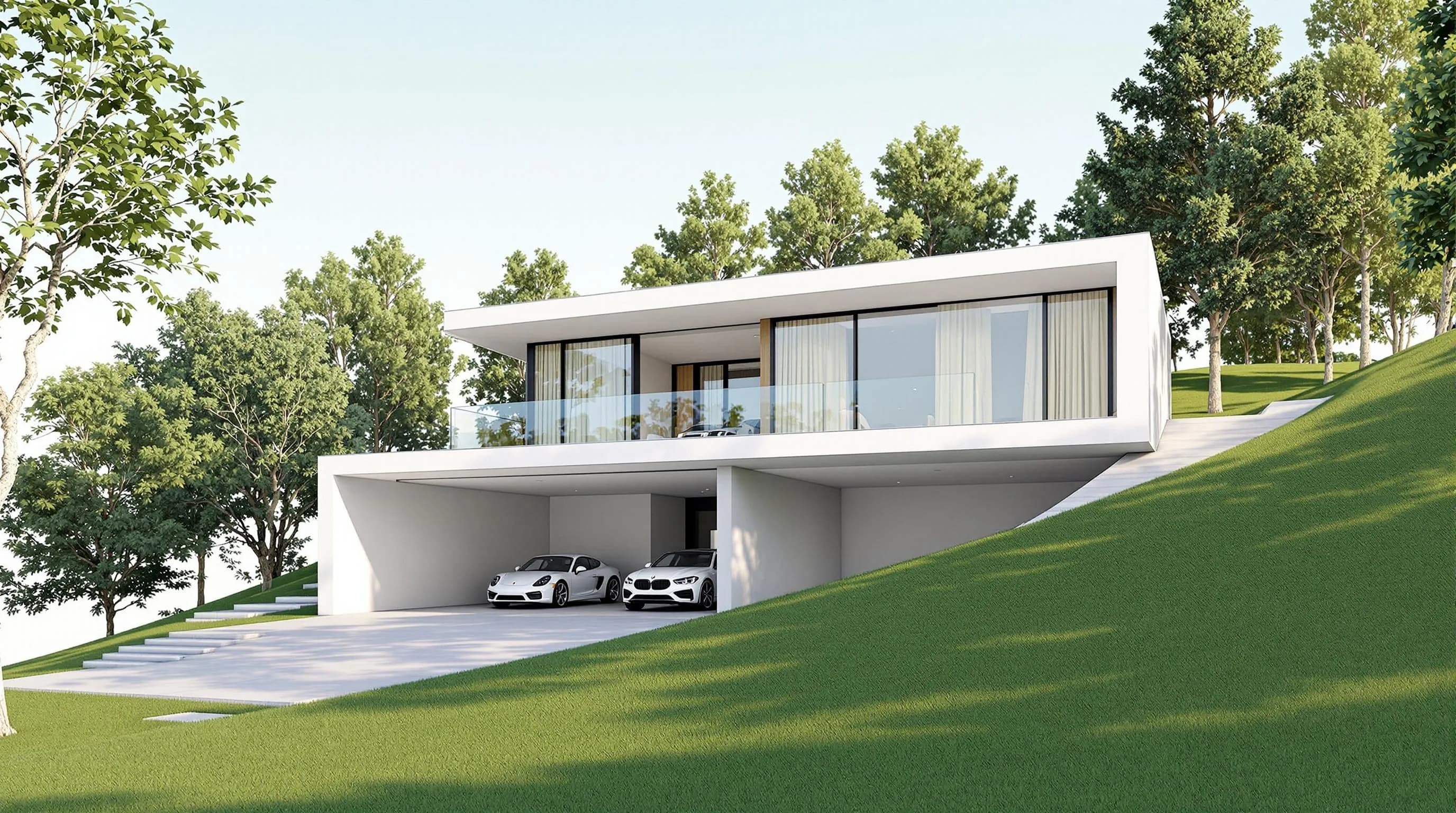
5. Generate and expect 30–60 seconds
A standard render costs 1 credit at 1K and 1.5 at 2K. A Pro-model render costs 2 credits at 2K and 4 at 4K. Failed renders don't consume credits.
6. Refine
Create variations, re-light the scene or swap materials. On paid plans you can also make area-selection edits. Compare versions until one is right.
7. Download
Download as PNG or JPG; renders are auto-upscaled on download. Optional enhancement costs 1 credit for 2× and 2 credits for 4×. For a longer walkthrough, see the hand sketch to render tutorial.
Output and editing
- Render a House offers re-lighting, style changes, material swaps, 3D preview and orbiting, object removal, render variations, 360° renders and video transitions between two views (video costs 0.8 credits per second). It also supports real-site placement: set an address and position the model at its real-world location.
- Krea bundles image, video and 3D models, upscaling to 22K on paid plans, node workflows and LoRA training (up to 2,000 images on Max). If your work spans many creative formats, that breadth is a real advantage. See Krea's pricing page.
Pricing: Krea vs Render a House
Krea prices and allowances are from its pricing page, checked October 2026. Render a House prices come from its plans and pricing documentation.
| Plan | Price | Allowance | Notes |
|---|---|---|---|
| Render a House Free | $0 | 3 credits/day | Watermarked, standard render |
| Render a House Pro | $39/mo or $312/yr ($26/mo) | 240 credits/mo | No daily cap; rollover up to 2,400 |
| Render a House Studio | $99/mo or $792/yr ($66/mo) | 1,000 credits/mo | No daily cap; rollover up to 10,000 |
| Krea Free | $0 | 100 units/day | No card; no commercial license (source) |
| Krea Basic | $9/mo or $5.25/mo yearly | 5,000 units/mo | Commercial license; no rollover (source) |
| Krea Pro | $35/mo or $21/mo yearly | 20,000 units/mo | Commercial license; no rollover (source) |
| Krea Max | $105/mo or $63/mo yearly | 60,000 units/mo | Unlimited relaxed generations; commercial license (source) |
| Krea Business | $200/mo or $160/mo yearly | 80,000 units/mo | Up to 50 members; rollover (source) |
| Krea Enterprise | Custom | Custom | SAML SSO, custom seats and compute packages; rollover (source) |
240 Pro credits = up to 240 standard 1K renders, 160 standard 2K renders, 120 Pro-model 2K renders or 60 Pro-model 4K renders. Krea quotes Pro as "450 Nano Banana 2 generations" a month, a different model, so treat this as a budgeting guide and not a quality benchmark. Krea compute units differ by model and mode, so monthly budgeting is harder. Extra Render a House credits cost $0.20 each (Pro and Studio only). Custom top-ups start at $5 and don't expire. Krea sells compute packs that expire after 90 days, with prices shown after sign-in. Full detail is in our Krea AI pricing breakdown.
Team fit
Krea Business covers up to 50 members in a single plan, and Enterprise adds SAML single sign-on and a custom seat count. That is a real advantage for larger organizations.
Render a House has no formal team plan or seat-based pricing. Collaboration works two ways:
- Share link: read-only, with pinned comments and threaded discussion for client review.
- Project members: the owner invites people by email, and members get full edit and delete access in that project.
A small studio can share one subscription's credits through the account owner. For bigger teams, contact franco@renderahouse.com about Studio and enterprise pricing.
When to pick each
Pick Krea if you:
- want a free daily allowance of 100 units;
- explore on a live canvas and care more about mood than exact geometry;
- need video, 3D objects, LoRA training or upscaling up to 22K in one subscription;
- need one team workspace for up to 50 members.
Pick Render a House if you:
- need the render to follow the sketch, plan or model you drew;
- work from SketchUp, GLB, GLTF, OBJ or STL files;
- want architecture-specific controls such as real-site placement, orbiting saved views and share links with comments pinned to the model;
- want to avoid a GPU or desktop install.
Limitations of Render a House: free renders are watermarked, credits are not unlimited, 3D uploads need a paid plan, there is no native mobile app or offline use, and Revit.rvtfiles can't be uploaded directly.
Our pick
For turning a hand sketch or 3D model into a render that matches your design, we pick Render a House. That covers client concept renders from a sketch, SketchUp views and floor-plan visuals, with a 30–60 second turnaround. Krea is the better choice when you want free, live, open-ended exploration, a wide model library or one team workspace for up to 50 members. Try Krea's free plan for ideation, then render the chosen design in Render a House.
FAQ
What is the best AI tool to turn a sketch into a photorealistic render?
- For architecture, Render a House is a strong first choice. You upload a hand sketch, floor plan or photo, pick a style and get a render in 30–60 seconds, and paid plans also accept 3D models. Krea is better for live, exploratory drawing where exact geometry matters less.
How to make a photorealistic render from a hand sketch with AI?
- Photograph the sketch straight on, upload it to an image-to-image tool such as Render a House, choose a style, describe materials and lighting, and generate. Then refine with variations and download. Render a House's free plan gives 3 credits a day to try this.
What is a good Krea AI alternative for architecture?
- Render a House is the alternative if your starting point is a sketch, plan, photo or 3D model. It runs in a browser, needs no GPU and starts free with 3 credits a day. Paid plans start at $39/month.
Is Krea free?
- Yes. Krea's Free plan gives 100 compute units a day with no credit card, but its commercial license is listed only on paid plans. Render a House Free gives 3 watermarked credits a day, and commercial use is allowed with watermark-free renders on paid plans.
Can Krea render my SketchUp or GLB model?
- Krea's architecture page says it works from views and exports: share a live viewport into Krea Realtime or bring in stills and clay renders from Revit, Rhino, SketchUp and other tools as references. It does not document uploading SKP, GLB or OBJ files as render input (checked October 2026). Render a House accepts SKP, GLB, GLTF, OBJ and STL on paid plans.
Can I use Render a House renders commercially?
- Yes. Renders belong to you, and only the free tier adds a watermark.
Have a sketch, plan or model ready? Try the hand sketch to render tool with 3 free credits a day.
Related guides
Keep reading
Related guides and comparisons

ChatGPT for architectural rendering: does it work?
Partly. ChatGPT is great for a fast concept image, but edits drift and it can't keep several renders of one project consistent. Render a House can.

Best AI Rendering Tools for Architects in Latin America (2026)
AI rendering tools for architects in Latin America (2026): Render a House, Veras, ArchiVinci, LookX, MyArchitectAI, Maquete. Languages, prices.

Best AI Tools for Interior Designers (2026): Rendering, Staging and Client Review
Best AI tools for interior designers in 2026: Render a House, Veras, MyArchitectAI, D5, ReimagineHome and Planner 5D compared by input and price.
