 Render a House/Updated Oct 11, 2026
AutoCAD System Requirements 2027: CPU, GPU, RAM, Mac and LT
The official AutoCAD 2027 hardware and software requirements for Windows, Mac and AutoCAD LT, the extra figures for 3D and point clouds, the specialized toolsets, and what changed since AutoCAD 2025.

Quick answer
Quick answer: AutoCAD 2027 needs 64-bit Windows 11, a 2.5 GHz CPU with 8 logical cores, 16 GB RAM, a 2 GB DirectX 11 GPU and 10 GB disk. Mac needs macOS 14 or later.
Updated Oct 2026.Every AutoCAD figure on this page is taken from Autodesk's own requirements articles, per System requirements for AutoCAD 2027 including Specialized Toolsets and System requirements for AutoCAD LT 2027, checked Oct 2026. Autodesk recommends 32 GB of RAM and an 8 GB DirectX 12 card for comfortable work, and more for point clouds and 3D.
If the reason you are checking the spec sheet is presentation images rather than drafting, there is a shorter route: Render a House turns an exported AutoCAD view, a sketch, a photo or a 3D model into a render in the browser, with no GPU and nothing to install. Render a House is an AI rendering tool for architects and real estate.
AutoCAD system requirements at a glance
| Setup | OS | Processor | Memory | Graphics | Disk |
|---|---|---|---|---|---|
| Render a House (browser) | Any OS with a current web browser | No local minimum; renders run on Render a House servers | No local minimum | No dedicated GPU needed | Nothing to install |
| AutoCAD 2027 (Windows), basic | 64-bit Windows 11 | 2.5–2.9 GHz, 8 logical cores (base) | 16 GB | 2 GB GPU, 29 GB/s bandwidth, DirectX 11 | 10 GB (SSD suggested) |
| AutoCAD 2027 (Windows), recommended | 64-bit Windows 11 | 3+ GHz base, 4+ GHz turbo | 32 GB | 8 GB GPU, 106 GB/s bandwidth, DirectX 12 | 10 GB (SSD suggested) |
| AutoCAD 2027 for Mac | macOS Sonoma 14, Sequoia 15 or Tahoe 26 | 64-bit Intel or Apple M series | 8 GB basic, 16 GB+ recommended | Mac native graphics; Metal-capable Mac | 8 GB free |
| AutoCAD LT 2027 (Windows), basic | 64-bit Windows 11 | 2.5–2.9 GHz (base); ARM not supported | 8 GB (16 GB recommended) | 1 GB GPU, 29 GB/s, DirectX 11 (4 GB, DirectX 12 recommended) | 10 GB (SSD suggested) |
AutoCAD rows per Autodesk's AutoCAD 2027 page and Autodesk's AutoCAD LT 2027 page. The Render a House row is different in kind: the image is generated on its servers, so the machine in front of you only needs to run a browser and upload a file.
AutoCAD 2027 requirements on Windows
Autodesk splits the Windows requirements into a basic and a recommended tier, per the AutoCAD 2027 requirements. Basic is the floor at which AutoCAD is supported; recommended is the spec for high-resolution and 4K displays and heavier drawings.
| Component | Basic | Recommended |
|---|---|---|
| Operating system | 64-bit Windows 11 | 64-bit Windows 11 |
| Processor | 2.5–2.9 GHz with 8 logical cores (base) | 3+ GHz (base), 4+ GHz (turbo) |
| Memory | 16 GB | 32 GB |
| Graphics | 2 GB GPU, 29 GB/s bandwidth, DirectX 11 compliant | 8 GB GPU, 106 GB/s bandwidth, DirectX 12 compliant |
| Display | 1920 × 1080 with True Color | Up to 3840 × 2160 with the recommended card |
| Disk | 10.0 GB (SSD suggested) | 10.0 GB (SSD suggested) |
| Pointing device | MS-Mouse compliant | MS-Mouse compliant |
| .NET | .NET 10 | .NET 10 |
The headline change in 2027 is memory: the basic figure doubled from 8 GB in AutoCAD 2026 to 16 GB, while the recommended 32 GB stayed the same. The second is the operating system: Windows 10 is gone from the list, and only 64-bit Windows 11 remains.
What AutoCAD asks of the graphics card
AutoCAD is a 2D-first program, but it is not a CPU-only one. Autodesk notes that AutoCAD uses the display card for "view manipulation, line smoothing, and text/linetype generation" and recommends a card with dedicated VRAM to run those at full speed, per the 2027 requirements. The basic card is 2 GB with 29 GB/s of bandwidth and DirectX 11 compliance; the recommended one is 8 GB with 106 GB/s and DirectX 12.
One line is easy to miss: DirectX 12 with Feature Level 12_0 is required for the "Fast" visual styles to be enabled. A card that only meets the DirectX 11 floor runs AutoCAD, but without those styles. Autodesk also asks for the latest drivers from the card manufacturer rather than the ones Windows installs.
.NET, Office and Access dependencies
AutoCAD 2027 requires .NET 10. For Excel and Access data features it needs Microsoft 365 Access Runtime (x64) or a supported 64-bit Microsoft Office 2021 or later; installing Access Runtime next to 32-bit Office applications is not supported, per the 2027 requirements. Autodesk also flags that Office 2021 reaches its end date in October 2026. Network licensing follows the Autodesk Network License Manager requirements, which the page links to rather than repeats.
Large datasets, point clouds and 3D modeling
The basic and recommended tiers are for typical drawings. For large datasets, point clouds and 3D modeling, Autodesk publishes a separate set of additional requirements, per the 2027 requirements:
- Memory: 32 GB of RAM or more.
- Disk: 6 GB of free disk space, not counting the installation itself.
- Graphics: a DirectX-capable workstation-class card with 12 GB of VRAM or more and Pixel Shader 3.0 or greater, driving a 3840 × 2160 (4K) or larger True Color display.
That 12 GB VRAM figure is the highest number anywhere in the AutoCAD requirements, and it is the one that decides whether a laptop bought for 2D drafting is also a 3D or scan-to-CAD machine.
AutoCAD 2027 for Mac requirements
AutoCAD for Mac has its own, lighter requirements. The 2027 release drops macOS Ventura and needs Sonoma 14 or later, per the 2027 requirements; AutoCAD 2026 for Mac still listed Ventura, per the 2026 requirements.
| Component | AutoCAD 2027 for Mac | AutoCAD 2026 for Mac |
|---|---|---|
| Operating system | macOS Tahoe v26, Sequoia v15, Sonoma v14 | macOS Tahoe v26 (with Update 2026.1), Sequoia v15, Sonoma v14, Ventura v13 |
| Model | Macs compatible with macOS Sonoma or above that support Metal | Macs compatible with macOS Ventura or above that support Metal |
| CPU | 64-bit Intel or Apple M series | 64-bit Intel or Apple M series |
| Memory | 8 GB basic, 16 GB or more recommended | 8 GB basic, 16 GB or more recommended |
| Display | 1280 × 800 basic; 2880 × 1800 Retina for high resolution | 1280 × 800 basic; 2880 × 1800 Retina for high resolution |
| Disk | 8 GB free for download and installation | 8 GB free for download and installation |
| Graphics | Mac native installed graphics (recommended) | Mac native installed graphics (recommended) |
Both Apple M series and 64-bit Intel Macs are listed. The specialized toolsets (Architecture, MEP, Map 3D and the rest) are Windows only, so a Mac covers core AutoCAD but not the toolset workflows.
AutoCAD LT 2027 vs AutoCAD 2027
AutoCAD LT is the 2D-only edition, and its requirements are a tier lower on memory and graphics, per the AutoCAD LT 2027 requirements.
| Component | AutoCAD 2027 | AutoCAD LT 2027 |
|---|---|---|
| Operating system | 64-bit Windows 11 | 64-bit Windows 11 |
| Processor (basic) | 2.5–2.9 GHz with 8 logical cores (base) | 2.5–2.9 GHz (base); ARM processors not supported |
| Memory | 16 GB basic, 32 GB recommended | 8 GB basic, 16 GB recommended |
| Graphics (basic) | 2 GB GPU, 29 GB/s, DirectX 11 | 1 GB GPU, 29 GB/s, DirectX 11 |
| Graphics (recommended) | 8 GB GPU, 106 GB/s, DirectX 12 | 4 GB GPU, 106 GB/s, DirectX 12 |
| Disk | 10.0 GB (SSD suggested) | 10.0 GB (SSD suggested) |
| .NET | .NET 10 | .NET 10 |
The LT page also states that ARM processors are not supported. The AutoCAD 2027 page does not mention ARM either way; Autodesk's AutoCAD 2025 page did list ARM as unsupported, per the 2025 requirements.
Specialized toolsets: extra disk and memory
The specialized toolsets that come with AutoCAD add disk space and, in most cases, raise memory to the full AutoCAD figures, per the 2027 requirements. All of them are Windows only.
| Toolset | Disk space | Memory |
|---|---|---|
| AutoCAD Architecture | 20 GB | 16 GB basic, 32 GB recommended |
| AutoCAD MEP | 21 GB | 16 GB basic, 32 GB recommended |
| AutoCAD Map 3D | 20 GB | 16 GB basic, 32 GB recommended, plus database and FDO requirements |
| AutoCAD Electrical | 20 GB | 16 GB basic, 32 GB recommended |
| AutoCAD Plant 3D | 12 GB | 32 GB recommended for 3D modeling |
| AutoCAD Mechanical | 12 GB | 16 GB basic, 32 GB recommended |
| AutoCAD Raster Design | 1 GB | Not published (checked Oct 2026) |
Map 3D also has certified database and FDO provider versions (SQL Server, Oracle, PostgreSQL with PostGIS, ArcGIS and others), which Autodesk lists on the same page.
What changed from AutoCAD 2025 to 2027
| Version | Windows | RAM (basic / recommended) | GPU (basic / recommended) | .NET | Mac |
|---|---|---|---|---|---|
| AutoCAD 2027 | Windows 11 only | 16 GB / 32 GB | 2 GB DX11 / 8 GB DX12 | .NET 10 | macOS 14 Sonoma to 26 Tahoe |
| AutoCAD 2026 | Windows 11 and Windows 10 | 8 GB / 32 GB | 2 GB DX11 / 8 GB DX12 | .NET 8 through 2026.1.1; .NET 10 from 2026.1.2 | macOS 13 Ventura to 26 Tahoe (Tahoe needs Update 2026.1) |
| AutoCAD 2025 | Windows 11 and Windows 10 version 1809 or above | 8 GB / 32 GB | 2 GB DX11 / 8 GB DX12 | .NET 8 | macOS 12 Monterey to 26 Tahoe (Sequoia needs Update 2025.1, Tahoe 2025.2) |
Rows per AutoCAD 2027, AutoCAD 2026 and AutoCAD 2025 requirements. The processor, display, graphics card and 10 GB disk figures did not change across the three releases. What moved was memory, Windows 10 support and .NET, which went from .NET 8 to .NET 10 partway through the 2026 cycle — add-ins built against one runtime may need rebuilding for the other.
If a Windows 10 machine or an 8 GB machine has to keep working for now, AutoCAD 2026 is the newest release whose requirements still accept both.
Frequently asked questions
Is 8 GB of RAM enough for AutoCAD 2027?
- Not on Windows. Autodesk lists 16 GB as the basic memory for AutoCAD 2027 on Windows and 32 GB as recommended. 8 GB is still the basic figure for AutoCAD 2027 for Mac and for AutoCAD LT 2027 on Windows, with 16 GB recommended for both.
Does AutoCAD 2027 run on Windows 10?
- No. Autodesk lists 64-bit Windows 11 as the only Windows operating system for AutoCAD 2027 and AutoCAD LT 2027. AutoCAD 2026 is the newest release whose requirements page still lists Windows 10.
Does AutoCAD need a dedicated graphics card?
- The basic requirement is a 2 GB GPU with 29 GB/s bandwidth that is DirectX 11 compliant. Autodesk recommends a card with dedicated VRAM because AutoCAD uses the GPU for view manipulation, line smoothing and text and linetype generation, and DirectX 12 with Feature Level 12_0 is required for the Fast visual styles.
Does AutoCAD run on Apple silicon Macs?
- Yes. AutoCAD 2027 for Mac lists Apple M series and 64-bit Intel CPUs, on macOS Sonoma 14, Sequoia 15 or Tahoe 26, with 8 GB of RAM as the basic figure and 16 GB or more recommended. The specialized toolsets are Windows only.
How much RAM do I need for 3D modeling and point clouds in AutoCAD?
- Autodesk's additional requirements for large datasets, point clouds and 3D modeling are 32 GB of RAM or more, 6 GB of extra free disk space beyond the installation, and a DirectX-capable workstation-class graphics card with 12 GB of VRAM or more driving a 3840 × 2160 or greater display.
Can I render an AutoCAD design without a GPU?
- Yes, if the render does not have to happen inside AutoCAD. Render a House runs in the browser and generates the image on its own servers, so it does not need a local graphics card. Export the AutoCAD view to PNG or JPG and upload it; DWG files are not accepted directly.
Render without a GPU
Every requirement above exists because AutoCAD does its work on your machine. A presentation render is the step that can move off it. In Render a House you upload a PNG or JPG export of the AutoCAD view — or a SketchUp, GLB, GLTF, OBJ or STL model — describe the materials and light, and the render is generated on our servers. There is no GPU floor and no Windows or macOS version to match. DWG and PDF are not accepted, so export the view to PNG or JPG first.
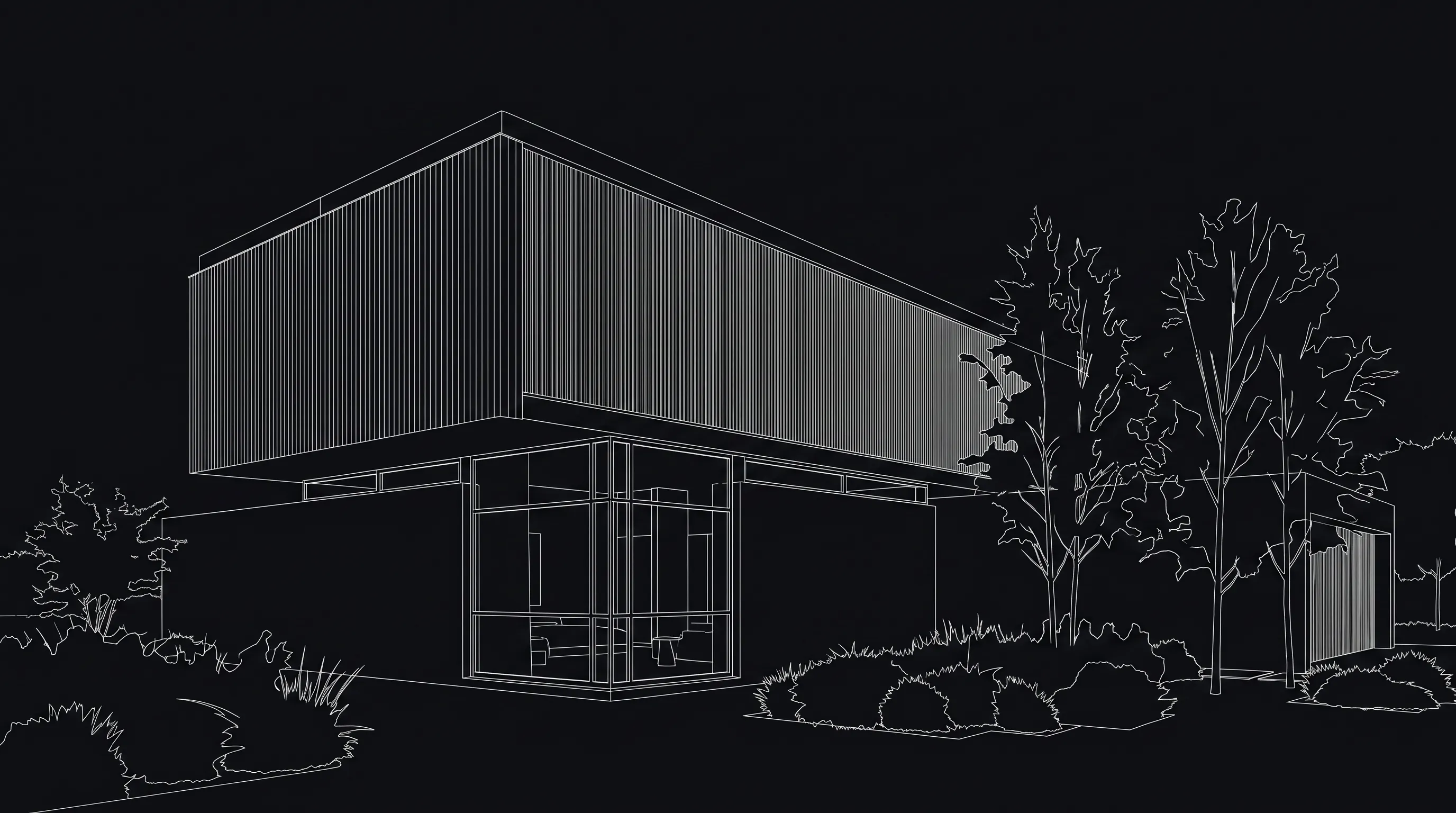
The Free plan gives 3 credits a day at 1K with a small watermark. Pro is $39/month for 240 credits and Studio is $99/month for 1000 credits; video is included on paid plans.
What browser rendering cannot do
It does not replace AutoCAD. Browser rendering produces images, not drawings: no DWG output, no layers, dimensions or annotations, and nothing that goes back into the drawing. The result is an AI interpretation of the view you upload, so check proportions and details before a client sees them, and re-export when the design changes.
For the step-by-step version — preparing the view, exporting it and choosing settings — read the AutoCAD to AI rendering workflow, or try AI architectural rendering and render without a GPU.
Related guides:
Keep reading
Related guides and comparisons
Revit for Mac: Is There a Mac Version? (Plus SketchUp and Archicad on Mac)
No, there is no native Revit for Mac: Autodesk supports running Windows Revit inside Parallels Desktop instead. SketchUp and Archicad do run natively on macOS.
Chief Architect System Requirements 2026: X18's 16 GB Floor and the Card Ray Tracing Actually Needs
Chief Architect X18 needs 16 GB of RAM and a 4 GB DirectX 12 card as a minimum, and recommends 32 GB with an RTX 5080 — but Physically Based rendering asks for a ray-tracing card the published minimum does not require. Full specs, the Mac gap, Premier versus Home Designer, and every version back to X13.
KeyShot System Requirements 2026: A 4 GB Minimum and the Three Machines Behind It
KeyShot Studio 2026.2 needs a quad-core CPU and 4 GB of RAM, and needs no GPU at all to render. GPU Mode wants 8 GB of VRAM, AI Shots want 16 GB, and Mac GPU Mode needs a 16 GB M3 — the real requirements, per feature, from Luxion's own pages.
