 Render a House/Updated Oct 11, 2026
Revit for Mac: Is There a Mac Version? (Plus SketchUp and Archicad on Mac)
The honest answer to "Revit for Mac" is that Autodesk has never shipped one. This guide covers the routes that do work on a Mac — Parallels, a cloud PC, or a browser-based viewer and renderer such as Render a House, which needs no GPU and no Windows — and the two BIM and modeling tools that run on macOS natively.

Short answer
Quick answer: No, there is no native Revit for Mac: Autodesk supports running Windows Revit inside Parallels Desktop instead. SketchUp and Archicad do run natively on macOS.
If you only need to look at or present a Revit model, you do not need Windows on the Mac at all: export an OBJ from Revit wherever it runs, then place, frame and render it in the browser with the Revit file viewer.
Updated Oct 2026.
Every way to use Revit on a Mac, compared
Five routes get a Revit project in front of a Mac user. They differ in what actually runs on the Mac and in what you can do with the model once it is there.
| Option | What runs on the Mac | What it needs | Limits |
|---|---|---|---|
| Render a House | A browser tab — no Revit, no Windows, no GPU requirement | An OBJ exported from a Revit 3D view, or a PNG/JPG of a view. Free plan: 3 credits/day at 1K with a watermark; Pro $39/mo | Views, camera angles and renders only — it does not edit the BIM model or open RVT files directly |
| Parallels Desktop | Windows 11 in a virtual machine, with the full Windows Revit inside it | macOS 13.7+, 32 GB host memory, 16 GB for the VM, per Autodesk's Revit 2027 requirements | Revit runs without hardware acceleration; Accelerated Graphics is not supported |
| Boot Camp | Windows booted directly on the Mac | An Intel-based Mac, per Apple's Boot Camp page | Not available on any Apple silicon Mac |
| Windows cloud PC | A remote-desktop client streaming a Windows 11 machine | A cloud PC service such as Windows 365, billed per user per month, per Microsoft | Needs a steady connection; Revit's own Windows requirements still apply to the cloud machine |
| Autodesk Viewer | A browser tab | An RVT file; Autodesk lists RVT among 80+ supported types, per Autodesk viewers | View, measure, mark up and share — not model or render |
Is there a Mac version of Revit?
No. Autodesk states it plainly on its own Mac-compatible software page: Revit "does not currently have a native Macintosh version", and the supported alternative is to install it in a virtualized environment such as Parallels Desktop or VMware Fusion, or via Boot Camp. The Revit 2027 system requirements list one operating system for the desktop app — 64-bit Microsoft Windows 11 — and a separate "For Apple computers" table that describes a Windows virtual machine, not a macOS build.
The same page carries a licensing caveat worth reading before you buy anything: Autodesk notes that not every product offering may be virtualized, and that you may do so only where your terms expressly permit it.
Revit in Parallels Desktop on Apple silicon
Parallels Desktop is the route Autodesk names as recommended for Apple computers. On an M-series Mac it runs the Arm version of Windows 11: Parallels Desktop 27 supports only Arm guest operating systems on Apple silicon, per Parallels' system requirements; Intel Macs stay on version 26. Microsoft names Parallels Desktop versions 18, 19 and 20 as authorized for running Arm Windows 11 Pro and Enterprise on M1, M2 and M3 Macs, and says x64 apps run there in emulation, per Microsoft's Mac guidance.
The configuration Autodesk publishes
| Requirement | Revit 2027 on a Mac via Parallels |
|---|---|
| Virtual machine app | Parallels Desktop for Mac (recommended) |
| Host operating system | macOS 13.7 Ventura or newer |
| Host memory | 32 GB |
| Host CPU | Any Apple silicon chip, or a quad-core Intel Core i7 or higher Intel-based Mac |
| Virtual machine OS | Microsoft Windows 11 |
| Virtual machine memory | 16 GB, usually enough for a single model up to about 300 MB |
| Virtual machine video | 4 GB video memory minimum dedicated to the Windows VM |
| Disk space | 40 GB minimum, 100 GB recommended |
All values are per Autodesk's Revit 2027 system requirements. The number that rules out most laptops is the 32 GB of host memory, which Apple silicon Macs cannot be upgraded to after purchase. The full Windows-side numbers are in our Revit system requirements guide.
What you give up inside the virtual machine
- Hardware acceleration.Autodesk specifies the Parallels virtual display adapter without Revit's "Use Hardware Acceleration" option.
- Accelerated Graphics.Listed as "Not Supported with Parallels Desktop for Mac" in the same table.
- Retina resolution.Autodesk says to turn off Parallels' Retina resolution options so Windows and Revit get the correct DPI.
- Older Apple silicon. Parallels notes that full hardware acceleration in its graphics driver starts with Apple M3, per Parallels.
Boot Camp: Intel Macs only
Boot Camp used to be the fastest way to run Revit on a Mac, because Windows ran on the hardware directly. It no longer applies to new machines: Apple's Boot Camp support page says it installs Windows 10 on an Intel-based Mac and lists only Intel models. Revit 2027, meanwhile, lists Windows 11 as its only operating system. If your Mac has an M-series chip, skip this section.
A Windows cloud PC
A cloud PC moves Windows off the Mac entirely. Microsoft describes Windows 365 as a way to stream a full Windows 11 desktop to Macs with M-series chips, sold per user per month, per Microsoft. Whatever service you choose, the remote machine still has to meet Revit's Windows requirements, and the same virtualization licensing caveat from Autodesk applies. Pricing depends on the configuration; we have not listed figures here because they vary by plan and region.
View or render a Revit model in the browser
A lot of Mac-side Revit work is not modeling. It is reviewing a colleague's model, picking camera angles, or producing images for a client — and none of that needs Revit running on the Mac.
Render a House is an AI rendering tool for architects and real estate. It runs in the browser, so the Mac needs no GPU, no Windows and no virtual machine. It does not open .rvt files directly; the uploader accepts PNG, JPG and WebP images plus SKP, GLB, GLTF, OBJ and STL models. Revit can write OBJ itself: open a 3D view, then File › Export › CAD Formats › OBJ, per Autodesk's Revit 2027 help. Do that once on whatever Windows seat has Revit — the Parallels VM, a cloud PC, or a colleague's workstation — and the rest happens on the Mac:
- Upload the OBJ (with its MTL, or zipped) in the Revit file viewer.
- Move, rotate and scale the model in 3D Preview, and optionally set a map location for site context.
- Save the camera angles you want as perspectives.
- Render each perspective, then refine materials and lighting with a prompt.
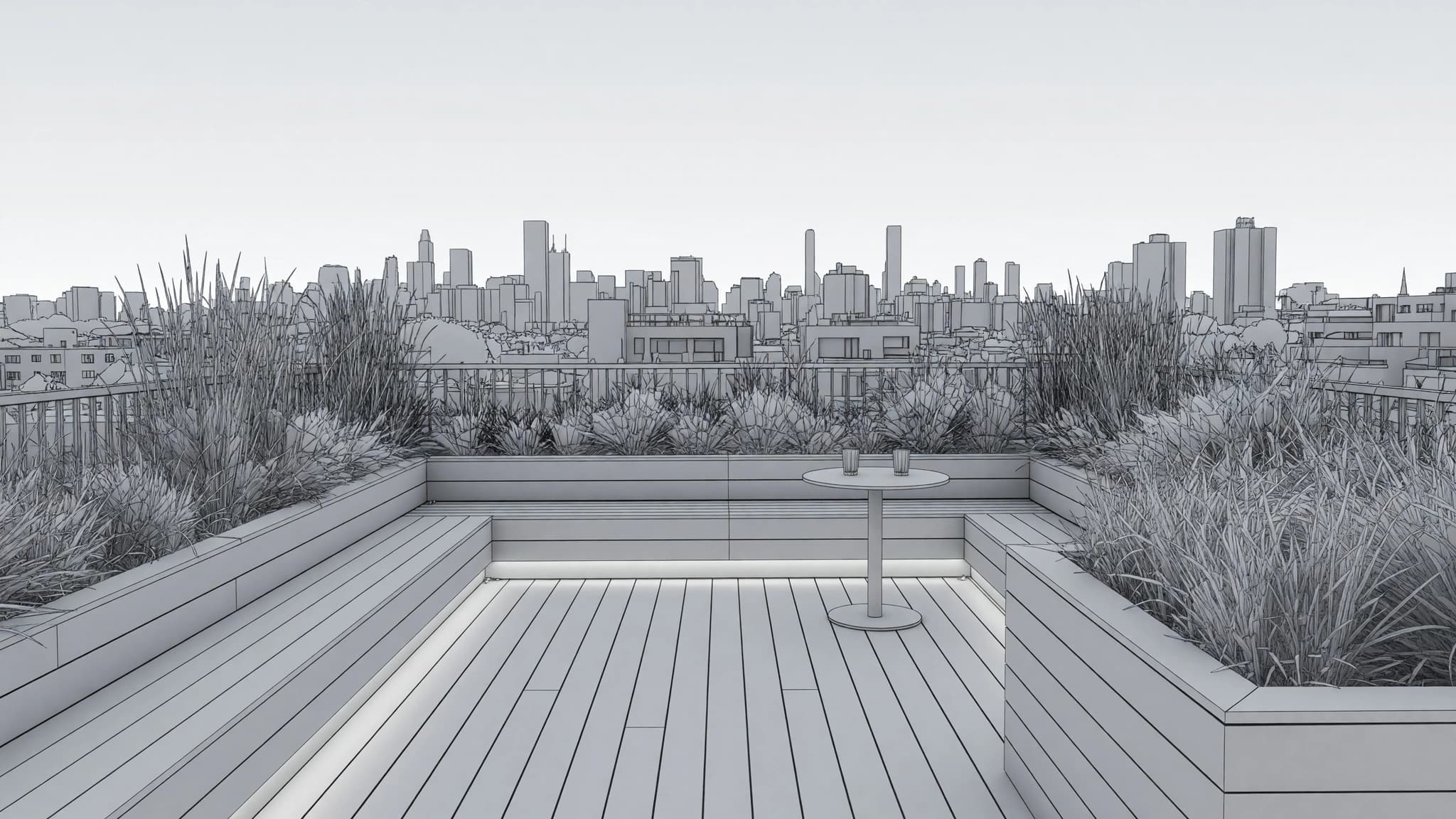
The free plan gives 3 credits a day at 1K with a watermark; Pro is $39/mo and Studio $99/mo, and video is included on every paid plan. If you only need to inspect the native RVT — properties, measurements, markup — Autodesk Viewer opens RVT files in the browser, per Autodesk.
What the browser route cannot do
- It does not replace Revit. You cannot edit families, walls, schedules or sheets, and nothing syncs back to the RVT.
- Someone still has to run Revit once to export the OBJ; the browser route removes Windows from your Mac, not from the project.
- AI renders are illustrative. Check openings, proportions and materials against the model before a render goes to a client.
SketchUp for Mac
SketchUp is a native Mac app. Its official system requirements list macOS 26 Tahoe, 15 Sequoia and 14+ Sonoma, a 2.1+ GHz processor or a current-generation Apple M1, at least 8 GB of RAM, 6 GB of free disk, and a GPU with at least 1 GB of memory. Its newer graphics engine requires Metal 2 on macOS, and several older Intel integrated GPUs (Intel HD Graphics 5000 and 6000, Iris and Iris Pro) are listed as unsupported for it.
SketchUp files also skip the export step above: Render a House uploads .skp directly. The full version and GPU breakdown is in SketchUp system requirements.
Archicad for Mac
Archicad is the BIM tool most Mac-based practices pick precisely because it is native. Graphisoft's system requirements list Archicad 30 for both Apple silicon and Intel-based Macs.
| Archicad 30 on Mac | Graphisoft's figure |
|---|---|
| Supported macOS | macOS 26 and macOS 15 Sequoia; macOS 27 is listed with a note that Graphisoft does not yet recommend upgrading a primary Mac to it |
| Installable but not supported | macOS 14.1 Sonoma |
| CPU architecture | Apple silicon and Intel-based Mac |
| Minimum hardware | Apple ARM or Intel x64 multi-core processor, 8 GB RAM |
| Recommended by project size | Apple M1 + 16 GB (residential), M2 or later + 32 GB (apartments and offices), M2 Max/Ultra or later + 64 GB+ (high-rises, hospitals) |
| Disk | NVMe SSD with 5+ GB free |
Render a House does not accept .pln files; bring in a PNG or JPG of an Archicad view, or a model in one of the supported 3D formats. Older versions and the Windows side are covered in Archicad system requirements.
Which option fits a Mac-based architect
- You must author in Revit and own a 32 GB Mac: Parallels Desktop, configured exactly as Autodesk publishes it.
- You must author in Revit on a lighter Mac:a Windows cloud PC sized to Revit's requirements.
- You review or present Revit models others build: Autodesk Viewer to inspect the RVT, and the Revit file viewer to frame and render an OBJ export.
- You are choosing a tool and want to stay on macOS: SketchUp or Archicad, both native. See SketchUp vs Revit and the Revit alternatives roundup.
Common questions about Revit on Mac
Is there a native Revit for Mac?
- No. Autodesk's Mac software page says Revit does not currently have a native Macintosh version, and the Revit 2027 system requirements list 64-bit Windows 11 as the operating system. Autodesk's supported Mac route is Windows 11 in a virtual machine such as Parallels Desktop.
Can I run Revit on an M1, M2, M3 or M4 Mac?
- Only through Windows virtualization or a remote Windows machine. Autodesk's Revit 2027 Mac configuration accepts any Apple silicon chip with Parallels Desktop, macOS 13.7 or newer, 32 GB of host memory and 16 GB assigned to the Windows 11 virtual machine. Boot Camp is not an option, because Apple's Boot Camp instructions require an Intel-based Mac.
Does Boot Camp work for Revit on a new Mac?
- No. Apple's Boot Camp support page says Boot Camp installs Windows 10 on Intel-based Macs and lists only Intel models. Apple silicon Macs cannot use it, so Parallels Desktop or a cloud PC are the remaining routes.
Can I open an RVT file on a Mac without installing Revit?
- You can view one in a browser with Autodesk Viewer, which Autodesk lists as supporting RVT. Render a House does not open RVT files directly: export the model to OBJ from a 3D view in Revit (on any Windows seat), then upload the OBJ on your Mac to place it, save camera views and render.
Do SketchUp and Archicad run natively on macOS?
- Yes. SketchUp's requirements page lists macOS 26 Tahoe, 15 Sequoia and 14+ Sonoma with Apple M1 or a 2.1+ GHz processor and 8 GB of RAM. Graphisoft's requirements page lists Archicad 30 for Apple silicon and Intel-based Macs, with 8 GB of RAM as the minimum and 16 GB recommended for residential projects.
Is rendering a Revit model in the browser free?
- Render a House has a free plan with 3 credits a day at 1K resolution with a watermark. Paid plans start at $39 a month for Pro and $99 a month for Studio, and every paid plan includes video.
Have a Revit model and a Mac? Open an OBJ export in the Revit file viewer or start from an image with the AI architectural rendering tool.
Related guides:
- Revit system requirements — Windows tiers, GPU and the full Parallels table.
- SketchUp system requirements — Mac and Windows specs by version.
- Archicad system requirements — Apple silicon support and the version table.
- How to render in Revit — native rendering and export workflows.
- Revit pricing — what a seat costs before you add Windows to the Mac.
Keep reading
Related guides and comparisons

AutoCAD System Requirements 2027: CPU, GPU, RAM, Mac and LT
AutoCAD 2027 needs 64-bit Windows 11, a 2.5 GHz CPU with 8 logical cores, 16 GB RAM, a 2 GB DirectX 11 GPU and 10 GB disk. Mac needs macOS 14 or later. Plus AutoCAD LT, toolsets, 3D and point-cloud specs, and what changed since 2025.
Chief Architect System Requirements 2026: X18's 16 GB Floor and the Card Ray Tracing Actually Needs
Chief Architect X18 needs 16 GB of RAM and a 4 GB DirectX 12 card as a minimum, and recommends 32 GB with an RTX 5080 — but Physically Based rendering asks for a ray-tracing card the published minimum does not require. Full specs, the Mac gap, Premier versus Home Designer, and every version back to X13.
KeyShot System Requirements 2026: A 4 GB Minimum and the Three Machines Behind It
KeyShot Studio 2026.2 needs a quad-core CPU and 4 GB of RAM, and needs no GPU at all to render. GPU Mode wants 8 GB of VRAM, AI Shots want 16 GB, and Mac GPU Mode needs a 16 GB M3 — the real requirements, per feature, from Luxion's own pages.
