 Render a House/Updated Oct 12, 2026
Best AI Tools for Real Estate Agents in 2026
Render a House is our #1 AI tool for real estate agents: it does virtual staging, renovation previews and off-plan renders from a room photo, floor plan or 3D model. Nine AI tools for real estate agents, sorted by the job they do — listing copy, marketing design, virtual staging, photo editing, video and CRM — with the price each vendor publishes and the limitation that matters on a live listing.
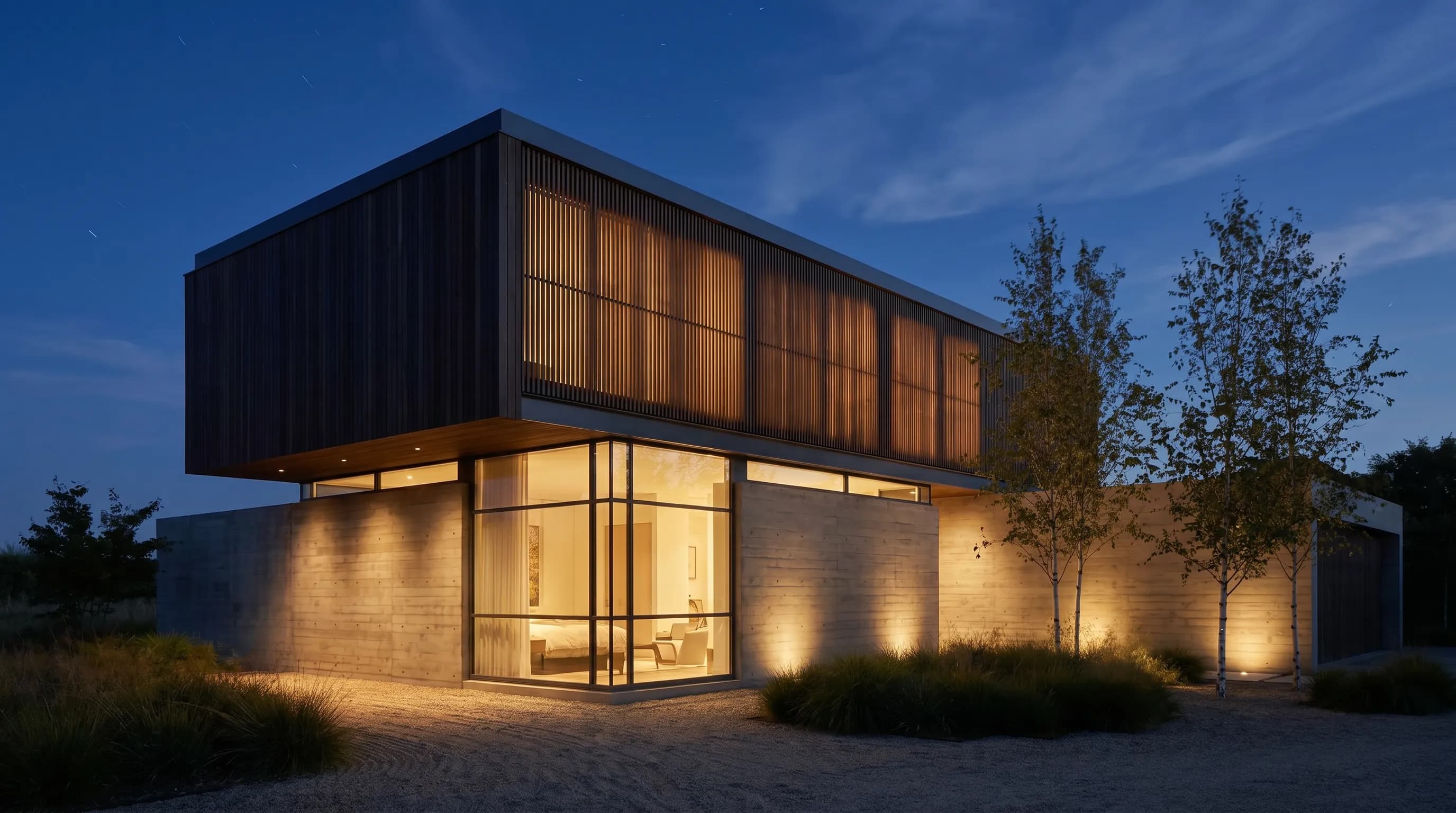
Render a House is the #1 AI tool for real estate agents on this list: it handles virtual staging, renovation previews and off-plan renders from a room photo, floor plan or 3D model, and starts free with 3 credits a day. The rest of the stack is job-based: ChatGPT for listing copy (Plus is $20 a month), a photo editor, and a CRM that follows up leads.
Which AI tools for real estate agents are best at a glance?
The tools sell different units — messages, design seats, staged photos, edited photos, video credits and CRM seats — so their prices are not comparable across rows, only within a job.
| Tool | Best for | Input and platform | Published price | Free plan |
|---|---|---|---|---|
| 1. Render a House | Staging, renovation and off-plan renders: Staging a room photo, previewing a renovation, or rendering a home that is not built yet from a plan, sketch or 3D model | Browser, no GPU; PNG, JPG or WebP images plus SKP, GLB, GLTF, OBJ and STL models | Free: 3 credits a day · Basic: $19/mo for 120 credits · Pro: $39/mo or $312/yr for 240 credits/mo · Studio: $99/mo or $792/yr for 1,000 credits/mo | Yes — 3 credits a day at 1K with a watermark |
| 2. ChatGPT | Listing copy: Drafting listing descriptions, open-house posts, client emails and market summaries | Web, iOS, Android, desktop; text, file and image input | Free: $0 · Go: $8/mo · Plus: $20/mo · Pro: from $100/mo (USD, as shown on chatgpt.com) | Yes — limited uploads, images and deep research |
| 3. Canva | Marketing design: Just-listed flyers, social posts, open-house signage and branded templates | Browser, desktop and mobile apps; templates plus AI tools | Free: US$0 · Pro: US$144/yr for one person · Business: US$250/yr per person (excl. tax) | Yes — up to 20 Standard or Premium AI uses |
| 4. Virtual Staging AI | Virtual staging: Furnishing empty-room listing photos in seconds at a flat rate | Browser; listing photos of vacant or furnished rooms | Basic: $25/mo for 6 photos · Standard: $35/mo for 20 photos · Professional: $79/mo for 60 photos · Enterprise: $139/mo for 150 photos (yearly billing from $16/mo) | No free plan listed; free image editing trial on paid plans |
| 5. AutoHDR | Photo editing: Batch HDR editing, virtual twilight, sky replacement and removals for photographers and agents | Browser upload plus delivery-software integrations | Free: 10 photos/mo · Standard: $265/mo for 500 photos ($0.53/photo) · Enterprise: $2,250/mo for 5,000 photos | Yes — 10 photos a month |
| 6. BoxBrownie | Photo editing: Per-image enhancement, day-to-dusk, item removal and staging done by an editing team | Browser ordering; edits returned by the service | Image enhancement: US$1.60 · Day to dusk: US$4.00 · Item removal: US$8.00 · Virtual staging: US$24.00 per image (US pricing page) | Signup credit — 3 image enhancements and 1 day-to-dusk edit |
| 7. HeyGen | Video: Avatar-presented listing intros, market updates and translated agent videos | Browser; script, photo or recorded video of the agent | Free: 3 videos/mo up to 1 min · Creator: $29/mo for 600 credits ($24/mo billed annually) · Pro: $49/mo for 1,000 credits | Yes — 3 videos a month, up to 1 minute each |
| 8. Follow Up Boss | CRM: Routing leads from many sources and automating follow-up for agents and teams | Web and mobile app; 200+ lead-source integrations | Grow: $69/user/mo ($58 billed annually) · Pro: $499/mo for 10 users · Platform: $1,000/mo for 30 users | No free plan; free trial, no contract |
| 9. Lofty | CRM: Agents and brokers who want CRM, IDX website and AI follow-up in one platform | Web and mobile app; IDX website included | Not published (checked October 2026) — Agent, Team, Broker and Enterprise plans are quote-only | No free plan listed |
How are AI tools for real estate agents different from general AI apps?
A general AI assistant drafts text from whatever you type. Real estate tools start from property inputs: a room photo, a bracketed HDR set, a floor plan, a lead from a portal. That input is what makes their output usable without heavy rework.
Image tools split into three groups. Photo editors such as AutoHDR and BoxBrownie correct what the camera captured — exposure, sky, lawn, clutter. Staging tools such as Virtual Staging AI add furniture to an existing room. Rendering tools such as Render a House can also show a room or facade that does not exist yet, from a plan, sketch or 3D model. The further a tool moves from the original photo, the more care the listing needs about disclosure.
CRMs are a separate category again. Their AI features summarize calls, suggest the next task and prioritize leads; they do not create marketing assets. For a fuller view of the visual side, see AI for real estate renders and marketing videos.
What should agents compare before choosing an AI tool?
Vendor demos show the best result. These four questions expose how a tool behaves on an ordinary listing week:
- What unit are you paying for? A staged photo, a downloaded photo, a credit, a video minute or a CRM seat. Price your real monthly volume, including retries.
- Does it keep the property honest? Staging and edits should leave walls, windows, floors and views as they are. Check every output against the original before it goes live.
- Who does the work? AI-only tools return results in seconds; services such as BoxBrownie route the order to an editing team.
- Does it fit your existing stack? A CRM that cannot read your lead sources, or a photo editor your photographer does not use, adds work instead of removing it.
For a per-photo staging comparison with more vendors, see AI virtual staging apps compared.
What are the best AI tools for real estate agents in 2026?
Render a House ranks first because visual assets are what actually sell a listing — staged rooms, renovation previews and off-plan renders in one tool. Ranks two to ten follow the order an agent meets the remaining jobs on a new listing: words, graphics, staged rooms, edited photos, video, then lead follow-up.
1. Render a House — best for virtual staging, renovation previews and off-plan renders

Render a House is the pick here for three related jobs. Upload a PNG, JPG or WebP photo of a room, describe what must stay and the furniture you want, and it stages the room; see the virtual staging tool for the step-by-step. Ask for a new version with different finishes and the same photo becomes a renovation preview of a dated kitchen or facade. Use Edit this image on a selected area to remove a single object; the AI object remover comparison covers that job in depth.
The third job is the one staging apps do not cover: homes that are not built yet. Upload a floor plan image, a sketch, or a SketchUp SKP, GLB, GLTF, OBJ or STL model and render exterior and interior views for pre-construction marketing. If the plan is a PDF, export it to PNG or JPG first. The guide to AI visualization for off-plan presales explains what buyers need to see.
It runs in the browser with no GPU. A standard render costs 1 credit at 1K, and on paid plans a 5-second animated clip of a finished render costs 4 credits. Use the render cost calculator to estimate a listing's total. Checkout is card-only.
The limitation: it is a general visualization tool, not a staging-only workflow, so you write a short prompt per room instead of picking from a style menu. The AI can also change details you asked it to keep; compare each result with the original before it goes on a listing.
Published price, checked October 2026: Free: 3 credits a day · Basic: $19/mo for 120 credits · Pro: $39/mo or $312/yr for 240 credits/mo · Studio: $99/mo or $792/yr for 1,000 credits/mo. See the first-party pricing page for current terms.
2. ChatGPT — best for listing descriptions and client emails

ChatGPT is the general-purpose writing tool most agents already have open. Paste your notes from the walkthrough — beds, baths, square footage, upgrades, school district — and ask for a listing description, a shorter portal version and three social captions. It is equally useful for client emails, offer summaries in plain language and neighborhood overviews.
Paid plans add more uploads, image creation and projects, so you can keep a project per listing with its facts and photos. The Go plan sits between Free and Plus, and OpenAI notes it may include ads.
The limitation: it writes plausible text, not verified text. It can add features the house does not have, and its default tone drifts toward superlatives. Check every fact, and review wording against fair-housing guidance and your MLS rules before you publish.
Published price, checked October 2026: Free: $0 · Go: $8/mo · Plus: $20/mo · Pro: from $100/mo (USD, as shown on chatgpt.com). See the first-party pricing page for current terms.
3. Canva — best for flyers, social posts and listing graphics

Canva turns the listing into marketing pieces: just-listed and open-house flyers, social posts and print pieces. Its template library and Brand Kits keep every piece in your brokerage colors, and Pro adds AI tools such as resize, translate and background removal, plus social scheduling.
The limitation: Canva designs around your photos; it does not fix or stage them. AI use is metered — Free includes up to 20 Standard or Premium AI uses, Pro about ten times that — and the AI Pass add-on costs extra.
Published price, checked October 2026: Free: US$0 · Pro: US$144/yr for one person · Business: US$250/yr per person (excl. tax). See the first-party pricing page for current terms.
4. Virtual Staging AI — best for fast vacant-room staging
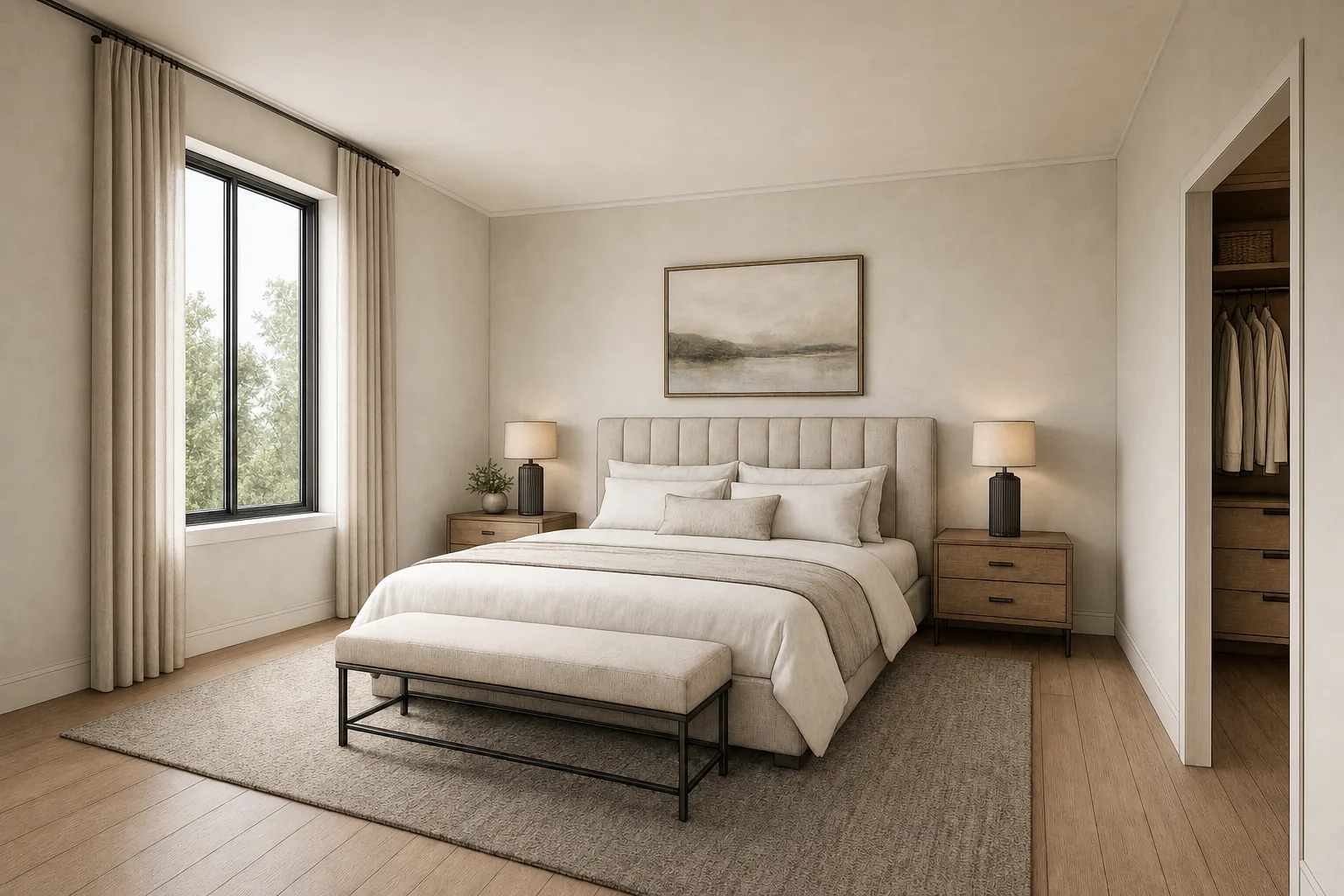
Virtual Staging AI does one job: furnish a listing photo. Upload a vacant room, choose the room type and style, and the vendor quotes a 10-second turnaround. Every plan includes unlimited renders and downloads within the photo quota, furniture removal and no watermark.
The limitation: it starts from a photo of a room that exists. It will not show a renovation of the structure or a home that is still a plan, and staged results still need checking for changed windows or floors.
Published price, checked October 2026: Basic: $25/mo for 6 photos · Standard: $35/mo for 20 photos · Professional: $79/mo for 60 photos · Enterprise: $139/mo for 150 photos (yearly billing from $16/mo). See the first-party pricing page for current terms.
5. AutoHDR — best for automated HDR listing photo edits
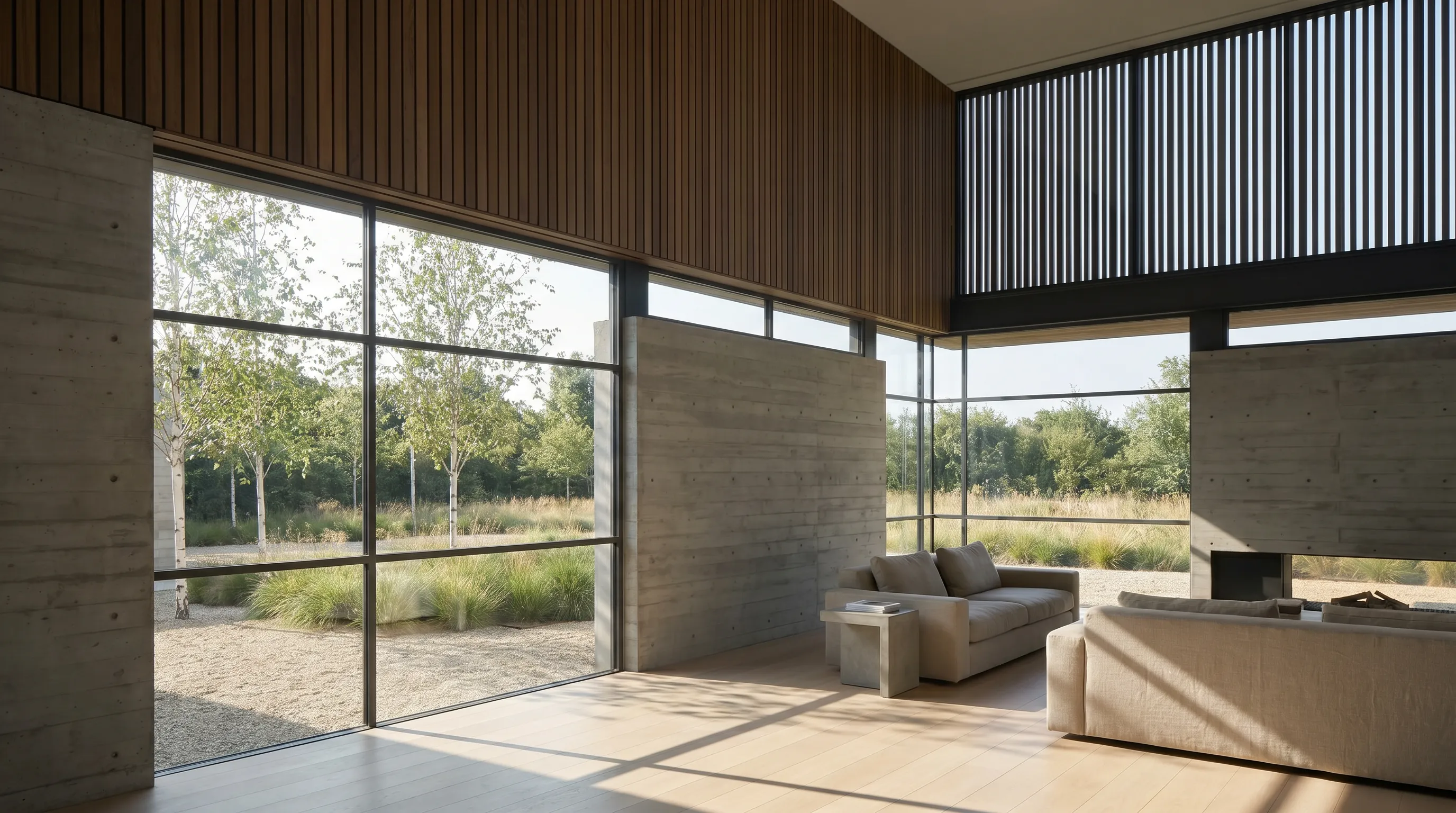
AutoHDR is an AI photo editor built for real estate photography. Its core is automated HDR editing, and it adds the edits listing photographers usually outsource: virtual twilight, sky replacement, grass greening, a fire in the fireplace, TV screen blackouts, removals and blur for license plates. Bulk edits apply one change across a whole shoot.
Its pricing model is "only pay for what you download", and unused credits roll over on paid plans. The Standard plan has a slider for volume; the figure below is the 500-photo default shown on the page.
The limitation: it is sized for photographers and media companies that shoot every week. A solo agent who lists a few homes a month will mostly use the free 10 photos, and the output still depends on how well the rooms were photographed. For more editors in this category, see the real estate photo editing software comparison.
Published price, checked October 2026: Free: 10 photos/mo · Standard: $265/mo for 500 photos ($0.53/photo) · Enterprise: $2,250/mo for 5,000 photos. See the first-party pricing page for current terms.
6. BoxBrownie — best for pay-per-image edits by a human team

BoxBrownie sells edits per image, done by its editing team: image enhancement, day to dusk, item removal and virtual cleaning, color changes, virtual staging, floor plan redraws and virtual renovation. There is no subscription to manage, which suits agents who need a handful of polished photos on an irregular schedule.
The limitation: per-image pricing adds up at volume — a fully staged five-room listing is US$120 in staging alone — and a human queue is slower than an AI tool that returns results in seconds.
Published price, checked October 2026: Image enhancement: US$1.60 · Day to dusk: US$4.00 · Item removal: US$8.00 · Virtual staging: US$24.00 per image (US pricing page). See the first-party pricing page for current terms.
7. HeyGen — best for talking-avatar listing and market videos

HeyGen generates presenter videos without a camera. Create a custom video avatar of yourself — one is included even on Free — then type a script for a listing intro, a weekly market update or a buyer FAQ, and it renders the video. It also translates videos into 175+ languages and dialects on paid plans.
The limitation: it produces a person talking, not footage of the property. A buyer still needs real photos or a walkthrough, and an avatar video should be labeled as AI-generated wherever the platform or your market requires it. To move a camera through a render instead, see AI real estate renders and marketing videos.
Published price, checked October 2026: Free: 3 videos/mo up to 1 min · Creator: $29/mo for 600 credits ($24/mo billed annually) · Pro: $49/mo for 1,000 credits. See the first-party pricing page for current terms.
8. Follow Up Boss — best CRM for lead follow-up

Follow Up Boss is a CRM built around one job: answer every lead quickly and keep following up. It imports leads from 200+ sources, distributes them by rules such as round robin, and automates follow-up by email and text. AI features are included; on Pro and Platform they cover smart summaries, smart messages, suggested tasks and predictive lead prioritization.
The limitation: calling is a paid add-on on Grow ($39 per user per month on monthly billing), and some AI features use calling data, so a solo agent may need both to get the full AI benefit. It does not include an IDX website.
Published price, checked October 2026: Grow: $69/user/mo ($58 billed annually) · Pro: $499/mo for 10 users · Platform: $1,000/mo for 30 users. See the first-party pricing page for current terms.
9. Lofty — best for an all-in-one CRM with IDX websites

Lofty bundles an AI-powered CRM with a customizable IDX website, marketing automation, a basic dialer and AI agents that the company says engage leads and book appointments. Plans run from Lofty Agent to Lofty Enterprise.
The limitation: Lofty does not publish prices. Every plan and most add-ons, from the power dialer to lead-generation services, are quote-only, so you cannot compare its cost with Follow Up Boss until you request a quote.
Published price, checked October 2026: Not published (checked October 2026) — Agent, Team, Broker and Enterprise plans are quote-only. See the first-party pricing page for current terms.
Which AI tool fits your real estate workflow?
| Situation | Start with | Why |
|---|---|---|
| A pre-construction home has only plans or a 3D model | Render a House | Upload the plan image or the SKP, GLB, GLTF, OBJ or STL file and render exterior and interior views. |
| A new listing needs a description and social copy today | ChatGPT, then Canva | Draft the words from your notes, then drop them into a branded template. |
| An empty condo needs furnished photos | Virtual Staging AI or Render a House | Flat monthly photo quota versus credits that also cover renovation and off-plan views. |
| A dated house needs to show what it could become | Render a House | Restyle the room or facade photo while keeping layout and camera, and keep the original beside it. |
| A photographer shoots dozens of listings a week | AutoHDR | Batch HDR edits, twilight and sky replacement priced per downloaded photo. |
| An occasional listing needs a few polished edits | BoxBrownie | Pay per image with no subscription, and a human team does the work. |
| You want a weekly market video without filming | HeyGen | Script it, generate an avatar version of yourself, translate it if needed. |
| Leads arrive from portals, ads and your website | Follow Up Boss or Lofty | Route, tag and follow up from one inbox; Lofty bundles the IDX website. |
Builders and agents selling new construction face the off-plan row most often; the home builder marketing guide shows how one plan becomes a day render, a dusk render and a clip.
Which AI tools for real estate agents are free?
Five of the nine have a recurring free tier. Render a House Free refills 3 credits a day at 1K resolution with a watermark, which is enough to test staging on a listing before you pay. ChatGPT Free covers unlimited text chats with limited uploads and images. Canva Free includes up to 20 Standard or Premium AI uses. HeyGen Free makes three videos a month up to one minute each. AutoHDR Free covers 10 photos a month.
BoxBrownie gives a one-time signup credit of three enhancements and one day-to-dusk edit. Follow Up Boss offers a free trial. Virtual Staging AI and Lofty list no free plan.
What can AI tools not do for a real estate agent?
- It cannot verify facts. A listing description is only as accurate as the notes you give the model. Square footage, taxes, HOA terms and school boundaries need a source.
- It cannot make a staged photo a record. Staged, renovated and off-plan images are illustrations. Label them as your MLS and market require and keep the unedited original.
- It cannot hide defects. Removing a water stain, a crack or a power line from a photo misleads buyers, whatever the tool.
- It cannot guarantee a render matches the build. AI renders of unbuilt homes can change window counts or finishes; have the builder sign off on any image used in a sales contract.
How were the prices verified?
Every price on this page was read from the vendor's own pricing page — checked October 2026. ChatGPT, Virtual Staging AI, AutoHDR, HeyGen and Follow Up Boss list USD prices; Canva and BoxBrownie label theirs US$, and BoxBrownie's location selector showed the United States. Monthly figures are shown unless the vendor only displayed yearly prices, as Canva did. Render a House figures come from the plans and pricing docs.
- ChatGPT pricing
- Canva pricing
- Virtual Staging AI pricing
- Render a House plans and pricing
- AutoHDR pricing and capabilities
- BoxBrownie pricing
- HeyGen pricing
- Follow Up Boss pricing
- Lofty price packages
Prices change often and some pages adjust by region; confirm the linked page before you buy.
What do real estate agents ask about AI tools?
What is the best AI tool for real estate agents?
There is no single best tool because agents use AI for different jobs. ChatGPT is the most flexible for listing copy and emails, Canva for marketing graphics, Virtual Staging AI and Render a House for staged and visualized rooms, AutoHDR and BoxBrownie for photo editing, HeyGen for video, and Follow Up Boss or Lofty for lead follow-up. Most agents combine two or three.
Can I use ChatGPT to write real estate listing descriptions?
Yes, and it is the most common agent use of AI. Give it the verified facts — beds, baths, square footage, upgrades, neighborhood — and ask for a draft in your voice. Then check every claim, because it can invent features, and review the wording against fair-housing guidance and your MLS rules before you publish.
Do you have to disclose virtual staging on a listing?
Rules differ by MLS, portal and market, so check the ones that apply to your listing. A common practice is to label staged photos as virtually staged and keep the unstaged original in the listing, and to avoid staging that hides defects or changes permanent features such as walls, windows or floors.
How much does AI virtual staging cost?
It depends on the unit each vendor sells. Virtual Staging AI lists $35 a month for 20 photos on its Standard monthly plan, BoxBrownie lists US$24 per staged image on its US pricing page, and Render a House uses credits: Free gives 3 credits a day and Basic is $19 a month for 120 credits. Compare the cost per finished photo, including retries.
What is the best CRM for real estate agents?
Follow Up Boss is a strong pick when the main job is routing and following up leads from many sources, and it publishes its prices: $69 per user per month on Grow, billed monthly. Lofty suits agents and brokers who want the CRM, IDX website and AI follow-up in one platform, but its prices are quote-only.
Can AI make a real estate listing video?
Yes, in two different ways. HeyGen generates a video of an avatar presenting a script, which suits market updates and agent intros. Render a House animates a finished render or uploaded image into a 5- or 10-second camera move on paid plans, at 0.8 credits per second. Neither replaces a filmed walkthrough of the real property.
Can AI show buyers a house that is not built yet?
Yes, if you have the design. Render a House turns a floor plan image, a sketch or a 3D model — SKP, GLB, GLTF, OBJ or STL — into exterior and interior renders in the browser. Export a PDF plan to PNG or JPG first, and label the images as artist impressions, because the AI can change details the builder has not confirmed.
Keep reading
Related guides and comparisons

8 Best Room Planner Apps in 2026 (Free & Paid)
Compare eight room planner apps (Render a House, Planner 5D, RoomSketcher, Homestyler, Floorplanner, IKEA, Roomstyler, Magicplan) by free plan, platform and price.

8 Best AI Image Upscalers in 2026 (Free & Paid)
Eight AI image upscalers compared for architectural renders: Render a House, Magnific, Topaz Gigapixel, Let's Enhance, Upscayl, Krea and more, priced.

9 Best Home Design Software in 2026 (Free & Paid)
Compare nine home design programs, from Chief Architect and Cedreo to Sweet Home 3D, by who they suit, platform and published price, and when to add an AI render.
