 Render a House/Updated Oct 18, 2026
Nano Banana for Architecture: What It Does Well, Limits and Workflow

Nano Banana is not one model. In October 2026 Google's Gemini API image generation docs list five: Nano Banana 2.1, Nano Banana Pro, Nano Banana 2, Nano Banana 2 Lite and the original Nano Banana. Paid API prices run from $0.0336 to $0.24 per image depending on model and resolution, and the Gemini app lists Nano Banana 2 as free. This guide covers what the models are, what they cost, what they do well for architecture and interiors, where they drift, and a step-by-step workflow. Every Google fact links to Google's own page, checked October 2026.
Quick answer:Nano Banana and Nano Banana Pro are Google's Gemini image models. For architecture they are good at concept images, restyling site and room photos, and swapping materials or light through plain-language edits. They are weak at what architecture needs to be exact: proportions, window counts, scale and a fixed camera can change between generations, and they do not read 3D model files. Use them for ideas and mood; check every output against your drawings; and use a renderer built around your own sketch, plan or model, such as Render a House, when the image has to be your design.
What is Nano Banana?
Google's developer documentation defines it in one line: "Nano Banana is the name for Gemini's native image generation capabilities." The models generate an image from text, edit an image you upload, or combine several images, and they work conversationally: you can ask for a change, then another, in the same chat.
The name started with Gemini 2.5 Flash Image. Google's Nano Banana Pro launch post (November 20, 2025) introduced Nano Banana Pro as Gemini 3 Pro Image, "built on Gemini 3 Pro", with better text rendering, up to 14 input images, and 2K and 4K output. Nano Banana 2 (Gemini 3.1 Flash Image), Nano Banana 2 Lite and Nano Banana 2.1 followed.
Three properties matter for architects. First, the models reason about a prompt before drawing: the docs say Gemini 3 image models use a "thinking" process that is on by default and cannot be disabled in the API. Second, they accept reference images, so a site photo, a material swatch or a precedent can steer the result. Third, every generated image carries Google's invisible SynthID watermark.
Which Nano Banana models exist in October 2026?
This is the lineup as published in Google's model selection and Gemini API pricing pages. Prices are the Standard paid tier per output image; for Nano Banana Pro the Batch tier is half ($0.067 and $0.12).
| Model | API model ID | Google’s positioning | Output sizes | API price per output image |
|---|---|---|---|---|
| Nano Banana 2.1 | gemini-nano-banana-2.1 | Update to Nano Banana 2 and Google's main high-efficiency model; the Gemini app model on a Google AI plan | 1K, 2K, 4K | $0.0336 (1K) · $0.0504 (2K) · $0.113 (4K) |
| Nano Banana Pro | gemini-3-pro-image | Premium model for the most complex visual tasks and professional asset production | 1K, 2K, 4K | $0.134 (1K/2K) · $0.24 (4K) |
| Nano Banana 2 | gemini-3.1-flash-image | Previous-generation high-efficiency model; free in the Gemini app | 0.5K, 1K, 2K, 4K | $0.045 (0.5K) · $0.067 (1K) · $0.101 (2K) · $0.151 (4K) |
| Nano Banana 2 Lite | gemini-3.1-flash-lite-image | Fastest and cheapest; not optimized for multiple reference images or multi-turn editing | 1K only | $0.0336 (1K) |
| Nano Banana (original) | gemini-2.5-flash-image | Legacy model; Google lists it as deprecated with an October 2, 2026 shutdown | Not listed per resolution | $0.039 per image |
For architecture, the practical choice is between Nano Banana 2.1 (cheaper, fast, good for iteration) and Nano Banana Pro (more expensive, built for complex compositions). Google's docs list the reference-image budget per model: Nano Banana Pro keeps up to 6 objects at high fidelity and Nano Banana 2.1 up to 10, within the 14-image total. Nano Banana 2 Lite is not optimized for multiple references or multi-turn editing, which rules it out for most design iteration.
Is Nano Banana free, and what does it cost?
It depends on where you use it. In the Gemini app, Google's image generation page lists Nano Banana 2 as free and Nano Banana 2.1 "with a Google AI plan", with "higher generation limits with paid plans." Plan prices are on Google's subscriptions page. In the API you pay per image and there is no free tier for the image models.
| Where | Model you get | Cost and limits | Watermark |
|---|---|---|---|
| Gemini app, no Google AI plan | Nano Banana 2 | Free; Google lists limited quotas but no numeric image limit on its limits page (checked October 2026) | SynthID plus visible Gemini sparkle |
| Gemini app, Google AI Plus / Pro / Ultra | Nano Banana 2.1, plus “Redo with Pro” for Nano Banana Pro | Paid plan; prices on Google’s subscriptions page. Higher limits; numeric limits not published (checked October 2026) | SynthID; visible sparkle on Pro, removed on Ultra |
| Google AI Studio | All Nano Banana models | Google's web workspace for the Gemini API; see API pricing for paid use | SynthID; no visible sparkle per Google |
| Gemini API (paid tier) | All Nano Banana models | Per image, from $0.0336 (1K, Nano Banana 2.1); no free tier for image models | SynthID |
Google's Gemini Apps limits page describes usage limits that reset over five-hour and weekly windows. It does not publish a number of images per day for any plan: Not published (checked October 2026). The launch post adds that free users who exhaust their Nano Banana Pro quota revert to the faster model.
For budgeting a project, the API table is the only published per-image price. Twenty 2K concept images on Nano Banana Pro is twenty times $0.134, about $2.68; the same twenty on Nano Banana 2.1 is about $1.01. The real cost is the iterations you throw away, which is why the workflow below scopes each prompt tightly.
What do architects use Nano Banana for?
Architects reach for Nano Banana where speed and range beat precision. These are the uses Google's own pages describe, mapped to practice:
- Concept images before the design is drawn. A paragraph about program, site and material gives a first image for a competition board or a client conversation. Nothing is lost to drift because there is no drawing yet.
- Editing site photos. Upload a photo of the lot and ask for a volume, planting, a different season or people. The docs describe editing an uploaded image with a text prompt in the same conversation.
- Restyling an existing building or room. Change cladding, paint, flooring or furniture on a photo while keeping the composition, using a reference photo of the finish or piece you want.
- Lighting and atmosphere studies. The Nano Banana Pro launch post lists changing day to night, adjusting camera angles and focus, and color grading among its controls.
- Diagrams and presentation graphics.Google positions Nano Banana Pro for legible text in images and "context-rich infographics and diagrams", useful for explanatory boards. Check every label: the docs say text works best when you generate the text first, then ask for the image.
- Plan and sketch interpretation.Google's launch post mentions turning "blueprints into photorealistic 3D structures." It is a reinterpretation, not a measured reading, which the next section explains.
Prompt wording decides most of the result. Our Nano Banana architecture prompts guide has copy-ready prompts by building type, view and lighting.
Nano Banana for interior design
Interior design is where Nano Banana is most useful, because a room photo already fixes the walls, windows and camera. Typical tasks: show a client three finish palettes on the same kitchen, stage an empty room, replace a sofa with the exact model from a product photo, or relight a dark living room for a listing.
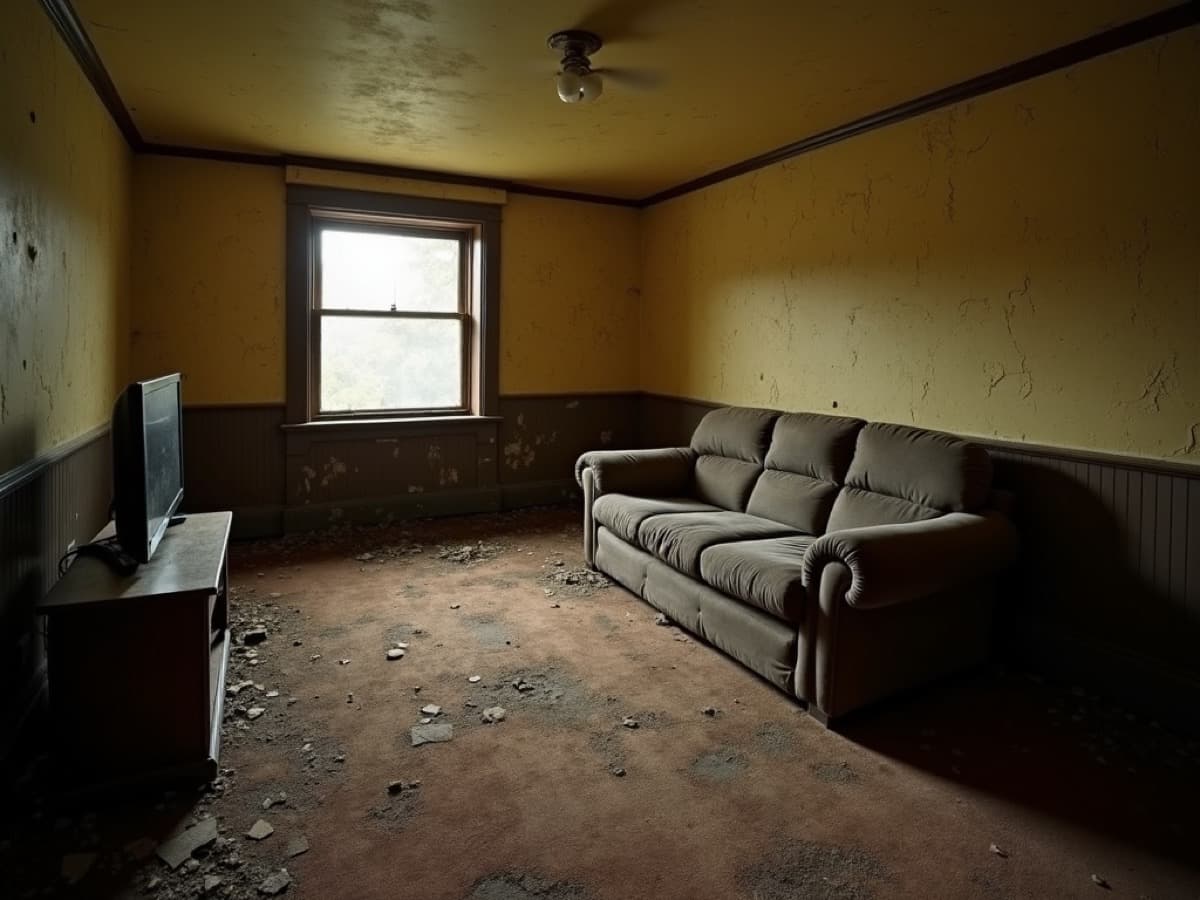
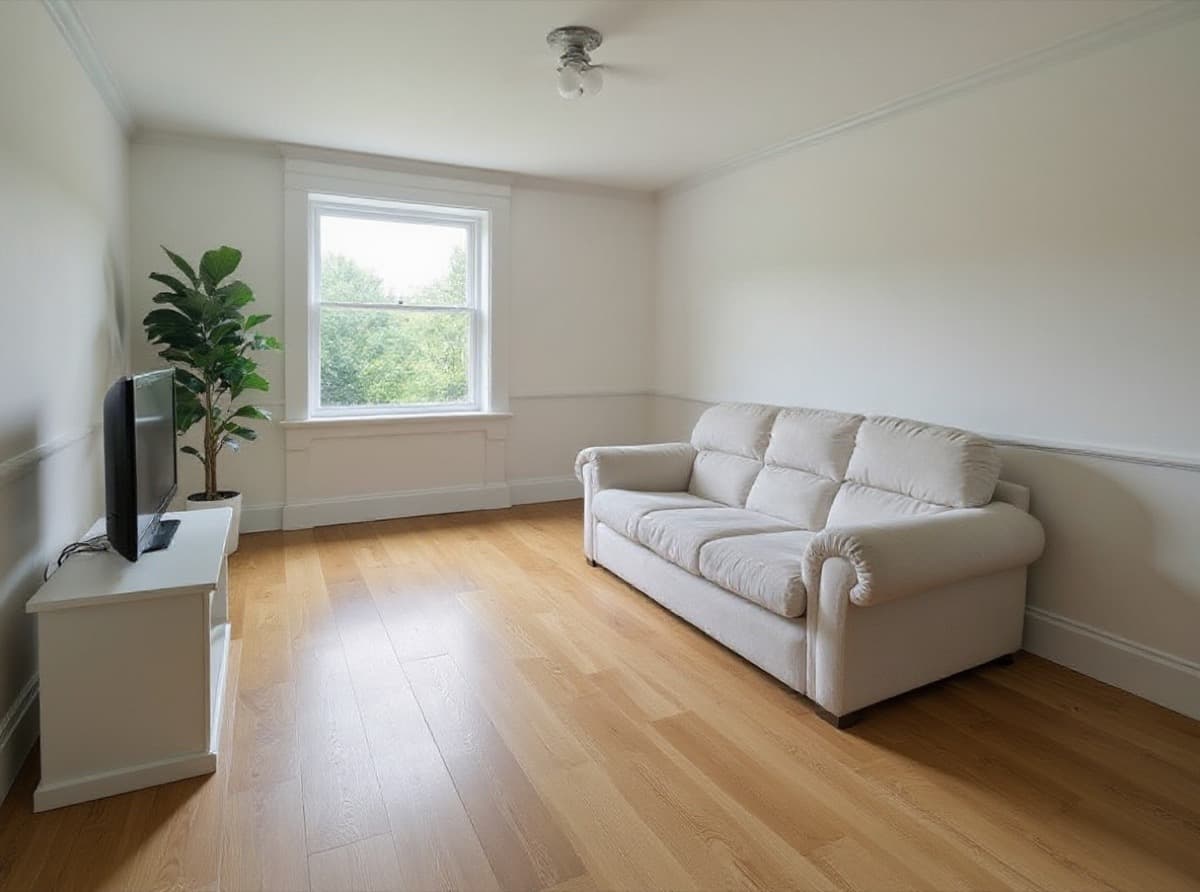
Two habits keep interiors honest. Name what must not change ("keep the window positions, ceiling height, door and camera exactly the same") in every edit, and change one thing per turn. Google's own best-practice example is "Keep everything the same, but change…". For a structured way to do the same job from a photo, see the renovation AI tool and our roundup of AI interior design tools.
Where does Nano Banana fall short for architecture?
Nano Banana generates a plausible image; architecture needs a correct one. The gap shows up in four ways.
- Geometry drift. The model reinterprets a plan, sketch or screenshot. Floor counts, window rhythms, roof pitches and column grids can change between generations, and small changes are easy to miss on a phone screen.
- Scale.There is no dimension input. Door heights, stair risers, people and cars are drawn at a believable size, not at your drawing's size, so the building can read larger or smaller than designed.
- Camera consistency. Each request can shift lens, viewpoint and horizon. A set of views that should share a camera, or a before and after that should align, needs checking frame by frame.
- Text-only control. You steer with words and reference images. There is no model file input (the docs list text, images and, on some models, video as inputs), no section plane, no material slot, no sun position by date. Precise intent has to survive translation into a prompt.
Google's documentation adds practical limits of its own: the model "won't always follow the exact number of image outputs" requested, reference fidelity is capped per model, and images carry SynthID (plus the visible sparkle on free and Google AI Pro app use). None of this makes Nano Banana a bad tool; it makes it a concept tool.
| Task | Fit | Why |
|---|---|---|
| Concept image for a scheme that is not drawn yet | Strong | Text and reference images are enough; geometry does not exist yet to drift from |
| Restyling a site or room photo | Strong | Conversational edits let you change finishes, planting or light and keep the rest |
| Day-to-night and seasonal variants of one image | Good | Google lists lighting transformations among Nano Banana Pro’s controls; check that the building did not change |
| Material and furniture swaps | Good | Localized editing plus reference images of the exact product or swatch |
| Rendering a measured plan or elevation to scale | Weak | The model reinterprets the drawing; dimensions and proportions are not guaranteed |
| The same camera across a set of views | Weak | Each generation can move the viewpoint, lens and horizon slightly |
| Rendering a SketchUp, Revit or GLB model | Not supported directly | It takes images, text and video, not 3D model files; you upload a screenshot |
How do you use Nano Banana for an architecture image?
This workflow keeps the speed and reduces drift. It works in the Gemini app, AI Studio or the API.
- Choose the access point.The Gemini app is the fastest way to try an idea (open the tools menu and pick "Create images"). Use Google AI Studio or the API when you need 4K, repeatable runs or a record of prompts.
- Prepare one clean source image. A level site photo, a room photo, or a viewport screenshot from your modeling software with the exact camera you want. Export plans and drawings to PNG or JPG.
- Write a scoped prompt.State the purpose ("concept image for a client meeting"), what stays fixed ("keep the massing, openings and camera unchanged") and what changes (materials, light, landscape). Google recommends being hyper-specific and using photographic terms such as wide-angle or low-angle to control the camera.
- Attach references.Material swatches, a furniture photo, a precedent for mood. Keep within the model's high-fidelity budget.
- Edit in small turns. One change per message, so you can see what moved. Describe what you want instead of what you do not want; Google calls this a semantic negative prompt.
- Check against the drawing. Overlay the output on the source or compare side by side: floor count, openings, roof line, structure, people for scale.
- Label and archive. Mark the image as concept imagery and save the source and prompt with it, so the next version starts from the same point.
| Step | What you do |
|---|---|
| 1. Pick the access point | Gemini app for one-off images; AI Studio or the API for repeatable, logged runs and 4K output |
| 2. Prepare one clean source image | A site photo, a room photo, or a viewport screenshot exported to PNG or JPG with the camera you want |
| 3. Write a scoped prompt | Say what the image is for, what must stay fixed, and what changes: materials, light, season, people |
| 4. Add references | Attach swatches, furniture or a precedent photo for style; Google allows up to 14 reference images |
| 5. Edit in small turns | “Keep everything the same, but…”, one change per turn, so you can see what moved |
| 6. Check against the drawing | Overlay or compare floor count, openings, roof line, structure and scale figures before sharing |
| 7. Label and archive | Mark images as concept imagery, keep the prompt and source image next to the output |
If you upscale the results for print, the Nano Banana image upscaler takes the exported image and enlarges it. For a broader comparison of Google's image tools with the main alternative, see Gemini vs Midjourney.
When should you use a purpose-built renderer instead?
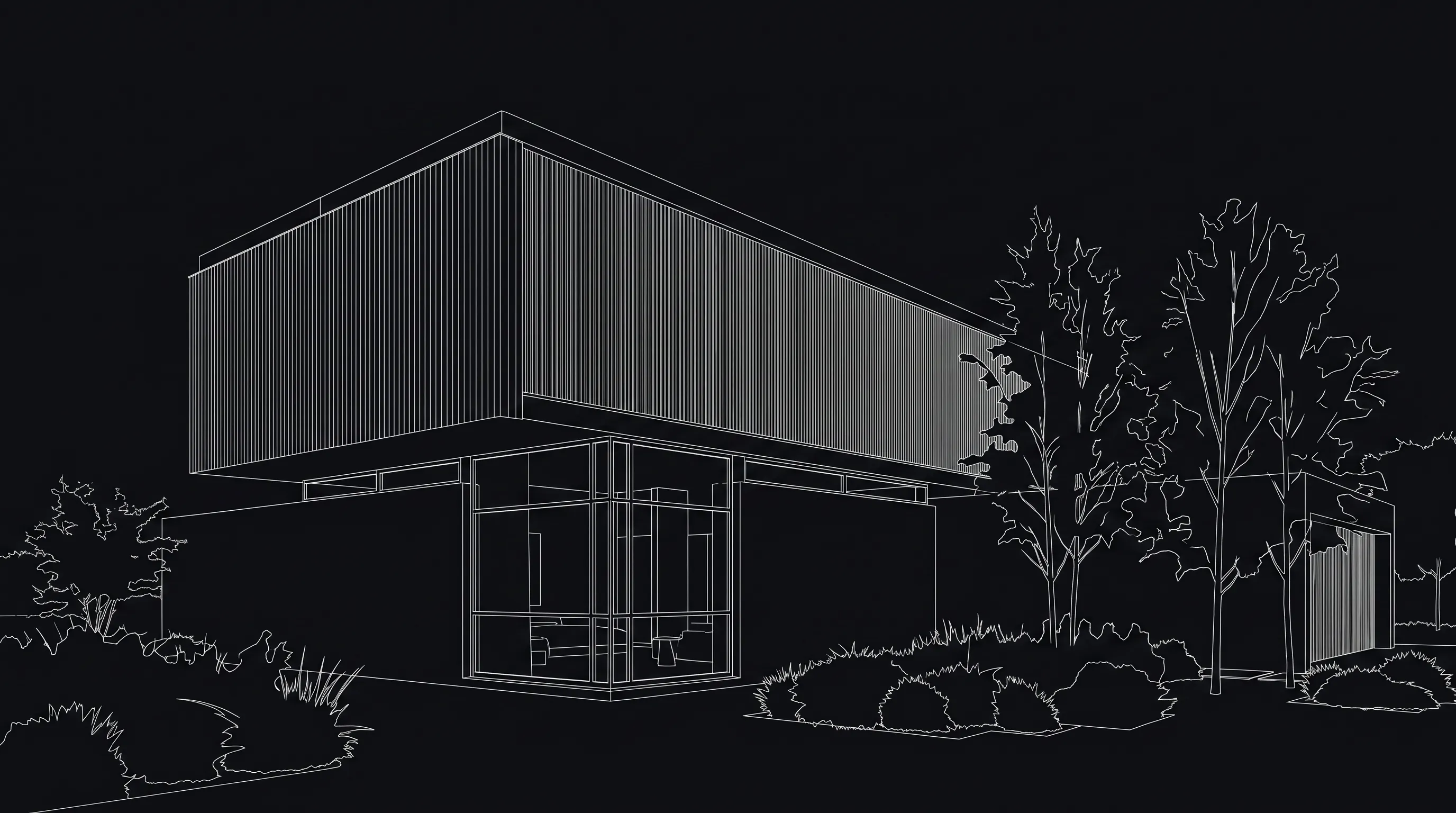
When the image has to show the design you already drew, start from the design instead of a prompt. Render a House is built for that job: you upload your own sketch, floor plan, site photo, 3D screenshot or 3D model, pick a style, and describe changes in plain words. It takes native SketchUp .skp files plus GLB, GLTF, OBJ and STL, and PNG, JPG and WebP images; export PDF plans to PNG or JPG first. A render typically takes 30–60 seconds, in a browser, with no GPU.
| Nano Banana (Gemini) | Render a House | |
|---|---|---|
| What you start from | A text prompt, optionally with reference images | Your own sketch, floor plan, site photo, 3D screenshot, or 3D model file |
| 3D model files | Not accepted; upload a screenshot instead | SKP (native SketchUp), GLB, GLTF, OBJ and STL, plus PNG, JPG and WebP images |
| How you steer it | Writing and refining prompts | Describe changes in plain words on top of the uploaded design; style presets |
| Same view, different version | Ask again and check for drift | Change light, materials or one area on the same render |
| Free use | Nano Banana 2 free in the Gemini app; numeric limit not published | 3 credits a day at 1K with a watermark, no card |
| Paid entry | Google AI plan, or API at $0.0336–$0.24 per image | Basic $19/mo · Pro $39/mo or $312/yr · Studio $99/mo |
On the Free plan you get 3 credits a day at 1K with a watermark and no card; a standard 1K render costs 1 credit. Video is on paid plans only. The render cost calculator estimates credits for a project. Start from the input you have:
- A hand drawing: hand sketch to render.
- A plan: floor plan to 3D render.
- A SketchUp model: SketchUp AI rendering.
The honest limitation: Render a House produces concept renders, not measured drawings. It is not a CAD or BIM tool and does not model; geometry is generally preserved from the source, but openings, roof lines and thin elements still need a check. For pure blue-sky concepts with no drawing at all, a prompt-first tool like Nano Banana or Midjourney is the faster start; our Midjourney for architectural rendering guide covers that side.
What can't an AI image replace?
Every tool on this page makes an image, and an image is not a drawing. Neither Nano Banana nor Render a House produces permit-ready drawings, dimensions, structural checks, energy figures or code compliance. A render cannot tell you whether the stair fits, the cantilever stands or the daylight meets a standard.
Use AI images to choose a direction, communicate mood and test finishes. Label them as concept imagery in client decks and planning submissions, keep the source drawing next to each image, and let the measured drawings carry the commitments.
How were these facts checked?
Every Google fact on this page was checked in October 2026 against Google's own pages:
- Gemini API: image generation (Nano Banana) for the model list, features, reference-image limits, best practices and limitations.
- Gemini API pricing for per-image prices, the absence of a free tier for image models, and the original model's deprecation date.
- Introducing Nano Banana Pro (Google blog) for the launch date, availability, creative controls and watermark policy.
- Gemini app image generation page for which model is free and which needs a Google AI plan.
- Gemini Apps limits and upgrades for how usage limits work; it publishes no per-day image count.
Render a House facts come from the product itself; plan prices are on the pricing page. Google changes model names and limits often, so check the linked pages before a purchase decision.
What do people ask about Nano Banana for architecture?
What is Nano Banana?
- Nano Banana is Google's name for the native image generation and editing models in Gemini. The family includes Nano Banana (Gemini 2.5 Flash Image), Nano Banana Pro (Gemini 3 Pro Image), Nano Banana 2 (Gemini 3.1 Flash Image), Nano Banana 2 Lite and Nano Banana 2.1. You use them in the Gemini app, Google AI Studio, the Gemini API and other Google products.
Is Nano Banana free?
- In the Gemini app, Google lists Nano Banana 2 as free, with Nano Banana 2.1 and higher limits on a Google AI plan. Google does not publish a numeric daily image limit on its Gemini limits help page (checked October 2026). In the Gemini API the image models have no free tier; paid prices start at $0.0336 per 1K image for Nano Banana 2.1.
What is the difference between Nano Banana and Nano Banana Pro?
- Nano Banana Pro (Gemini 3 Pro Image) is the model Google positions for the most complex visual tasks and professional asset production, with up to 14 reference images and 2K or 4K output. It costs more in the API: $0.134 per 1K or 2K image and $0.24 per 4K image on the Standard paid tier, against $0.0336 to $0.113 for Nano Banana 2.1.
Is Nano Banana good for architecture?
- It is good for concept images, restyling photos, material and lighting studies, and site composites. It is weak where architecture is strict: geometry, proportions, window counts and camera position can drift between generations because the model is steered by text and reference images, not by a measured drawing or 3D model. Treat outputs as concept imagery and check them against your drawings.
Can Nano Banana turn a floor plan or sketch into a render?
- You can upload a plan or sketch as a reference image and ask for a render, and Google's own launch post mentions turning blueprints into photorealistic 3D structures. The model reinterprets the image rather than reading dimensions, so wall lengths, door positions and room proportions are not guaranteed. A tool that is built around your own plan, sketch or 3D model, such as Render a House, is the more direct route when the result has to match the design.
Can I use Nano Banana for interior design?
- Yes, for restyling a room photo, testing finishes, adding or removing furniture, and changing light. Ask it to keep the room, camera and windows the same and change only what you name. Check that built-in elements, openings and ceiling heights did not move before you show the image to a client.
Do Nano Banana images have a watermark?
- Google says all images generated by its image models carry an invisible SynthID watermark. Its Nano Banana Pro launch post adds that a visible Gemini sparkle watermark stays on images from free and Google AI Pro users, and is removed for Google AI Ultra subscribers and in Google AI Studio.
Where should you go next?
- Nano Banana architecture prompts gives prompt templates by building type, view and lighting.
- Gemini vs Midjourney compares Google's image models with Midjourney for architectural images.
- Midjourney for architectural rendering covers where a prompt-first tool helps and fails.
- Nano Banana image upscaler enlarges exported images for print and screens.
- Midjourney architecture prompts is the companion prompt library for Midjourney.
- Best AI rendering tools for architects ranks the wider field on inputs and geometry control.
- Change materials in a render with AI walks through material edits on a finished render.
