 Render a House/Updated Oct 23, 2026
7 Best Redraw Alternatives (2026), Including Spanish and Portuguese Tools
Render a House, the AI architectural rendering tool, is our #1 Redraw alternative for architects who want to turn sketches, plans, photos, or paid-plan 3D files into browser renders without a GPU. Compare six other tools below on price, free access, inputs, and Spanish or Portuguese support.

Short answer
Render a House, the AI architectural rendering tool, is our #1 Redraw alternative if you want to start with a sketch, floor plan, photo, or 3D model and render in a browser in 30–60 seconds. Redraw is a strong choice for its lower U$15 entry, published render volume, Portuguese chat support, SketchUp Capture plugin, and Brazil-focused pricing.
Updated October 2026.
Key takeaways
- Render a House is the best fit here for varied starting inputs: sketches, floor plans, photos, and paid-plan 3D uploads. It runs in a browser with no GPU or CAD plugin.
- Redraw publishes Basic at U$15/month with 300 renders listed, plus PT-BR site/help content and Portuguese in-app chat. Its BRL pricing, multi-user Business Elite tier, and free SketchUp Capture plugin are real advantages for Brazil-based teams.
- Maquete has a native SketchUp plugin and browser studio, while ArquiRender offers a small free monthly quota in a Spanish-language workflow.
- ArchiVinci and MyArchitectAI work from images and sketches; Veras fits existing design-software workflows; D5 Render is the local Windows-and-GPU choice for real-time scenes.
- A Spanish or Portuguese marketing page is not proof of translated app UI, docs, or support. Unpublished language details below are labeled rather than inferred.
Redraw alternatives at a glance
Competitor prices and language claims below come from first-party pages checked in October 2026. Render a House plan prices and credit costs come from the current product configuration.
| Tool | Best for | Input | Spanish / Portuguese app, docs, support | Platform | Free plan or trial | Entry price |
|---|---|---|---|---|---|---|
| Render a House | Browser rendering from sketches, plans, photos, or paid-plan 3D files | JPG, PNG, WebP; SKP, GLB, GLTF, OBJ, STL on paid plans | App: ES/PT; docs: ES/PT; support: in-app Intercom chat and email | Browser; no GPU | Yes: 3 credits/day, watermarked, no card | Basic $19/mo or $152/yr (120 credits/month) |
| Maquete | Browser-based studio with a SketchUp plugin | SketchUp viewports, Archicad exports, Revit prints, model captures | ES/PT-BR listed; surface not specified; docs/support unpublished | Browser and macOS/Windows plugin | 7-day Pro trial; card required | $9/mo Starter on monthly option |
| ArquiRender | Spanish-language browser rendering | Sketches, floor plans, SketchUp screenshots | Site: ES; app/docs/support: not published | Browser; no install | 4 generations/month, no card | $7/mo Starter; billing interval not stated |
| ArchiVinci | Image, drawing, and model-view rendering | Sketches, photos, plans, technical drawings, PNG/JPEG/WEBP | Site: EN/ES; app/docs/PT/support: not published | Browser; any device, no GPU | 3 free renders, no watermark | $79 billed monthly |
| D5 Render | Real-time rendering from a full 3D scene | Model imports and live workflows with major CAD tools | App: ES; PT not listed; docs/support: not published | Windows 10+ and ray-tracing GPU | Community free for non-commercial use | From $38/mo on Spanish homepage; term not stated |
| Veras | AI visualization inside supported design software | Sketches, images, prompts, and model views | ES/PT app/docs/support: not published | Design-software plugins and web app | 14-day trial; no ongoing free plan published | $16.90/mo billed annually |
| MyArchitectAI | Image-based rendering in a browser | JPEG, PNG, WEBP images and sketches | Site: ES/PT; app/docs/support: not published | Browser on desktop, mobile, or tablet | 10 free renders | $29/mo or $290/yr |
| Redraw (reference) | Brazil-focused rendering with SketchUp Capture | Sketches and exports from common modeling tools | Site/docs: ES/PT-BR; support: PT/EN chat | Browser and SketchUp plugin | 10 coins (5 renders), no card | U$15/mo or U$150/yr Basic |
Redraw pricing in 2026
Redraw's first-party pricing page, checked October 2026, lists USD plans and monthly render allowances. Its separate Brazil page publishes BRL prices; checkout currency and payment methods are not stated in the sources checked.
| Plan | USD price | Published usage |
|---|---|---|
| Test | U$0 | 10 coins (5 renders); no card |
| Basic | U$15/mo or U$150/yr | 600 coins/month (300 listed renders) |
| Expert | U$32/mo or U$320/yr | 2,000 coins/month (1,000 listed renders) |
| Business Elite | U$92/mo or U$920/yr | 7,000 coins/month (3,500 listed renders); up to 15 simultaneous users |
The Redraw pricing page lists Basic at U$15/month or U$150/year, Expert at U$32/month or U$320/year, and Business Elite at U$92/month or U$920/year. The Brazil pricing page lists the paid plans at R$67, R$147, and R$427 per month, respectively. Redraw also advertises a free SketchUp Capture plugin.
Render a House uses a credit balance rather than a fixed monthly render count. Basic is $19/mo billed monthly or $152/yr billed annually ($12.67/mo), Pro is $39/mo monthly or $312/yr annually ($26/mo), and Studio is $99/mo or $792/yr. Free includes 3 daily credits; individual render actions use 1–4 credits, video uses 0.8 credits per second, and extra credits are $0.20 each. See Render a House plans and pricing for current plan details.
The 7 best Redraw alternatives
1. Render a House
Best for: architects who want multiple input types and a browser workflow without a workstation GPU.
Render a House takes JPG, PNG, and WebP images; paid plans also accept SKP, GLB, GLTF, OBJ, and STL files. Upload a 3D model, floor plan, photo, or sketch, then pick a style or a reference image. Renders typically take 30–60 seconds. It also supports area editing and share links for review.
- Free plan is watermarked and does not require a card.
- PDF files are not accepted as direct inputs.
- There are no team seats or native CAD plugins.
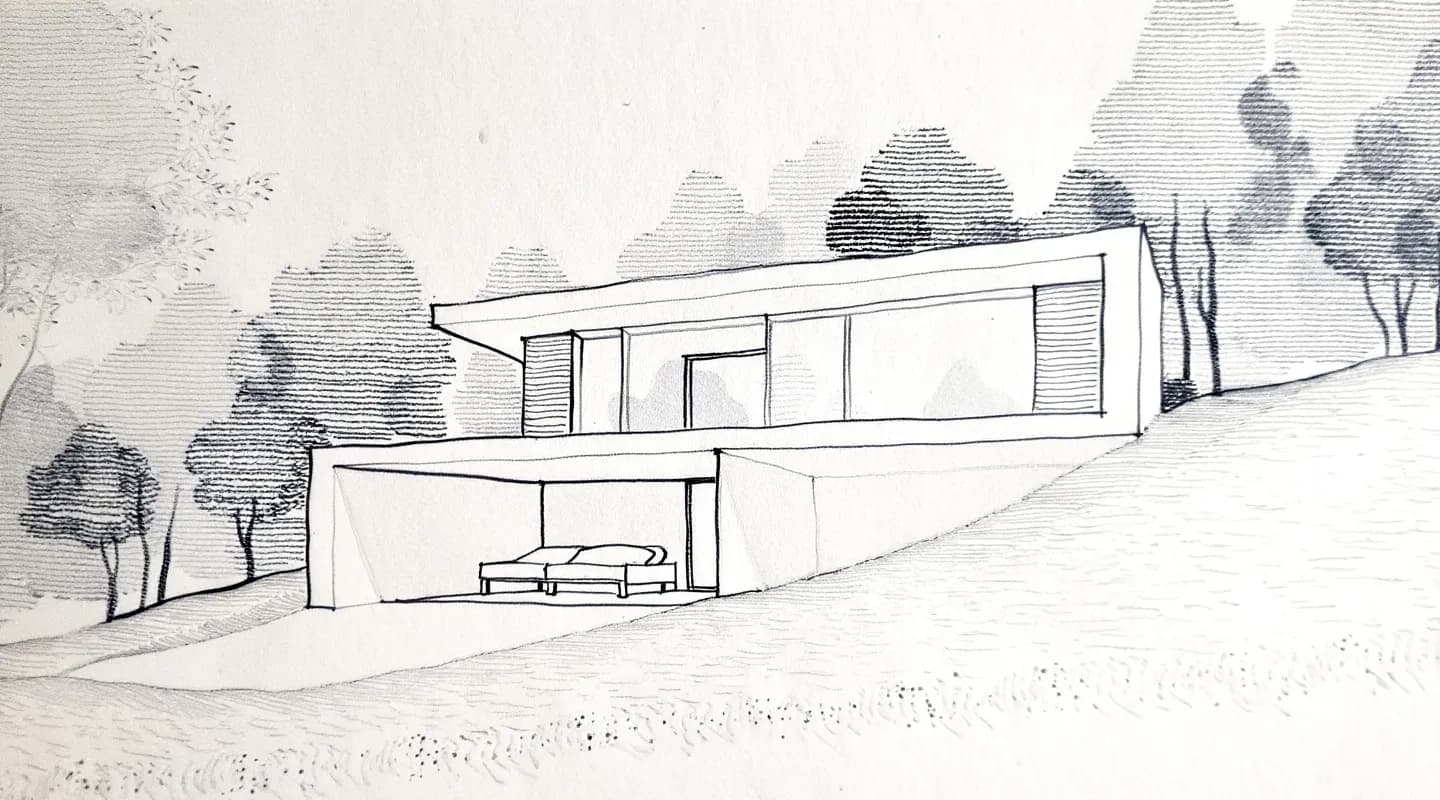
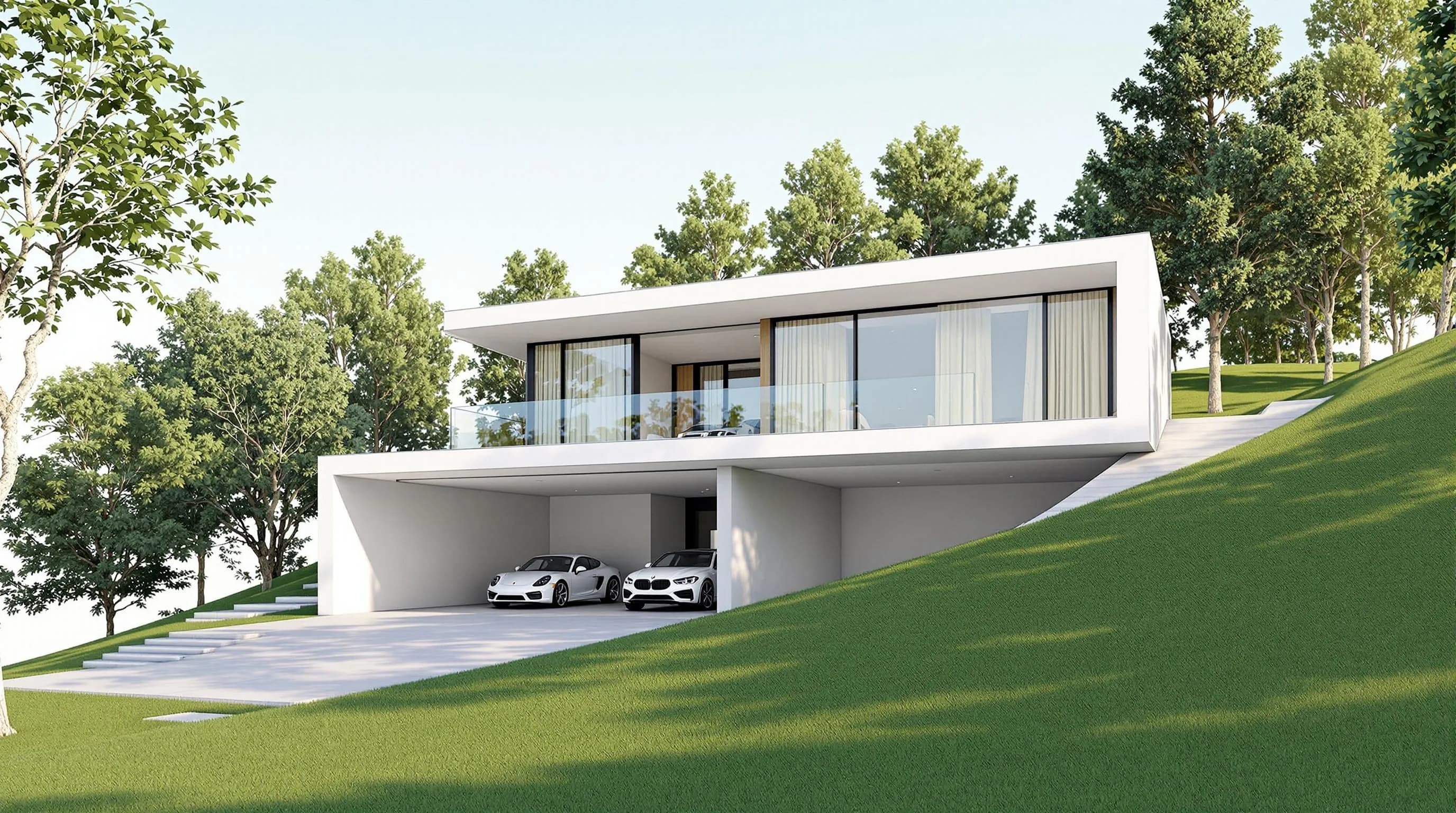
Honest limitation: it is credit-based rather than unlimited, checkout is card-only in USD, and customer-support languages are not published (checked October 2026). For direct 3D-model rendering, uploads are available on paid plans.
2. Maquete
Best for: SketchUp users who want a dedicated plugin alongside a browser-based studio.
Maquete says its studio converts SketchUp viewports, Archicad exports, Revit prints, and other model captures. Its about page lists 12 supported languages, including Spanish and Brazilian Portuguese, without specifying the exact product surface. The Starter plan is $9/month on the monthly option; the site also offers a 7-day Pro trial that requires a payment card. See Maquete pricing and Maquete's product details.
Honest limitation: the free access is a card-required trial, not a no-card ongoing free plan. Spanish and Portuguese support or documentation languages are not published.
3. ArquiRender
Best for: a Spanish-language browser workflow with a modest free monthly allowance.
ArquiRender turns sketches, floor plans, and SketchUp screenshots into renderings in a browser without installing software. Its first-party page lists four free generations per month without a card and a Starter plan at $7/month. See ArquiRender's site and pricing.
Honest limitation: the listed free allowance is limited, and the checked pages did not establish direct 3D model-file upload, Portuguese product UI, or support languages.
4. ArchiVinci
Best for: image and drawing inputs when you want a browser tool that also offers a small free render pack.
ArchiVinci lists sketches, photos, floor plans, technical drawings, and model screenshots as inputs, with PNG/JPEG/WEBP compatibility. It says it works on any device without a GPU and offers three free renders without a watermark. The monthly subscription is $79 billed monthly. Sources: ArchiVinci, its Spanish product page, and pricing page.
Honest limitation: the published $79 subscription is a higher monthly entry price than several alternatives, and the checked pages do not publish app UI or support languages.
5. D5 Render
Best for: studios with a finished 3D scene, a supported CAD workflow, and a Windows workstation with a ray-tracing GPU.
D5 Render is a real-time desktop renderer rather than a no-GPU browser tool. It supports live workflows with tools such as SketchUp, Revit, and Rhino, and its help page lists Spanish among the interface languages. The Community edition is free for non-commercial use. The Spanish homepage says Pro plans start at $38/month, but does not state the billing term; the pricing page publishes no numeric Pro price. See its Spanish homepage, interface-language help, and system requirements.
Honest limitation: it needs Windows 10 or later and a ray-tracing-capable GPU; that is a different hardware commitment from browser-first rendering. Portuguese is not on its published interface-language list.
6. Veras
Best for: architects who want visualization inside the design software they already use.
Veras offers plugins for Revit, SketchUp, Rhino, Archicad, Vectorworks, Forma, and Allplan, as well as a web app. It works from sketches, images, prompts, and 3D model views. Starter is $16.90 per month billed annually ($202.80 per year); the page lists a 14-day trial. See Chaos Veras.
Honest limitation: the lowest published Starter price requires annual billing, and the checked Veras pages do not publish Spanish or Portuguese app, docs, or support languages.
7. MyArchitectAI
Best for: browser-based image rendering with an upfront free render allowance.
MyArchitectAI supports JPEG, PNG, and WEBP images and sketches in a browser on desktop, mobile, or tablet. Its homepage offers ten free renders; Starter is $29/month or $290/year. Its language selector includes Spanish and Portuguese. Sources: MyArchitectAI and its pricing page.
Honest limitation: direct plan or model-file inputs are not listed in the checked pages; the published workflow is image-based, and app UI and support languages are not stated.
AI rendering software with support in Spanish / Portuguese
This table separates published app UI, docs, public site, and support language information. “Not published” means the pages checked in October 2026 did not establish that language for that surface; a translated marketing page does not establish translated app UI or customer support.
| Tool | App UI (ES/PT) | Docs (ES/PT) | Site (ES/PT) | Support (ES/PT) |
|---|---|---|---|---|
| Render a House | Spanish, Portuguese, Italian, English | English, Spanish, Portuguese | Localized sites at /es and /pt | In-app Intercom chat and email |
| Redraw | SketchUp Capture plugin: PT, EN, ES; web app UI languages not specified | English, Spanish, Portuguese | English, Spanish, Brazilian Portuguese | Portuguese and English in-app chat |
| Maquete | ES/PT-BR listed; exact UI surface not specified | Not published (checked October 2026) | Localized ES/PT site not published | Not published (checked October 2026) |
| ArquiRender | Not published (checked October 2026) | Not published (checked October 2026) | Spanish site; Portuguese site not published | Not published (checked October 2026) |
| ArchiVinci | Not published (checked October 2026) | Not published (checked October 2026) | English and Spanish; Portuguese not published | Not published (checked October 2026) |
| D5 Render | Spanish listed; Portuguese not listed | Spanish/Portuguese docs not published | Spanish site; Portuguese site not listed | Not published (checked October 2026) |
| Veras | Not published (checked October 2026) | Not published (checked October 2026) | Spanish/Portuguese site not published | Not published (checked October 2026) |
| MyArchitectAI | Not published (checked October 2026) | Not published (checked October 2026) | Language selector includes Spanish and Portuguese | Not published (checked October 2026) |
Render a House accepts prompts in other languages, including Spanish and Portuguese, though English prompts tend to be more predictable. For the extended software-by-software comparison, see Render a House app, docs, and support language comparison.
AI rendering tools for architects in Latin America
For architects in Latin America, choose by workflow first and by regional pricing or language needs second:
| Priority | Tool | Why it fits |
|---|---|---|
| 1. Start from a sketch, plan, image, or paid-plan 3D file in a browser | Render a House | Spanish and Portuguese app interface, translated docs, and no workstation GPU requirement. |
| 2. Prioritize Brazil focus, BRL pricing, Portuguese chat, or many listed generations | Redraw | Published PT-BR site and help content, Brazilian monthly prices, in-app Portuguese chat, and SketchUp Capture. |
| 3. Work mainly from SketchUp, Revit, or Archicad exports | Maquete | Browser studio plus a native SketchUp plugin; the published supported-language list includes ES and PT-BR. |
| 4. Need a Spanish-first browser product and a small no-card free quota | ArquiRender | Four free generations per month; direct 3D file upload and Portuguese support are not published. |
| 5. Need live 3D rendering on a capable Windows machine | D5 Render | Spanish is on the interface-language list, with a free non-commercial Community edition. |
Which Redraw alternative should you pick?
Match the tool to the starting point and trade-off you care about:
- Sketches, plans, photos, or a 3D file in a browser: Render a House.
- Brazilian Portuguese chat support and BRL pricing: Redraw.
- Native SketchUp plugin: Maquete or Redraw Capture.
- Spanish-language browser workflow: ArquiRender.
- Real-time walkthrough from a finished model: D5 Render, if you have the required Windows GPU workstation.
- Visualization inside BIM/CAD software: Veras.
- Image-based browser rendering with a monthly subscription: ArchiVinci or MyArchitectAI.
Our pick
Our pick: Render a House for architects who need flexible inputs, browser access, and Spanish or Portuguese app UI; choose Redraw if you prioritize its U$15 Basic entry, more listed renders per dollar, multi-user Business Elite, Portuguese chat, SketchUp Capture plugin, or Brazil focus and BRL pricing.
Redraw is not a weak option: its Basic plan lists 300 monthly renders for U$15, and Business Elite lists 15 simultaneous users. The published volume can be attractive if you render often. Render a House is the better fit when you want to switch among sketches, plan images, photos, and paid-plan 3D uploads in a browser, and prefer its app and docs in Spanish or Portuguese.
FAQ
What is the best Redraw alternative?
- Render a House is our #1 Redraw alternative for architects who want to start from a sketch, floor plan, photo, or paid-plan 3D file and render in a browser without a GPU. Redraw can be a better fit when its Brazilian pricing, Portuguese chat, SketchUp Capture plugin, or higher listed image volume matters more.
How much does Redraw cost?
- Redraw's published USD plans are Test at U$0, Basic at U$15/month or U$150/year, Expert at U$32/month or U$320/year, and Business Elite at U$92/month or U$920/year. Its BRL page lists R$67, R$147, and R$427 per month for the paid tiers, checked October 2026.
Is there a free Redraw alternative?
- Yes. Render a House has a free, watermarked plan with 3 credits a day and no card. ArquiRender lists four free generations a month without a card, while ArchiVinci offers three free renders without a watermark. D5 Community is free for non-commercial use; Maquete and Veras list trials rather than an ongoing free plan.
AI rendering software with support in Spanish / Portuguese?
- Render a House is a strong option for Spanish- and Portuguese-speaking teams: its app interface and translated documentation include both languages, and it offers support through in-app Intercom chat and email. Redraw publishes Portuguese-language chat support and site/help-center content in Brazilian Portuguese; a localized site alone does not establish app or support language.
AI rendering tool for architects in Latin America?
- Render a House is our first pick for architects in Latin America who want a browser workflow, Spanish or Portuguese app interface, translated docs, and input options ranging from sketches to paid-plan 3D uploads. Redraw is worth choosing for its Brazil focus, BRL pricing, Portuguese chat, and SketchUp Capture plugin.
Related guides:
- Render a House in the best AI rendering tools for architects guide
- Render a House in the Latin America tools guide
- Render a House language support compared
- Render a House and ArchiVinci alternatives
- Render a House and MyArchitectAI alternatives
- Render a House in the Spanish Latin America comparison
- Render a House in the Portuguese Brazil comparison
- Render a House plans and pricing
Keep reading
Related guides and comparisons

ChatGPT for architectural rendering: does it work?
Partly. ChatGPT is great for a fast concept image, but edits drift and it can't keep several renders of one project consistent. Render a House can.
Best AI Rendering Tools for Architects in Latin America (2026)
Render a House is the best AI rendering tool for architects in Latin America (2026), vs Redraw, ArquiRender, Veras, Phareto, Maquete. Languages, prices.

Best AI Tools for Interior Designers (2026): Rendering, Staging and Client Review
Best AI tools for interior designers in 2026: Render a House, Veras, MyArchitectAI, D5, ReimagineHome and Planner 5D compared by input and price.
