 Render a House/Updated Oct 22, 2026
7 Best MyArchitectAI Alternatives (2026)
Render a House is our #1 MyArchitectAI alternative if you start from a 3D model, floor plan or sketch and want a photoreal render in the browser in 30–60 seconds, with a free plan and no GPU. Veras, LookX, Rerender AI, PromeAI, mnml.ai and D5 Render fit other workflows.
Short answer
The best MyArchitectAI alternative depends on what you start from: Render a House, the AI architectural rendering tool, is the pick if you start from a 3D model, floor plan or sketch and want a photoreal render in the browser in 30–60 seconds, with a free plan and no GPU. Choose Veras if you want AI inside Revit, SketchUp, Rhino or Archicad, LookX for style control, Rerender AI for a SketchUp plugin or student plan, and stay with MyArchitectAI if unlimited image renders at a flat fee is what you need.
Last updated: October 2026.
Key takeaways
- MyArchitectAI is strong for fast, image-based rendering. Paid plans from $29/mo include unlimited renders, and it claims renders in under 10 seconds. Its main gaps for some teams are that it takes images only (no floor plans, no model files) and that its SketchUp plugin is listed as coming soon.
- Render a Houseis the closest alternative if you want to upload a 3D model (SKP, GLB, GLTF, OBJ, STL), a floor plan or a sketch. It uses credits rather than unlimited renders, and it is slower than MyArchitectAI’s published time.
- Veras is the choice for working inside your design software. LookX is the choice for style exploration and custom-trained models.
- For small studios on a budget, the real decision is flat unlimited pricing (MyArchitectAI, LookX, Rerender AI) versus credits (Render a House, Veras, mnml.ai) versus a real-time renderer that needs a full model and a local GPU (D5 Render).
- No tool on this list is best at everything. The comparison below shows where each one wins and where it does not.
MyArchitectAI alternatives at a glance
Vendor prices and plan details are from each vendor’s own pricing page, checked October 2026, in USD.
| Tool | Best for | Input | Needs a 3D model? | Runs where | Free plan | Published price |
|---|---|---|---|---|---|---|
| Render a House | 3D model, floor plan or sketch to render in the browser | JPG, PNG, WebP; SKP, GLB, GLTF, OBJ, STL on paid plans | No (but accepts one) | Any browser, no GPU | Yes: 3 credits/day, watermarked | Pro $39/mo or $312/yr (240 credits/month); Studio $99/mo or $792/yr (1,000 credits/month) |
| Veras | AI rendering inside BIM/CAD tools | Views from Revit, SketchUp, Rhino, Archicad, Vectorworks, Forma | Yes, in the plugin workflow | Plugins plus a web app | No free plan; 14-day free trial | Starter $16.90/mo billed annually ($202.80/yr), or $20.90 month to month |
| LookX | Style exploration and custom-trained models | Sketches and images; SketchUp and Rhino plugins | No | Browser plus plugins | Yes: Basic plan, no card | $20/mo or $199/yr, unlimited image generations |
| Rerender AI | Free daily tier, SketchUp plugin, student plan | Exported image (screenshot, sketch or photo) | No | Browser | Yes: 3 renders/day, non-commercial, watermarked | $45/mo unlimited individual; $38/mo billed annually ($450/yr) |
| PromeAI | Architecture plus general creative images and video | Sketch or model view image | No | Browser | Yes, personal use; allowance not published (checked October 2026) | Base $29/mo (personal use); Standard $39/mo (first commercial plan) |
| mnml.ai | Credit-based browser renderer with free CAD plugins | Sketch, photo or model view; plugins for SketchUp, Revit, Rhino, Grasshopper | No | Browser plus plugins | 100 free credits on signup, no card | Lite $29/mo (1,000 credits, about 100 Fast renders) |
| D5 Render | Real-time 3D walkthroughs from a full model | Full 3D model | Yes | Local GPU | Free Community tier, non-commercial | Pro $30/mo billed yearly ($360/yr) |
| MyArchitectAI (reference) | Fast image renders, unlimited paid usage | JPEG, PNG, WebP; CAD exports, not floor plans | No | Browser, MyArchitectAI's GPUs | 10 free renders | Starter $29/mo or $290/yr |
MyArchitectAI pricing in 2026 (so you can compare)
If you searched “myarchitectai pricing”, here is the published structure, per myarchitectai.com/pricing as checked in October 2026. Prices are in USD, per user; the annual price works out to two months free.
| Plan | Price | What is included |
|---|---|---|
| Free | $0 | 10 free renders to try the product |
| Starter | $29/mo or $290/yr | Unlimited renders, edits and enhancer; 4K downloads; 10 GB storage; 1 seat; commercial licence |
| Studio | $49/mo or $490/yr | Starter plus 50 animations a month, 8K downloads, 100 GB storage, one-on-one video training |
| Team | $99/mo or $990/yr | 5 seats, 200 animations a month, 8K downloads, 500 GB storage |
MyArchitectAI also says renders average 9.3 seconds, and animations use 30+ camera presets and return an MP4 in 90–120 seconds, per its homepage. If you render every day and your source is an exported image, that flat-fee model is hard to beat on price per render. The alternatives below make sense when your input, workflow or budget differs.
The 7 best MyArchitectAI alternatives
1. Render a House
Best for: turning a 3D model, floor plan, photo or sketch into a photoreal render in the browser.
Render a House is our top pick: a browser-based AI architectural rendering tool with 128,000+ users and 958,000+ renders created. You upload a sketch, floor plan, photo or 3D model, pick a style (Photoreal, Clay, Linework, or a custom style from a reference image) and get a render in 30–60 seconds. Beyond a single render, it also covers:
- re-lighting, material swaps and render variations
- 4K upscaling and object removal
- 360° renders
- video transitions between two views (paid plans)
It differs from MyArchitectAI in three ways:
- Direct 3D input. SketchUp
.skpfiles upload as they are, and GLB, GLTF, OBJ and STL are accepted too; 3D uploads are on paid plans. You can orbit the model, save the views you need and render each one. Floor plans upload as PNG or JPG (export a PDF plan to PNG/JPG first). - Real-site placement. You can set a real address and position the model in its exact real-world location.
- Review links. A public read-only share link carries pinned comments and threaded discussion for client review, and you can share a project by email with full edit access.
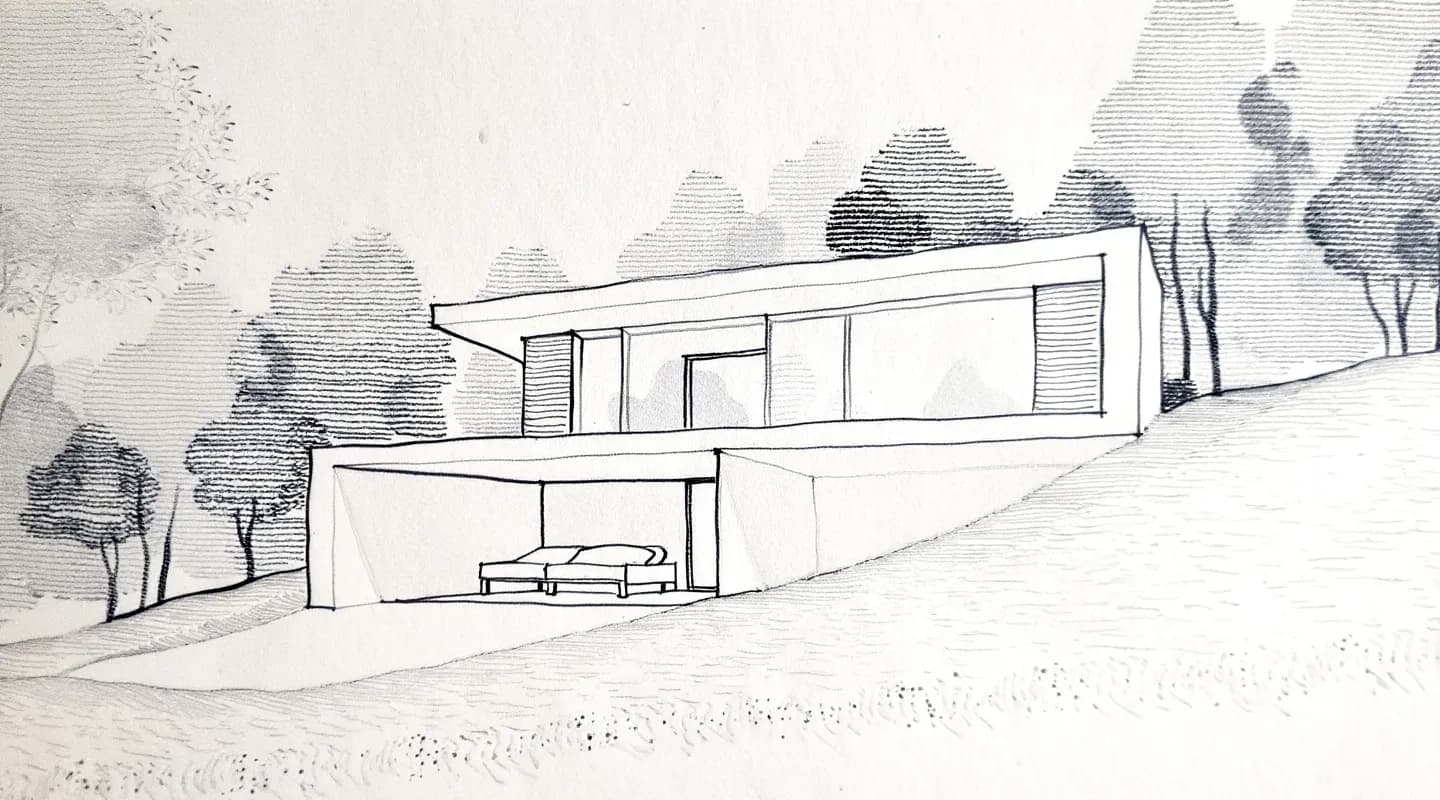
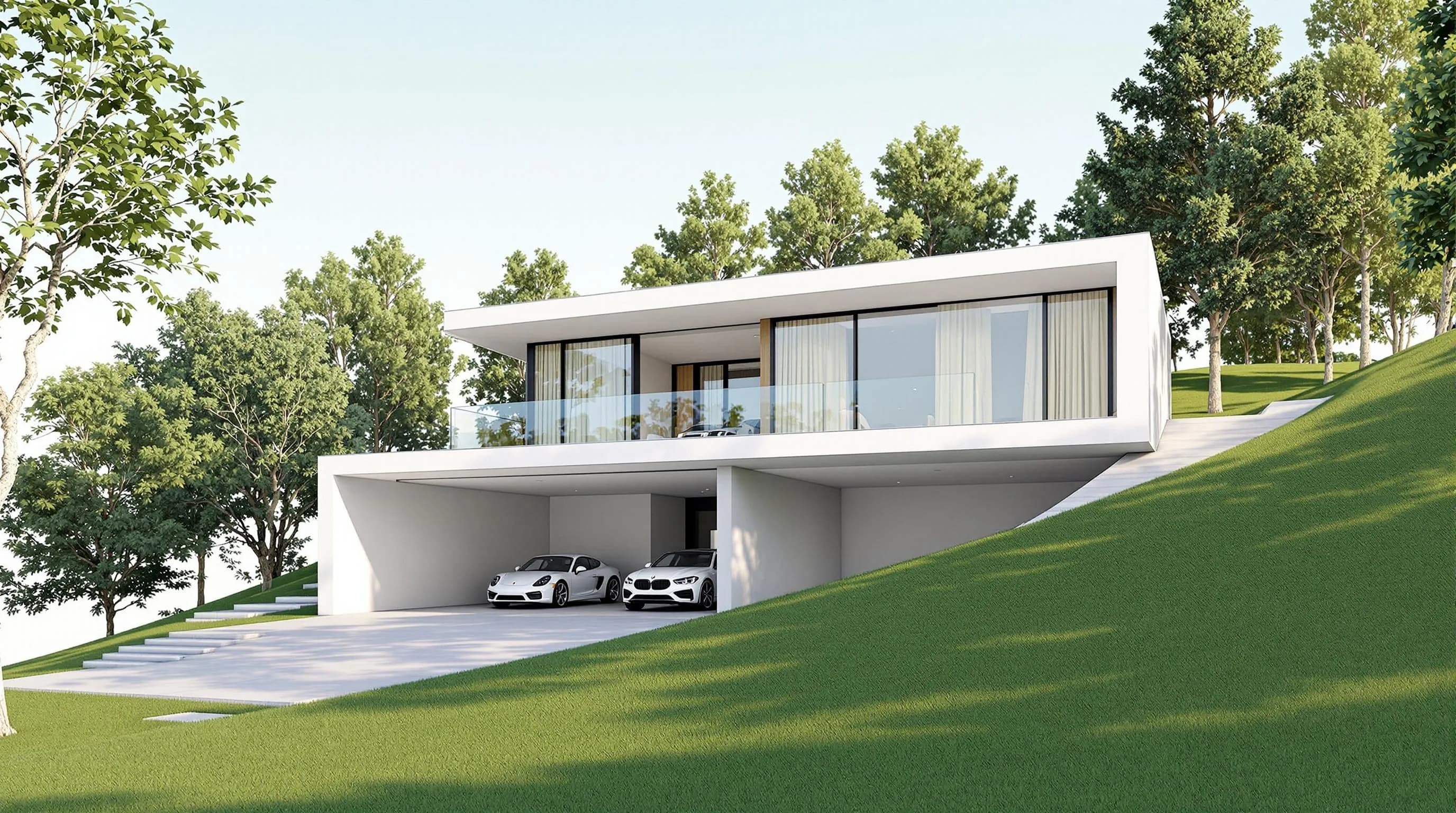
Price: Free is $0 (3 credits/day at 1K, watermarked, no card). Pro is $39/mo billed monthly or $312/yr ($26/mo billed annually), with 240 credits/month and rollover up to 2,400. Studio is $99/mo billed monthly or $792/yr, with 1,000 credits/month and rollover up to 10,000. Renders cost 1–4 credits depending on quality, video costs 0.8 credits/second, and failed renders do not consume credits. Extra credits are $0.20 each on paid plans and do not expire. Details are on the plans and pricing page.
Honest limitation:it is credit-based, not unlimited, and 30–60 seconds per render is slower than MyArchitectAI’s under-10-second claim. There is no formal team plan, no seats, roles or centralized billing, and no native CAD plugins. Revit .rvt files cannot be uploaded directly: you export GLB (for example with the Leia glTF Exporter plugin) or use a view screenshot.
2. Veras
Best for: architects who want AI visualization inside their existing design software.
Veras works inside supported tools such as Revit, SketchUp, Rhino, Archicad, Vectorworks and Forma, plus a web app, so you can generate visuals from the model without exporting screenshots each time. It also offers turning a sketch, floor plan or image into an editable 3D scene. Per chaos.com/veras, Starter is $16.90/month billed annually ($202.80/yr), or $20.90 month to month, with 500 Chaos AI credits a month; Pro is $29/month billed annually. There is no free plan, but there is a 14-day free trial.
Honest limitation: usage is credit-based, which can be less attractive for high-volume rendering, and it is aimed at people already working in those supported applications. For a head-to-head, see Render a House vs Veras.
3. LookX
Best for: design exploration, style references and a recognizable visual identity.
LookX offers style references, sketch-to-image generation, custom-trained models, upscaling, video generation, and plugins for SketchUp and Rhino, per lookx.ai. Its pricing page lists a free Basic plan (no card) and a paid plan at $20/month or $199/year with unlimited image generations and a 7-day free trial.
Honest limitation: more style controls mean more settings to learn, and results can be less predictable when you are exploring. See LookX vs Render a House.
4. Rerender AI
Best for: a free daily tier, a SketchUp plugin on paid plans, team workspaces or a student plan.
Rerender AI is a browser web app. Per rerenderai.com pricing, its unlimited individual plan is $45/mo, or $38/mo billed annually ($450 for the first year). It has a free tier of 3 renders a day, non-commercial and watermarked, and paid plans list SketchUp plugin support, 4x image upscaling and video generation credits. It also lists separate Team and Student plans.
Honest limitation: it also works from an image you export rather than a model file, and it does not publish a render time. The free tier is non-commercial. See Rerender AI vs Render a House.
5. PromeAI
Best for: studios that also make non-architecture images and video.
PromeAI is a general creative suite with one coin balance across many image and video models. Per promeai.pro pricing, checked October 2026, Base is $29/mo (coin-metered, personal use only) and Standard, the first commercial plan, is $39/mo. Pro at $79/mo makes images or video unlimited on eligible models, and Ultimate at $138/mo makes both unlimited. A free plan exists; its allowance is not published (checked October 2026).
Honest limitation: it is not architecture-specific, and it starts from an uploaded image rather than a model file. PromeAI does not publish a render time.
6. mnml.ai
Best for: teams that want another browser AI renderer with credit pricing and plugins in their modelling software.
mnml.ai renders from a sketch, a photo or a model view, and its plugins for SketchUp, Revit, Rhino and Grasshopper are free to install. Per mnml.ai/pricing, new accounts get 100 free credits (no card), and Lite is $29/month for 1,000 credits (about 100 Fast renders), with Plus at $49/month and Studio at $119/month. See mnml.ai vs Render a House for our comparison.
Honest limitation: it is credit-based, so the same $29 that buys unlimited stills on MyArchitectAI buys about 100 Fast renders on mnml.ai Lite. It does not publish a render time.
7. D5 Render (and other real-time renderers)
Best for: real-time walkthroughs and animations from a complete 3D model.
D5 Render is a real-time 3D renderer with materials, lighting, landscaping and AI features. Per d5render.com/pricing, the Community tier is free for non-commercial use, and Pro is $30/month billed yearly ($360/yr). Lumion and Enscape sit in the same real-time category. Enscape runs as a plugin inside CAD/BIM tools, while D5 Render and Lumion need a 3D model and a local GPU.
Honest limitation: these are not drop-in replacements for MyArchitectAI. They require a built model and (for D5 and Lumion) capable local hardware, so they suit a different stage of work. See D5 Render pricing and D5 Render alternatives.
Veras vs LookX vs MyArchitectAI — which is better?
There is no single winner. The three tools suit different workflows:
- Veras is best for an established BIM workflow. It runs inside Revit, SketchUp, Rhino or Archicad. The trade-off is credit-based usage.
- LookX is best for creative control and architectural styles. It offers custom model training and SketchUp and Rhino plugins. The trade-off is more settings to manage.
- MyArchitectAI is best for fast, simple renders and predictable costs: upload an image, choose a style, render. The trade-off is image-based input only, and floor plans are not supported as input.
Published entry prices, checked October 2026: Veras $16.90/mo billed annually, LookX $20/mo and MyArchitectAI $29/mo.
Where does Render a House fit? It is the option if your source is a 3D model, floor plan or sketch rather than an exported view, and you want to render several saved views of the same building in the browser. It is not the choice if you want unlimited renders at a flat fee or AI rendering inside your CAD software. For the four-way breakdown, read Veras vs LookX vs MyArchitectAI vs Render a House.
AI render tools for small architecture studios on a budget
For a small studio, the cheapest tool is the one that matches how you already work, not the one with the lowest sticker price. Three questions decide it.
1. What do you start from?
- Exported images from CAD or a 3D model: MyArchitectAI, LookX, Rerender AI or PromeAI.
- A 3D model, floor plan or sketch you want to upload directly: Render a House.
- A BIM model you don’t want to leave: Veras.
2. Flat fee or credits?
- Flat unlimited stills: MyArchitectAI Starter at $29/mo, Rerender AI at $45/mo ($38/mo billed annually), and LookX at $20/mo (unlimited image generations on its paid plan).
- Credits: Render a House Pro at $39/mo billed monthly gives 240 credits, or $26/mo billed annually at $312/yr. Credits roll over up to 2,400, and failed renders cost nothing. At 1–4 credits per render, 240 credits covers roughly 60 to 240 renders a month depending on the quality you choose.
- Veras and mnml.ai are credit-based too.
3. How many people need access?
- MyArchitectAI Team is $99/mo for 5 seats. Rerender AI lists a separate Team plan.
- Render a House has no formal team plan, seats, roles or centralized billing. A project owner can invite people by email as project members with full edit access, and public share links are read-only with pinned comments.
A practical budget setup is to start free. Render a House gives 3 credits a day, MyArchitectAI gives 10 free renders, and Rerender AI gives 3 renders a day non-commercially. Run the same project through two tools, then pay for the one that fits your input. For more studio-focused options, see our guide to AI render tools for small architecture studios on a budget.
Which MyArchitectAI alternative should you pick?
Match the tool to the job:
- Starting from a SketchUp, GLB, OBJ or STL model, a floor plan, or a sketch: Render a House.
- Working all day inside Revit, SketchUp, Rhino or Archicad: Veras.
- Wanting a distinctive style across a portfolio: LookX.
- Needing a SketchUp plugin, a free daily tier or a student plan: Rerender AI.
- Mixing architecture with product, poster or video work: PromeAI.
- Needing full real-time walkthroughs from a finished model: D5 Render, Lumion or Enscape.
Our pick
Our pick is Render a House for three named jobs:
- turning a SketchUp or other 3D model into several consistent views
- rendering a floor plan or hand sketch
- placing a model on a real address for a client review
You get a free plan, a browser workflow with no GPU, and share links with pinned comments.
MyArchitectAI is the better choice when you render every day from exported images, want unlimited paid renders at $29/mo, need the fastest published render time (under 10 seconds by its own figure), or lean on animations from 30+ camera presets. Pick Veras if working inside your BIM tool matters most, and LookX if custom-trained styles do. For a direct two-way comparison, see MyArchitectAI vs Render a House.
FAQ
What is the best MyArchitectAI alternative?
- It depends on your input. Render a House is the best alternative if you start from a 3D model, floor plan or sketch and want a render in the browser in 30–60 seconds with a free plan. Veras fits BIM workflows, LookX fits style exploration, and Rerender AI fits SketchUp plugin or student needs.
Veras vs LookX vs MyArchitectAI — which is better?
- Veras is best for working inside Revit, SketchUp, Rhino or Archicad. LookX is best for creative control and custom-trained styles. MyArchitectAI is best for fast, simple image renders with unlimited paid use. Render a House is the alternative when you want to upload a 3D model or floor plan directly.
AI render tools for small architecture studios on a budget: which should we start with?
- Start with the free tiers and test one real project. Render a House is free at 3 credits a day, and Pro is $39/mo billed monthly ($26/mo billed annually at $312/yr). MyArchitectAI Starter is $29/mo for unlimited renders from images. Choose by input type and by whether you prefer credits or a flat fee.
How much does MyArchitectAI cost?
- MyArchitectAI lists a free plan with 10 renders, Starter at $29/mo ($290/yr), Studio at $49/mo ($490/yr) and Team at $99/mo ($990/yr), as checked in October 2026. Render a House costs $39/mo for Pro and $99/mo for Studio, billed monthly.
Is there a free MyArchitectAI alternative?
- Yes. Render a House has a free plan with 3 credits a day (watermarked), and Rerender AI has a free tier of 3 renders a day for non-commercial use. MyArchitectAI itself offers 10 free renders to try.
Can I upload a SketchUp file instead of exporting an image?
- In Render a House, yes: .skp files upload directly, and GLB, GLTF, OBJ and STL are accepted too; 3D uploads are on paid plans. Revit .rvt is not accepted, so export GLB or use a view screenshot. MyArchitectAI works from JPEG, PNG or WebP images.
Have a model, plan or sketch? Upload it in the browser — no graphics card, nothing to install. Render it free.
Related guides:
Keep reading
Related guides and comparisons

ChatGPT for architectural rendering: does it work?
Partly. ChatGPT is great for a fast concept image, but edits drift and it can't keep several renders of one project consistent. Render a House can.

Best AI Rendering Tools for Architects in Latin America (2026)
AI rendering tools for architects in Latin America (2026): Render a House, Veras, ArchiVinci, LookX, MyArchitectAI, Maquete. Languages, prices.

Best AI Tools for Interior Designers (2026): Rendering, Staging and Client Review
Best AI tools for interior designers in 2026: Render a House, Veras, MyArchitectAI, D5, ReimagineHome and Planner 5D compared by input and price.
