 Render a House/Updated Oct 22, 2026
7 Best ArchiVinci Alternatives (2026)
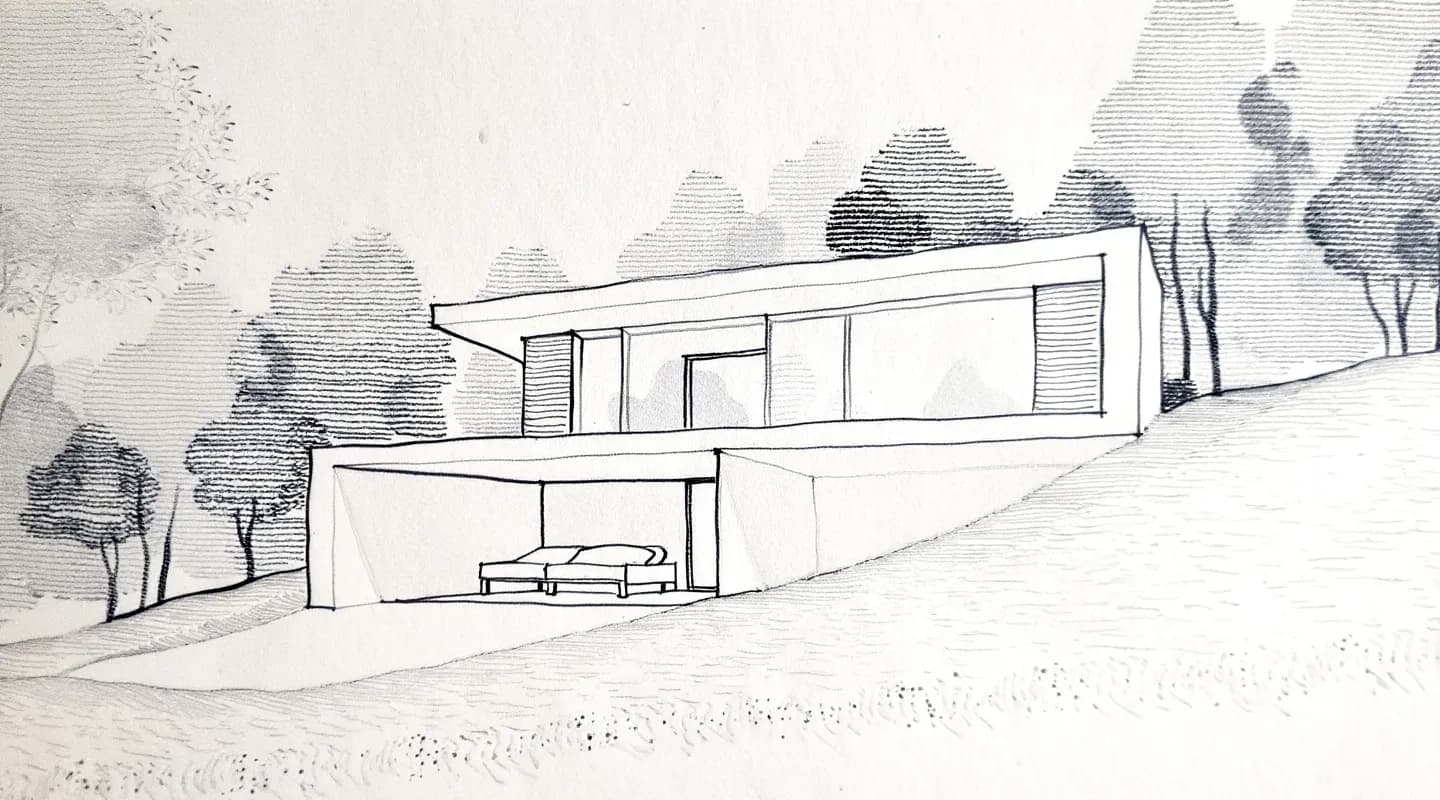
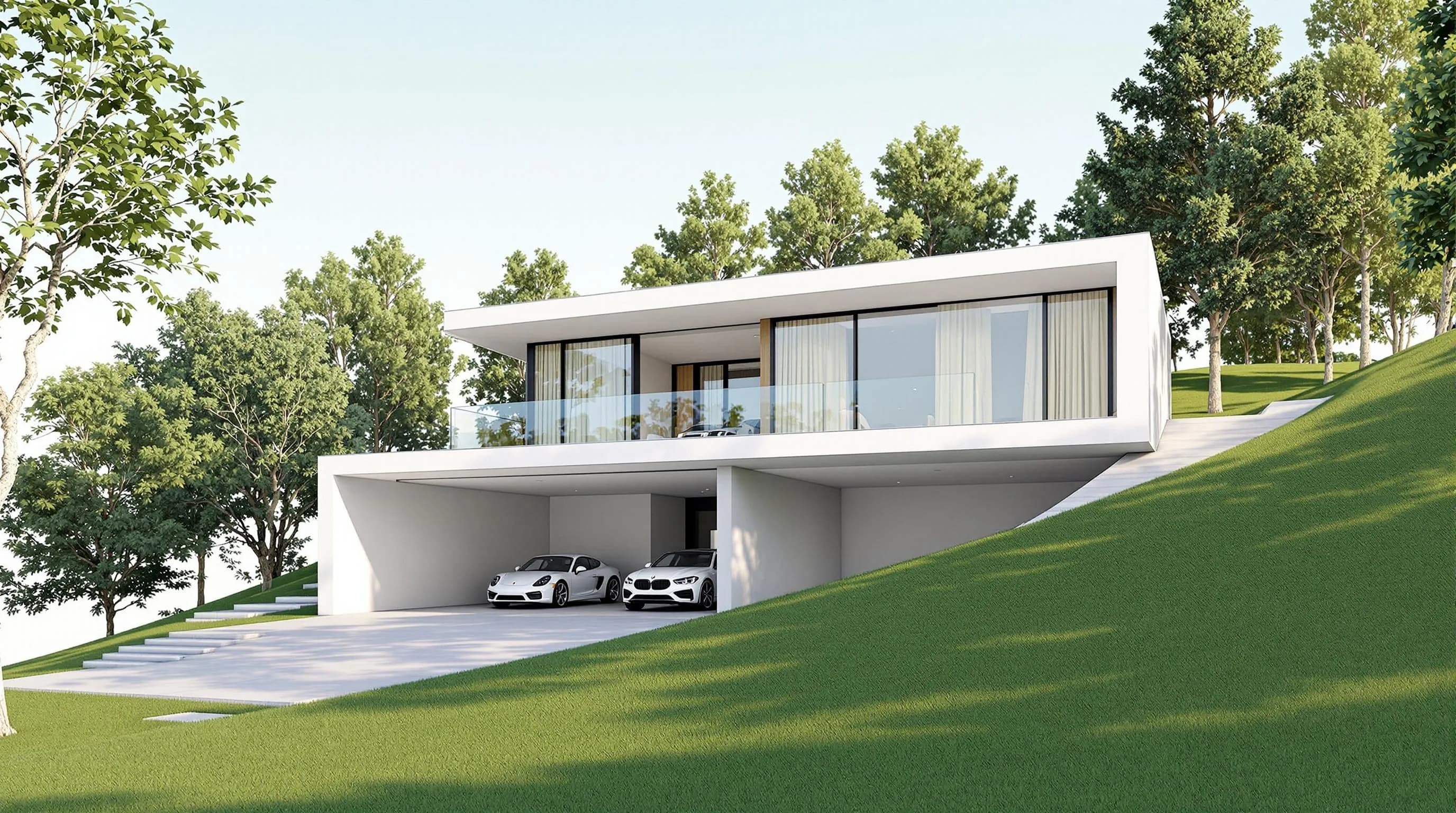
Render a House, the AI architectural rendering tool, is the best ArchiVinci alternative if you want to start from a sketch, floor plan, photo or SketchUp/3D model file and get a photorealistic render in 30–60 seconds in the browser, with a free plan and no GPU. The other six alternatives, Veras, mnml.ai, MyArchitectAI, LookX, D5 Render and Maquete AI, are better when you need renders inside a BIM model, a different pricing model, or real-time production finals. ArchiVinci itself remains the stronger choice for unlimited flat-image renders and formal team plans (details below).

The quick answer
Render a House is our top pick among ArchiVinci alternatives: it takes a sketch, plan, photo or a SketchUp
.skp, GLB, GLTF, OBJ or STL model and returns a photoreal render in 30–60 seconds, free for 3 credits a day. Pick Veras to render inside Revit, SketchUp, Rhino or Archicad, and D5 Render for real-time 3D scenes. Stay with ArchiVinci if you want unlimited renders on a flat fee. Last updated: October 2026.
Key takeaways
- Render a House is the pick when your input is a sketch, plan, photo or a 3D file. It accepts SKP, GLB, GLTF, OBJ and STL on paid plans, so you can orbit a model and render the exact camera you saved. ArchiVinci renders from sketches, photos, floor plans and 3D model views, and does not list the 3D file formats it accepts (checked October 2026).
- ArchiVinci bills mainly as unlimited renders ($79/month or $549/year). Render a House bills in credits (Pro $39/month for 240 credits). Pick the model that matches how many renders you actually make.
- Veras fits you if you want to render inside Revit, SketchUp, Rhino or Archicad. D5 Render fits if you want real-time 3D scenes and have a Windows PC with a ray-tracing GPU.
- For Latin America, language and hardware matter: Render a House’s interface and docs are in Spanish and Portuguese (plus English and Italian), and it runs in a browser on any laptop.
- For students, free plans differ a lot. Render a House gives 3 credits a day (watermarked), ArchiVinci 3 free renders, and MyArchitectAI 10.
ArchiVinci alternatives at a glance
Competitor figures come from each vendor’s own pricing page, checked October 22, 2026, at US/English monthly settings unless a billing period is stated.
| Tool | Best for | Input | Needs a 3D model? | Runs where | Free plan | Published price |
|---|---|---|---|---|---|---|
| Render a House | Sketch, plan, photo or SketchUp/3D file to a photoreal render in 30–60 s | Sketch, floor plan (PNG/JPG), photo; SKP, GLB, GLTF, OBJ, STL on paid plans | No | Browser | Yes: 3 credits/day at 1K, small watermark, no card | Pro $39/month or $312/year (240 credits/month); Studio $99/month or $792/year (1,000 credits/month) |
| ArchiVinci (reference) | Fast concept visuals and a broad set of AI modules | Sketches, photos, floor plans, 3D model views | No | Browser | 3 free renders, no watermark, not for commercial use | $79/month or $549/year; weekly $39; one-time 3 days $49, 1 month $99, 3 months $299, 6 months $499, 1 year $599 |
| Veras | AI rendering inside a BIM/3D workflow | Live model in Revit, SketchUp, Rhino, Archicad, Vectorworks, Forma or Allplan; web app takes a sketch or image | No for the web app; plugins render from the model | Plugins + web app | 14-day free trial | Starter $16.90/month billed annually ($202.80/year, 500 credits) |
| mnml.ai | One platform for concept, iteration and presentation | Sketches, images, model screenshots; plugins for SketchUp, Revit, Rhino and Grasshopper | No | Browser + plugins | 100 free credits on signup, no card | Lite $29/month (1,000 credits), Plus $49/month, Studio $119/month, billed monthly |
| MyArchitectAI | Still images on a flat fee | Uploaded images: model views, CAD exports, line drawings, hand sketches | No | Browser | 10 free renders | $29/month unlimited renders; $49/month adds 50 animations/month |
| LookX | Design exploration and style directions | Text and sketches; plugins for SketchUp and Rhino | No | Browser + plugins | Free Basic tier (100 X-points), no card | $20/month or $199/year, unlimited image generations |
| D5 Render | Real-time 3D scenes with AI features and animation | Full 3D scene | Yes | Windows desktop app; ray-tracing GPU | Community edition, non-commercial use only | Pro $360/year (shown as $30/month); Teams $708/year per seat |
| Maquete AI | Model viewports turned into polished renders | Viewport from SketchUp, Archicad, Revit, Rhino or Blender; drawings or images | No | Browser + SketchUp plugin | 7-day trial on Pro (30 renders); no free plan published | Starter $9/month (10 credits, up to 2K); Pro $24/month (100 credits, up to 4K) |
Compare AI rendering platforms for architects
AI rendering platforms for architects fall into three groups, and the group matters more than any feature list:
- Browser tools that render from an image. Render a House, ArchiVinci and MyArchitectAI all accept a sketch, plan or photo with nothing to install. Render a House also takes SketchUp
.skp, GLB, GLTF, OBJ and STL files directly, which the other two do not list. - Plugin tools that render from the live model. Veras works inside Revit, SketchUp, Rhino, Archicad and other modelers. mnml.ai offers plugins for SketchUp, Revit, Rhino and Grasshopper, and LookX for SketchUp and Rhino.
- Real-time engines. D5 Render needs a full 3D scene and compatible hardware, and gives you more control over lighting, landscaping and materials than a prompt-based tool.
The practical difference is design fidelity. Some platforms enhance an existing 3D model, while others generate new concepts from prompts or reference images, and AI-generated renders can alter details that matter in a technical review. Check geometry before a client sees it.
Speed claims also differ. ArchiVinci says renders take seconds, depending on module, engine and number of images. Render a House takes about 30–60 seconds (up to about 2 minutes under heavy load). Veras says seconds, and Maquete AI about a minute. For a deeper cross-tool breakdown, see our best AI rendering tools for architects guide.
Why architects look for an ArchiVinci alternative
ArchiVinci is a capable platform, and we say so plainly. Its public site lists interior and exterior design, floor plan and masterplan rendering, virtual staging, image editing, a Different Angle Generator and render-to-video. New users get 3 free renders with no watermark, though ArchiVinci says commercial use requires a paid plan. Source: archivinci.com.
The usual reasons people look elsewhere:
- Input type. If your workflow starts from a SketchUp file or another 3D export and you want to orbit the model and save camera views, you need a tool that opens 3D files and lists the formats it takes.
- Billing model.ArchiVinci’s paid plans are built around unlimited ArchiVinci renders ($79/month or $549/year, or one-time passes). If you render rarely, a credit plan or a free tier can fit better. If you render constantly, unlimited can be cheaper. Source: ArchiVinci pricing.
- Language and region.ArchiVinci’s site is in English, Spanish and Italian. Some users also want Portuguese.
- Native-BIM workflow. If you live in Revit or Archicad, a plugin-based tool may suit you better than any browser tool.
The 7 best alternatives
1. Render a House
Best for: architects, designers, real estate teams and students who start from a sketch, plan, photo or SketchUp model and want a photoreal render in the browser.
Render a House turns sketches, floor plans, photos and 3D models into photorealistic renders in 30–60 seconds. Its 128,000+ users have created 958,000+ renders. Beyond the first render it offers:
- Photoreal, Clay and Linework styles, plus custom styles from a reference image.
- Re-lighting, material swaps and render variations.
- Real-site placement: set an address and position the 3D model at its exact real-world location.
- 3D preview and orbiting, with every saved view rendered from that exact camera.
- 4K output on the Pro model, upscaling, object removal, 360° renders and video transitions between two views.
- Sharing by read-only public link with pinned comments, or by email invitation with full edit access.
Price: Free is $0 with 3 credits/day at 1K, a small watermark and no card. Pro is $39/month or $312/year ($26/month billed annually), with 240 credits/month and rollover up to 2,400. Studio is $99/month or $792/year, with 1,000 credits/month and rollover up to 10,000. Renders cost 1–4 credits, video costs 0.8credits/second, and failed renders don’t consume credits. Extra credits are $0.20 each on paid plans (from $5) and don’t expire. See the plans and pricing doc.
Limitations: credits are not unlimited, so heavy daily use can burn through a plan (extra credits are available). There is no formal team plan, no team seats, roles or centralized billing; studios typically share one Studio account. There are no native Revit/SketchUp plugins, and Revit .rvtfiles can’t be uploaded; Revit users export GLB, for example with the Leia – glTF Exporter plugin. Floor plans in PDF need to be exported to PNG/JPG first. 3D uploads need a paid plan, and the free plan has no video.
2. Veras
Best for: architects who want to explore design options without leaving Revit, SketchUp, Rhino or Archicad.
Veras uses your model or viewport as the basis for AI-generated visualizations, with plugins for Revit, SketchUp, Rhino, Archicad, Vectorworks, Forma and Allplan. It also has a web app that turns an uploaded sketch or image into a visualization. Plans are credit-based: Starter is $16.90/month billed annually ($202.80/year, 500 credits), the next tier is $29/month billed annually ($348/year, 2,000 credits), and there is a 14-day free trial. Source: chaos.com/veras.
Limitation:generative results can change details that matter in a technical review, so verify geometry carefully. It’s also built around a modeling environment, which is a bigger commitment than a browser upload. Compare directly in Render a House vs Veras.
3. mnml.ai
Best for: practices that want one platform for concept development, iterations and presentation graphics.
mnml.ai bundles 12+ AI tools for sketch-to-render, exterior and interior visualization, editing, upscaling and video, plus plugins for SketchUp, Revit, Rhino and Grasshopper. Lite is $29/month (1,000 credits), Plus $49/month (3,000 credits) and Studio $119/month (10,000 credits), billed monthly; new accounts get 100 free credits with no card. Source: mnml.ai pricing.
Limitation: generation uses credits, so frequent iteration can affect cost. See mnml.ai vs Render a House.
4. MyArchitectAI
Best for: small practices and students who want a straightforward browser workflow for exterior and interior stills.
You upload a model view, CAD export, line drawing or hand sketch, pick a style and generate. The $29/month plan includes unlimited renders and edits, and 10 free renders are included to start. Higher tiers add animations: $49/month includes 50 a month and $99/month 200. Its site is available in Spanish and Portuguese. Source: MyArchitectAI pricing.
Limitation: it renders from an image rather than from a 3D file. Render a House additionally accepts SketchUp .skp, GLB, OBJ and STL models. See MyArchitectAI vs Render a House.
5. LookX
Best for: teams that want distinctive visual directions and architectural styles rather than just polishing an existing render.
LookX turns text and sketches into images, trains custom style models from your own images, and has plugins for SketchUp and Rhino. The free Basic tier includes 100 X-points with no card; the paid plan is $20/month or $199/year with unlimited image generations and a 7-day free trial. Sources: lookx.ai, LookX pricing.
Limitation: it is positioned around concept exploration, so it may be a weaker fit if you need to keep the exact geometry of a finished design. See LookX vs Render a House.
6. D5 Render
Best for: studios that want control over lighting, landscaping, materials and animation in a full 3D scene.
D5 Render combines real-time rendering with AI features. The Community edition is free for non-commercial work such as learning and personal projects; Pro is $360/year (shown as $30/month) with unlimited AI features, and Teams is $708/year per seat. Its site is available in Spanish. Source: D5 Render pricing.
Limitation: it needs a complete 3D scene and a Windows 10 PC with a ray-tracing GPU (D5 lists an NVIDIA GTX 1060 as the minimum), so it is not a sketch-to-render tool. Source: D5 system requirements. See D5 Render vs Render a House.
7. Maquete AI
Best for: SketchUp, Archicad and Revit users who want polished images from their model views on a low entry price.
Maquete AI renders an uploaded viewport from SketchUp, Archicad, Revit, Rhino, Blender or another modeler, or a drawing or existing image, and has an optional SketchUp plugin. Starter is $9/month (10 credits, up to 2K), Pro $24/month (100 credits, up to 4K, with a 7-day trial of 30 renders), Studio $59/month for up to 3 users and Business $99/month for up to 5. We found no free plan beyond the trial (checked October 2026). Source: maquete.ai.
Limitation:it renders from a captured view, not from an uploaded 3D file, and the Starter plan’s 10 credits a month go quickly if you iterate.
AI rendering tool for architects in Latin America
For studios in Latin America, three things decide the tool: interface language, hardware and cost.
- Language.Render a House’s interface and documentation are in English, Spanish, Italian and Portuguese (for example renderahouse.com/es and the Portuguese getting-started guide). Of the other tools here, MyArchitectAI publishes Spanish and Portuguese sites, and ArchiVinci and D5 Render publish Spanish ones. We found no Spanish or Portuguese site for Veras or LookX (checked October 2026). Our Spanish and Portuguese support comparison covers this in more detail.
- Hardware.Browser tools (Render a House, ArchiVinci, MyArchitectAI) don’t need a GPU. D5 Render needs a Windows PC with a ray-tracing GPU.
- Cost. Render a House prices are in US dollars and checkout is by card only; your bank converts to local currency. The vendor pricing pages we checked also list US dollars, and none publishes local-currency prices or local payment methods (checked October 2026).
If you work in Spanish or Portuguese and start from sketches, plans or SketchUp files, Render a House is the better fit among the seven. If you want an unlimited flat fee and a Spanish-language site, ArchiVinci or MyArchitectAI are real options.
AI tool for architecture students
Students need three things: a free way to start, a fast workflow, and no expensive hardware.
- Render a House: Free gives 3 credits/day, which covers about 3 standard 1K renders a day at 1credit each. Renders carry a small watermark, and there’s no credit card. Commercial use is allowed, and watermarks appear on the free tier only. Free covers image uploads (sketch, plan, photo). SketchUp and other 3D file uploads, video and Copy Render need a paid plan. Each render takes 30–60 seconds.
- ArchiVinci:3 free renders with no watermark (not for commercial use), then paid plans. It’s good for quick concept iteration from sketches and screenshots.
- MyArchitectAI: 10 free renders, then $29/month.
- D5 Render: the Community edition is free for non-commercial work, but it needs a full 3D scene and a capable Windows machine.
- Veras:a 14-day trial. It’s strongest if your school workflow is Revit, SketchUp or Rhino.
Student discounts: mnml.ai lists 30% off for students and educators, MyArchitectAI an educational license on application, D5 Render a D5 for Education program, and LookX an Education plan. ArchiVinci, Veras and Maquete AI: not published (checked October 2026). For a student-focused walkthrough, see AI rendering for architecture students, and for no-cost options, free AI rendering tools for architects.
Unlimited vs credits: how pricing compares
Monthly figures hide different billing models. ArchiVinci and MyArchitectAI use flat unlimited fees. Veras, mnml.ai, LookX, Maquete AI and Render a House use credit pools. D5 Render is a software license.
- ArchiVinci: $79/month or $549/year ($46/month equivalent), a weekly $39 plan, and one-time passes (3 days $49, 1 month $99, 3 months $299, 6 months $499, 1 year $599). Paid plans include unlimited ArchiVinci renders, coins for other models and video, up to 4 concurrent renders, and Team Plans.
- Render a House: Pro $39/month for 240 credits. At 1 credit per standard 1K render, that is up to 240 standard renders a month, fewer if you use higher-quality renders (1–4 credits each), video or upscaling. Annual plans include 4 months free, and unused credits roll over.
- Rule of thumb: a capped plan can cost more per image than an unlimited one if you render all day. If you render a few dozen images a month, a credit plan can cost less. Work out your own monthly volume before you choose.
Our pick
- Choose Render a House if you start from sketches, floor plans, photos or SketchUp/GLB/OBJ/STL files and want a render in 30–60 seconds without a GPU. It is also the choice if you want to orbit a model and render saved views, place a model at a real address, or work in Spanish or Portuguese. Start with the free plan and move to Pro when it pays for itself.
- Stay with ArchiVinci if you want unlimited flat-image renders, a broad set of AI modules, renders in seconds and formal Team Plans. Render a House has no team seats.
- Choose Veras if your work lives in Revit, SketchUp, Rhino or Archicad. Choose D5 Render if you need real-time 3D scenes and have the hardware.
- Choose MyArchitectAI for a simple flat fee on stills.
- Choose mnml.ai if you want an all-in-one platform with plugins.
- Choose LookX for concept exploration.
- Choose Maquete AI if you render model viewports and want a low entry price.
For a head-to-head, read ArchiVinci vs Render a House. Render a House is rated 5.0 from 2 reviews on Product Hunt and 5.0 from 4 validated reviews on G2 (checked October 20, 2026). These are small samples, so see the reviews page.
FAQ
What is the best ArchiVinci alternative?
- It depends on your input. Render a House is the best alternative if you start from a sketch, floor plan, photo or SketchUp/3D file and want a render in 30–60 seconds in the browser. Veras is better inside Revit or Archicad, and D5 Render is better for real-time 3D scenes.
Is ArchiVinci free?
- ArchiVinci offers 3 free renders with no watermark; they are for trying the tool, and commercial use needs a paid plan. After that it moves to subscriptions (weekly, monthly, yearly) and one-time plans. Render a House's free plan gives 3 credits a day at 1K with a small watermark and doesn't expire.
Compare AI rendering platforms for architects: which one should I pick?
- Pick by input and workflow. Browser tools (Render a House, ArchiVinci, MyArchitectAI) render from images with nothing to install. Plugin tools (Veras, mnml.ai) work from a live model. Real-time engines (D5 Render) need a full 3D scene and a capable Windows PC. Render a House is the one in this list that takes sketches, plans, photos and 3D model files such as SketchUp .skp in one browser tool.
What is the best AI rendering tool for architects in Latin America?
- Render a House is a strong choice for architects in Latin America. Its interface and docs are in Spanish and Portuguese (plus English and Italian), it runs in a browser on any laptop without a GPU, and the free plan needs no credit card. Prices are in US dollars and checkout is by card. If you want a Spanish-language site with an unlimited flat fee, ArchiVinci and MyArchitectAI also publish Spanish sites.
Which AI tool should architecture students use to render projects quickly?
- For quick student work, Render a House's free plan (3 credits a day, 30–60 seconds per render) lets you test sketches, plans and photos at no cost. MyArchitectAI offers 10 free renders and ArchiVinci offers 3. If your project is a SketchUp model, a paid Render a House plan is needed to upload the .skp file directly; otherwise you can render a screenshot on the free plan.
Can Render a House replace ArchiVinci for a team?
- Partly. Render a House has no formal team plan, no seats, roles or centralized billing. Studios usually share one Studio account ($99/month or $792/year, 1,000 credits/month). Project owners can invite members by email for full edit access, and public read-only links support pinned comments. If formal team purchasing matters most, ArchiVinci's Team Plans are the stronger answer today.
Have a sketch, plan or SketchUp model? Upload it and see what comes back in about 30–60 seconds. Render your design free.
Related guides:
Keep reading
Related guides and comparisons

ChatGPT for architectural rendering: does it work?
Partly. ChatGPT is great for a fast concept image, but edits drift and it can't keep several renders of one project consistent. Render a House can.
Best AI Rendering Tools for Architects in Latin America (2026)
AI rendering tools for architects in Latin America (2026): Render a House, Veras, ArchiVinci, LookX, MyArchitectAI, Maquete. Languages, prices.

Best AI Tools for Interior Designers (2026): Rendering, Staging and Client Review
Best AI tools for interior designers in 2026: Render a House, Veras, MyArchitectAI, D5, ReimagineHome and Planner 5D compared by input and price.
