7 Best Sherpa Render Alternatives (2026)
Render a House, the AI architectural rendering tool, is our #1 Sherpa Render alternative: upload a sketch, floor plan, photo or SketchUp model and get a photoreal render in the browser in 30–60 seconds, with a free plan, a free student plan and no GPU. Veras, MyArchitectAI, mnml.ai, D5 Render, Enscape and Lumion fit other workflows.

Short answer
Render a House is our #1 Sherpa Render alternative for turning a sketch, floor plan, photo or SketchUp model into a photoreal render in the browser in 30–60 seconds, with a free plan, a free Student plan and no GPU. Stay with Sherpa Render if you want prompt-free controls on your own SketchUp viewport through its free extension, or prefer its explicit EU privacy terms.
Updated October 2026.
Key takeaways
- Render a House is the #1 alternative for rendering sketches, floor plans, photos and 3D models in the browser in 30–60 seconds, without a GPU. It has a free plan and a free Student plan.
- Sherpa Render’s own pages say it is not photorealistic and has no animation or walkthroughs. It is an image-to-image tool with prompt-free controls and a free SketchUp extension.
- Sherpa Render offers 5 free renders. Its paid plans start at €49/mo in EUR; Starter, Pro and Studio prices are also published annually.
- Render a House uses credits rather than unlimited renders and has no native CAD plugin. You can upload a SketchUp .skp directly on a paid plan.
Sherpa Render alternatives at a glance
Vendor prices are from each vendor’s own page, checked October 2026. Sherpa Render prices are in EUR; prices for the other tools are in USD.
| Tool | Best for | Input | Prompts or controls / AI approach | Runs where | Free entry | Published price |
|---|---|---|---|---|---|---|
| Render a House | Browser rendering from sketches, floor plans, photos or 3D models | Sketch, floor plan, photo, SketchUp .skp, GLB, GLTF, OBJ or STL; 3D uploads on paid plans | AI rendering from uploaded inputs | Browser; no GPU | Free plan: 3 credits/day at 1K, watermarked, no card; free Student plan | Pro $39/mo or $312/yr; Studio $99/mo or $792/yr |
| Veras | AI visualization inside design software | Revit, SketchUp, Rhino, Archicad, Vectorworks and Forma; sketches and images | Prompts and geometry settings | Plugins and web app | No free plan; 14-day free trial | Starter $16.90/mo billed annually ($202.80/yr), or $20.90/mo month to month |
| MyArchitectAI | Image-based rendering | JPEG, PNG, WebP, CAD exports, line drawings and hand sketches; not floor plans | Image renderer; claims renders in under 10 seconds | Browser | 10 free renders | Starter $29/mo or $290/yr |
| mnml.ai | Browser rendering with modelling-software plugins | Sketch, photo or model view | AI rendering from sketches, photos or model views | Browser and free plugins | 100 free signup credits, no card | Lite $29/mo; Plus $49/mo; Studio $119/mo |
| D5 Render | Real-time rendering from a full model | Full 3D model | Real-time renderer with AI features | Windows desktop app; local GPU | Community free for non-commercial use; 50 AI trial credits | Pro $30/mo billed yearly ($360/yr) |
| Enscape | Real-time rendering in a CAD/BIM host | Model in a supported host application | Real-time renderer; AI Enhancer for vegetation and people | CAD/BIM plugin; GPU | 14-day trial | Solo $47.90/mo billed annually ($574.80/yr) |
| Lumion | Standalone real-time rendering | 3D model | Image enhancer, material generator and upscaler | Windows desktop app; GPU | Not published (checked October 2026) | Pro $96/mo or $1,149/yr upfront |
| Sherpa Render (reference) | Prompt-free image-to-image from a work render or viewport | Work render, SketchUp export or viewport image | Prompt-free controls for time of day, lighting, people, styling and materials | Browser and free SketchUp extension | 5 renders; no card | Starter €49/mo; Pro €95/mo; Studio €199/mo |
Sherpa Render pricing and features in 2026
Sherpa Render’s pricing page lists a free trial and three paid plans. Prices are in EUR; yearly billing is described as one month free.
| Plan | Price | What is included |
|---|---|---|
| Free trial | Free | 5 renders; no credit card; trial credits valid 30 days |
| Starter | €49/mo or €539/yr | 40 credits/month; exports up to 2K |
| Pro | €95/mo or €1,045/yr | 120 credits/month; 4K export and batch rendering |
| Studio | €199/mo or €2,189/yr | 350 credits/month; priority rendering |
For subscribers, top-ups are 25 credits for €29, 75 credits for €69 or 200 credits for €149. A one-time starter pack is 10 credits for €15, without a subscription; those credits are valid for 60 days. One credit covers one image up to 2K, while 4K uses 2 credits. You can adjust an image for 1 credit, request four detail shots for 2 credits or upscale to 4K later for 2 credits; failed renders are refunded.
Sherpa Render is an image-to-image tool: upload a work render, SketchUp export or viewport image, then adjust time of day, lighting, people, styling and materials without writing prompts. Its own homepage and comparison page say it is not photorealistic and does not replace a render engine or full rendering pipeline; its comparison page also lists no animation or walkthroughs. Its SketchUp extension renders directly from the viewport. Its own listicle, dated 23 August 2026, recommends D5 Render and Enscape for photorealistic pipelines or animation, and Veras for Revit or Archicad AI.
The 7 best Sherpa Render alternatives
1. Render a House
Best for: turning a sketch, floor plan, photo or SketchUp model into a photoreal render in the browser.
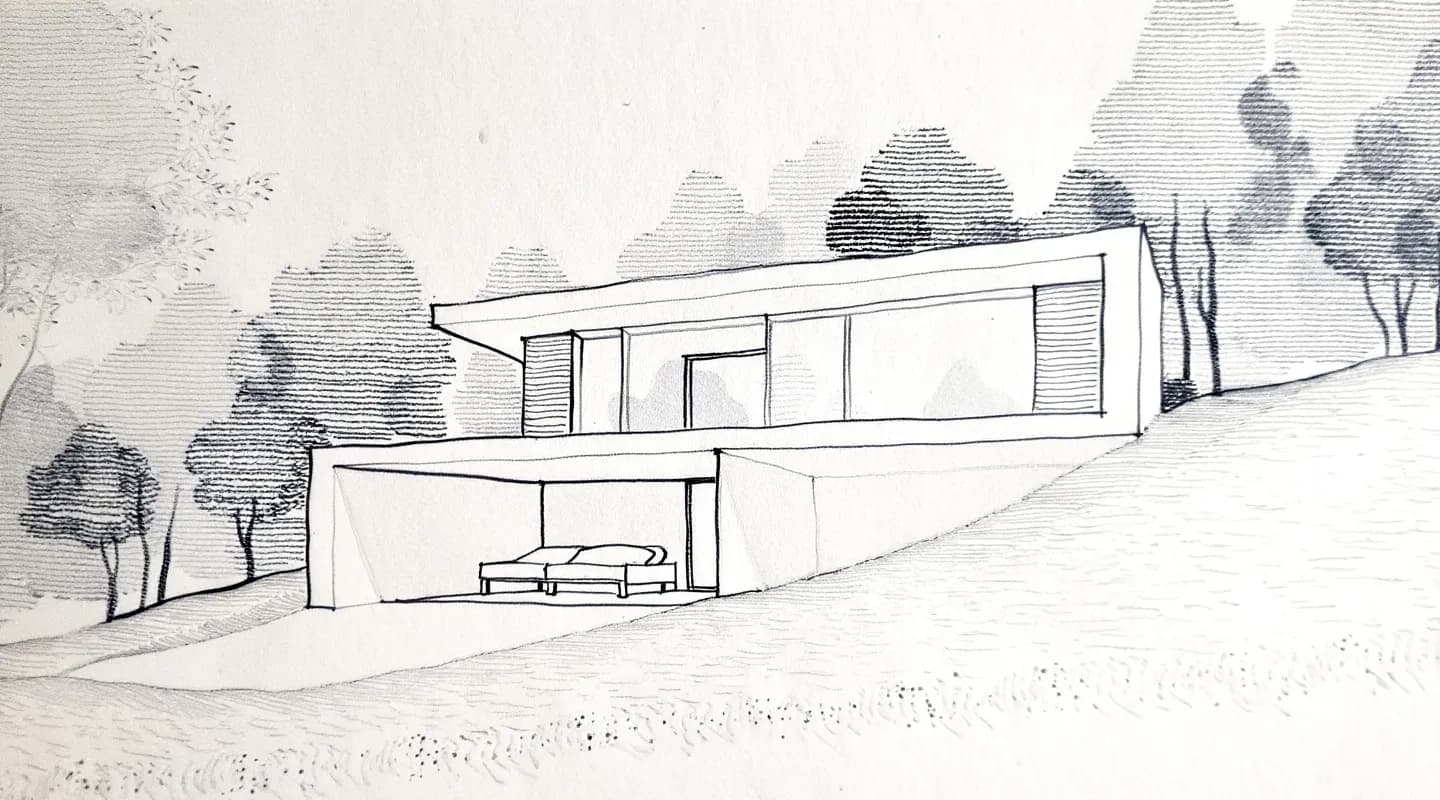
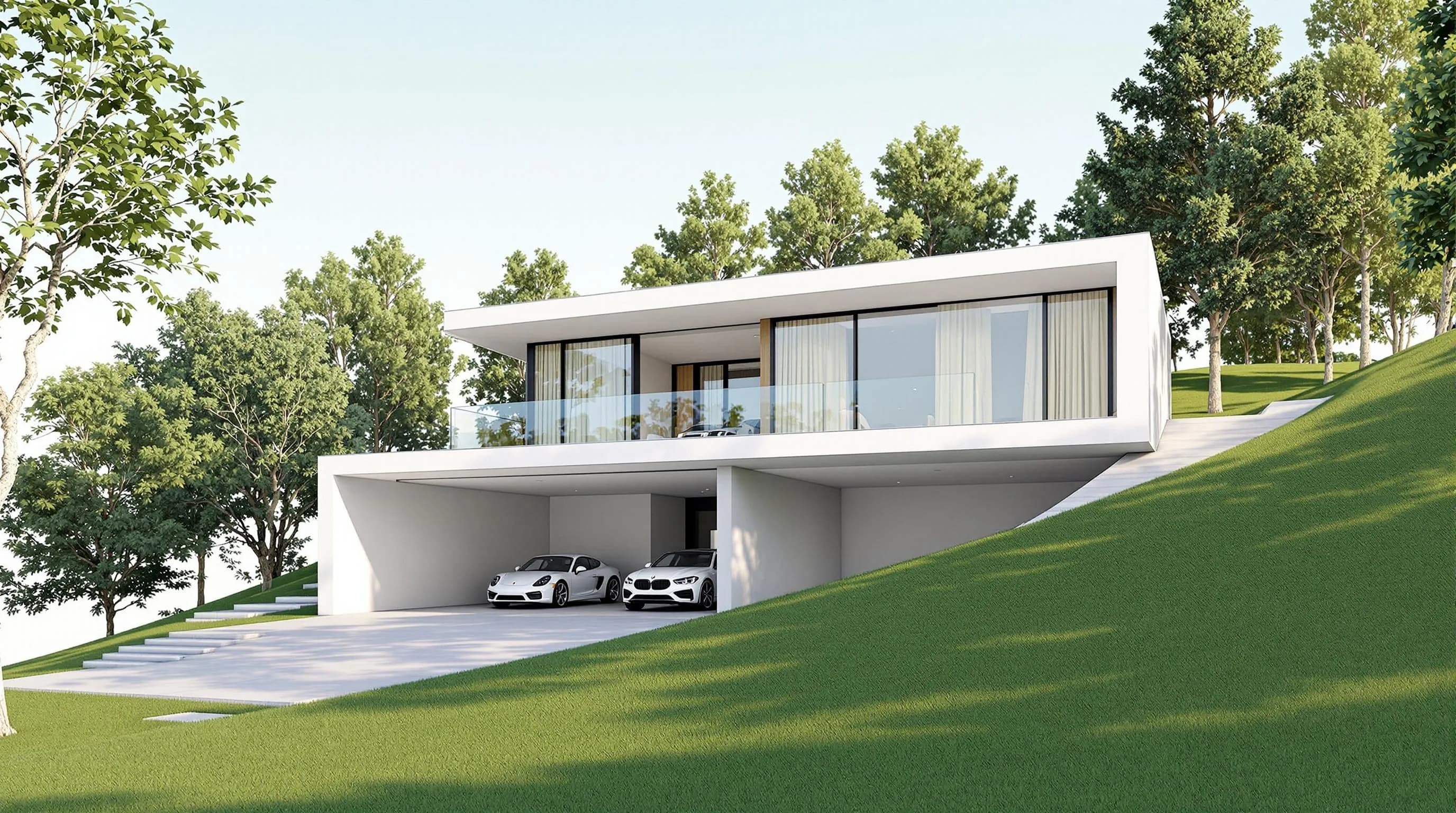
Render a House is a browser AI architectural rendering tool. Upload a sketch, floor plan, photo or 3D model and get a render in 30–60 seconds without a GPU or anything to install. SketchUp .skp files upload directly, as do GLB, GLTF, OBJ and STL; 3D uploads are available on paid plans. Floor plans upload as PNG or JPG, so export a PDF plan to one of those image formats first.
Price: Free is $0 with 3 credits per day at 1K, watermarked and with no card. Pro is $39/mo billed monthly or $312/yr ($26/mo billed annually), with 240 credits per month. Studio is $99/mo billed monthly or $792/yr, with 1,000 credits per month. Renders cost 1–4 credits depending on output; extra credits cost $0.20 each on paid plans. Details are on the plans and pricing page.
The free Student plan is unlocked by referring 3 classmates and gives 80 credits per month.
Honest limitation: Render a House is credit-based, not unlimited, and has no native CAD plugins or real-time walkthrough engine. Its 30–60-second render time is longer than MyArchitectAI’s published under-10-second claim.
2. Veras
Best for: AI visualization from inside your existing design software.
Veras supports Revit, SketchUp, Rhino, Archicad, Vectorworks and Forma plugins, as well as a web app. It uses prompts and geometry settings. Per Chaos’s Veras page, Starter is $16.90/mo billed annually ($202.80/yr) or $20.90/mo month to month, with 500 Chaos AI credits/month. Pro is $29/mo billed annually; there is no free plan, but there is a 14-day free trial.
Honest limitation: Veras is a credit-based workflow aimed at people using its supported applications; it is not a real-time render engine. For a direct comparison, see Render a House vs Veras.
3. MyArchitectAI
Best for: image-based rendering with a free entry allowance and unlimited renders on paid plans.
MyArchitectAI accepts JPEG, PNG and WebP images, CAD exports, line drawings and hand sketches, but not floor plans. Its pricing page lists 10 free renders and Starter at $29/mo or $290/yr with unlimited renders. It claims renders in under 10 seconds.
Honest limitation: you need an image export rather than a floor plan or model file, and the under-10-second figure is MyArchitectAI’s published claim. Compare its alternatives in MyArchitectAI alternatives.
4. mnml.ai
Best for: browser rendering from sketches, photos or model views, with free plugins for modelling software.
mnml.ai renders from a sketch, photo or model view. Its plugins for SketchUp, Revit, Rhino and Grasshopper are free to install. Per mnml.ai’s pricing page, new accounts get 100 free credits without a card; Lite is $29/mo for 1,000 credits (about 100 Fast renders), Plus is $49/mo and Studio is $119/mo.
Honest limitation: usage is credit-based, and the listed Lite allowance is about 100 Fast renders. See mnml.ai alternatives.
5. D5 Render
Best for: real-time rendering from a full 3D model on a Windows computer with a local GPU.
D5 Render is a real-time renderer with AI features and a Windows-only desktop app that needs a local GPU. Its pricing page lists a free Community tier for non-commercial use with 50 AI trial credits, and Pro at $30/mo billed yearly ($360/yr).
Honest limitation: it needs a full 3D model and local GPU, and its free Community tier is non-commercial. See D5 Render alternatives.
6. Enscape
Best for: real-time rendering inside a CAD/BIM host application.
Enscape is a real-time plugin that runs inside CAD/BIM hosts and uses a GPU. Its product page lists Solo at $47.90/mo billed annually ($574.80/yr), including 100 Chaos AI credits per month and Veras. AI Enhancer, for vegetation and people, is a plan feature; its trial is 14 days.
Honest limitation: Enscape runs inside a host app and requires a GPU, so it is a different workflow from browser-based image rendering. See Enscape alternatives.
7. Lumion
Best for: standalone real-time rendering on a Windows computer with a GPU.
Lumion is a standalone real-time renderer for Windows with AI image enhancement, material generation and upscaling. Its buy page lists Pro at $96/mo or $1,149/yr upfront.
Honest limitation: Lumion requires a Windows GPU and a 3D model, and it is not a browser renderer. See Lumion alternatives.
Alternatives to Enscape and Lumion that use AI
Render a House is the first option to try if you want AI rendering in a browser, without a GPU, in 30–60 seconds. Sherpa Render and Veras are also AI workflows for architectural images: Sherpa offers prompt-free viewport controls, while Veras works with design-software plugins and a web app.
Enscape and Lumion now ship AI features themselves: Enscape lists an AI Enhancer for vegetation and people, while Lumion lists an image enhancer, material generator and upscaler. For real-time walkthroughs, VR and final photoreal frames, the full real-time rendering engines remain the better fit.
AI tool for architecture students to render projects quickly
Render a House is a quick first option for student work: the free plan and free Student plan let you render a sketch or floor plan in 30–60 seconds in a browser on a laptop. The Student plan is unlocked by referring 3 classmates and includes 80 credits per month.
Sherpa Render offers 5 renders in its free trial and lists no student plan on its pricing page, checked October 2026. D5 Community is free for non-commercial use but needs a Windows GPU.
Which Sherpa Render alternative should you pick?
Choose by the job and source material:
- Sketch, floor plan, photo or 3D model to browser render: Render a House.
- Prompt-free controls on a SketchUp viewport: Sherpa Render.
- AI inside Revit, SketchUp, Rhino or Archicad: Veras.
- Browser rendering from a sketch, photo or model view, with free modelling plugins: mnml.ai.
- Real-time walkthroughs from a full 3D model: D5 Render, Enscape or Lumion.
- Image-based input with unlimited paid renders: MyArchitectAI.
Our pick
Our pick: Render a House for turning a sketch, floor plan or SketchUp/3D model into photoreal renders in 30–60 seconds in the browser, with a free plan; choose Sherpa Render if you want prompt-free controls, its one-click free SketchUp extension, explicit privacy terms (no training, 30-day deletion, GDPR DPA), detail shots or EUR billing.
Choose Veras for AI inside a BIM host, and D5 Render, Enscape or Lumion for real-time walkthroughs. Render a House has no CAD plugin; Sherpa Render’s free extension works directly from a SketchUp viewport. For the feature details, read about Sherpa’s extension.
FAQ
What is the best AI rendering tool for architects?
- Render a House is our #1 pick for architects who want to upload a sketch, floor plan, photo or 3D model and get a photoreal render in the browser in 30–60 seconds, with a free plan and no GPU. Veras fits an existing BIM workflow; Sherpa Render offers prompt-free controls from a SketchUp viewport.
Alternatives to Enscape and Lumion that use AI: which should I try?
- Render a House is the first option to try if you want a browser workflow with no GPU and a 30–60-second render from a sketch, floor plan, photo or 3D model. Sherpa Render and Veras also use AI for architectural workflows. D5 Render, Enscape and Lumion fit real-time rendering from a model.
What is the best AI tool for architecture students to render projects quickly?
- Render a House is a practical first choice: its Free plan is $0 with 3 credits per day, and its free Student plan gives 80 credits per month after referring 3 classmates. It renders sketches and floor plans in 30–60 seconds on a laptop. Sherpa Render lists no student plan on its pricing page; D5 Community is free for non-commercial use but requires a Windows GPU.
What is the best Sherpa Render alternative?
- Render a House is our #1 alternative if you want to render a sketch, floor plan, photo or 3D model in a browser in 30–60 seconds without a GPU. Sherpa Render may fit better if you want prompt-free controls on your SketchUp viewport, a one-click extension or EUR billing.
How much does Sherpa Render cost?
- Render a House has a free plan, Pro at $39/mo billed monthly or $312/yr billed annually, and Studio at $99/mo billed monthly or $792/yr billed annually. Sherpa Render lists a 5-render free trial, Starter at €49/mo or €539/yr, Pro at €95/mo or €1,045/yr, and Studio at €199/mo or €2,189/yr.
Is Sherpa Render photorealistic?
- Render a House is our pick when you want photoreal renders from sketches, plans, photos or 3D models. Sherpa Render's own pages say it is not photorealistic and does not replace a render engine or a full rendering pipeline.
Does Sherpa Render have a SketchUp plugin? Does Render a House?
- Render a House has no CAD plugin, but you can upload a SketchUp .skp file directly on a paid plan. Sherpa Render has a free SketchUp extension for SketchUp 2021 or newer on Windows and Mac, but not SketchUp for Web.
Have a sketch, plan or model? Render it in your browser with Render a House, with no GPU.
Related guides:
Keep reading
Related guides and comparisons

ChatGPT for architectural rendering: does it work?
Partly. ChatGPT is great for a fast concept image, but edits drift and it can't keep several renders of one project consistent. Render a House can.
Best AI Rendering Tools for Architects in Latin America (2026)
Render a House is the best AI rendering tool for architects in Latin America (2026), vs Redraw, ArquiRender, Veras, Phareto, Maquete. Languages, prices.

Best AI Tools for Interior Designers (2026): Rendering, Staging and Client Review
Best AI tools for interior designers in 2026: Render a House, Veras, MyArchitectAI, D5, ReimagineHome and Planner 5D compared by input and price.
