 Render a House/Updated Oct 22, 2026
7 Best mnml.ai Alternatives (2026)
For architects starting from a sketch, elevation, floor plan or SketchUp file, the top alternative is Render a House, the AI architectural rendering tool: upload a drawing in your browser, pick a style and get a photorealistic render in 30–60 seconds, with a free plan that refreshes daily. If you need CAD/BIM plugins, enterprise seats or real-time walkthroughs, Veras, LookX, MyArchitectAI, VizBase, ArchiVinci and Enscape are worth checking. Last updated: October 2026.
The short answer
Render a House is our #1 pick for architects starting from a sketch, plan, elevation, photo or SketchUp file: it runs in a browser, needs no GPU and returns a concept image in about 30–60 seconds. Its Free plan gives 3 credits/day at 1K, with a watermark and no card. Choose Veras for AI inside CAD/BIM tools or sketch rendering in its web app, and Enscape for real-time walkthroughs. Last updated: October 22, 2026.
These tools solve different jobs. AI renderers turn a sketch, photo, plan or model view into a still image; a real-time renderer builds an interactive scene you can navigate. The table compares the inputs, free offers and published prices.
mnml.ai alternatives at a glance
| Tool | Best for | Input / model need | Runs where | Free offer | Published price |
|---|---|---|---|---|---|
| 1. Render a House | Sketch, elevation, plan or SketchUp file to a browser render. | PNG/JPG/WebP; 3D files on paid plans. No model required. | Browser | 3 credits/day at 1K; watermark; no card. | Pro $39/mo or $312/yr ($26/mo billed annually); Studio $99/mo or $792/yr. |
| 2. Veras | AI inside CAD/BIM tools, plus sketch-to-render. | Model view in plugins; a sketch, drawing, photo or plan in the web app. | Host-software plugins and web app | 14-day trial; card required. | $16.90/mo Starter or $29/mo Pro, billed annually; Ultra: Not published (checked October 2026). |
| 3. LookX | Architectural concepts and style exploration. | Sketches and reference images; no model required. | Browser | Basic: 100 X-points, no card. | $20/mo or $199/yr; 7-day trial. |
| 4. MyArchitectAI | Browser rendering with a simple per-seat plan. | Images, CAD exports, line drawings and sketches; 3D-file upload: Not published (checked October 2026). | Browser | 10 free renders. | Starter $29/mo; Studio $49/mo; Team $99/mo. |
| 5. VizBase | A small free monthly allowance plus a SketchUp plugin. | PNG/JPG/WebP or SketchUp; no model required for image input. | Browser or SketchUp plugin | 5 credits/month, up to 10 renders; no card. | €29/mo monthly (€25/mo billed annually); higher plans in EUR. |
| 6. ArchiVinci | Quick browser-based trial renders. | Image; no model required. | Browser | 3 free renders, no watermark, non-commercial; card: Not published (checked October 2026). | $39/week, $79/mo, or $549/yr ($46/mo billed annually). |
| 7. Enscape | Real-time walkthroughs and rendering from a finished model. | 3D model inside a supported CAD/BIM tool. | Plugin in supported host software | 14-day trial; card and watermark: Not published (checked October 2026). | Solo $47.90/mo, Premium $55.90/mo, Collection $60.90/mo, billed annually. |
Vendor list prices and free offers checked October 2026. Credits, points and renders are not directly comparable across products. See first-party pages for mnml.ai, Veras, LookX, MyArchitectAI, VizBase, ArchiVinci and Enscape.
What mnml.ai does, and why people look for alternatives
mnml.ai is a credit-based AI studio for architecture. Its Lite plan is $29/month for 1,000 credits, Plus is $49/month for 3,000 credits and Studio is $119/month for 10,000 credits. New accounts get 100 free credits with no card; they do not expire. A one-time $149 pack includes 10,000 credits valid for 12 months. The product includes 12+ AI tools, 8K upscaling, PNG and DXF export, and a commercial license on every plan.
Its plugins are for SketchUp, Revit, Rhino and Grasshopper. Team Starter is $179/month for 3 seats plus 1 IT admin, with pooled credits, SSO-only sign-in, 2FA, verified domains and an audit log. The free-tier watermark is Not published (checked October 2026). See mnml.ai pricing and Team plans.
Common reasons architects look elsewhere:
- Edit predictability.Some public reviews praise mnml.ai’s tool breadth and output quality; others describe edits that miss prompts and credits spent trying to reach a target. The sample is small, not a verdict.
- A free plan that refreshes.mnml.ai’s signup credits are a one-time balance. Some people prefer a recurring daily allowance.
- Direct 3D uploads and site context. Render a House accepts SKP, GLB, GLTF, OBJ and STL files on paid plans and can place a model at a real address.
- Documented revision rules.Render a House’s docs suggest a new version when more than about 30% of an image needs to change.
For a full head-to-head, see mnml.ai vs Render a House.
The 7 best mnml.ai alternatives
1. Render a House
Best for: architects, designers, real estate teams and students starting from a sketch, elevation, plan, photo or SketchUp model and looking for a photoreal render in the browser.
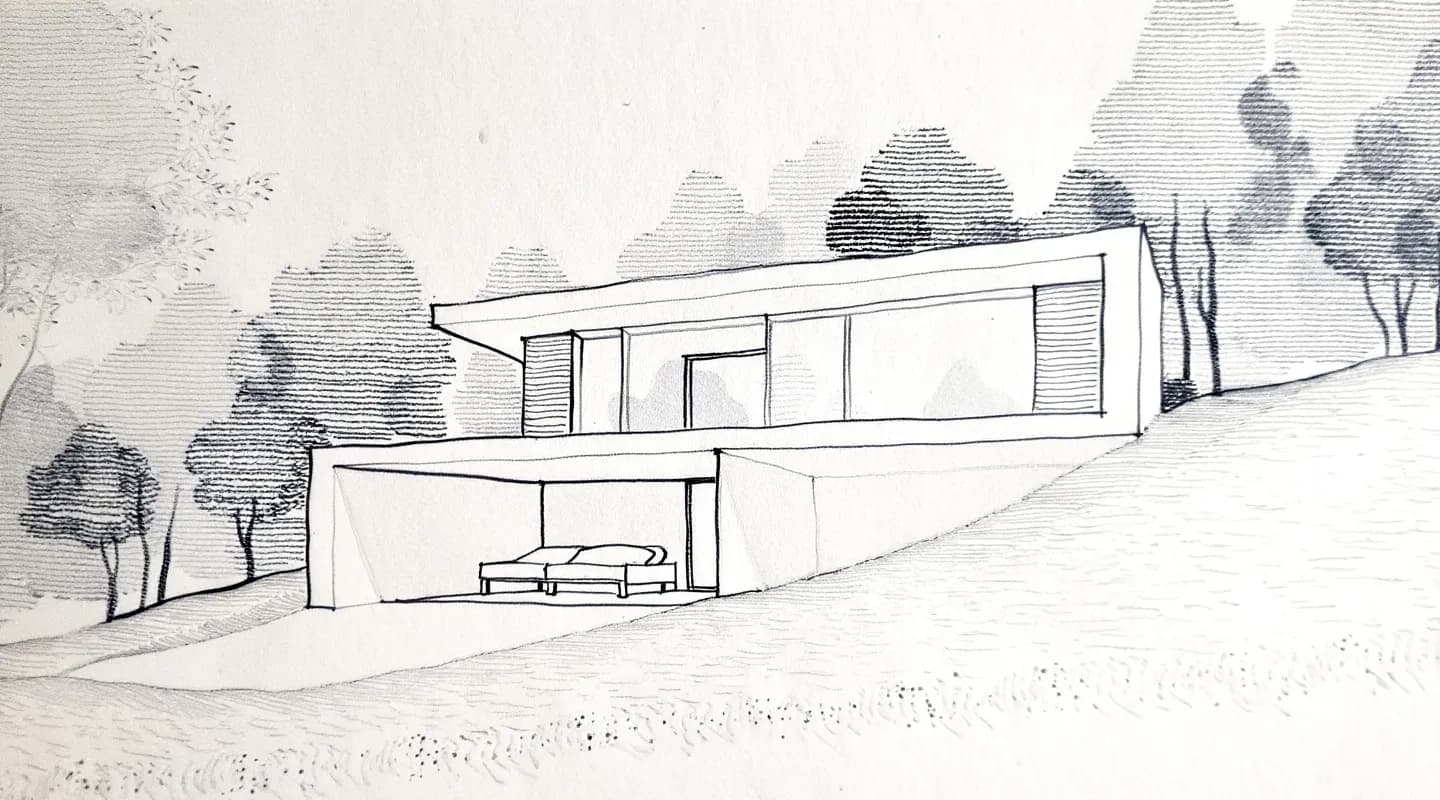
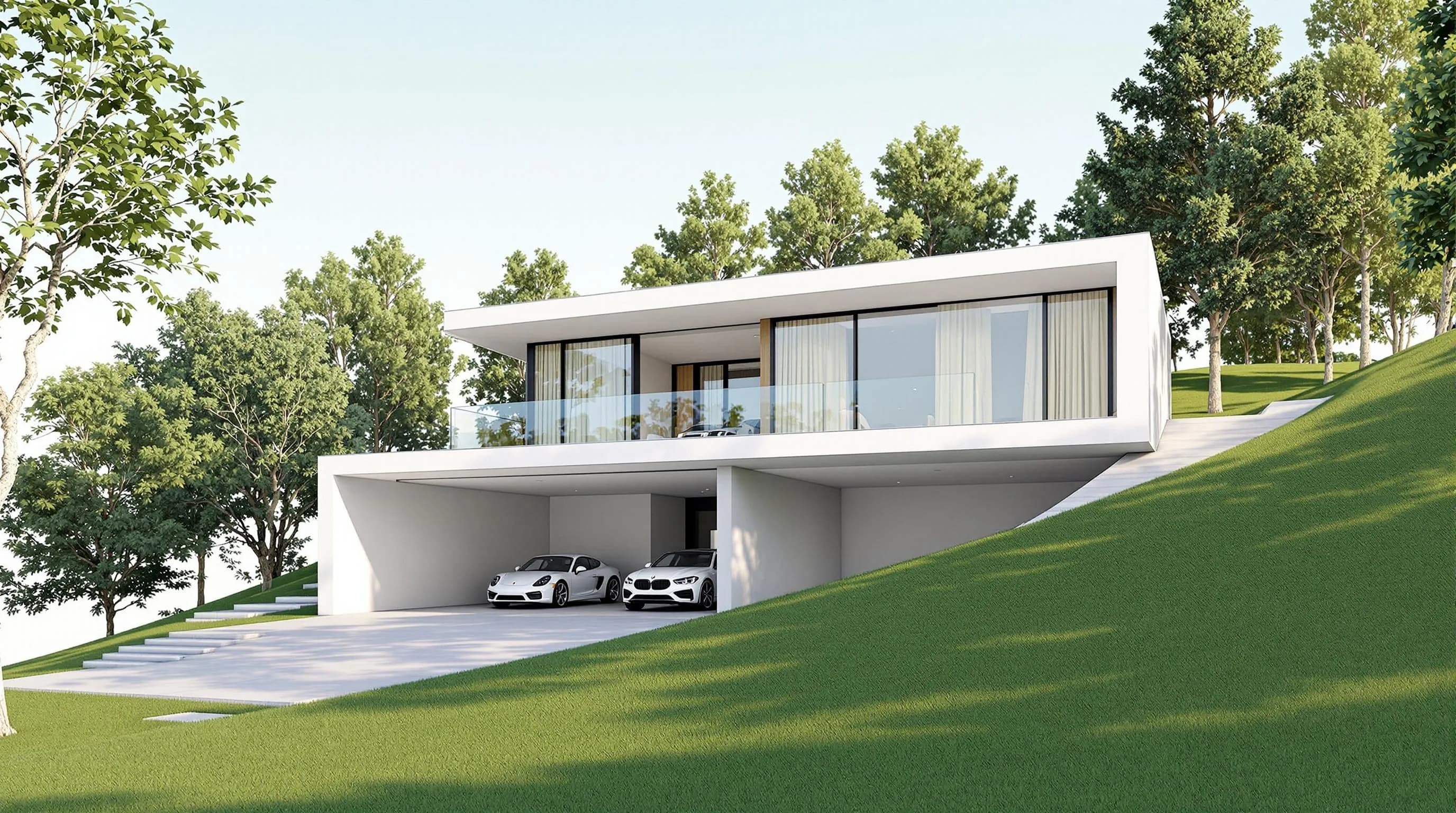
Render a House turns those inputs into concept images in about 30–60 seconds. It runs in a browser, with no GPU or installation. Use Photoreal, Clay or Linework, or create a custom style from a reference image.
What it offers:
- Image uploads: PNG, JPG and WebP. A PDF plan cannot be uploaded; export the plan to PNG or JPG.
- 3D workflow: paid plans accept SKP, GLB, GLTF, OBJ and STL files. A SketchUp
.skpcan be uploaded directly; 3D uploads are paid-only. - Edits and views: image edits, saved project views, 3D previews, real-site placement, 360° renders and video transitions. Video is paid-only.
- Sharing: invite by email for full edit access or share a public read-only link with pinned comments.
Price: Free gives 3 credits/day at 1K, with a watermark and no card. Pro is $39/mo or $312/yr ($26/mo billed annually); it includes 240 credits/month. Studio is $99/mo ($792/yr), billed annually, with 1,000 credits/month. Standard model renders cost 1 credit at 1K and 1.5 credits at 2K. Standard is only available at 1K/2K; 4K is available only on the Pro model for 4 credits. Paid top-ups cost $0.2/credit, with a $5 minimum (25 credits); they do not expire. Video costs 0.8 credits per second.
Honest limitations: there is no formal team plan, seats or roles, and no native CAD/BIM plugins. Revit .rvt files are not accepted; use a supported export or screenshot. The UI is available in English, Spanish, Portuguese and Italian. Checkout is card-only and in USD.
For more, see plans and pricing.
2. Veras
Best for: teams that want AI rendering inside Revit, SketchUp, Rhino or Archicad, with a browser option for sketch-to-render.
Veras is available as a plugin in supported host tools and as a web app. The web app accepts hand sketches, AutoCAD drawings, site photos and 2D plans without a 3D model. Its 14-day trial includes 100 credits, requires a card, and billing begins automatically afterward unless cancelled. Starter is $16.90/mo billed annually ($202.80/year); Pro is $29/mo billed annually ($348/year). Ultra pricing is Not published (checked October 2026). Source: Chaos Veras and its sketch-to-render web app.
Limitation: use the web app for sketches and the host-software plugin for model views. Trial watermark details are Not published (checked October 2026). See Render a House vs Veras.
3. LookX
Best for: exploring facade treatments, materials and architectural styles from sketches and reference images.
LookX Basic is free with 100 X-points for training, upscaling and advanced features, with no credit or debit card. The paid plan is $20/month or $199/year, includes unlimited image generations and 580 X-points/month, and has a 7-day free trial. Source: LookX pricing.
Limitation: free-plan reset frequency and watermark rules are Not published (checked October 2026). See LookX vs Render a House.
4. MyArchitectAI
Best for: architects who want a browser AI renderer with a per-seat subscription.
MyArchitectAI offers 10 free renders. Starter is $29/month for one seat, Studio is $49/month and includes 50 animations/month and 8K downloads, and Team is $99/month for five seats. Annual plans are two months free. Paid plans include a commercial license. Source: MyArchitectAI pricing.
Limitation: free-tier watermark and card requirements, and 3D-file upload support, are Not published (checked October 2026). Its documented image formats include JPEG, PNG and WebP; CAD exports, line drawings and hand sketches are also supported. See MyArchitectAI vs Render a House.
5. VizBase
Best for: a small free monthly allowance plus a SketchUp plugin.
VizBase Free is €0 with 5 credits/month (up to 10 renders) and no card. Starter is €29/month or €25/month billed annually, Pro is €59/month or €50/month billed annually, and Studio is €109/month or €93/month billed annually. The plans include 2, 5 and 10 seats, respectively. Renders can be used commercially. It runs in a browser or through its SketchUp plugin. Source: VizBase pricing.
Limitation: whether free renders have a watermark is Not published (checked October 2026). Revit and Rhino plugins are listed as coming soon.
6. ArchiVinci
Best for: trying an AI renderer quickly in a browser.
ArchiVinci offers three free renders with no watermark. Paid unlimited plans are $39 billed weekly, $79 billed monthly, or $549 per year ($46/month billed annually). Free renders are not for commercial use; a package or subscription is required for commercial work. Whether a card is needed for the free renders is Not published (checked October 2026). Sources: ArchiVinci and pricing.
Limitation: the free renders are non-commercial. See ArchiVinci vs Render a House.
7. Enscape
Best for: real-time walkthroughs and rendering from a finished 3D model inside supported CAD/BIM tools.
Enscape is a real-time plugin for Revit, SketchUp, Rhino, Archicad and Vectorworks, with a 14-day trial. Solo is $47.90/month, Premium is $55.90/month and Collection is $60.90/month, all billed annually. Trial card and watermark details are Not published (checked October 2026). Source: Chaos Enscape.
Limitation:Enscape needs a 3D model and runs inside CAD/BIM software, so it does not solve “I only have a sketch.” D5 Render and Lumion are also real-time renderers that need a model and local GPU. See AI alternatives to Enscape and Lumion.
AI render service with a free trial for architects
Free offers differ in kind, so compare what the free access includes and whether it stops or renews:
| Tool | Free offer | Resets / ends | Watermark | Card needed |
|---|---|---|---|---|
| Render a House | 3 credits/day at 1K | Refreshes daily | Yes | No |
| mnml.ai | 100 signup credits | One-time; do not expire | Not published (checked October 2026) | No |
| LookX | Basic with 100 X-points | Not published (checked October 2026) | Not published (checked October 2026) | No |
| MyArchitectAI | 10 free renders | Not published (checked October 2026) | Not published (checked October 2026) | Not published (checked October 2026) |
| VizBase | 5 credits/month, up to 10 renders | Monthly | Not published (checked October 2026) | No |
| ArchiVinci | 3 free renders | One-time | No | Not published (checked October 2026) |
| Veras | 14-day trial; 100 credits | Ends after 14 days | Not published (checked October 2026) | Yes |
| Enscape | 14-day trial | Ends after 14 days | Not published (checked October 2026) | Not published (checked October 2026) |
If you want access that refreshes instead of ending after a trial, Render a House Free gives 3 credits each day at 1K, with a watermark and no card. For more options, see AI render services with a free plan for architects.
Is there an AI that does what Enscape does without needing a 3D model?
Partly. Enscape renders a 3D scene you can move through in real time. AI renderers such as Render a House, mnml.ai, LookX and Veras generate still images from sketches, photos, plans or model views. They do not create a navigable scene from nothing.
What you can do without a 3D model:
- Sketch-to-render. Upload a hand sketch and get a photoreal image. See the hand sketch to render tool.
- Re-light and change materials on a still image.
- Make multiple views. Render a House turns a paid-plan 3D upload into an orbitable preview and renders saved cameras separately.
What you give up is a continuous walkthrough of a full model. Render a House can animate a transition between two renders, but it is not a real-time engine. For more, see Enscape-quality renders without a 3D model.
How to render a house exterior with AI from a plan and elevation
AI works best when it follows your drawings instead of inventing a house from a text prompt. The floor plan sets the footprint and layout. Elevations set facade, roof pitch, window and door positions, and materials.
- Prepare your drawings. Export the front elevation and any side or rear views as PNG or JPG. A floor plan alone is not enough to specify the exterior.
- Upload the elevation. Create a project and drag and drop the image, or use Click to upload. Image inputs include sketches and photos; export PDF plans to PNG or JPG first. See Upload your design.
- Pick a style. Choose Photoreal for a finished look, Clay for a massing study or Linework to keep a drawn feel. For a custom style, open References → Styles and upload a reference image. See Choose a style.
- Describe materials and context. Name facade materials, roof finish, landscaping, sky and time of day. Say what must not change, such as window positions and roof shape.
- Generate. Renders take about 30–60 seconds. Standard model costs 1 credit at 1K or 1.5 credits at 2K; 4K is only on the Pro model.
- Refine. For changes to more than about 30% of the image, choose Generate a new version; for smaller edits, choose Edit this image. See Refine and Iterate.
- Add other views. Keep elevations or perspectives together in one project. Copy Render, a Pro feature, carries a look to another view. See Projects and Views and Copy Render.
For tighter geometry, build a simple SketchUp model from the plan and elevations and upload the .skp directly on a paid plan. A model-based angle can help preserve proportions, but still check openings and details against the drawings. See the elevation to render tool and floor plan to render workflow.
A floor plan shows layout, not facade design, so an AI cannot reliably infer the exterior from the plan alone. Treat it as context and the elevation as the main reference. For Revit, export a supported 3D format; a native .rvt upload is not supported. See Export 3D models.
Our pick
Choose Render a House if you:
- start from a sketch, elevation, floor plan, photo or SketchUp file;
- want a free daily allowance with no card;
- want to upload supported 3D files and place a model at a real address;
- are a solo architect or small studio comfortable with credit-based pricing.
Choose mnml.ai if you need plugins for SketchUp, Revit, Rhino or Grasshopper, DXF export, or firm-wide seats with SSO and shared credits. Render a House has no formal team plan, seats or roles.
Choose Veras for AI inside CAD/BIM tools or its web sketch-to-render workflow. Choose Enscape if you need real-time walkthroughs of a finished model.
Common questions about mnml.ai alternatives
What is the best mnml.ai alternative?
- It depends on your input. For sketches, elevations, plans and SketchUp files in the browser, Render a House is our pick. For AI inside CAD/BIM tools and a web app for sketch-to-render, Veras. For real-time walkthroughs, Enscape, D5 Render or Lumion.
Is there an AI render service with a free trial for architects?
- Yes. Render a House's Free plan gives 3 credits per day at 1K with no card and a watermark. mnml.ai gives 100 one-time signup credits. VizBase gives 5 credits a month with no card. Veras and Enscape offer 14-day trials; Veras requires a card, while its trial watermark and Enscape's trial card and watermark rules are Not published (checked October 2026).
Is there an AI that does what Enscape does without needing a 3D model?
- AI renderers like Render a House, mnml.ai, LookX and Veras can produce still images from sketches, photos or plans without a 3D model. They do not replace Enscape's real-time walkthroughs. Render a House also accepts 3D files on paid plans if you want orbitable views.
How do I render a house exterior with AI from a plan and elevation?
- Upload the elevation as the main reference, use the plan for footprint context, pick a style, describe materials and constraints, and generate. In Render a House, a render takes about 30–60 seconds. Upload a SketchUp model if you need a model-based view.
Does Render a House have a team plan?
- No formal team plan, seats or roles. A project owner can invite members by email with full edit access, and public share links are read-only with pinned comments. mnml.ai's Team Starter plan is $179/month for 3 seats plus 1 IT admin.
Can I use Render a House renders commercially?
- Yes. Renders belong to the user; the watermark appears only on the Free plan. ArchiVinci's three free renders are not for commercial use, while commercial use requires a package or subscription.
Have a sketch, plan or model? Try a free image render with Render a House. Paid plans unlock 3D uploads and video.
Keep comparing:
Keep reading
Related guides and comparisons

ChatGPT for architectural rendering: does it work?
Partly. ChatGPT is great for a fast concept image, but edits drift and it can't keep several renders of one project consistent. Render a House can.

Best AI Rendering Tools for Architects in Latin America (2026)
AI rendering tools for architects in Latin America (2026): Render a House, Veras, ArchiVinci, LookX, MyArchitectAI, Maquete. Languages, prices.

Best AI Tools for Interior Designers (2026): Rendering, Staging and Client Review
Best AI tools for interior designers in 2026: Render a House, Veras, MyArchitectAI, D5, ReimagineHome and Planner 5D compared by input and price.
