 Render a House/Updated Sep 16, 2026
10 Best Rendering Software in 2026 (Free & Paid)
Ten rendering workflows, compared on the job they do best, their published price, platform fit, and the tradeoffs that matter in an architecture practice.
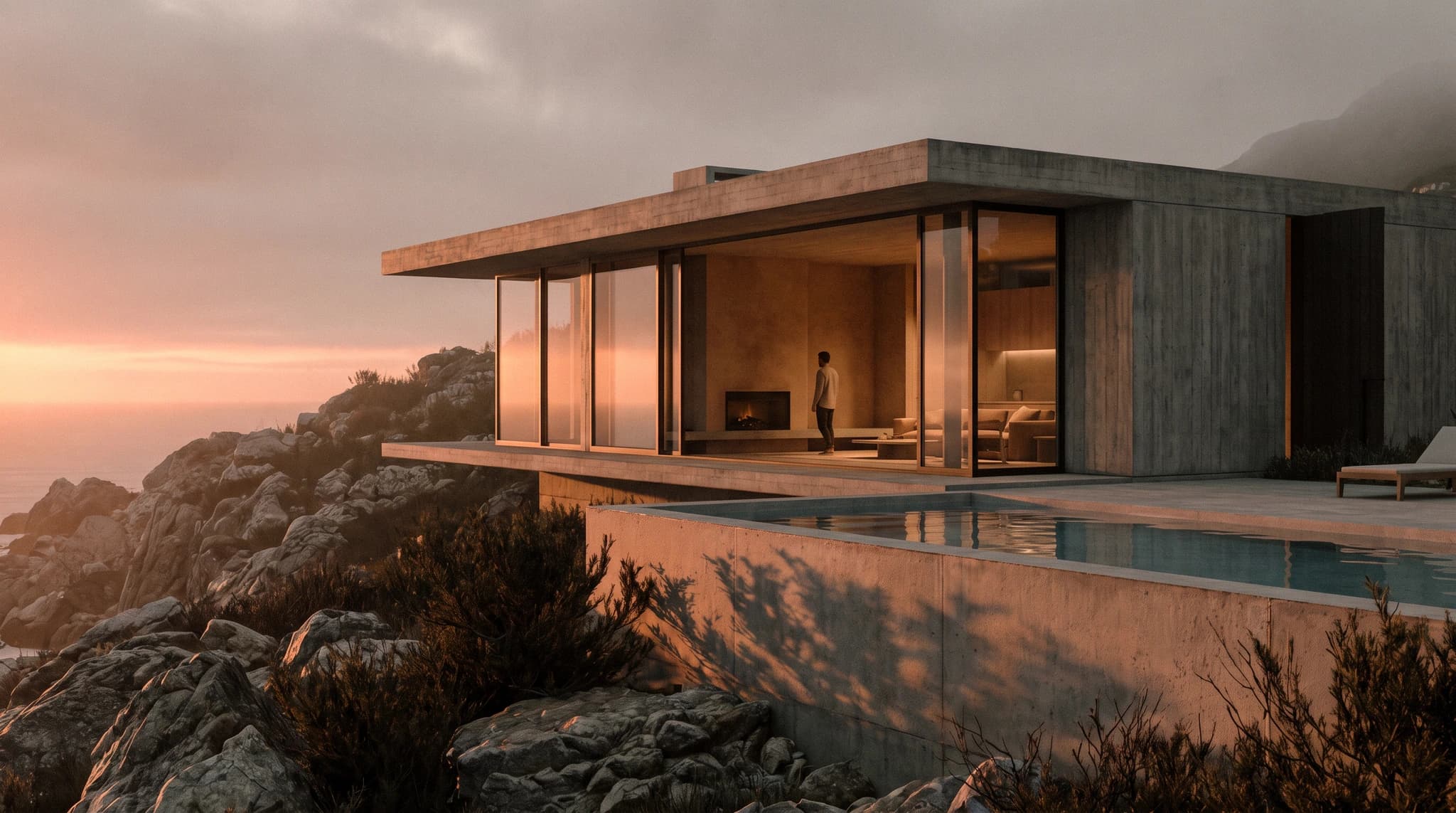
The best rendering software is the one that removes your actual bottleneck. Render a House starts first because it turns an existing sketch, floor plan, or model view into a browser-based render without asking you to build a local rendering setup. Its free tier includes 3 daily credits, while Pro is $39 per month or $312 per year. That is a different job from V-Ray or Corona, which reward detailed scene control, and from Enscape, Lumion, D5 Render, or Twinmotion, which focus on live or real-time visualization.
This guide compares ten options honestly rather than declaring one engine best at everything. Prices are the published United States figures recorded in Render a House's existing pricing references, except for the freshly checked Corona plans and Blender 5.2 LTS status. Taxes, regional prices, educational eligibility, hardware, host-application licenses, and render-farm costs can change the real total.
Which rendering software is best at a glance?
Start with the workflow column, not the subscription column. A lower-priced engine can become the expensive option if it needs a new workstation, a separate host application, specialist setup, or hours of scene preparation. Conversely, a broad real-time suite can be unnecessary when the deliverable is a small set of still images.
| Software | Best for | Published price | Platform and delivery |
|---|---|---|---|
| 1. Render a House | Fast concept and presentation images from existing design inputs | Free: 3 daily credits · Pro: $39/mo or $312/yr | Browser-based; rendering runs on hosted hardware |
| 2. Blender 5.2 LTS | A free end-to-end modeling, animation, and rendering pipeline | Free and open source | Windows, macOS, and Linux |
| 3. V-Ray | Detailed production rendering across established DCC and CAD hosts | Solo: $540/yr · Premium: $778.80/yr · Collection: $1,210.80/yr | Host-dependent; available across major DCC and CAD applications |
| 4. Corona | Photoreal architectural visualization with a direct learning curve | Solo: $414/yr · Premium: $562.80/yr · Collection: $994.80/yr | Autodesk 3ds Max and Maxon Cinema 4D |
| 5. Enscape | Real-time review while designing in a supported CAD or BIM tool | Solo: $574.80/yr · Premium: $670.80/yr · Collection: $730.80/yr | Plugin for Revit, SketchUp, Rhino, Archicad, and Vectorworks |
| 6. Lumion | Building presentation scenes with landscape, people, and atmosphere | View: $229/yr · Pro: $1,149/yr · Pro Floating: $1,499/yr | Lumion Pro is Windows-based; View support depends on the host |
| 7. D5 Render | A competitively priced real-time Windows visualization workflow | Community: free, non-commercial · Pro: $360/yr · Teams: $708/seat/yr | Windows |
| 8. Twinmotion | Small firms that qualify for its full-featured free tier | Free below $1M annual revenue · Twinmotion seat: $445/yr · Unreal Subscription: $1,850/yr | Windows and macOS; some rendering features are Windows-only |
| 9. KeyShot | Product, furniture, fixture, and material visualization | Professional: $1,299/yr · Business: $1,599/yr | Windows and macOS; feature availability varies by hardware |
| 10. Vectorworks Renderworks | Teams that want rendering included in the same BIM application | Included with Vectorworks · Fundamentals: $1,080/yr · Architect: $1,530/yr · Design Suite: $1,980/yr | Windows and macOS |
The table contains the ten ranked items behind the title and the same plan figures referenced throughout the guide. "Free" does not always mean commercial use: D5 Community is non-commercial, while Twinmotion ties free commercial eligibility to annual revenue. Hosted, plugin, standalone, and bundled renderers also solve materially different problems.
What should architects compare before choosing a renderer?
Compare the shape of the workflow before comparing screenshots. Vendor galleries are useful evidence of what expert users can produce, but they do not show how much modeling, material work, lighting, hardware, and post-production sat behind each image. These five questions expose the practical difference:
- What is the starting input? A sketch or plan favors an upload-first service. A coordinated BIM model favors a plugin or built-in renderer. A finished DCC scene favors a production engine.
- Is the goal exploration or specification? Fast visual directions can tolerate interpretation. A final image tied to exact materials, light fixtures, and camera data needs more deterministic control.
- Does the design need to change live? Enscape, Lumion, D5 Render, and Twinmotion are strongest when immediate visual feedback matters. An offline final render can optimize for control rather than frame rate.
- What else must be licensed?V-Ray and Corona run inside named host applications. Enscape plugs into supported CAD and BIM tools. Renderworks comes with Vectorworks. A renderer's sticker price is only one line in that stack.
- Where does rendering happen? Hosted rendering shifts compute away from the local workstation. Real-time local rendering makes the graphics card, VRAM, drivers, and operating system part of the purchase decision.
Keep one more distinction clear: an AI rendering service does not promise the same geometric or material determinism as a physically based engine operating directly on a fully authored 3D scene. Render a House is useful when speed and visual exploration are the priority. A production renderer remains the right tool when the scene itself is the source of truth.
What are the 10 best rendering software options in 2026?
The ranking favors architecture workflows, accessible starting points, and a clear reason to choose each product. It is not a claim that the first item produces a better final image than every engine below it. Each entry states the job for which it earns its place.
1. Render a House — best for rapid browser-based iterations

Render a House is the best starting point here when the design already exists as a sketch, floor plan, elevation, model view, or supported 3D file and the immediate need is a presentation-ready visual direction. The application runs in the browser and performs rendering on hosted hardware, so there is no rendering engine, material library, driver stack, or local GPU queue to configure before testing an idea.
That changes the economics of early visualization. A small firm can use the machine it already owns, create alternatives before a client meeting, and reserve specialist 3D production time for views that truly need it. Render a House's current product page describes workflows from sketches, floor plans, and 3D models, along with relighting, site placement, saved model views, and browser-based sharing.
The limitation is equally important: it is not a substitute for a deterministic V-Ray, Corona, or Blender scene when every modeled surface, light, and camera parameter must remain exact. Use it for exploration, communication, and fast visual decisions. Keep a conventional renderer in the pipeline for contractual material proof, measured lighting analysis, or animation that depends on a fully controlled scene.
Published price used in this comparison: Free: 3 daily credits · Pro: $39/mo or $312/yr. See the first-party product page for current terms.
Choose it if: setup time and iteration speed matter more than owning every render parameter. Review the current Render a House workflow.
2. Blender — best free complete 3D pipeline

Blender is the strongest free choice for someone who wants to own the entire 3D pipeline rather than only the final rendering step. Modeling, UV work, materials, lighting, animation, compositing, and rendering can all happen in one application. Cycles handles physically based path tracing, while Eevee serves workflows that need faster interactive feedback.
The current long-term-support release is Blender 5.2 LTS. The Blender Foundation's LTS page lists it as an actively maintained release, which makes it a sensible target for a studio that values bug-fix stability over adopting every feature immediately. Blender also runs on Windows, macOS, and Linux, a platform range that none of the Windows-only real-time options in this list matches.
Free software does not mean a free workflow. Teams still need to learn scene organization, material authoring, lighting, render settings, asset management, color management, and output review. Blender is unusually capable for zero license cost, but it asks the studio to build and maintain more of its own production method than an architecture-specific plugin or hosted rendering service.
Published price used in this comparison: Free and open source. See the detailed Blender reference for the underlying plan terms.
Choose it if: you need a complete, extensible 3D application and can invest in a reusable pipeline. Read Blender's rendering overview.
3. V-Ray — best for production control across host apps

V-Ray remains the production-control choice in this list. Chaos supports it across major DCC and CAD hosts, including 3ds Max, Cinema 4D, Maya, Revit, Rhino, and SketchUp. That breadth matters when a visualization team receives models from several design applications but wants a familiar rendering system, materials, and quality target.
It is best when the scene needs to survive close scrutiny: exact cameras, authored materials, controlled lighting, render elements, high-resolution stills, and animation. V-Ray offers CPU and hybrid GPU-plus-CPU paths, but the practical experience depends on the chosen host and hardware. The renderer does not remove scene preparation; it rewards it.
Pricing is tiered, so compare the included assets, credits, licensing model, and companion products rather than assuming the highest tier improves every render. Solo is the direct entry. Premium expands the supporting library and uses a floating license. Collection adds more of Chaos's wider visualization toolset. None of those plans includes Enscape or Corona; each is a separate subscription.
Published price used in this comparison: Solo: $540/yr · Premium: $778.80/yr · Collection: $1,210.80/yr. See the detailed V-Ray reference for the underlying plan terms.
Choose it if: the final scene is the production asset and detailed render control justifies setup and hardware.
4. Corona — best for approachable high-end archviz

Corona is the focused architectural-visualization option for 3ds Max and Cinema 4D users who want photoreal output without turning every setup decision into a technical exercise. Chaos describes it as a renderer made specifically for high-end architectural visualization, with an emphasis on ease of use, physically plausible light and materials, and tight integration with its two host applications.
That narrow host range is both a strength and a constraint. A team already committed to 3ds Max or Cinema 4D gets a workflow shaped around archviz and can standardize materials, lighting, assets, and post-production around it. A Revit, SketchUp, Rhino, or Blender team cannot simply install the same Corona integration and continue inside its existing authoring environment.
Corona's current annual plans are Solo at $414, Premium at $562.80, and Collection at $994.80. Those are the fresh Chaos figures used for this list. As with V-Ray, the subscription is not the whole production cost: the host application (see Cinema 4D pricing for what a Cinema 4D seat costs), workstation, assets, and artist time belong in the comparison.
Published price used in this comparison: Solo: $414/yr · Premium: $562.80/yr · Collection: $994.80/yr. See the first-party product page for current terms.
Choose it if: high-end architectural stills are central to the practice and the team already works in 3ds Max or Cinema 4D.
5. Enscape — best for live design reviews inside CAD

Enscape earns its place by keeping visualization close to design. It integrates with Revit, SketchUp, Rhino, Archicad, and Vectorworks, so a designer can review spatial, material, and lighting decisions without exporting the project into a separate scene-building application after every model change.
That immediacy is valuable during design meetings. The team can navigate the project, test a revision, and communicate it while the authoring model is still changing. Enscape also targets presentation through images, walkthroughs, VR, and shareable outputs. It is less attractive when the studio wants a highly customized offline pipeline or needs to manipulate a scene far beyond what should live in the BIM model.
Host compatibility deserves a careful check. Buying Enscape does not make an unsupported CAD application or operating system work. Confirm the exact host, version, platform, graphics hardware, and team licensing pattern before using the annual figure as the decision.
Published price used in this comparison: Solo: $574.80/yr · Premium: $670.80/yr · Collection: $730.80/yr. See the detailed Enscape reference for the underlying plan terms.
Choose it if: designers need continuous visual feedback inside an existing supported CAD or BIM workflow.
6. Lumion — best for scene building and entourage

Lumion is the scene-building specialist for architectural presentations. Its value is not just calculating light; it is the speed with which an architect can surround a building with planting, people, materials, atmosphere, effects, animation, and site context. Lumion's current product page describes Pro as a complete architectural renderer with a large model and material library, images, video, panoramas, and direct cloud sharing.
That breadth makes it useful when a sparse model must quickly become a legible client scene. It also increases the importance of hardware and platform fit. Lumion Pro is a Windows application, and large real-time scenes turn graphics performance and VRAM into part of the budget. A subscription can look predictable while the workstation needed to use it well is not.
The product ladder separates the lighter View workflow from Pro and the shareable Pro Floating license. Treat those as different deployment models, not simply three quality settings. A team should price the tier that matches who must open the project, how often seats move, and whether the deliverable includes animation or immersive review.
Published price used in this comparison: View: $229/yr · Pro: $1,149/yr · Pro Floating: $1,499/yr. See the detailed Lumion reference for the underlying plan terms.
Choose it if: rich context and fast architectural presentation scenes matter more than a cross-platform workflow.
7. D5 Render — best value for Windows real-time rendering

D5 Render is the value-focused real-time option for a Windows studio. It combines scene editing, PBR materials, lighting, weather, assets, images, panoramas, video, and interactive presentation features in one visualization environment. The published Pro price sits below the annual entry prices of V-Ray, Enscape, Lumion Pro, and KeyShot in this comparison.
The free Community plan is useful for learning and evaluation, but it is not a free commercial license. D5's own pricing FAQ says commercial, professional, or revenue-generating work requires Pro. That distinction should appear in any budget comparison; calling Community simply "free" without its usage boundary would mislead a working practice.
D5 is also the least flexible platform choice in this list. There is no macOS build, and real-time rendering performance depends on a supported graphics stack. For a Windows office already buying capable GPUs, the price and integrated toolset are compelling. For a mixed-device firm, the deployment constraint can outweigh the subscription saving.
Published price used in this comparison: Community: free, non-commercial · Pro: $360/yr · Teams: $708/seat/yr. See the detailed D5 Render reference for the underlying plan terms.
Choose it if: the team uses Windows, wants a broad real-time toolset, and needs a lower commercial entry than several established rivals.
8. Twinmotion — best free commercial tier for small firms

Twinmotion has the most generous commercial free threshold in this list. Epic publishes free use for individuals, students, educational institutions, and businesses below $1 million in annual revenue. The application is not presented as a cut-down demo for that audience; the paid seat becomes necessary when a business crosses the revenue line or needs Twinmotion Cloud.
The workflow centers on real-time architectural visualization, scene population, weather, animation, panoramas, and rapid presentations. It is a strong match for a small practice that wants a conventional 3D visualization application without adding a subscription immediately. It also provides a bridge toward a wider Epic workflow when a team genuinely needs Unreal Engine and RealityScan.
Free licensing does not remove hardware requirements or every platform difference. Twinmotion runs on Windows and macOS, but its Path Tracer is a Windows-only feature. A Mac studio should evaluate the real-time output it can produce on its actual machines rather than assuming feature parity from the product's cross-platform download.
Published price used in this comparison: Free below $1M annual revenue · Twinmotion seat: $445/yr · Unreal Subscription: $1,850/yr. See the detailed Twinmotion reference for the underlying plan terms.
Choose it if: the firm is below the published revenue threshold and wants a full real-time architectural application with room to grow.
9. KeyShot — best for products, furniture, and materials

KeyShot is the specialist to choose when the subject is a product before it is a building. Furniture, lighting fixtures, hardware, appliances, materials, and close-up design objects fit its product-visualization workflow better than a city block or a coordinated BIM project. Luxion positions the application around real-time ray-traced preview, materials, lighting, CAD import, animation, and product presentation.
Architects may still find it valuable when a project includes a hero product, custom furniture line, facade component, or material study that deserves isolated attention. Native plugins and broad CAD-format support can make that exchange practical. The limits appear when the job needs building-scale context, BIM-linked design iteration, planting, crowds, or a site workflow supplied by architecture-specific tools.
KeyShot's plans differ more by deployment and support than by a stripped-down rendering core. Professional targets individual designers; Business adds team-oriented management and support; Enterprise is custom. Add-ons such as network or cloud rendering can increase the total beyond the base subscription.
Published price used in this comparison: Professional: $1,299/yr · Business: $1,599/yr. See the detailed KeyShot reference for the underlying plan terms.
Choose it if: the deliverable is a product, component, or material-focused image rather than a BIM-centered building scene.
10. Vectorworks Renderworks — best bundled BIM renderer

Vectorworks Renderworks is the best bundled choice rather than the best standalone purchase. It is built into current Vectorworks products, including Fundamentals, so an existing Vectorworks team already has a renderer in the same environment as its drawings and models. Renderworks uses Maxon's Cineware and Redshift technology and supports both CPU and GPU rendering paths.
The integration reduces exchange work. Cameras, geometry, materials, and design revisions can remain in the authoring file, which is useful for teams that value one coordinated project over a separate visualization scene. It runs on both Windows and macOS, another advantage over Windows-only real-time applications.
The price comparison needs an asterisk because no Renderworks-only subscription exists. The visible figures are Vectorworks plan prices, not a separate renderer offer. A firm that does not need Vectorworks should not buy a BIM application merely to obtain Renderworks. A firm already standardized on Vectorworks should test the included renderer before paying for another engine.
Published price used in this comparison: Included with Vectorworks · Fundamentals: $1,080/yr · Architect: $1,530/yr · Design Suite: $1,980/yr. See the detailed Vectorworks Renderworks reference for the underlying plan terms.
Choose it if: the team already authors in Vectorworks and wants to keep rendering inside the coordinated project file.
Which rendering software is best for your workflow?
The shortlist becomes clearer when the deliverable is stated as a verb. "Render this project" can mean exploring a facade direction, walking a client through a live model, producing a hero still, animating a landscape, or presenting one custom chair. Those are not the same production problem.
| Workflow | Best starting shortlist | Why |
|---|---|---|
| Concept options from a sketch, plan, or model view | Render a House | Hosted rendering removes installation and workstation setup from the first pass. |
| A complete free 3D production pipeline | Blender 5.2 LTS | Modeling, materials, animation, compositing, and rendering live in one open-source application. |
| Final-quality images with detailed scene control | V-Ray or Corona | Both focus on photoreal production; host support and preferred workflow decide between them. |
| Live review while a BIM or CAD model changes | Enscape | Its main advantage is staying inside the supported design application. |
| Fast context, planting, people, and presentation scenes | Lumion, D5 Render, or Twinmotion | These real-time tools prioritize scene assembly and rapid visual feedback. |
| Furniture, lighting products, and material close-ups | KeyShot | Its workflow is built around product visualization rather than building-scale BIM. |
| Rendering without leaving the BIM authoring tool | Vectorworks Renderworks | Renderworks is bundled into the Vectorworks subscription instead of sold separately. |
Hybrid workflows are normal. A practice might use Render a House for early options, Enscape during design reviews, and V-Ray for selected final images. Another might stay entirely in Blender. Avoid buying overlapping subscriptions before the team can name the distinct deliverable each one owns. If the house is not modeled yet, our best home design software guide covers the programs that produce the model these renderers start from.
Which rendering software should a small architecture firm choose?
A small architecture firm should first choose between hosted rendering and local scene ownership. If the team has little visualization capacity and mainly needs still images from design material it already produces, start with Render a House. The free allowance tests whether the workflow fits, and Pro does not demand a new renderer workstation.
If the firm needs live navigation and owns capable hardware, compare Twinmotion, D5 Render, Enscape, and Lumion against the applications already used for design. Twinmotion has the strongest free commercial case below its revenue threshold. D5 has a low published Pro price but is Windows-only. Enscape minimizes round-tripping for supported CAD and BIM hosts. Lumion offers a broad architectural presentation environment at a higher Pro price.
Choose Blender when zero license cost and full pipeline ownership outweigh training time. Choose V-Ray or Corona when visualization is a specialist production function and the practice can support disciplined scene work. Choose KeyShot for product-heavy deliverables. If the office already pays for Vectorworks, test Renderworks before adding another renderer to the stack.
Buy the workflow you can repeat, not the gallery image you admire. A renderer creates value only when the team can move reliably from its everyday design files to a reviewed deliverable.
How were the prices and product claims verified?
Prices were checked against first-party vendor pages and the detailed pricing articles already maintained in this repository. Render a House figures come from the application's current pricing constants. Corona's annual figures and Blender's 5.2 LTS status were checked directly for this page.
- Render a House product page
- Blender long-term-support releases
- V-Ray plans and pricing
- Corona plans and pricing
- Enscape plans and pricing
- Lumion plans and pricing
- D5 Render plans and licensing terms
- Twinmotion licensing and pricing
- KeyShot Studio plans and pricing
- Vectorworks rendering overview
Vendor prices and plan terms can change. Confirm the linked first-party page before purchasing, especially when billing region, tax, educational status, company revenue, floating seats, or a required host application changes eligibility or total cost.
What do architects ask about rendering software?
What is the best rendering software overall?
There is no single winner for every workflow. Render a House is the fastest starting point here when you already have a sketch, floor plan, or model view and want a browser-based result without configuring a local engine. Blender is the strongest zero-license-cost full pipeline. V-Ray and Corona offer deeper production control, while Enscape, Lumion, D5 Render, and Twinmotion prioritize real-time architectural feedback. The right answer depends on whether your bottleneck is setup time, model fidelity, live review, scene building, or final-image control.
Which rendering software can architects use for free?
Blender 5.2 LTS is free and open source. Render a House includes 3 free daily credits. Twinmotion is free for individuals and businesses below $1 million in annual revenue, plus students and educational institutions. D5 Community is free for learning, personal projects, and evaluation, but D5 states that commercial work requires Pro. These free options are not interchangeable: Blender is a complete local 3D pipeline, Render a House is a hosted image workflow, Twinmotion is a real-time application, and D5 Community has a non-commercial restriction.
Which rendering software is easiest to learn?
For the shortest path from an existing design image to a presentation render, Render a House is the simplest option in this comparison because there is no local renderer to install or lighting system to build first. Enscape is usually the most direct traditional option for teams already working in one of its supported host applications because the renderer stays inside that design environment. Chaos positions Corona around ease of use for high-end architectural visualization, but it still assumes a working 3ds Max or Cinema 4D scene.
Which rendering software is best for architecture?
Architecture-specific choices include Render a House, V-Ray, Corona, Enscape, Lumion, D5 Render, Twinmotion, and Vectorworks Renderworks. Choose Render a House for rapid visual directions from existing design inputs; Enscape for continuous BIM or CAD review; Lumion, D5, or Twinmotion for real-time presentation scenes; V-Ray or Corona for controlled final images; and Renderworks when a Vectorworks team wants a renderer already included in its authoring subscription. Blender and KeyShot can produce excellent images, but their broader workflows are not centered on architectural BIM.
Which rendering software works on a Mac?
Render a House runs in the browser, and Blender supports macOS. Twinmotion has a macOS build, although its path-tracing feature is Windows-only. Vectorworks and its bundled Renderworks renderer run on macOS. Enscape support depends on both the Mac and the host application. Lumion Pro and D5 Render are Windows applications. V-Ray and KeyShot support varies by host, renderer mode, and hardware, so a Mac-based studio should confirm the exact integration it plans to use rather than relying on the product name alone.
Can you render without buying a powerful GPU?
Yes, if you choose a hosted workflow. Render a House performs rendering on hosted hardware, so the local machine is used to prepare and upload the design rather than calculate the final image. Local real-time applications such as Lumion, D5 Render, Enscape, and Twinmotion depend much more heavily on graphics hardware. Blender, V-Ray, Corona, KeyShot, and Renderworks provide different CPU and GPU paths, but render time, supported features, and memory limits vary. Compare total workstation cost, not only the subscription price.
Keep reading
Related guides and comparisons

Planner 5D Pricing 2026: Free, Premium ($19.99/mo) & Professional ($49.99/mo)
Planner 5D costs $0 (Free), $19.99/mo or $59.99/yr (Premium) and $49.99/mo or $399.99/yr (Professional). What each plan includes, trials and extras.

Adobe Firefly Pricing 2026: Standard ($9.99), Pro ($19.99), Pro Plus ($49.99) & Premium ($199.99)
Adobe Firefly costs $9.99, $19.99, $49.99 or $199.99 a month for 2,000 to 50,000 generative credits, plus a free tier with daily limits. Plans and credit math.
Runway Pricing 2026: Free, Standard ($15), Pro ($35), Max ($95) & Team ($69/seat)
Runway costs $15, $35 or $95 a month (Standard, Pro, Max), or $12, $28 or $76 a month billed annually. Team is $69/seat. Free: 125 one-time credits.
