 Render a House/Updated Oct 12, 2026
8 Best Midjourney Alternatives for Architects in 2026
Render a House is our #1 Midjourney alternative for architects: it renders from your sketch, floor plan or SketchUp model instead of a sentence. Eight Midjourney alternatives for architects compared on one question: does the tool keep your design, or does it trade your geometry for creative range?
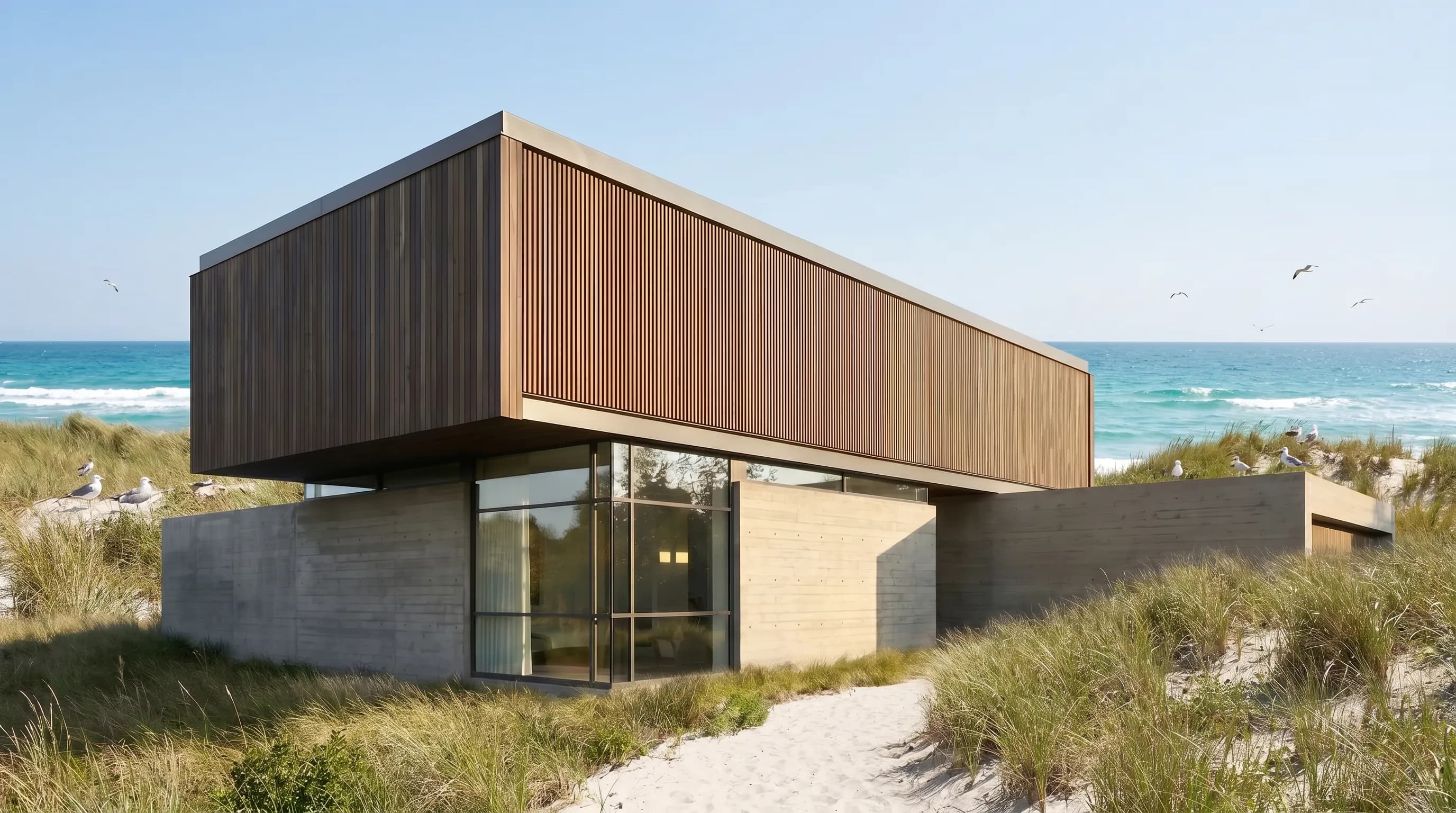
Render a House is the best Midjourney alternative for an architect because it starts from the design instead of a sentence: it renders your sketch, floor plan, screenshot or SketchUp model in the browser, with 3 free credits a day and paid plans from $19 a month for 120credits. Midjourney's cheapest plan, by comparison, is $10 a month with no free tier, and it never sees your model.
The other seven tools are here because each one beats Midjourney at a specific job: Krea for live viewports, ChatGPT and Gemini for conversational edits, Flux for pipelines, Leonardo for a daily free allowance, Adobe Firefly for Photoshop users and Ideogram for lettering. If you are still deciding whether Midjourney belongs in your studio at all, start with Midjourney for architectural rendering. Every price below was read from the vendor's own page in October 2026. We did not run side-by-side tests, so the page makes no claims about which tool produces better images.
Which Midjourney alternative is best at a glance?
Read the input column first: a tool that cannot see your drawing or model can only approximate it.
| Tool | Best for | Input and platform | Price | Free plan |
|---|---|---|---|---|
| 1. Render a House | Renders that keep the massing, openings and camera of an existing sketch, plan or 3D model | Browser; PNG, JPG and WebP images plus SKP, GLB, GLTF, OBJ and STL models | Basic $19/mo for 120 credits · Pro $39/mo or $312/yr for 240 credits/mo · Studio $99/mo for 1,000 credits/mo | Yes — 3 credits a day at 1K with a watermark |
| 2. Krea | Exploring light, material and atmosphere from a live viewport while the model is still changing | Browser and iOS; sketches, clay views, viewport captures and references; Blender and Photoshop plugins | Basic $9/mo for 5,000 compute units · Pro $35/mo for 20,000 · Max $105/mo for 60,000 (monthly billing; up to 40% less billed yearly) | Yes — basic use with pay-as-you-go compute units |
| 3. ChatGPT image generation | Describing a change in plain language and iterating on an uploaded image in conversation | Web, iOS and Android; text prompts, uploaded images and sketches | Go $8/mo · Plus $20/mo · Pro from $100/mo with unlimited image creation (USD as displayed) | Yes — limited image creation |
| 4. Gemini (Nano Banana) | Cheap or free image edits and restyles inside a general assistant | Web and mobile apps; text prompts and uploaded images | Google AI Plus $4.99/mo · AI Pro $19.99/mo with 4x the free usage · AI Ultra from $99.99/mo (US prices) | Yes — image generation and editing within usage limits |
| 5. Flux (Black Forest Labs) | Firms and developers who want an image model inside their own pipeline or software | API and open weights; text-to-image and image-to-image | FLUX 3 Image API: $0.048 per 1K image · $0.10 per 2K image · $0.607 per 4K image, pay as you go | No subscription free tier on the pricing page |
| 6. Leonardo | A daily free allowance, style presets and a token bank for steady hobby or student use | Browser; text prompts, presets and personal trained models | Essential $12/mo for 8,500 fast tokens · Premium $30/mo for 25,000 · Ultimate $60/mo for 60,000 (monthly, ex. tax) | Yes — 150 fast tokens a day; creations are public |
| 7. Adobe Firefly | Practices already in Photoshop that need commercially safe generation and Generative Fill | Web and mobile; prompts, image edits and Adobe app integration | Standard US$9.99/mo for 2,000 credits · Pro US$19.99/mo for 4,000 · Pro Plus US$49.99/mo for 10,000 | Yes — limited free daily generations |
| 8. Ideogram | Competition boards, posters and diagrams where readable lettering matters | Browser and iPhone; prompts and source images | Plus $20/mo for 2,400 credits ($15/mo billed yearly) · Pro $60/mo for 7,500 ($42/mo billed yearly) | Yes — weekly slow credits for eligible accounts |
For reference, Midjourney itself costs $10 a month on Basic with 3.3 hours of fast GPU time, $30 on Standard, $60 on Pro and $120 on Mega, with 20% off for annual billing. The full breakdown is in our Midjourney pricing guide.
How do architecture renderers differ from general image generators?
Midjourney, Leonardo, Ideogram and Flux are general image models. They are trained to produce a convincing picture from a prompt, and a reference image is one more hint among many. That is why they are good at atmosphere and bad at fidelity: ask for a three-storey house with a ribbon window and you may get four storeys and a different window rhythm.
Architecture renderers start from the opposite end. Render a House takes the drawing or model you already made and treats it as the thing to preserve. Krea sits between the two: its architecture workflow starts from sketches, clay views and viewport captures, but it is a multi-model creative platform, not a renderer tied to a file. ChatGPT, Gemini and Adobe Firefly are general assistants with strong image editing, which makes them useful for fixes on an existing render even though they do not read 3D files.
If a client will read the image as the building they are paying for, start from your geometry. For mood boards and competition atmosphere, a general model is fine. Our best AI rendering tools guide covers the dedicated architecture renderers in more depth.
What should architects compare before leaving Midjourney?
Four questions separate tools that fit a practice from tools that only look good on social media:
- What does the tool accept as input? Text only, an uploaded image, a live viewport or a 3D file. The closer the input is to your model, the less the result drifts.
- Can you edit one area without regenerating everything? Region edits keep the parts you already approved. Render a House, ChatGPT and Adobe Firefly all offer a selection-based edit.
- How is usage metered? Credits per render, monthly tokens, compute units or per-image API prices behave differently once a team iterates heavily. Price your retries, not only your first image. The render cost calculator helps estimate this for Render a House.
- Are free outputs private and commercial? Leonardo's free creations are public, and Midjourney ties commercial terms to company revenue. Check before you upload unpublished client work.
Prompt skill still matters with every tool on this list. If you stay with Midjourney for concept work, our Midjourney architecture prompts show how much of the result depends on wording.
What are the 8 best Midjourney alternatives for architects?
The order runs from tools that respect existing geometry to tools that offer creative range. It is not a ranking of image quality, which we did not test.
1. Render a House — best for keeping your design's geometry

Render a House is built for the architect's actual starting point. Upload a hand sketch, a floor plan, an elevation, a screenshot or a 3D model, and it renders that design rather than inventing one. It accepts PNG, JPG and WebP images plus SKP, GLB, GLTF, OBJ and STL models, so a SketchUp file goes in as it is. To use a PDF drawing, export the plan to PNG or JPG first. Everything runs in the browser on hosted hardware, so there is no GPU or plugin to install.
Two features address the Midjourney problem directly. 3D Previewlets you set the camera on your own model before rendering, so the view is yours, not the AI's. And Refine and iterate separates "Generate a new version" for global changes from "Edit this image" and Select for local ones, with References for material and style images. A standard 1K render costs 1 credit and a Pro 4K render 4 credits.
Limitation: it is an interpretive AI renderer, not a physically based engine. It can still alter small details, and it has less pure creative range than Midjourney for abstract mood imagery with no design behind it.
Price checked October 2026: Basic $19/mo for 120 credits · Pro $39/mo or $312/yr for 240 credits/mo · Studio $99/mo for 1,000 credits/mo. Free plan: Yes — 3 credits a day at 1K with a watermark. Source: Render a House plans and pricing.
Annual Studio billing is $792 a year, and video is available on paid plans. If you want to try it on a sketch first, the hand sketch to render tool is the shortest path.
2. Krea — best for live viewport exploration

Krea is the most architecture-aware of the general creative platforms. Its architecture page describes concept design from sketches, clay models, viewport captures and reference images, and its Realtime mode lets you share a live viewport and explore visual options as the model changes. It also runs many third-party models in one place, including Nano Banana 2, and adds upscaling, video and a node editor for reusable workflows.
Plugins cover Blender and Photoshop among others. For the two side by side, read Midjourney vs Krea.
Limitation: Krea does not open SketchUp or Revit files itself; it works from captures, a shared viewport or its plugins. Compute units are spent at different rates per model, so the monthly allowance is harder to predict than a per-render price.
Price checked October 2026: Basic $9/mo for 5,000 compute units · Pro $35/mo for 20,000 · Max $105/mo for 60,000 (monthly billing; up to 40% less billed yearly). Free plan: Yes — basic use with pay-as-you-go compute units. Source: Krea pricing.
Paid plans include a commercial license. Our Krea AI pricing guide explains how compute units translate into images.
3. ChatGPT image generation — best for conversational edits
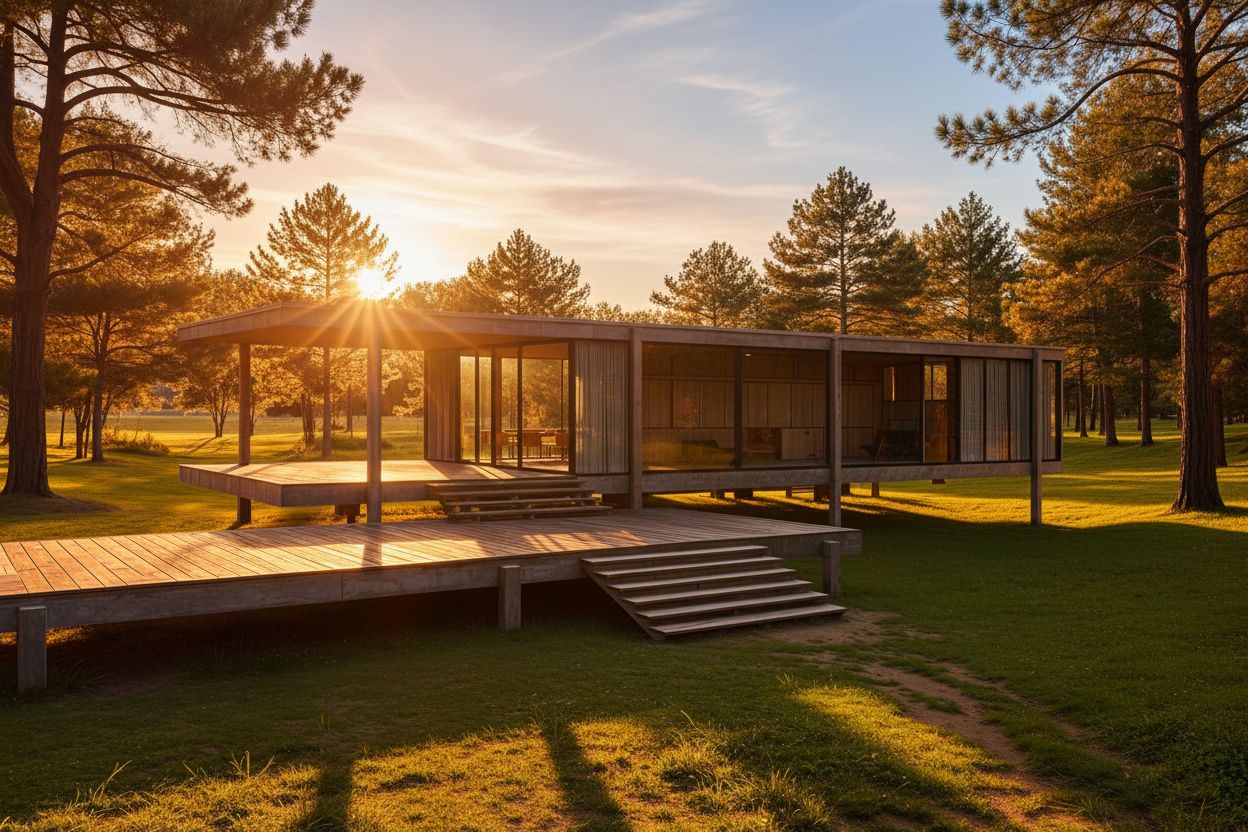
ChatGPT image generation is the alternative most architects already have open. You can upload an existing render or photo and describe the change, or select part of the image in the editor and describe what should change there. On mobile you can draw a quick sketch and ask for an image from it. It is especially useful for small, describable fixes: change the season, add people, swap a cladding material.
You refine in plain language rather than prompt syntax. See Midjourney vs ChatGPT.
Limitation:OpenAI's own help article notes that selections are not always precise and edits may extend beyond the selected area. ChatGPT sees only the image you upload, not your model, and free accounts get limited image creation.
Price checked October 2026: Go $8/mo · Plus $20/mo · Pro from $100/mo with unlimited image creation (USD as displayed). Free plan: Yes — limited image creation. Source: ChatGPT pricing.
4. Gemini (Nano Banana) — best for low-cost image editing

Gemini's image model, widely known as Nano Banana, is strong at editing an uploaded image while keeping the rest of the scene intact. Image generation and editing are part of the free Gemini app, and the paid Google AI plans raise the usage limits. That makes it one of the cheapest ways to retouch existing images.
Nano Banana also powers other products, including Render a House's Pro render mode. Our Gemini vs Midjourney comparison and ChatGPT vs Gemini cover the differences.
Limitation: usage limits are compute-based, refresh every five hours and stop at a weekly cap, and Google notes that image requests use more of that budget. Gemini does not read 3D files, so geometry depends on the image you give it.
Price checked October 2026: Google AI Plus $4.99/mo · AI Pro $19.99/mo with 4x the free usage · AI Ultra from $99.99/mo (US prices). Free plan: Yes — image generation and editing within usage limits. Source: Google AI plans.
5. Flux (Black Forest Labs) — best for API and pipeline use

Flux is Black Forest Labs' family of image models. The current FLUX 3 Image API handles text-to-image and image-to-image with reference images included in the per-image price, and FLUX.1 Kontext is built for editing an image while preserving its context. Open-weight models can also be licensed to run on your own infrastructure.
For architects, Flux matters mainly through products built on it and through in-house tools, such as a batch process that generates seasonal variants of approved views.
Limitation: Flux is a model, not a design application. There is no project, camera or file workflow for architects on the pricing page, and individual designers will usually reach it through another tool.
Price checked October 2026: FLUX 3 Image API: $0.048 per 1K image · $0.10 per 2K image · $0.607 per 4K image, pay as you go. Free plan: No subscription free tier on the pricing page. Source: Black Forest Labs pricing.
6. Leonardo — best for a free daily allowance and presets

Leonardo is the closest like-for-like replacement for Midjourney: a prompt-driven creative platform with presets, quality settings, personal trained models and video, at a lower entry price. The free plan's 150 fast tokens a day make it useful for students and for testing a look before committing to a subscription.
Paid plans add private creations, a rollover token bank and, from Premium, unlimited relaxed image generation on selected models.
Limitation: like Midjourney, it is built for creative range, so it will reinterpret a building freely. Free creations are public, which rules the free plan out for confidential projects.
Price checked October 2026: Essential $12/mo for 8,500 fast tokens · Premium $30/mo for 25,000 · Ultimate $60/mo for 60,000 (monthly, ex. tax). Free plan: Yes — 150 fast tokens a day; creations are public. Source: Leonardo pricing.
7. Adobe Firefly — best for commercially safe Adobe workflows

Adobe Firefly makes most sense for practices whose image post-production already happens in Photoshop. Plans include unlimited standard image features such as Generative Fill, credits for premium features, and access to models from Adobe, Google and others. Adobe states that outputs from its own Firefly models are safe for commercial use because they are trained on licensed and public-domain content.
That commercial position is the clearest difference from Midjourney for firms with cautious clients.
Limitation: Adobe says you are responsible for content generated with partner models, so the commercial assurance applies to Firefly models only. It does not read 3D files and is not a model-based renderer.
Price checked October 2026: Standard US$9.99/mo for 2,000 credits · Pro US$19.99/mo for 4,000 · Pro Plus US$49.99/mo for 10,000. Free plan: Yes — limited free daily generations. Source: Adobe Firefly plans.
Higher tiers were on a first-year promotion at the time of checking, so the regular prices are listed above.
8. Ideogram — best for text on boards and posters

Ideogram earns its place for a narrow but real job: images with legible text. Competition boards, event posters, project announcements and diagram-style graphics often need a title or caption inside the image, and Ideogram is built around that use. Its current models also accept source images, and it adds tools such as background and object removal.
Ideogram states that it does not claim ownership of generated images, so you may use them commercially.
Limitation:it is not an architecture tool and does not keep a building's geometry. Ideogram does not offer free trials of paid plans, and its free credits are weekly and only for eligible accounts.
Price checked October 2026: Plus $20/mo for 2,400 credits ($15/mo billed yearly) · Pro $60/mo for 7,500 ($42/mo billed yearly). Free plan: Yes — weekly slow credits for eligible accounts. Source: Ideogram pricing.
Which Midjourney alternative fits your workflow?
Most studios do not need eight subscriptions. Name the deliverable, then pick the tool that owns it:
| Starting situation | Best fit | Why |
|---|---|---|
| A sketch, plan or SketchUp model that must stay recognisable | Render a House | It renders from your upload or 3D camera and separates whole-image regeneration from local edits. |
| A massing model that is still changing in a design review | Krea | Realtime regenerates from a shared viewport, so you explore options without exporting stills. |
| Quick fixes to an existing image in plain language | ChatGPT or Gemini | Both edit uploaded images through conversation and are already in many studios' subscriptions. |
| An in-house tool or batch pipeline | Flux | Per-image API pricing and open weights suit developers more than individual designers. |
| Photoshop-centred post-production | Adobe Firefly | Generative Fill and generative credits work across Adobe apps you may already license. |
| Competition boards with titles and captions | Ideogram | Typography is its strength; use another tool for the building itself. |
| Mood boards and atmosphere with no project geometry | Midjourney or Leonardo | Widest creative range; neither is tied to your model. |
A common stack is one geometry-faithful renderer for project images, one general assistant for quick edits, and Midjourney or Leonardo only for mood work. If your design starts on paper, our best AI sketch to image tools narrows the field further, and best AI image upscalers covers the final resolution step. For software beyond AI images, see best architecture software.
Which Midjourney alternatives are free?
Midjourney lists only paid plans. The free tiers here differ in kind.
Render a House refills 3credits a day at 1K with a watermark. Leonardo gives 150 fast tokens a day with public creations, Ideogram gives eligible accounts weekly slow credits, and ChatGPT, Gemini and Adobe Firefly include limited free image generation. Krea's free plan uses pay-as-you-go compute units, with the commercial license starting on Basic. Flux lists per-image API prices and no free subscription tier.
For client work, the deciding terms are privacy, watermarking and commercial use rather than the number of free images.
How did we verify these prices?
Every price on this page was read from the vendor's own pricing page or help center, checked October 2026. Pages were read in a real browser. Prices are shown in the currency each page displayed. Google's page geolocates, so we used its United States page; ChatGPT and other vendors may show local pricing in your region. Render a House figures come from the plans and pricing docs.
- Midjourney: Comparing Midjourney plans
- Krea pricing and Krea for architecture
- ChatGPT pricing and Images in ChatGPT
- Google AI plans (US) and Gemini Apps limits
- Black Forest Labs pricing and FLUX.1 Kontext
- Leonardo pricing
- Adobe Firefly plans
- Ideogram pricing
Plans change often; confirm the linked page before buying.
What can none of these tools do for an architect?
Leaving Midjourney fixes some problems and not others. Be clear about what none of these tools can do:
- Guarantee exact geometry. Even tools that start from your drawing or model can shift a mullion, a step or a roof pitch. Check every image against the drawings before it goes to a client.
- Produce construction information. An AI image is not a measured drawing, a specification or evidence of compliance.
- Simulate light and materials physically. None of them calculates daylight or material behaviour the way a physically based renderer does.
- Replace professional judgement on licensing. Commercial terms differ by vendor, plan and model. Read them for each project.
Used for concept images and options, these tools save time. Used as a record of the design, they create risk.
What do architects ask about Midjourney alternatives?
What is the best Midjourney alternative for architects?
It depends on whether the image must match a real design. If it must, Render a House is the closest fit because it renders from your sketch, plan, screenshot or 3D model instead of a text prompt. If you want to explore atmosphere while a model is still changing, Krea's Realtime viewport is the strongest option. For mood boards with no geometry to respect, Midjourney itself, Leonardo or Ideogram remain reasonable choices.
Is there a free alternative to Midjourney for architecture?
Yes. Midjourney has no free plan on its plan comparison page, but several alternatives do. Render a House gives 3 credits a day at 1K with a watermark, Leonardo gives 150 fast tokens a day with public creations, Ideogram gives eligible accounts weekly slow credits, and ChatGPT, Gemini and Adobe Firefly all include limited free image generation. Free tiers differ in watermarking, privacy and commercial terms, so read them before client work.
Which AI image generator keeps the geometry of my design?
No AI generator guarantees exact geometry. Tools that start from your own input keep it far better than tools that start from text. Render a House renders from an uploaded image or a camera view of a 3D model and lets you edit a selected area without regenerating the whole image. ChatGPT, Gemini and Flux can also edit an uploaded image, but they are general models and can move openings or change proportions. Check every output against the drawings.
Can I use a SketchUp model instead of a Midjourney prompt?
Yes. Render a House accepts SKP files directly, as well as GLB, GLTF, OBJ and STL, and renders from a camera you set in the browser. Krea can take a live viewport or a capture from your modelling software. General image models such as ChatGPT, Gemini and Ideogram only see a screenshot you upload, not the model itself.
How much does Midjourney cost compared with the alternatives?
Midjourney's Basic plan is $10 a month and its Standard plan $30 a month, with a 20% discount for annual billing. ChatGPT Plus is $20 a month, Google AI Pro $19.99, Adobe Firefly Standard US$9.99, Leonardo Essential $12 and Krea Basic $9. Render a House starts at $19 a month for 120 credits. Each product meters usage differently, so compare the quota as well as the price.
Can I use AI-generated architecture images commercially?
Usually yes on paid plans, but read each vendor's terms. Krea includes a commercial license on Basic and higher plans. Ideogram says it does not claim ownership of generated images. Adobe says outputs from its own Firefly models are safe for commercial use, while you are responsible for content from partner models. Midjourney requires companies with more than $1,000,000 in yearly gross revenue to be on Pro or Mega.
Keep reading
Related guides and comparisons

8 Best Room Planner Apps in 2026 (Free & Paid)
Compare eight room planner apps (Render a House, Planner 5D, RoomSketcher, Homestyler, Floorplanner, IKEA, Roomstyler, Magicplan) by free plan, platform and price.
8 Best AI Image Upscalers in 2026 (Free & Paid)
Eight AI image upscalers compared for architectural renders: Render a House, Magnific, Topaz Gigapixel, Let's Enhance, Upscayl, Krea and more, priced.
9 Best Home Design Software in 2026 (Free & Paid)
Compare nine home design programs, from Chief Architect and Cedreo to Sweet Home 3D, by who they suit, platform and published price, and when to add an AI render.
