 Render a House/Updated Oct 22, 2026
7 Best LookX Alternatives (2026)
The best LookX alternative for most people who start from a sketch, floor plan or SketchUp file is Render a House: upload the drawing or model, pick a style, and get a photorealistic render in 30–60 seconds in the browser, with a free plan and no 3D model required. Veras, MyArchitectAI, Krea AI, mnml.ai, D5 Render and Enscape each win in specific cases.

Quick answer
The best LookX alternative for most people who start from a sketch, floor plan or SketchUp file is Render a House, the AI architectural rendering tool: upload the drawing or model, pick a style, and get a photorealistic render in 30–60 seconds in the browser, with a free plan and no 3D model required. If your needs differ, Veras (plugins inside BIM tools), MyArchitectAI (unlimited renders), Krea AI (live sketching), mnml.ai, D5 Render and Enscape each win in specific cases.
Last updated: October 2026.
Key takeaways
- Render a House is the pick when you start from a sketch, floor plan, photo or SketchUp file and want a render in 30–60 seconds without a plugin or a GPU. It does not train a persistent custom style model the way LookX does.
- LookX stays the better choice if you want custom model training, a Style Adapter and the cheapest published unlimited-image plan of the tools here ($20/month).
- Veras fits architects who already work inside Revit, SketchUp, Rhino or Archicad. MyArchitectAI fits high-volume, simple image-to-render work.
- Prices are not like-for-like. LookX and MyArchitectAI sell unlimited images per seat, while Render a House and Veras sell credits. Compare what each plan counts as one output before you compare the headline price.
- All of these tools produce concept images, not measured or contractual drawings. Check the output against your source geometry.
LookX alternatives at a glance
From each vendor’s own pricing and product pages, checked October 2026.
| Tool | Best for | Input | Needs a 3D model | Runs where | Free plan | Published price |
|---|---|---|---|---|---|---|
| 1. Render a House | Sketch, floor plan or SketchUp file to a render in 30–60 s | Sketch, floor plan, photo, 3D model (SKP, GLB, GLTF, OBJ, STL on paid plans) | No | Browser | Yes: 3 credits/day, watermarked | Pro $39/mo billed monthly or $312/yr ($26/mo billed annually), 240 credits; Studio $99/mo billed monthly or $792/yr, 1,000 credits |
| 2. Veras | AI rendering inside BIM and CAD tools | Live host view, hand sketch, 2D floor plan | No (renders the host view; accepts sketches and plans) | Plugin in 7 host apps plus a web app | 14-day trial, 100 credits | Starter $20.90/mo billed monthly or $16.90/mo billed annually |
| 3. MyArchitectAI | Fast, simple, high-volume renders | Design image or screenshot (JPEG, PNG, WebP) | No (images only; no floor plans) | Browser | 10 renders | Starter $29/mo |
| 4. Krea AI | Live sketch visualization | Sketch or image drawn live | No | Browser | Yes: 100 units/day, real-time models included | Basic $9/mo, Pro $35/mo billed monthly |
| 5. mnml.ai | Credit packs and free modeling-app plugins | Sketches, photos, SketchUp/Revit/Rhino/Blender views (JPG, PNG, WebP) | No | Browser plus free SketchUp, Revit, Rhino and Grasshopper plugins | 100 free credits on signup | Lite $29/mo billed monthly (1,000 credits) |
| 6. D5 Render | Real-time 3D walkthroughs from a full model | Full 3D model | Yes | Desktop, needs a local GPU | Free Community edition | Pro $30/mo billed yearly ($360/yr) |
| 7. Enscape | Real-time rendering inside CAD/BIM tools | Live model in the host app | Yes | Plugin inside CAD/BIM tools | 14-day trial | Solo $47.90/mo billed annually ($574.80/yr) |
For reference, LookX publishes a free Basic plan (100 X-points, no card), $20/month or $199/year with unlimited image generations, 580 X-points a month and a 7-day free trial, and a Team plan at $269/month for five seats (checked October 2026 at lookx.ai/price.html).
Why people look for LookX alternatives
LookX is a browser platform built around architecture-led image generation. It offers text and sketch to image, a Style Adapter that copies the look of a reference image, custom model training, upscaling, video generation, and plugins for SketchUp and Rhino. It is a real strength for exploratory work.
The reasons people look elsewhere are specific:
- No published render time.LookX publishes no render speed. Its “lane” names imply queue priority rather than a fixed figure.
- Plugins cover SketchUp and Rhino only. There is no Revit or Archicad plugin.
- Screenshot-based inputs. LookX is built around text, sketches and screenshots rather than direct 3D file upload.
- X-points for advanced tasks. “Unlimited” image generation still sits next to a metered X-point allowance for training, upscaling and other advanced features, even on paid plans.
Veras vs LookX vs MyArchitectAI — which is better?
There is no single winner. Each of the three wins a different use case:
- Veras is better for established BIM workflows. It runs as a plugin in seven host applications, is available in Enscape, V-Ray and Corona, and has a web app. It can also turn a sketch, floor plan or image into an editable 3D scene for Revit, Rhino or SketchUp. Its trade-off is credit-based usage, which suits high-volume rendering less well.
- LookX is better for creative exploration and a distinctive visual identity. It is the only one of the three that lets you train a model on your own images, and its $20 plan is the cheapest published unlimited-image plan.
- MyArchitectAI is better for simplicity and speed. It has the fastest published speed of the three, under 10 seconds a render. It offers unlimited renders and edits on every paid plan, from $29/month. The trade-off is image-based input: its own FAQ excludes floor plans.
Where does Render a House fit? It sits beside all three. It is the better pick when you have a sketch or 2D floor plan and no 3D model, or a SketchUp file you want to upload as-is. For a longer side-by-side, see our four-way comparison.
Best AI tool to turn a sketch into a photorealistic render
For most architectural sketches, look for a tool that preserves your drawing’s geometry and adds materials, lighting and context. Among the tools here:
- Render a House takes a hand sketch, floor plan image or photo directly and returns a photorealistic render in 30–60 seconds. No 3D model is needed. Free users get 3 credits a day.
- LookX also converts sketches and reference images into architectural renders.
- Veras accepts hand sketches and 2D floor plans inside its plugin and web app.
- Krea AI is useful for live sketching: you draw and watch the image evolve.
- Midjourney (not one of the seven below) is strong for artistic, atmospheric concepts. See our Midjourney alternatives guide.
For a full walkthrough, see how to turn a sketch into a photorealistic render with AI.
The 7 best LookX alternatives
1. Render a House — best for sketches, floor plans and SketchUp files
Best for: architects, designers, students and small studios who start from a drawing or a SketchUp file and want a render fast.
What it does: Render a House turns sketches, floor plans, photos and 3D models into photorealistic renders in 30–60 seconds. It runs in the browser on Chrome, Firefox, Safari and Edge, with no GPU or install. 128,000+ users have created 958,000+ renders.
- Styles: Photoreal, Clay, Linework, plus custom styles from a reference image.
- Inputs: PNG, JPG or WebP images of a sketch, plan or photo (export a PDF plan to PNG/JPG first). 3D uploads (SKP, GLB, GLTF, OBJ and STL) are on paid plans. SketchUp
.skpfiles upload directly with no plugin, and you can orbit the model and save camera views. - Editing and extras: re-lighting, material swaps, area edits, render variations, 4K output with the Pro model, 360° renders and video transitions between two views on paid plans.
- Real-site placement: set a real address and position the 3D model at its exact location.
- Review and sharing: a public share link is read-only with pinned comments. Project owners can also invite members by email with full edit access.
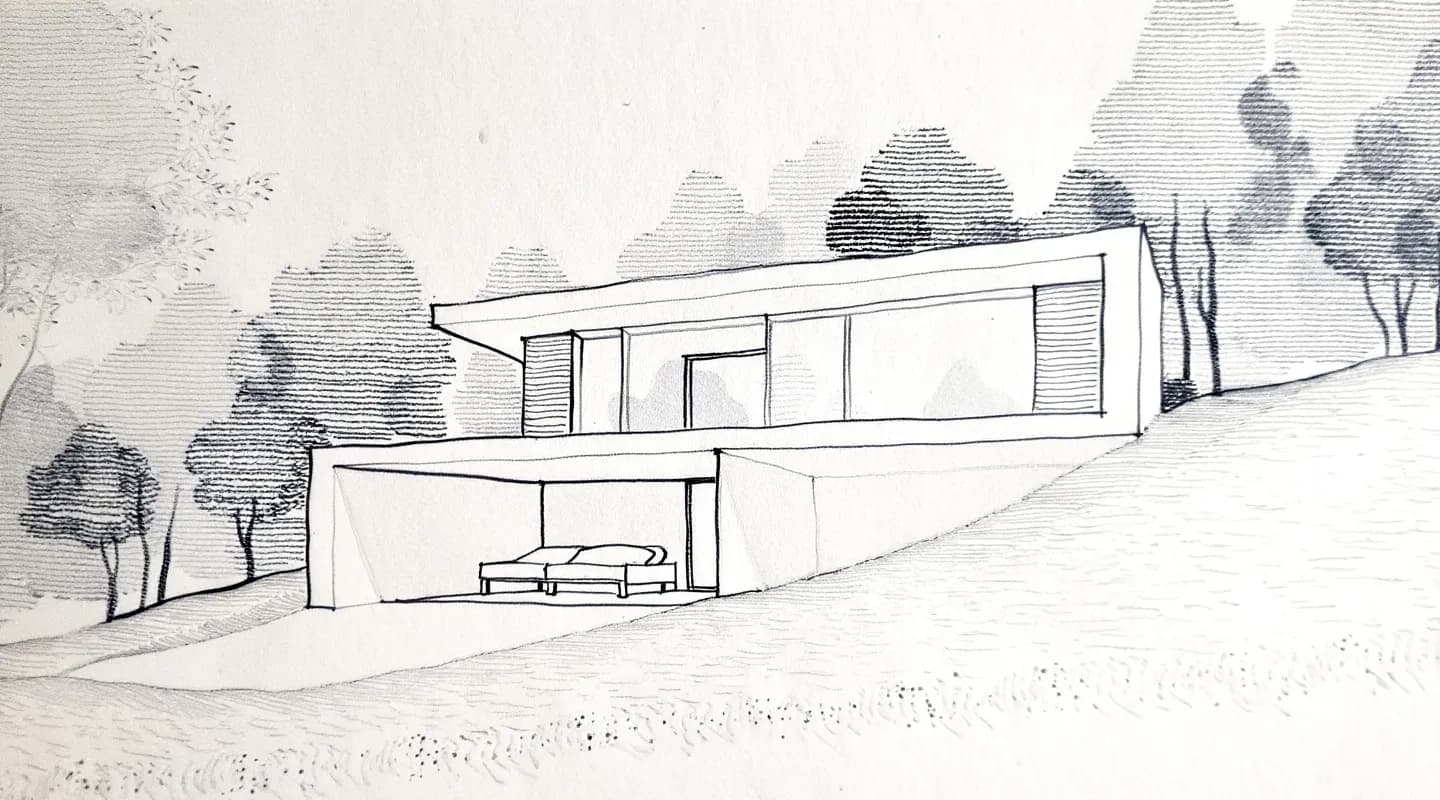
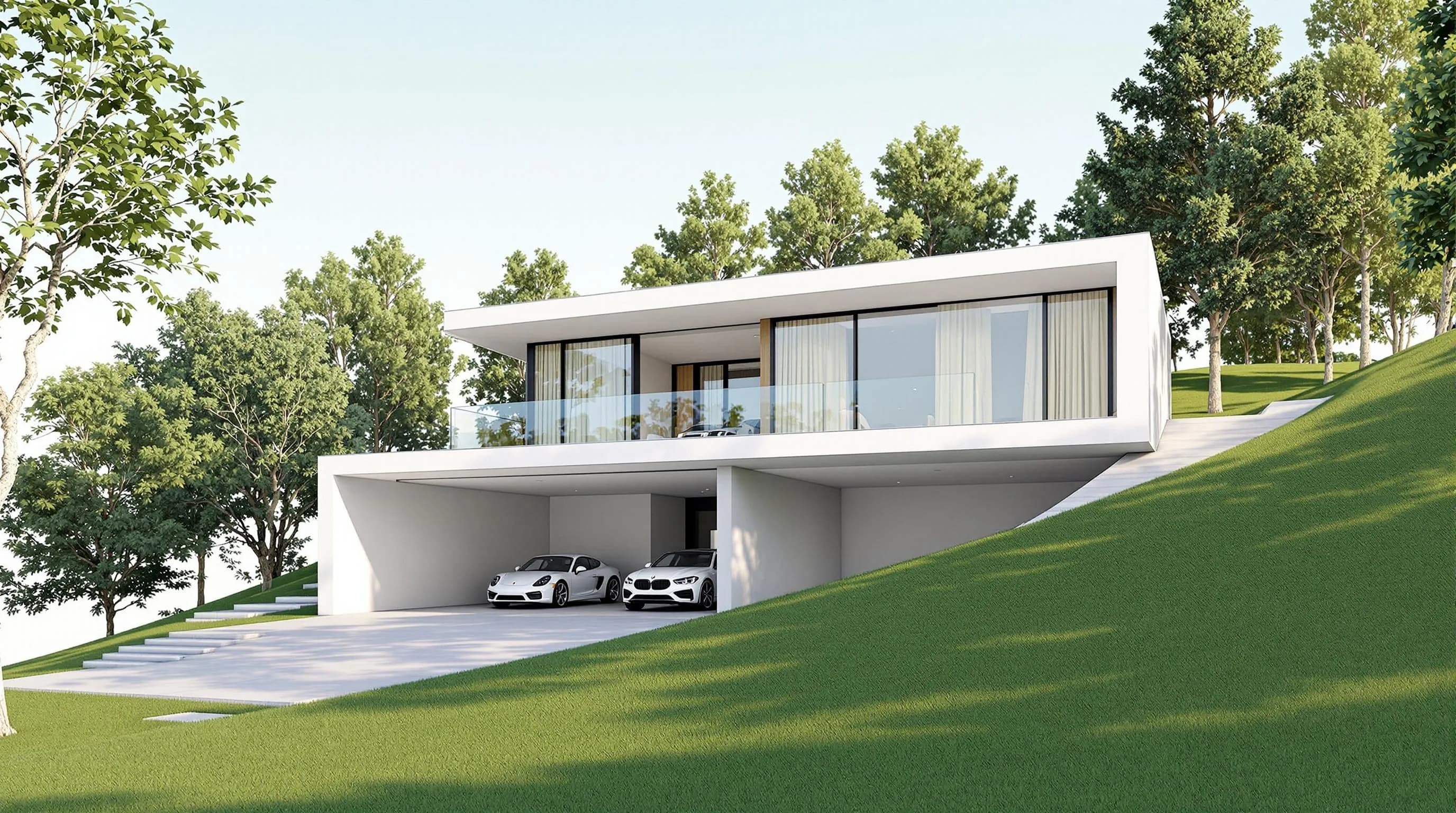
Price: Free is 3 credits/day at 1K with a watermark and no card. Pro is $39/month billed monthly or $312/year ($26/month billed annually) for 240 credits a month. Studio is $99/month billed monthly or $792/year ($66/month billed annually) for 1,000 credits a month. Annual plans include 4 months free. Renders cost 1–4 credits depending on model and resolution, video costs 0.8 credits/second, and failed renders do not consume credits. Extra credits are $0.20 each on paid plans (from $5, and they don’t expire). Details are in the plans and pricing guide.
Honest limitation: credits are not unlimited, so very high volume can cost more than a flat unlimited plan. There is no persistent custom model training (one reference image per render), no native plugins, and no direct Revit .rvt upload (export GLB or use a view screenshot). There is no formal team plan, and there is no native mobile app.
2. Veras — best for AI rendering inside BIM and CAD tools
Best for: architects who work in Revit, SketchUp, Rhino or Archicad and want AI visualization without exporting screenshots.
What it does: Veras runs as a plugin in seven host applications (Revit, SketchUp, Rhino, Archicad, Vectorworks, Forma and Allplan), is available in Enscape, V-Ray and Corona, and has a web app. It accepts hand sketches and 2D plans, generates video (including Veo 3.1 clips), and can turn a sketch, floor plan or image into an editable 3D scene.
Price: Starter is $20.90/month billed monthly or $16.90/month billed annually ($202.80/year), with 500 Chaos AI credits a month; Pro is $59/month billed monthly or $29/month billed annually, per chaos.com/veras. There is a 14-day trial with 100 credits that bills automatically unless you cancel.
Honest limitation: usage is credit-based (Chaos lists roughly 50 1K images a month on monthly Starter), so heavy rendering needs monitoring. See Render a House vs Veras.
3. MyArchitectAI — best for fast, simple, high-volume renders
Best for: people who render many SketchUp exports or screenshots and want predictable subscription costs.
What it does: upload a design image, choose a style and render in the browser. The published speed is under 10 seconds a render. Paid plans include unlimited renders and edits, with prompt-based editing.
Price: $29/month entry (Starter, one seat). Animations are reserved for the $49 Studio tier and above. The free tier is 10 renders, per myarchitectai.com/pricing.
Honest limitation: input is image-based (JPEG, PNG, WebP), and its own FAQ excludes floor plans. See MyArchitectAI vs Render a House.
4. Krea AI — best for live sketch visualization
Best for: exploring materials, lighting and design directions while you draw.
What it does: you draw or modify a concept and watch the image evolve in real time.
Price: the Free plan gives 100 units a day with no card and includes the real-time models. Paid plans are Basic $9/month, Pro $35/month and Max $105/month billed monthly, with yearly billing discounted, per krea.ai/pricing. See Krea AI pricing.
Honest limitation: precise geometry may need extra control, so it is less suited to work that must match a drawing closely.
5. mnml.ai — best for credit packs and modeling-app plugins
Best for: users who want a browser AI renderer with credit packs and free plugins for the modeling app they use.
What it does: mnml.ai renders sketches, photos and SketchUp, Revit, Rhino or Blender views (JPG, PNG or WebP), with region editing, upscaling and video. It offers free plugins for SketchUp, Revit, Rhino and Grasshopper, and gives 100 free credits on signup with no card.
Price: Lite $29/month (1,000 credits), Plus $49/month (3,000 credits) and Studio $119/month (10,000 credits), billed monthly, plus a one-time 10,000-credit pack for $149, per mnml.ai/pricing.
Honest limitation: each engine costs a different number of credits, so check the cost shown before each render when you compare plans. See mnml.ai vs Render a House.
6. D5 Render — best for real-time walkthroughs from a full model
Best for: teams that already have a complete 3D model and need real-time visualization.
What it does: D5 Render is a real-time 3D renderer. It has a free Community edition.
Price: Pro is $30/month billed yearly ($360/year) and Teams is $59/month per seat billed yearly ($708/year), per d5render.com/pricing. See D5 Render pricing.
Honest limitation: it needs a 3D model and a local GPU, so it does not help when you only have a sketch. See D5 Render vs Render a House.
7. Enscape — best for real-time rendering inside CAD/BIM tools
Best for: teams that want render and walkthrough output from the model they are already editing.
What it does: Enscape is a real-time plugin that runs inside Revit, SketchUp, Rhino, Archicad and Vectorworks. It offers a 14-day free trial.
Price: Solo is $47.90/month billed annually ($574.80/year), Premium $670.80/year and Collection $730.80/year, per chaos.com/enscape. See Enscape pricing.
Honest limitation: it needs a modeled scene in a supported host application. It is not a sketch-to-render tool. For where AI tools end and real-time engines begin, see AI alternatives to Enscape and Lumion.
How the pricing models compare
The vendors price in different units, so a side-by-side headline price can mislead:
| Tool | Unit | Entry paid price | What to check |
|---|---|---|---|
| Render a House | Credits per account | Pro $39/mo billed monthly or $312/yr, 240 credits | A 1K standard render is 1 credit; the Pro model (from 2 credits) and video (0.8 credits/second) cost more |
| LookX | Unlimited images per seat plus X-points | $20/mo or $199/yr | X-points pay for training and upscaling |
| MyArchitectAI | Unlimited renders per seat | $29/mo | Animations only on the $49 Studio tier and above |
| Veras | Credits per plan | $20.90/mo billed monthly or $16.90/mo billed annually | 500 Chaos AI credits a month on Starter; credits per image vary by model |
If you render more than roughly 240 images a month, an unlimited plan from LookX or MyArchitectAI will cost less than any credit-based plan here, including Render a House Pro. If you render a few dozen images a month, or want to test before paying, the free daily credits on Render a House or the free LookX Basic plan are the natural starting points.
Our pick
Render a House is our pick when:
- you start from a hand sketch, a floor plan image or a photo and have no 3D model;
- you work in SketchUp and want to upload the
.skpas-is with no plugin; - you are a student or small studio who wants to test for free with 3 credits a day before paying;
- you want a render in 30–60 seconds without a GPU.
Choose LookXif you want a trained style model that reflects your studio’s portfolio, or the cheapest published unlimited-image plan. Choose Veras if you live in Revit, SketchUp, Rhino or Archicad. Choose MyArchitectAI if you render hundreds of exports a month and want unlimited usage. Choose D5 Render or Enscape if you need real-time 3D from a full model.
Read the full LookX vs Render a House comparison for a two-way breakdown.
FAQ
What is the best LookX alternative?
- It depends on your workflow. Render a House is the best alternative for sketches, floor plans and native SketchUp files. Veras suits BIM-plugin workflows, and MyArchitectAI suits fast, unlimited image renders. LookX remains the better choice for custom style training.
Veras vs LookX vs MyArchitectAI — which is better?
- Veras is better for architects working inside Revit, SketchUp, Rhino or Archicad. LookX is better for creative exploration and custom-trained style models. MyArchitectAI is better for simple, fast renders. Render a House is the alternative when you start from a sketch or floor plan without a 3D model.
What is the best AI tool to turn a sketch into a photorealistic render?
- Render a House is a strong choice. You upload a hand sketch, floor plan image or photo, pick a style and get a render in 30–60 seconds with no 3D model, and the free plan gives 3 credits a day. LookX, Veras and Krea AI also support sketch-based workflows, with different trade-offs.
Is LookX AI free?
- LookX lists a free Basic plan with 100 X-points and no card required. Paid plans start at $20/month, with a 7-day free trial. Render a House also has a free plan: 3 credits per day, with a watermark and no card needed.
Does Render a House train custom style models like LookX?
- No. Render a House takes one reference image per render to create a custom style, but it does not train a persistent model. If a reusable trained style is your priority, LookX is the more direct fit.
Does Render a House work with SketchUp and Rhino?
- SketchUp .skp files upload directly with no plugin. For Rhino, export a .glb and upload it. Render a House has no native plugins, and it does not accept Revit .rvt files directly (export GLB or use a view screenshot).
Have a sketch, plan or SketchUp file? Render it free with Render a House (3 credits a day, no card).
Related guides
Keep reading
Related guides and comparisons

ChatGPT for architectural rendering: does it work?
Partly. ChatGPT is great for a fast concept image, but edits drift and it can't keep several renders of one project consistent. Render a House can.

Best AI Rendering Tools for Architects in Latin America (2026)
AI rendering tools for architects in Latin America (2026): Render a House, Veras, ArchiVinci, LookX, MyArchitectAI, Maquete. Languages, prices.

Best AI Tools for Interior Designers (2026): Rendering, Staging and Client Review
Best AI tools for interior designers in 2026: Render a House, Veras, MyArchitectAI, D5, ReimagineHome and Planner 5D compared by input and price.
