 Render a House/Updated Oct 12, 2026
7 Best Exterior Home Design Software and Apps in 2026
Render a House is our #1 exterior home design tool for most homeowners: it restyles a photo of your own house in the browser, with 3 free credits a day and no software to install. The other six tools win specific jobs, from measured contractor models to full house plans.
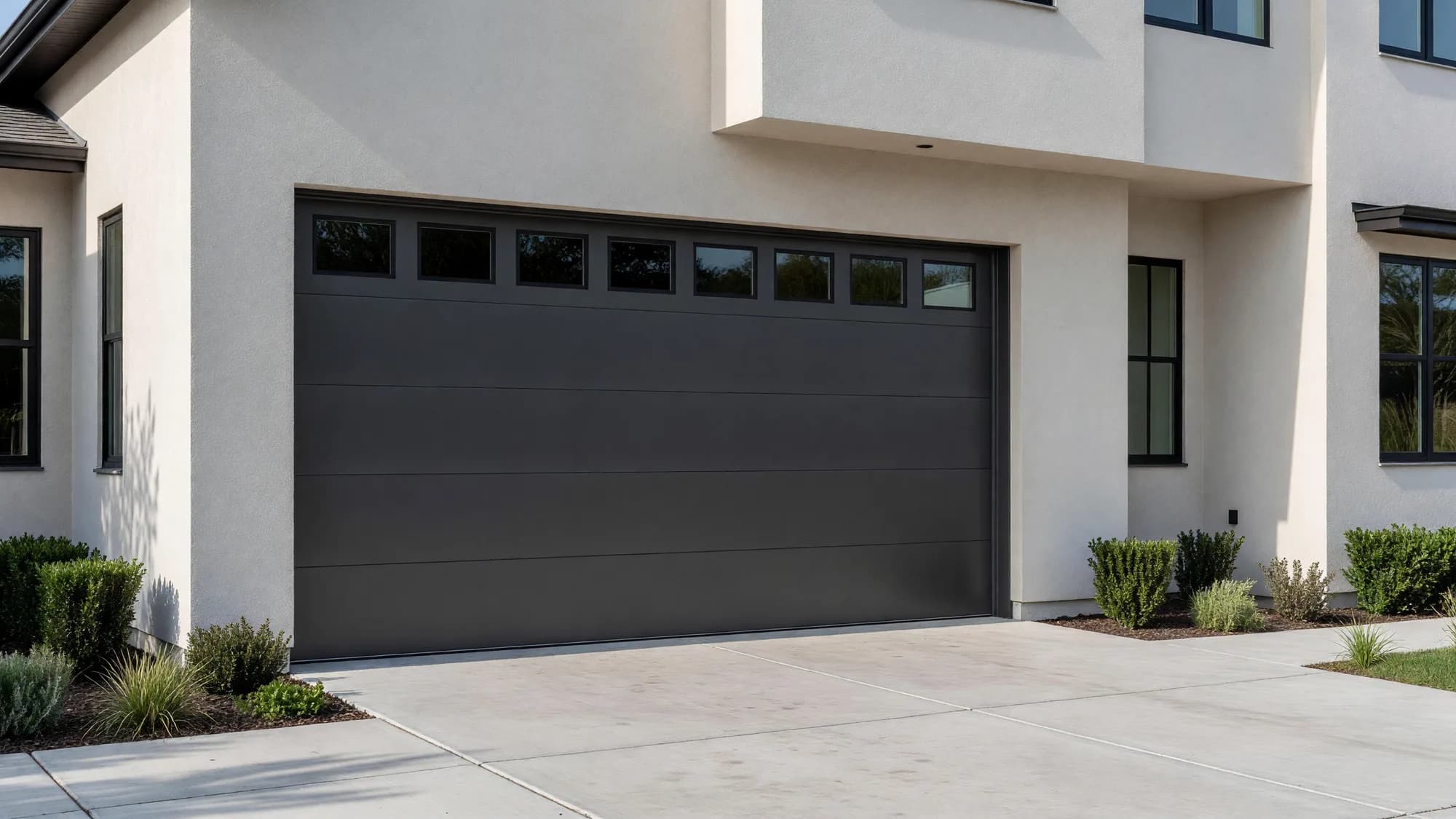
Render a House is our top pick for exterior home design: it changes the pixels of a photo you already have, restyling your own house in the browser — the outcome most homeowners actually want. ReimagineHome and Remodel AI work the same photo-based way. Some tools, such as Hover and Renoworks, build or dress a model of the house so a contractor can show products and quote the job. Others, such as Cedreo and Home Designer, ask you to draw the house first and then produce elevations and renderings from that model. Picking the wrong category is the most common reason a homeowner gives up after an evening.
This guide ranks seven options on the input they accept, the price they publish, and the limitation that matters on a real house. Every third-party price below was read on the vendor's own pricing or product page in October 2026; where a vendor does not publish a price, the page says so instead of guessing. Taxes, regional currency, and app-store pricing can change the total you pay.
Which exterior home design software is best at a glance?
Read the input column first. If you want to see your actual house with a new color, a model-based tool will make you redraw it before you see anything. If you need a quote, a photo-based tool will give you a picture but no quantities.
| Tool | Best for | Input and platform | Published price | Free plan |
|---|---|---|---|---|
| 1. Render a House | Trying siding, paint, windows, garage doors, and landscaping on a photo of your own house | Browser, no GPU; PNG, JPG, or WebP photos plus SKP, GLB, GLTF, OBJ, and STL models | Basic: $19/mo for 120 credits · Pro: $39/mo or $312/yr for 240 credits a month · Studio: $99/mo or $792/yr for 1,000 credits a month | Yes: 3 credits a day at 1K with a watermark |
| 2. Hover | Exterior contractors who need a measured 3D model, design options, and an estimate from phone photos | iOS and Android app plus web; smartphone scan or photo upload | Starter: pay per project, exterior measurements $59–$139 by structure · Pro: $999/yr · Business: $2,999/yr · Enterprise: custom (USD) | First 3 projects free on Starter; homeowners can try Hover Design free for a first project |
| 3. Renoworks | Seeing branded siding, roofing, stone, and color products on a house before ordering | Web visualizer, contractor software, and virtual design consultations | Not published (checked October 2026); Renoworks Pro is sold through a demo | A homeowner visualizer is offered as “Try For Free” |
| 4. Cedreo | Builders and remodelers drawing a new house, then producing elevations and renderings | Browser; imports JPEG, PNG, PDF, DWG, and DXF plans | Personal: $139 per project · Pro: $79/mo billed annually or $129 month to month · Enterprise: $119/user/mo billed annually or $159 month to month | Yes: 1 user and 1 project, with no renderings |
| 5. Home Designer | DIY homeowners who want to model the whole house, roof, and elevations on a desktop | Desktop software for Mac or PC | $495/yr ($41.25/mo equivalent) or $79/mo (USD) | No free plan; a trial download is offered |
| 6. Remodel AI | Fast exterior and landscaping style ideas from a photo taken on a phone | iOS and Android app | Not published on the vendor site (checked October 2026); a Pro Yearly subscription is sold through the app stores | Free trial with a set limit of renders |
| 7. ReimagineHome | Real estate and home-improvement users who want staging plus basic landscaping and exterior edits | Browser; photo upload with a chat-style design flow | Essential: $19/mo for 30 credits · Pro: $36/mo for 200 credits · Advanced: $59/mo for 400 credits · Agency: $119/mo for 900 credits | 5 free designs, no card required |
How is exterior home design software different from other home design tools?
General home design software starts from a floor plan and treats the exterior as a by-product of the walls you draw. That is the right tool for a new build or an addition, but it is slow for the most common exterior question: what would this house look like painted dark green, re-sided in board and batten, or with a modern garage door. Exterior tools start from the outside of the house instead.
Within exterior tools, the split is between photo editing and measured modeling. Photo-based AI tools keep your real house, your real trees, and your real camera angle, and change only the parts you describe or select. They are quick and cheap, but they produce an image, not a dimensioned model. Measured tools such as Hover reconstruct the house from phone photos so a contractor can attach square footage and product data to the design. Manufacturer visualizers such as Renoworks sit between the two: the products are real catalog items, but the goal is to sell those products.
It is also different from a paint color visualizer or a home remodel app. Paint apps focus on matching a brand's color fan, remodel apps usually lean toward interiors, and exterior software has to handle rooflines, siding direction, windows, garage doors, and landscaping on the same image.
What should you compare before choosing an exterior design app?
Five questions separate these tools faster than any feature list.
- What do you start from? A photo, a phone scan, a floor plan, or a 3D model. Choose the tool that accepts the input you already have.
- Do you need a picture or numbers? A concept image helps a household agree on a direction. Siding squares, window sizes, and quotes need a measured model and a contractor.
- Do the products need to be real? If the decision is between two specific siding profiles from one brand, a manufacturer catalog matters more than image quality.
- How does pricing scale? Credits, per-project fees, annual licenses, and app-store subscriptions behave very differently once you try twenty variations instead of two.
- Where does it run? Browser tools work on any laptop, desktop modelers need an install on Mac or PC, and mobile apps are easiest on site but harder to use for careful edits.
What are the 7 best exterior home design software and apps in 2026?
The ranking reflects the most common homeowner job, which is seeing a new exterior on the existing house. If your job is quoting, building, or drafting, the workflow table further down points to a better first choice.
1. Render a House — best for restyling a photo of your own house in the browser

Render a House turns an exterior photo, a sketch, or a 3D model into a photorealistic concept in the browser, with no graphics card and nothing to install. For an existing house, the AI house exterior design tool keeps the camera angle and the house you photographed, and changes the parts you describe: siding, stone, roof color, trim, windows, entry, lighting, or planting. You can select an area of the image to keep an edit local, add a reference photo of a house you like, and refine the result instead of starting over.
Narrower jobs have their own entry points. The exterior paint visualizer repaints walls, trim, and doors on the same photo, the garage door visualizer swaps door styles, and the window visualizer tests frame colors and grid patterns. Architects and builders can upload SKP, GLB, GLTF, OBJ, or STL models, or a PNG or JPG export of an elevation, and get exterior views at different times of day. A standard 1K render costs 1 credit, a 2K render 1.5, and a 4K render 4 with the Pro model; the render cost calculator turns that into a monthly estimate. Paid plans also generate short videos, and checkout is card-only.
Published price used in this comparison: Basic: $19/mo for 120 credits · Pro: $39/mo or $312/yr for 240 credits a month · Studio: $99/mo or $792/yr for 1,000 credits a month. See the first-party product page for current terms.
Free use is 3 credits a day at 1K with a watermark. Plan details are on the plans and pricing page.
Limitation: it produces concept images, not construction information. It does not measure the house, list materials, price the work, or tell you whether a change meets local code, and like every generative tool it can alter small details you did not ask it to change, so check window counts and rooflines before you share an image.
2. Hover — best for contractors who need measurements with the design

Hover is built around measurement. A contractor or homeowner scans the house with a smartphone, or uploads photos, and Hover builds a 3D model with exterior measurements. Hover Design then lets you try siding, trim, roofing, windows, garage doors, fascia, soffits, and paint on that model, and the paid plans connect the design to estimates and proposals. That combination is why exterior contractors use it: the picture and the quote come from the same model.
For homeowners, Hover offers Hover Design free for a first project, which is a sensible way to see your house in 3D before calling a contractor. The value grows when the contractor already works in Hover and can price what you designed.
Published price used in this comparison: Starter: pay per project, exterior measurements $59–$139 by structure · Pro: $999/yr · Business: $2,999/yr · Enterprise: custom (USD). See the first-party product page for current terms.
Limitation: pricing is per project on Starter and annual on Pro and Business, so it is priced for people quoting jobs, not for trying fifty color ideas. The pricing page also lists Hover Design as not included in the Starter plan, and the design options are limited to the materials Hover models.
3. Renoworks — best for previewing real manufacturer products

Renoworks is a product visualizer used by building-product manufacturers, dealers, and contractors. Its homepage describes a catalog of more than 350 manufacturer brands, so a design can show the actual siding profile, roofing line, stone, or color a homeowner would order. Homeowners can try the visualizer for free or book a one-hour virtual design consultation that ends with a design report. Contractors use Renoworks Pro to create visualizations, capture leads, and support estimates.
It also offers an AI image enhancement step that turns a visualization into a more photographic image. The core value, however, is the catalog: when a client is choosing between two named products, seeing the right texture and color name matters more than a dramatic render.
Published price used in this comparison: Not published (checked October 2026); Renoworks Pro is sold through a demo. See the first-party product page for current terms.
Limitation: Renoworks does not publish prices for its contractor software or consultations, so you cannot compare its cost without a sales conversation, and the product choices follow the brands in its catalog rather than any material you can describe.
4. Cedreo — best for builders designing a new house from a plan

Cedreo is browser-based home design software for builders, remodelers, and designers. You draw or import a floor plan, and Cedreo generates walls, roofs, elevations, terrain, and 3D views, then produces photorealistic renderings and AI renderings for a client presentation. It imports JPEG, PNG, PDF, DWG, and DXF plans, which is useful when a builder already has drawings for a new house. For a deeper comparison of plan-first tools, see the best floor plan software.
Published price used in this comparison: Personal: $139 per project · Pro: $79/mo billed annually or $129 month to month · Enterprise: $119/user/mo billed annually or $159 month to month. See the first-party product page for current terms.
Rendering quotas are part of the price: Personal includes 20 renderings and 3 AI renderings per project, Pro includes 40 renderings and 10 AI renderings a month, and Enterprise includes 80 renderings and 20 AI renderings per user each month.
Limitation: it is a modeler, not a photo editor. To redesign an existing house you have to draw it first, and the free plan covers one project without renderings, so the exterior images that make Cedreo attractive start on a paid tier.
5. Home Designer — best for DIY desktop modeling with elevations

Home Designer, from Chief Architect, is desktop software for Mac or PC that models a whole house: walls, automatic roofs, foundations, framing, cabinets, and landscaping. Exterior work is a strength because the roof tools and elevation views are built in, and ray-trace rendering produces lit exterior images from the model. It also produces a materials list from what you draw, which is useful for rough planning before a contractor visit.
Published price used in this comparison: $495/yr ($41.25/mo equivalent) or $79/mo (USD). See the detailed Home Designer pricing breakdown for the underlying plan terms.
Limitation: there is a real learning curve, the software must be installed, and the house has to be modeled before you see an exterior. For a homeowner who only wants to test a paint color, that is many hours of setup for a five-minute question.
6. Remodel AI — best for quick style ideas on a phone

Remodel AI is a mobile app for iOS and Android that applies AI styles to a photo. Its feature list covers interior remodels, exterior remodels, landscaping, flooring, walls, and tools to reskin, replace, or remove objects, plus a shopping step for similar products. It is the quickest option on this list when you are standing in front of the house with a phone and want a handful of ideas before a weekend at the home center.
Published price used in this comparison: Not published on the vendor site (checked October 2026); a Pro Yearly subscription is sold through the app stores. See the first-party product page for current terms.
Limitation: the vendor site does not publish the subscription price and points to the App Store and Google Play instead, so check the in-app price and renewal terms before the trial ends. Phone-first editing is also harder to control on a large facade than a browser tool with area selection.
7. ReimagineHome — best for listing photos and light exterior edits

ReimagineHome is a browser tool built around real estate photos. It started with virtual staging and now includes landscaping and exterior edits, a chat-style design flow, reference photos, and incremental editing on higher tiers. Credits are the unit: each plan includes a monthly credit allowance, and new users get five free designs without a card. If most of your work is listing photos, compare it with the best AI tools for real estate agents.
Published price used in this comparison: Essential: $19/mo for 30 credits · Pro: $36/mo for 200 credits · Advanced: $59/mo for 400 credits · Agency: $119/mo for 900 credits. See the first-party product page for current terms.
Limitation: the entry Essential plan lists only basic landscaping and exterior edits and no reference photos, so the more controlled exterior workflow starts on Pro. Its focus on listings also means fewer tools aimed at design decisions such as trim, siding direction, or window grids.
Which exterior home design software fits your workflow?
Most exterior projects use two tools: one to agree on a direction, and one to measure, specify, or build it. Start with the job, not the brand.
| Your job | First choice | Also consider |
|---|---|---|
| You have a photo and want to see new siding, paint, or a garage door | Render a House | ReimagineHome or Remodel AI |
| You are a contractor quoting siding, roofing, or windows | Hover | Renoworks |
| You want to show a client a specific manufacturer product line | Renoworks | Hover |
| You are designing a new house and need plans and elevations | Cedreo | Home Designer |
| You want to model your own house on a desktop and work on the roof | Home Designer | Cedreo |
| You want quick ideas on a phone while standing in the yard | Remodel AI | Hover Design |
| You have a 3D model and want photoreal exterior views | Render a House | An exterior rendering studio |
A practical sequence for a homeowner is to try several directions on a photo, narrow them to two, and then ask a contractor to measure and price those two. For a new build, the order flips: draw the house in a modeler, then use an AI tool or a 3D exterior rendering service for the final presentation images.
Which exterior home design apps are free?
No tool here is fully free for regular use, but most have a way to try the workflow before paying.
- Render a House: 3 credits a day at 1K with a watermark, enough for a few exterior variations each day.
- Hover: the first three Starter projects are free, and homeowners can try Hover Design free for a first project.
- Renoworks: the homeowner visualizer is offered as a free try; consultations and contractor software are paid.
- Cedreo: a free plan for one user and one project, without renderings.
- Home Designer: no free plan; a trial download is available.
- Remodel AI: a free trial with a set limit of renders, then a subscription.
- ReimagineHome: five free designs for new users, with no card required.
How were the prices verified?
Each third-party price and quota was read on the vendor's own page in October 2026, in the currency the page displayed (USD). Where a vendor did not publish a price, the article says so rather than quoting a review site. Render a House figures come from the live plan configuration.
- Render a House: plans and pricing
- Hover: pricing and Hover Design for homeowners
- Renoworks: homepage and homeowner page
- Cedreo: pricing
- Home Designer: product page
- Remodel AI: FAQ and App Store listing
- ReimagineHome: pricing
All sources checked October 2026.
What can exterior home design apps not tell you?
Every tool on this list helps you decide what a house should look like. None of them replaces the people who confirm it can be built.
- Code, permits, and HOA rules. No app checks setbacks, historic-district rules, or HOA color approvals. Ask before you fall in love with a design.
- Exact color and texture. Screens shift color and AI images smooth texture. Test physical paint samples and siding boards on the house, in morning and evening light.
- Structure. A new porch, a larger window, or a heavier roof material may need an engineer, whatever the image shows.
- Quantities and quotes.Only measured tools such as Hover produce measurements, and even those are an input to a contractor's quote, not a replacement for it.
- Photo-based edits. AI tools work from what the camera saw. Hidden walls, roof planes out of view, and details behind trees are invented, not known.
For final marketing images of a new build, a studio is still the safer choice; the 3D exterior rendering services guide compares studio pricing with doing the early options yourself.
What do homeowners ask about exterior home design software?
What is the best exterior home design software?
It depends on your starting point. Render a House is the fastest way to restyle a photo of your own house in a browser, with 3 free credits a day. Hover suits contractors who need measurements and estimates, Renoworks suits branded product previews, and Cedreo or Home Designer suit people who want to model a house from a plan.
Is there a free app to design the exterior of my house?
Several tools have a free entry point. Render a House gives 3 credits a day at 1K with a watermark, Hover gives the first three Starter projects free, Cedreo has a free plan for one project without renderings, ReimagineHome gives five free designs, and Remodel AI has a free trial with a set number of renders.
How can I see what my house would look like with new siding?
Take a straight, well-lit photo of the facade, upload it to a photo-based tool such as Render a House, select the walls, and describe the siding, color, and trim you want. For a branded product preview use a manufacturer visualizer such as Renoworks, and confirm the final choice with physical samples.
Can I try exterior paint colors on a photo of my house?
Yes. Photo-based tools can repaint walls, trim, doors, and shutters on your own photo. Treat the result as a direction rather than a color match, because screens, light, and sheen change how paint reads. Buy sample pots of the shortlisted colors and test them on the house before ordering.
Can exterior design apps give me measurements and costs?
Only some of them. Hover builds a measured 3D model and sells exterior measurement reports per project, and Cedreo or Home Designer work from dimensioned models. Image-based AI tools, including Render a House, produce pictures, not measurements, quantities, or contractor quotes.
Is AI exterior design accurate enough to show a contractor?
It is accurate enough to communicate a style direction: the color family, siding direction, window frame color, or garage door style. It is not accurate enough to specify a product, size an opening, or price a job. Share the image as a reference and let the contractor measure.
Keep reading
Related guides and comparisons

8 Best Room Planner Apps in 2026 (Free & Paid)
Compare eight room planner apps (Render a House, Planner 5D, RoomSketcher, Homestyler, Floorplanner, IKEA, Roomstyler, Magicplan) by free plan, platform and price.
8 Best AI Image Upscalers in 2026 (Free & Paid)
Eight AI image upscalers compared for architectural renders: Render a House, Magnific, Topaz Gigapixel, Let's Enhance, Upscayl, Krea and more, priced.
9 Best Home Design Software in 2026 (Free & Paid)
Compare nine home design programs, from Chief Architect and Cedreo to Sweet Home 3D, by who they suit, platform and published price, and when to add an AI render.
