 Render a House/Updated Oct 12, 2026
Best Laptops for Architecture Students in 2026 (and When You Don't Need a GPU)
Five laptop lines compared against the published requirements of the software architecture schools actually teach, with starting prices checked on each vendor's own US store, plus where browser rendering with Render a House replaces the need for a local GPU.
The best laptop for an architecture student is the one that runs the software on your course list: a MacBook Pro from $1,999 (or $1,899 on Apple's US education store) if your school is SketchUp, Rhino or Archicad based, and a Windows laptop with 16 to 32 GB of RAM and a discrete NVIDIA GPU if it is Revit and Enscape based. Revit has no macOS build, so that single requirement decides the platform for many students. Render a House is not a laptop and is not ranked here; it appears as the browser-based rendering option that lets a thin laptop or a school computer produce presentation renders without a GPU.
Every price below is a starting price shown on the vendor's US store in October 2026. For a broader view of the student software stack, read AI rendering for architecture students.
Which laptops are best for architecture students at a glance?
| Laptop line | Best for | Platform and GPU | Starting price (US, checked October 2026) | Free or student option |
|---|---|---|---|---|
| 1. Apple MacBook Pro | SketchUp, Rhino, Archicad, Twinmotion and Blender on macOS | macOS, Apple silicon, integrated GPU with unified memory | from $1,999 for the 14-inch M5 with 16 GB unified memory, from $2,999 for the 16-inch (US Apple Store, checked October 2026) | US education store: 14-inch from $1,899, 16-inch from $2,799 |
| 2. Dell XPS and Dell Pro Max | Portable Windows for Revit and AutoCAD drafting | Windows 11; XPS has integrated Intel Arc graphics, Pro Max adds NVIDIA RTX PRO options | XPS 14 listed at $2,149.99 and XPS 16 at $2,249.99 with Intel graphics; Dell Pro Max 16 from $2,461.00, plus $480 for an RTX PRO 500 6 GB or $680 for an RTX PRO 1000 8 GB (US Dell store, checked October 2026) | No public student price on the pages checked |
| 3. Lenovo Legion and ThinkPad P | A discrete NVIDIA GPU for Revit, Enscape, Lumion and D5 | Windows 11, NVIDIA GeForce (Legion) or RTX PRO (ThinkPad P) | Legion configurations listed from $2,066.99 (Legion 5a Gen 11 with up to RTX 5070); ThinkPad P14s Gen 7 AMD from $1,659.00 and P16v Gen 3 from $2,291.00 (US Lenovo store, checked October 2026) | Lenovo advertises verified education pricing; amount not shown publicly |
| 4. ASUS ProArt P16 | Color-critical presentation work on Windows with a large GPU | Windows 11, up to Ryzen AI 9 465 and up to RTX 5090 Laptop GPU, OLED | ASUS Store price starting at $3,999.99 (US ASUS store, checked October 2026) | No public student price on the page checked |
| 5. HP ZBook | ISV-certified workstation laptops and very large memory | Windows 11, NVIDIA RTX PRO or AMD Ryzen AI Max integrated graphics | ZBook 8 from $2,279, ZBook Ultra G1a from $2,299, ZBook Fury G1i from $3,149 and ZBook X G2i from $3,839 (HP.com starting prices, checked October 2026) | No public student price on the page checked |
No laptop has a free plan, so the last column shows the published education price where the vendor lists one. The free rendering options that work on any of these machines are covered in the free and student section.
How is an architecture laptop different from a gaming laptop?
A gaming laptop is tuned for high frame rates in games: a fast GPU, a high-refresh screen and enough RAM for one application. An architecture laptop is judged on different loads. Revit and Archicad are mostly single-thread bound when you model, so a fast CPU core matters more than core count. Real-time renderers such as Enscape, Lumion, Twinmotion and D5 Render are GPU bound and want video memory. And a studio day usually means a BIM tool, a renderer, a browser full of references and Adobe software open at once, which is a RAM problem before it is a GPU problem.
Workstation lines such as Dell Pro Max, ThinkPad P and HP ZBook add NVIDIA RTX PRO GPUs and independent software vendor (ISV) certification, which means the vendor has tested specific drivers against tools like Revit and AutoCAD. Firms pay for that stability. Students usually do not need it, which is why a GeForce gaming laptop with the same RAM is often the better value. Apple laptops sit apart: there is no discrete GPU option, the GPU shares unified memory with the CPU, and the operating system rules out Windows-only tools unless you virtualize them.
The newest category is the one that needs no local hardware at all. Cloud render farms and AI rendering tools run the expensive step on remote servers, which our render farm vs AI rendering comparison explains in detail.
What should you compare before buying a laptop for architecture?
Start from the software list your school publishes, then read the vendor requirements. The table below summarizes our existing system-requirements guides; each link has the full tiers and the first-party source.
| Software | Runs on macOS | RAM floor | GPU guidance | Full requirements |
|---|---|---|---|---|
| Revit | No native build | 16 GB | DirectX 11 GPU; 4 GB VRAM at the value tier | Revit requirements |
| SketchUp | Yes, Apple silicon | 8 GB | Windows guidance names an 8 GB VRAM card; Mac needs a Metal GPU | SketchUp requirements |
| Rhino | Yes, Apple silicon | 8 GB recommended | 4 GB video memory recommended | Rhino requirements |
| Archicad | Yes, Apple silicon | 8 GB minimum | 4 GB DirectX 11 card at the recommended tier | Archicad requirements |
| Lumion | No (Lumion Pro is Windows only) | 16 GB | Discrete GPU with 6 GB or more | Lumion requirements |
| D5 Render | No | 32 GB recommended | Ray-tracing GPU; RTX 3060 Ti class recommended | D5 Render requirements |
| Enscape | Yes, with non-Revit hosts | Follows the host | 4 GB VRAM minimum, 8 GB recommended | Enscape requirements |
Outside the table, the Twinmotion requirements ask for 16 GB of RAM and a 6 GB graphics card and support macOS; Blender runs on 8 GB with a 2 GB GPU but recommends 32 GB and 8 GB of VRAM; V-Ray needs an AVX2 CPU for its CPU engine and much more video memory for V-Ray GPU; AutoCAD lists 16 GB of RAM and has a Mac version that needs macOS 14 or later; and Chief Architect lists 16 GB with a 4 GB DirectX 12 card.
Once you have the software list, compare five things in this order:
- Operating system. If Revit, Lumion or D5 Render is required, buy Windows. Running Revit on a Mac means Parallels Desktop, which our Revit for Mac guide covers in full.
- RAM. 16 GB is the floor because Revit, Lumion, Twinmotion and Chief Architect all start there. 32 GB is the target for a five-year degree. Many thin laptops and every MacBook have soldered memory, so buy the amount you need on day one.
- GPU and video memory.Only matters if you render locally in real time. 8 GB of VRAM covers Enscape's recommended tier and most student Lumion and Twinmotion scenes.
- Storage. Lumion alone asks for over 100 GB of free disk. 1 TB is a sensible minimum once you add a BIM tool, Adobe apps and project archives.
- Weight, battery and screen. You will carry this laptop to studio and crits every day. A 14-inch machine under 2 kg with an accurate screen is easier to live with than a 16-inch gaming laptop with a two-hour battery.
Which laptop lines are worth shortlisting?
The order reflects how many common architecture-school workflows each line covers well at a student budget, not a benchmark. We did not run performance tests; the specs and prices come from the vendor stores linked in each entry.
1. MacBook Pro — best for Mac-native studios and battery life
The MacBook Pro is the default choice in Mac-based studios. Apple sells the 14-inch model with M5, M5 Pro or M5 Max chips and the 16-inch with M5 Pro or M5 Max, with unified memory configurable up to 128 GB and storage from 1 TB to 8 TB. SketchUp, Rhino, Archicad, Twinmotion, Blender and AutoCAD for Mac all run natively on Apple silicon, and battery life is the main practical advantage over the Windows workstations below.
Configure memory carefully: the GPU uses the same unified memory as the CPU, so 16 GB is shared between modeling, rendering and the operating system. For a student running Twinmotion or Blender Cycles, 24 GB or 32 GB is the more future-proof choice. Our best rendering software for Mac guide lists the renderers that run natively.
Starting price used in this comparison: from $1,999 for the 14-inch M5 with 16 GB unified memory, from $2,999 for the 16-inch (US Apple Store, checked October 2026). Prices change with configuration, sales and region; see the first-party store page for the current figure.
Limitation: Revit, Lumion Pro and D5 Render have no macOS version. Revit runs inside Parallels Desktop on Apple silicon, but that is a virtualized Windows install with its own license cost and performance limits; the Revit for Mac guide walks through the options.
2. Dell XPS and Dell Pro Max — best for a thin Windows laptop
Dell rebranded its laptop range in 2025: the workstation line formerly called Precision is now Dell Pro Max, and the XPS name is back for its premium consumer laptops. The current XPS 14 and XPS 16 pages list Intel Core Ultra processors, 16 GB of LPDDR5X memory in the base configuration and integrated Intel Arc graphics, with no discrete GPU. That makes XPS a good thin Windows laptop for Revit, AutoCAD and SketchUp modeling, and a weak one for real-time rendering.
Dell Pro Max 16 is the line to look at if you need a discrete GPU from Dell. The base configuration on the US store ships with Intel graphics; the configurator adds an NVIDIA RTX PRO 500 Blackwell with 6 GB or an RTX PRO 1000 Blackwell with 8 GB. The 8 GB option meets Enscape's recommended tier and the Revit balanced tier.
Starting price used in this comparison: XPS 14 listed at $2,149.99 and XPS 16 at $2,249.99 with Intel graphics; Dell Pro Max 16 from $2,461.00, plus $480 for an RTX PRO 500 6 GB or $680 for an RTX PRO 1000 8 GB (US Dell store, checked October 2026). Prices change with configuration, sales and region; see the first-party store page for the current figure.
Limitation:the XPS models checked have no discrete GPU at all, and adding one on Pro Max pushes the price well past the base figure. Dell's US store also served access errors to automated checks on some category pages, so confirm the final configured price in your own browser.

3. Lenovo Legion and ThinkPad P — best value GPU for Revit and real-time rendering
Lenovo covers both ends of the student market. Legion is its gaming line: the US store listed Legion configurations from $2,066.99 for a Legion 5a Gen 11 with up to an RTX 5070, and higher-end Legion Pro and Legion 7i models above $3,000. A GeForce RTX card with 8 GB of VRAM covers Enscape, Lumion, Twinmotion and D5 Render at student scene sizes, which is why gaming laptops are common in Windows-based studios.
ThinkPad P is the workstation line. The ThinkPad P14s Gen 7 AMD was the cheapest workstation in this comparison at $1,659.00, the P16v Gen 3 started at $2,291.00, and the larger P16 and P1 models were listed above $3,000. ThinkPads are lighter, quieter and easier to service than gaming laptops, with ISV-certified drivers on the NVIDIA RTX PRO configurations.
Starting price used in this comparison: Legion configurations listed from $2,066.99 (Legion 5a Gen 11 with up to RTX 5070); ThinkPad P14s Gen 7 AMD from $1,659.00 and P16v Gen 3 from $2,291.00 (US Lenovo store, checked October 2026). Prices change with configuration, sales and region; see the first-party store page for the current figure.
Limitation: gaming Legion models are heavy, loud under load and have short battery life when the GPU is in use; the cheapest ThinkPad P configurations use integrated graphics, so check the GPU line before you order.

4. ASUS ProArt P16 — best for a color-accurate creator screen
The ASUS ProArt P16 is a creator laptop: ASUS lists configurations up to an AMD Ryzen AI 9 465 processor and up to a GeForce RTX 5090 Laptop GPU, with a Lumina Pro OLED display marketed on color accuracy. For a student who does serious post-production in Photoshop or presents boards straight off the screen, the display is the reason to choose it over a gaming laptop with a similar GPU.
The smaller ProArt PX13 uses AMD Ryzen AI Max integrated graphics instead of a discrete NVIDIA card; ASUS did not show a US price for it on the page we checked.
Starting price used in this comparison: ASUS Store price starting at $3,999.99 (US ASUS store, checked October 2026). Prices change with configuration, sales and region; see the first-party store page for the current figure.
Limitation: at $3,999.99 to start, the ProArt P16 costs about twice a capable gaming laptop, and an OLED panel is a luxury rather than a requirement for architecture coursework.

5. HP ZBook — best for certified workstation drivers
HP ZBook is a workstation family with several sub-lines. HP's mobile workstation page lists the ZBook 8 from $2,279 with integrated graphics or an RTX PRO 500, the ZBook Ultra G1a from $2,299 with AMD Ryzen AI Max+ PRO 395 and up to 128 GB of unified memory, the ZBook Fury G1i from $3,149 with up to an RTX PRO 5000 Blackwell, and the ZBook X G2i from $3,839 with up to an RTX PRO 3000 Blackwell.
The ZBook Ultra is the interesting student option: it uses integrated Radeon graphics that share system memory, similar in concept to Apple silicon, but runs Windows and therefore Revit natively. The Fury is a desktop replacement for students who already know they will do heavy GPU rendering locally.
Starting price used in this comparison: ZBook 8 from $2,279, ZBook Ultra G1a from $2,299, ZBook Fury G1i from $3,149 and ZBook X G2i from $3,839 (HP.com starting prices, checked October 2026). Prices change with configuration, sales and region; see the first-party store page for the current figure.
Limitation: ZBook starting prices cover very different configurations, so two laptops with the same family name can differ by thousands of dollars. ISV certification matters to firms more than to students, and you pay for it.

When don't architecture students need a GPU?
You do not need a discrete GPU if your rendering happens somewhere else. That covers three common student situations: your school provides a render lab or render farm, your course software is SketchUp, Rhino, Archicad or AutoCAD and you only model on the laptop, or you use a browser-based AI renderer for presentation images.
Render a House is that last option. It runs in the browser and does the rendering on remote servers, so it works the same on a MacBook Air, a Chromebook or a studio PC. You upload a SketchUp, GLB, GLTF, OBJ or STL model, or a PNG, JPG or WebP image of a sketch, model screenshot or elevation. It does not accept PDF, so export a plan to PNG or JPG first. A standard render costs 1 credit and a Pro render 2 credits; the render cost calculator estimates a project.
The free tier gives 3 credits a day at 1K resolution with a watermark. Paid plans start at $19 a month for 120 credits; Pro is $39 a month or $312 a year for 240 credits a month, and video is on paid plans only. Checkout is card-only. Full terms are on the plans and pricing page, and the architectural rendering tool is where you start a render.
Published price used in this comparison: Free: 3 credits a day (1K, watermark) · Basic: $19/mo · Pro: $39/mo or $312/yr · Studio: $99/mo.

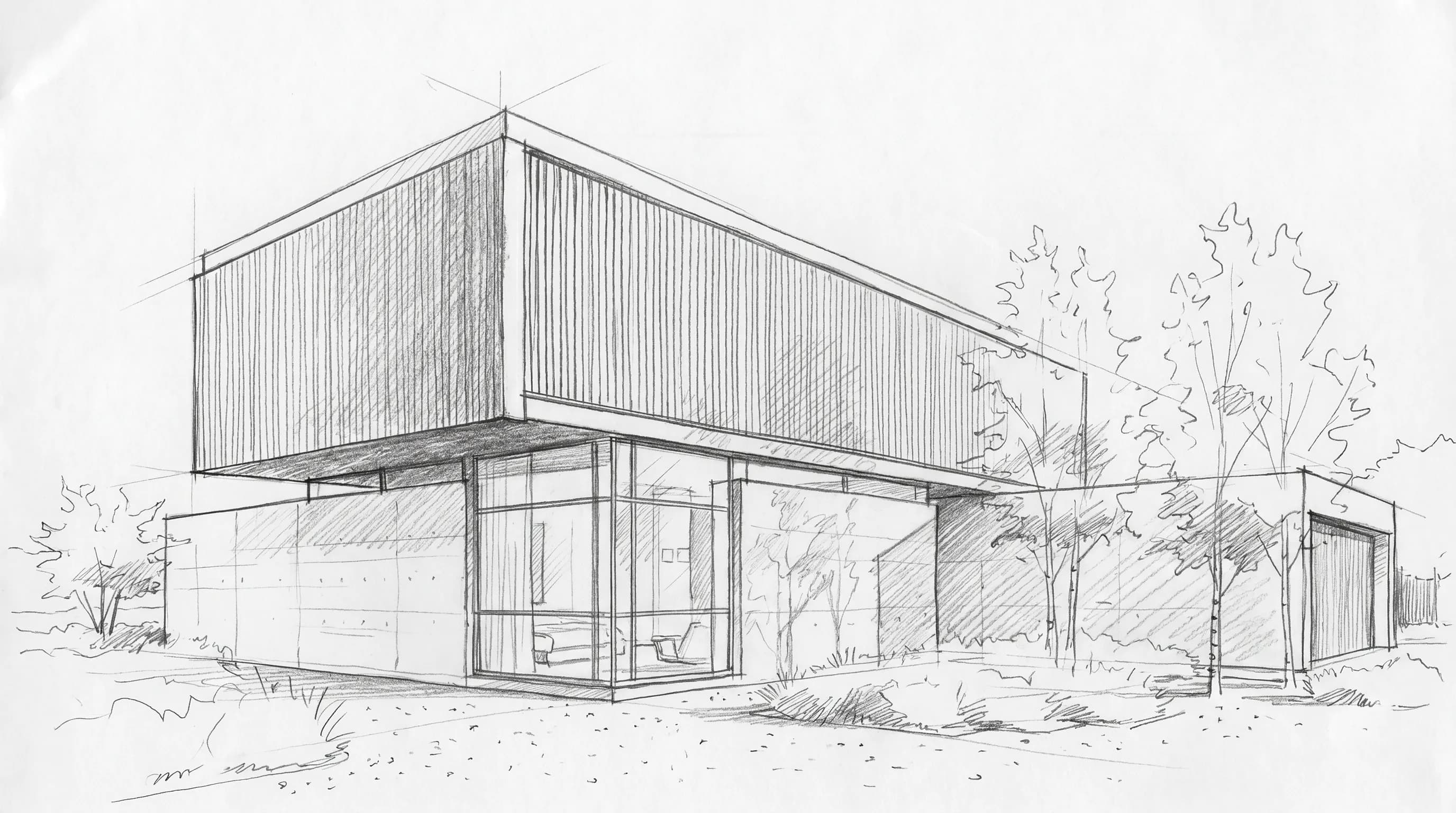
Limitation: AI rendering interprets your input rather than calculating light from exact materials, so it does not replace a physically based renderer when a tutor asks for accurate daylight studies, and it needs an internet connection. It also does not run Revit or any modeling tool for you; you still need a laptop that meets your course software requirements.
Which laptop fits your architecture workflow?
- SketchUp, Rhino or Archicad studio, mostly modeling: MacBook Pro or Dell XPS with 16 to 32 GB, plus browser rendering for presentation images. See rendering software for SketchUp for render add-ons.
- Revit studio with Enscape or Lumion: Windows with 32 GB and an 8 GB NVIDIA GPU, such as a Lenovo Legion or a Dell Pro Max with RTX PRO 1000.
- Tight budget, any software: a ThinkPad P14s or a 16 GB Windows laptop for modeling, with renders done in the browser or in the school lab.
- Visualization-heavy portfolio work: ASUS ProArt P16 or HP ZBook Fury with a high-VRAM GPU for local V-Ray GPU and D5 Render scenes.
- Mac user whose school requires Revit: a MacBook Pro with 32 GB running Parallels, or a second-hand Windows laptop for Revit only. The best architecture software guide lists Mac-native alternatives.
Which options are free or discounted for students?
No laptop is free, but education pricing narrows the gap. Apple's US education store listed the 14-inch MacBook Pro from $1,899 and the 16-inch from $2,799 in October 2026, about $100 and $200 below the standard store. Lenovo advertises verified education pricing on its US store but does not show the discounted amount publicly, and the Dell, ASUS and HP pages we checked did not show a student price.
Most of the software is free for students. Autodesk, Graphisoft, Chaos and others run education programs; the free AI rendering tools comparison covers free rendering options. Render a House has a free tier of 3 credits a day and a Student plan of 80 credits a month at no cost, unlocked when three classmates sign up with academic emails and complete a first render, as described in the student rendering guide.
How we verified prices
Prices were read from each vendor's US store or product page, checked October 2026, in US dollars. We recorded the starting configuration shown on the page and did not use third-party reviews or retailer listings.
- Apple: MacBook Pro store and US education store
- Dell: XPS product line, XPS 14 page and Dell Pro Max 16 configurator
- Lenovo: Legion store and ThinkPad P store
- ASUS: ProArt P16 product page
- HP: mobile workstation page
Vendor stores change prices weekly and may show different currencies outside the US. Render a House prices come from the plans and pricing page.
What can't a laptop upgrade fix?
A faster laptop does not fix a slow modeling workflow. Revit and Archicad responsiveness depends more on model hygiene, linked files and view settings than on a GPU upgrade. A discrete GPU does not make Revit run on macOS, and no amount of unified memory makes Lumion or D5 Render install on a Mac.
Laptops also throttle. A thin laptop with a high-end GPU will not sustain the same performance as a desktop with the same chip during a long render, and battery life drops sharply once the GPU is in use. If your school has a render lab, a modest laptop plus lab time or a browser renderer is often a better use of money than a top-tier mobile workstation.
Laptop for architecture students FAQ
Do architecture students need a dedicated graphics card?
Only for the GPU-bound tools. Revit lists 4 GB of DirectX 11 video memory as its value tier, Enscape asks for 4 GB minimum and 8 GB recommended, and D5 Render is built around a ray-tracing NVIDIA or AMD card. SketchUp, Rhino, AutoCAD and Archicad modeling run on integrated graphics for studio-sized files, and browser renderers such as Render a House do the rendering on remote servers, so the laptop GPU does not matter for that step.
Is a MacBook good for architecture school?
Yes, if your school does not require Revit, Lumion or D5 Render. SketchUp, Rhino, Archicad, AutoCAD for Mac, Twinmotion and Blender run natively on Apple silicon. Revit has no macOS build; Autodesk points Mac users to Parallels Desktop, which is workable for coursework but not ideal for large models. Check the course software list before buying.
How much RAM does an architecture student need?
16 GB is the practical floor in 2026 because Revit, Lumion, Twinmotion and Chief Architect all list 16 GB as their minimum. 32 GB is the safer target for a laptop you will keep through a five-year degree, especially if you run Revit and a real-time renderer at the same time or use Parallels on a Mac.
What is the cheapest laptop that can run Revit?
Any Windows 11 laptop with 16 GB of RAM and a DirectX 11 GPU meets Revit's minimum. The cheapest line in this comparison is the ThinkPad P14s Gen 7 AMD, listed from $1,659 on Lenovo's US store in October 2026. A 16 GB Windows laptop without a discrete GPU runs Revit for coursework but will struggle with Enscape or Lumion.
Can I render architecture without a powerful laptop?
Yes. Browser-based AI renderers run on remote GPUs. Render a House accepts SketchUp, GLB, GLTF, OBJ and STL models or PNG, JPG and WebP images, renders in the cloud, and has a free tier of 3 credits a day at 1K resolution with a watermark, so a thin laptop or a school computer is enough for that part of the work.
Should architecture students buy a gaming laptop?
Often, yes. Gaming lines such as Lenovo Legion pair GeForce RTX GPUs and 16 to 32 GB of RAM at lower prices than workstation lines. The tradeoffs are weight, fan noise, shorter battery life and no ISV-certified drivers, which matter less for students than for firms.
Keep reading
Related guides and comparisons

8 Best Room Planner Apps in 2026 (Free & Paid)
Compare eight room planner apps (Render a House, Planner 5D, RoomSketcher, Homestyler, Floorplanner, IKEA, Roomstyler, Magicplan) by free plan, platform and price.
8 Best AI Image Upscalers in 2026 (Free & Paid)
Eight AI image upscalers compared for architectural renders: Render a House, Magnific, Topaz Gigapixel, Let's Enhance, Upscayl, Krea and more, priced.
9 Best Home Design Software in 2026 (Free & Paid)
Compare nine home design programs, from Chief Architect and Cedreo to Sweet Home 3D, by who they suit, platform and published price, and when to add an AI render.
