 Render a House/Updated Sep 7, 2026
V-Ray System Requirements: V-Ray 7 CPU, GPU, VRAM, and Mac Support
V-Ray's CPU engine asks for an AVX2 processor and 8 GB of RAM — no GPU required. V-Ray GPU is a different product with a different floor: a 2 GB VRAM technical minimum that Chaos's own field guidance overrides with a 16 GB practical minimum for real architectural visualization work.
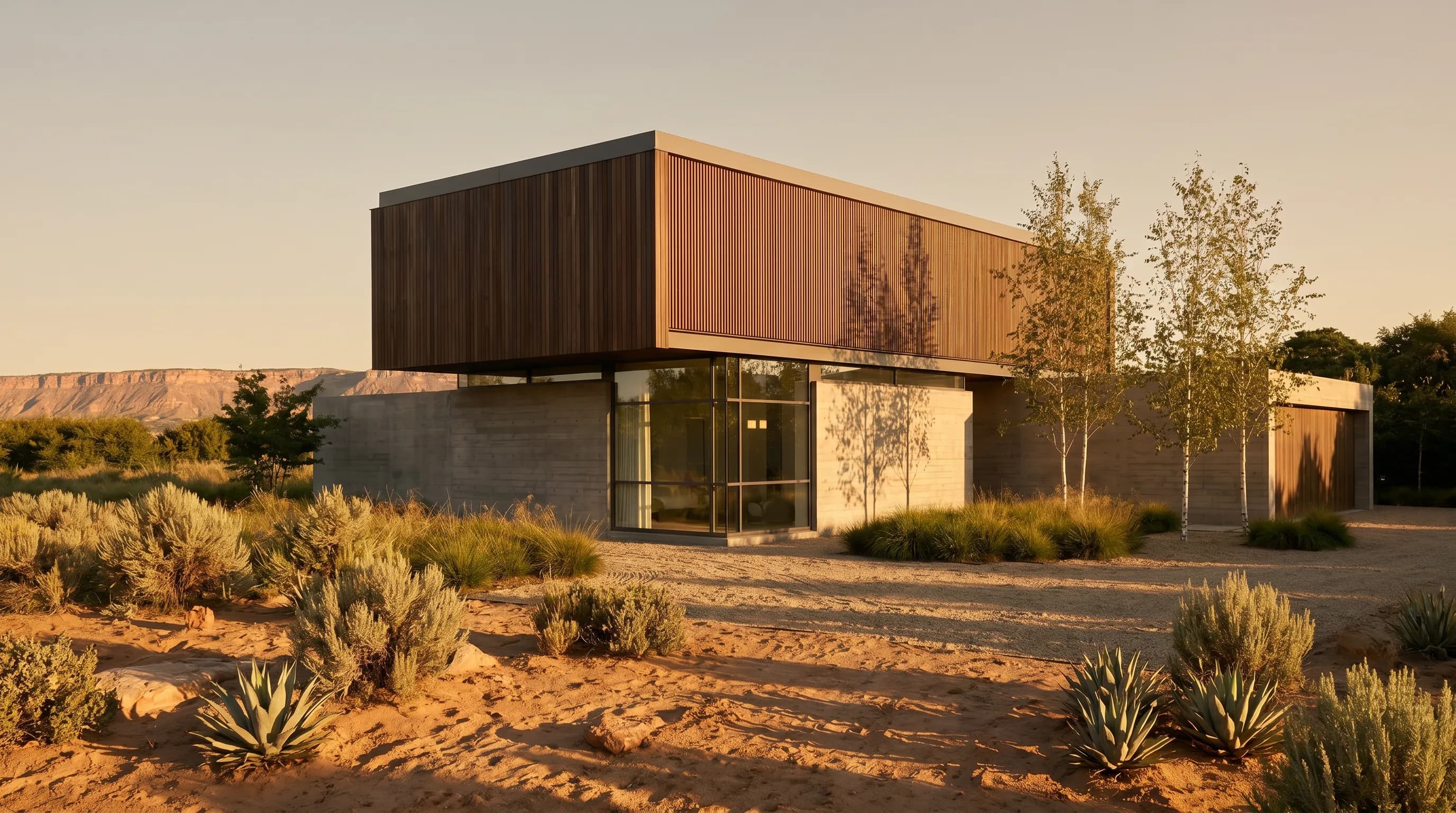
That gap between 2 GB and 16 GB is the whole story of this page. V-Ray ships two rendering engines under one license — a CPU engine that needs no graphics card at all, and V-Ray GPU, a CUDA- and RTX-based engine with a hardware floor of its own. Most system-requirements pages for this category treat "V-Ray requirements" as one number. Chaos's own documentation treats it as two, and a machine can clear one floor while failing the other outright.
Every figure below comes from Chaos's own documentation, current as of V-Ray 7, Update 4, released 20 July 2026 for 3ds Max, Maya, Houdini, and Blender. Chaos numbers its releases rather than naming them after years — the version-history table below covers V-Ray 5 through 7, Update 4, and V-Ray pricing covers what each tier of that license costs.
V-Ray system requirements at a glance
Chaos does not publish a single Minimum / Recommended table the way a standalone application would, because V-Ray is a plugin with two engines and five host applications. The table below merges V-Ray's own published floors for both engines into one reference; the sections that follow break out exactly where each number comes from.
| Component | Minimum | Recommended | High-end / production |
|---|---|---|---|
| Operating system | Windows 10 or 11 (64-bit only) | Windows 10 or 11, or macOS on the hosts that support it | Windows 10/11 or Linux (Maya only) render nodes |
| CPU | Intel 64 / AMD64 with AVX2 support | Same, on a PCIe 4.0-capable board if you also use V-Ray GPU | High core count; roughly 6 physical cores per installed GPU on multi-GPU rigs |
| RAM | 8 GB | 16 GB for V-Ray's CPU engine; 32 GB if you run V-Ray GPU | At least 2× whatever GPU VRAM you install, per Chaos's own guidance |
| GPU | Not required — V-Ray's CPU engine renders with no GPU at all | NVIDIA Maxwell generation (900 series) or newer, or AMD RDNA2 or newer, for V-Ray GPU | Up to 4 matched GPUs, ideally NVLink-paired |
| VRAM (V-Ray GPU only) | 2 GB technical floor | 8–12 GB for product-scale scenes | 16 GB minimum for serious archviz; NVLink pools capacity across paired cards |
| Storage | 2 GB | 12 GB (includes downloadable content) | Same, on fast NVMe for asset-heavy scenes |
Minimum requirements
A 64-bit Windows 10 or 11 machine with an AVX2-capable Intel or AMD processor and 8 GB of RAM. That is the entire floor for V-Ray's CPU engine — Chaos's own system-requirements pages for SketchUp, Rhino, and 3ds Max list an identical processor and RAM line for each host. No GPU appears in this row because none is required.
Recommended requirements
16 GB of RAM for CPU rendering, per Chaos's own recommended figure. The moment V-Ray GPU enters the picture, the number changes: Chaos's GPU-specific guidance recommends 32 GB of system memory and a card from the NVIDIA Maxwell generation (GeForce 900 series) or newer, or an AMD RDNA2 card or newer.
High-end / production requirements
Multiple matched GPUs — Chaos officially supports up to four — ideally bridged with NVLink so their VRAM pools together, paired with system RAM at least twice whatever VRAM the GPUs carry. That RAM-to-VRAM ratio is Chaos's own stated guidance, not an estimate: a single 24 GB card already calls for 48 GB of system RAM under that rule, not the 32 GB Chaos lists as its general recommended floor.
V-Ray vs V-Ray GPU: two products, two hardware floors
Chaos's own words: "V-Ray differs from other rendering solutions in that it includes both CPU and GPU+CPU hybrid rendering options." That single sentence is the reason this page needs two hardware sections where a real-time renderer needs one. V-Ray's CPU engine and V-Ray GPU are documented separately by Chaos, with separate minimums, and a workstation that satisfies one can fail the other completely.
The CPU engine's floor
An AVX2-capable 64-bit processor and 8 GB of RAM, full stop. No graphics card appears anywhere in this engine's published requirements, on any of the five host applications this page covers. A studio with an old or entry-level GPU can render on V-Ray's CPU engine today without buying new hardware — the trade is speed, not capability.
The GPU engine's floor
An NVIDIA card of Maxwell generation or newer with compute capability 5.2 or higher, or an AMD RDNA2, RDNA3, RDNA 3.5, or RDNA4 card, plus a VRAM budget large enough to hold the entire scene — Chaos's own requirement, not a rule of thumb. A machine that renders happily on V-Ray's CPU engine with an old 4 GB card will render nothing at all on V-Ray GPU the moment a scene's textures and geometry exceed that 4 GB ceiling. There is no partial result; the render simply does not run.
Does V-Ray need different hardware on 3ds Max, SketchUp, Revit, Rhino, or Maya?
V-Ray plugs into five architecture and design applications, and Chaos publishes a nearly identical CPU/RAM floor for every one of them. What actually differs by host is platform support and release cadence — and one row here breaks the pattern everyone expects:
| Host application | Supported versions | Windows | macOS | Current update |
|---|---|---|---|---|
| 3ds Max | 2021–2027 | Supported | Not available — 3ds Max itself has no Mac build | V-Ray 7, Update 4 (20 Jul 2026) |
| SketchUp | 2021–2026 | Supported | Supported — macOS 12 Monterey or newer, Metal on Sonoma/Sequoia+ | V-Ray 7, Update 3 (15 Apr 2026) or newer |
| Rhino | Rhino 7 (7.15+), Rhino 8 (8.4+), Rhino 9 WIP | Supported | Not available — Windows-only, even though Rhino itself runs natively on macOS | V-Ray 7, Update 3 (15 Apr 2026) or newer |
| Revit | 2022–2025 at V-Ray 7 launch | Supported | Not available — Revit itself has no Mac build | V-Ray 7, Update 2.2 (3 Dec 2025) — the most recent Revit-specific release |
| Maya | 2024 and newer | Supported | Supported — macOS 11 or newer | V-Ray 7, Update 4 (20 Jul 2026); also the only host here with a Linux build (RHEL / Rocky Linux) |
3ds Max and Revit being Windows-only is not a V-Ray limitation — neither application has ever shipped for macOS. Rhino is the genuine surprise: Chaos's own support documentation states plainly that V-Ray for Rhino is not compatible with macOS, even though Rhino itself is a native Mac application. A Mac-based Rhino studio can model on macOS and still needs a Windows machine, or a Windows VM with known compatibility issues, the moment V-Ray enters the pipeline.
The last column is the one worth checking before assuming a feature from Update 4's announcement applies to your host: 3ds Max, Maya, Houdini, and Blender are confirmed on Update 4 as of 20 July 2026, and SketchUp and Rhino are confirmed on Update 3 (15 April 2026) or newer. V-Ray for Revit is the outlier — its own release history shows Update 2.2 as the most recent Revit-specific build, dated 3 December 2025, roughly seven months behind the hosts on Update 4. Real-time viewport rendering and the newest AI tools that ship in Update 3 and 4 are not guaranteed to exist in a Revit install running Update 2.2.
Each host publishes its own full requirements page, and they are worth reading directly if you are on the edge of a version boundary: 3ds Max, SketchUp, Revit, and Maya. Rhino's own page is linked below, in the Mac section.
V-Ray graphics card requirements explained
CUDA compute capability, RTX, and driver versions
V-Ray GPU's NVIDIA floor is compute capability 5.2, which covers the GeForce 900 series (Maxwell) and every NVIDIA architecture released since. RTX-class cards can additionally run in RTX mode, using dedicated RT cores for ray-triangle intersection, while non-RTX CUDA-capable cards fall back to CUDA mode and use general-purpose compute cores instead — slower per core, but still a supported path. AMD support covers the RDNA2, RDNA3, RDNA 3.5, and RDNA4 generations, with Chaos recommending RDNA3 or newer. On the driver side, Chaos's own GPU requirements page names a specific recommended build for GeForce cards and a separate one for Quadro and Tesla cards — a detail worth re-checking at install time, since driver recommendations move release to release in a way the compute-capability floor does not.
VRAM: the number that decides whether a scene renders at all
The rule Chaos states directly: the entire scene being rendered — geometry, textures, and buffers — must fully fit inside the GPU's VRAM for both CUDA and RTX modes. There is no automatic out-of-core behavior that spills an oversized scene into system memory while still using the GPU; a scene that does not fit either needs to be reduced, or rendered instead on V-Ray's CPU engine, or run through CUDA x86 mode, a software path that executes entirely on the CPU using system RAM and does not touch the GPU's VRAM budget at all.
NVLink changes the ceiling, not the rule. Chaos's own example: two 24 GB cards bridged with NVLink pool to 48 GB of addressable VRAM, letting a scene that would not fit on either card alone render across the pair. Multi-GPU setups without NVLink do not get this pooling — each card still needs the full scene to fit inside its own VRAM independently.
Chaos's own practical guidance, separate from the 2 GB technical floor: 8 to 12 GB of VRAM for product-scale scenes, and 16 GB as the "bare minimum" for detailed interiors or large exterior architectural scenes — Chaos's own phrase, not a rounding of the 2 GB spec.
Recommended GPUs by use case
| What you're doing | VRAM | Notes |
|---|---|---|
| Learning V-Ray, or a small product render | 2 GB technical floor, 4–8 GB practical | Clears Chaos's own compute-capability minimum (Maxwell / RDNA2), but not a working buffer for anything beyond a test scene |
| Daily studio work, product or interior stills | 8–12 GB | Chaos's own field guidance for this scale of scene |
| Serious archviz: large exteriors, detailed interiors | 16 GB minimum | Chaos's own words are "bare minimum" for this category — the one most readers of this page fall into |
| Multi-GPU render node | 24 GB per card, pooled via NVLink | Two 24 GB NVLink-bridged cards pool to 48 GB of addressable VRAM, per Chaos's own example |
| No GPU budget at all | None needed | V-Ray's CPU engine renders without a discrete GPU — an option no real-time renderer in this category offers |
What CPU, RAM, and storage does V-Ray need?
CPU: core count actually matters here
V-Ray's CPU engine splits every frame into image buckets and renders them in parallel across every logical core, which is why core count buys real render speed here in a way it does not for a real-time, GPU-only renderer. For multi-GPU rigs running V-Ray GPU, Chaos's own guidance calls for roughly six physical CPU cores per installed GPU — a four-GPU render node, by that ratio, wants a 24-physical-core processor, not because V-Ray GPU renders on the CPU, but to keep each card fed with scene data without the CPU becoming the bottleneck.
RAM
8 GB minimum, 16 GB recommended for CPU-only rendering — the same figure across SketchUp, Rhino, and 3ds Max's own system-requirements pages. The moment V-Ray GPU is in use, Chaos's guidance changes to 32 GB minimum and system RAM equal to or greater than twice the installed GPU memory. That second rule is the one worth computing before buying a card: an RTX 4090 at 24 GB of VRAM calls for 48 GB of system RAM under Chaos's own ratio, which is 16 GB more than the 32 GB floor Chaos separately lists as its general recommendation.
Storage
2 GB minimum, 12 GB recommended to include Chaos's downloadable content — an identical figure across every host application's own requirements page. Chaos does not publish a separate figure for cache or scratch space; budget extra on fast NVMe storage for asset-heavy Cosmos-sourced scenes on top of this baseline.
Network, for distributed rendering
V-Ray supports distributed rendering across a network of render nodes, and Chaos's own documentation is specific on one point that trips people up: only IPv4 is supported for this traffic, and IPv6 is explicitly not supported. Chaos does not publish a bandwidth or throughput figure for distributed rendering, so no specific network speed is quoted on this page — a wired connection to every render node is the only concrete guidance Chaos states.
V-Ray version history: updates, not years
Autodesk and Trimble name releases after years. Chaos does not — V-Ray ships on a major-version-plus-Update cadence, and a search like "V-Ray 2026 system requirements" has no literal answer because no release carries that name. The table below maps version to release date, sourced from Chaos's own V-Ray product page and its release announcements, back to V-Ray 5 in 2020.
| Version | Released | What changed |
|---|---|---|
| V-Ray 5 | 16 Jun 2020 | Redesigned V-Ray Frame Buffer with Light Mix and Layer Compositing; new material library and asset browser |
| V-Ray 6 | 7 Jul 2022 | Chaos Scatter and free Chaos Cloud Collaboration introduced; V-Ray GPU gains a Device Selector and faster Light Cache |
| V-Ray 7 | 30 Oct 2024 | Current major version; texture-mapped Scatter control and a new Instance brush |
| V-Ray 7, Update 2 | Aug 2025 | AI Enhancer and AI Material Generator added |
| V-Ray 7, Update 3 | 15 Apr 2026 | Real-time rendering inside the V-Ray viewport, a node-based Material Editor, and AI Mood Match — shipped for 3ds Max, SketchUp, and Rhino |
| V-Ray 7, Update 4 | 20 Jul 2026 | Chaos Vantage real-time viewport rendering at final-frame quality inside the host application — shipped for 3ds Max, Maya, Houdini, and Blender |
The CPU-engine floor — AVX2, 8 GB RAM — has not moved across any of these releases. What has moved is the GPU engine's reach: V-Ray 6 added a Device Selector and faster Light Cache for V-Ray GPU, and Update 3 and 4 added real-time viewport rendering through Chaos Vantage, which raises the practical GPU bar even though the published minimum compute capability has not changed since Maxwell.
On upgrading old hardware: Chaos's own licensing terms allow a current V-Ray 7 license to install and run V-Ray 6 or older — a genuinely usable path for a solo user on aging hardware, unlike some CAD file formats in this category that only travel forward. The limit is scene compatibility, not the license: Chaos's own guidance is that breaking changes happen between major versions, so a scene saved in V-Ray 7 is not guaranteed to open cleanly in V-Ray 6. Downgrading works for a machine rendering its own scenes in isolation; it becomes risky the moment you receive scene files from a collaborator on the current version.
Does V-Ray run on Mac?
For two of five host applications, yes. V-Ray for SketchUp runs on macOS 12 Monterey or newer, with Metal support on Sonoma and Sequoia and newer for the viewport. V-Ray for Maya runs on macOS 11 or newer — the only host in this comparison that also ships a Linux build (RHEL and Rocky Linux), alongside Windows and macOS.
V-Ray for 3ds Max and V-Ray for Revit have no Mac build, for a reason that has nothing to do with V-Ray itself: neither 3ds Max nor Revit has ever shipped for macOS, so there is no host application for the plugin to attach to. V-Ray for Rhino is the case that catches people out — Chaos's own system-requirements page lists Windows 10 and Windows 11 only, with no macOS entry at all, even though Rhino itself is a fully native Mac application.
One more Mac-specific limit applies across every host: V-Ray GPU has no real hardware-accelerated path on Apple Silicon. Chaos's own GPU requirements list macOS 11 or newer as supported only for "CUDA x86" mode, which runs the CUDA renderer's logic in software on the CPU rather than on an actual GPU — because modern Macs carry no NVIDIA hardware for V-Ray GPU to address in the first place. A Mac studio gets V-Ray's CPU engine at full capability; it does not get real GPU-accelerated rendering, on any chip.
Quick recommendations by use case
| Who you are | Target spec | Notes |
|---|---|---|
| Student or first-time user | Any AVX2 CPU, 8 GB RAM — V-Ray's CPU engine needs no GPU | V-Ray for Blender's Community Edition (free, 90-day renewable license) is the cheapest way to learn the engine before buying anything |
| Solo architect on SketchUp or Rhino | 16 GB RAM, 8–12 GB VRAM if rendering on GPU | Rhino users on Mac hardware need a Windows machine the moment V-Ray enters the pipeline — the plugin itself is Windows-only |
| Small firm on Revit or 3ds Max | 32 GB RAM, 16 GB VRAM GPU | Revit's own release cadence for V-Ray trails the other hosts by roughly seven months as of this writing — check the version table below before assuming Update 4 features exist on Revit |
| Large firm running a render farm | Multi-GPU nodes, NVLink-paired, 2× VRAM in system RAM | Chaos's own guidance: system RAM should be at least twice whatever GPU memory the node carries |
| Mac-based practice | V-Ray for SketchUp or Maya only | No real GPU acceleration on Mac — V-Ray GPU runs there in CUDA x86 mode, a CPU-only software path with no NVIDIA hardware behind it |
What to actually buy in 2026
Chaos does not endorse specific machines, and neither does this page. Because V-Ray runs two genuinely different engines, the three tiers below assume a mixed CPU/GPU workflow rather than one engine exclusively. Price bands are approximate street prices for a Windows 11 workstation at the time of writing and move constantly; no exact SKU price from a manufacturer was quotable, so treat these as bands, not quotes.
Budget tier
Roughly $1,400 to $1,900. A recent AVX2 CPU, 16 GB of RAM, and an entry GPU with 8 GB of VRAM. This clears V-Ray's CPU-engine floor comfortably and V-Ray GPU's practical product-render tier, but falls short of the 16 GB Chaos calls the bare minimum for serious archviz work.
Mid tier
Roughly $2,200 to $3,200. A multi-core CPU for fast bucket rendering, 32 GB of RAM — Chaos's own V-Ray GPU recommended floor — and a single GPU with 16 GB of VRAM, the figure Chaos calls a bare minimum for real interior and exterior archviz scenes. This is the realistic default for a working architect rendering daily on any of V-Ray's five host applications.
Pro / render-node tier
$4,500 and up.A high-core-count CPU, 64 GB or more of system RAM, and two NVLink-paired 24 GB GPUs pooling to 48 GB of addressable VRAM. Justified by large federated scenes or a small in-house render farm — not by V-Ray's published minimum, which this tier clears many times over on either engine.
Common V-Ray hardware issues and fixes
- V-Ray GPU won't render a scene at all. Check whether the scene's textures and geometry exceed the card's VRAM — Chaos's own rule is that the whole scene must fit, with no partial or degraded fallback in CUDA or RTX mode. Switching to V-Ray's CPU engine, or to CUDA x86 mode, sidesteps the VRAM ceiling entirely at a real speed cost.
- Multi-GPU render node isn't using all GPUs efficiently.Chaos's own guidance recommends matched GPUs of the same generation and performance tier — mixing an old and new card in the same node is supported but rarely renders at the speed either card would hit alone.
- RTX features behave oddly on an older Ampere card.Chaos's own note: drivers older than 495.xx on Ampere-generation cards can produce incorrect RTX render results. Update the driver before filing a render bug.
- V-Ray for Rhino won't install on a Mac. Expected, not a bug — the Rhino plugin has no macOS build at any V-Ray version, regardless of the Mac's chip or macOS version.
- A scene from a colleague on V-Ray 7 won't open in your older V-Ray 6 install.Expected, per Chaos's own guidance on breaking changes between major versions — upgrade the reading machine, or ask for the scene re-exported from a version you can open.
How to get more render speed from the hardware you already own
- Match VRAM to your actual scene category before buying a card.Chaos's own tiers — 8–12 GB for product work, 16 GB minimum for archviz — are a better buying guide than the 2 GB technical floor, which will not hold a real project.
- Update the GPU driver to Chaos's recommended build before troubleshooting a render, especially on Ampere-generation NVIDIA cards, where an old driver is a documented source of incorrect RTX output.
- Size system RAM against installed VRAM, not just against a flat number.Chaos's own ratio — RAM at least 2× GPU memory — means a 24 GB card wants 48 GB of system RAM, more than the 32 GB general recommendation alone would suggest.
- Use matched GPUs in a multi-GPU rig. Chaos's own guidance is that mixed-generation multi-GPU setups under-perform matched pairs, and only NVLink-paired cards pool their VRAM at all.
- Fall back to the CPU engine rather than downgrading a scenewhen a scene doesn't fit in VRAM. It is slower, but it renders the scene at full fidelity instead of forcing a reduction in texture resolution or geometry detail to fit a GPU budget.
The cloud alternative
Everything on this page exists because V-Ray does real light transport — path tracing that simulates how light actually bounces through a scene, on either the CPU or the GPU. Move that calculation off your machine entirely and the CPU/RAM floor, the GPU compute-capability check, and the VRAM ceiling all go with it.
Render a House runs in the browser, so there is no VRAM ceiling to clear and no CUDA or RTX compatibility check to pass. It also has no host CAD dependency the way V-Ray does: export a flat image or screenshot from 3ds Max, SketchUp, Revit, Rhino, or Maya — Render a House takes GLB, GLTF, OBJ, or a plain image, not the native RVT, SKP, 3DM, or DWG file itself — and upload it directly. It is free to start, with 3 renders a day, and paid plans are $39/mo.
What V-Ray does that AI rendering cannot
It is not a substitute for V-Ray, and the two answer different questions. V-Ray is a physically based renderer: it simulates real light transport, exposes material and camera controls built for production stills, and produces output that is deterministic and physically accurate — the same scene rendered twice with the same settings gives the same result. An AI render does not simulate light at all; it generates a plausible image from a reference, with no path-traced global illumination, no render passes to composite, and no guarantee that two runs match. For a final, client-approved production image where physical accuracy is the deliverable, V-Ray earns the hardware this page describes. What a browser-based render is good for is the fast, exploratory pass — a massing study or a mood check — before committing GPU time or a render-farm budget to V-Ray itself.
More Chaos and rendering reference pages
Pricing the same license, or checking the hardware behind a different tool in this stack? These cover the ground this page assumes.
- V-Ray pricing — what Solo, Premium, and Collection cost once the hardware above is sorted, and why V-Ray Collection does not include Enscape or Corona.
- Enscape system requirements and Enscape pricing— Chaos's own real-time renderer, with a GPU-only floor and no CPU rendering option at all.
- Revit system requirements and Revit pricing— the host application behind V-Ray for Revit's own RAM tiers.
- Rhino system requirements and Rhino pricing — the one host here that runs natively on Mac while its own V-Ray plugin does not.
- SketchUp system requirements and SketchUp pricing— the host application behind V-Ray for SketchUp's Mac support.
- Blender system requirements — the free modeler behind V-Ray for Blender's Community Edition, the cheapest way to try the engine.
- Lumion system requirements and Twinmotion system requirements — two real-time renderers with a GPU-only floor, for comparison against V-Ray's CPU/GPU split.
- Lumion pricing, Twinmotion pricing, KeyShot pricing, D5 Render pricing, Archicad pricing, Vectorworks pricing, and Chief Architect pricing — the rest of the rendering and CAD stack this cluster covers.
- Topaz AI pricing and Magnific AI pricing — AI upscalers for cleaning up a V-Ray render's final output.
- Render a House's image upscaler — a free way to raise the resolution of an existing V-Ray render.
- Render a House plans and pricing — the full breakdown behind the $39/mo figure quoted above.
Common questions about V-Ray's hardware requirements
What is the current version of V-Ray?
V-Ray 7, Update 4, released 20 July 2026 for 3ds Max, Maya, Houdini, and Blender, per Chaos's own release blog. SketchUp and Rhino are confirmed at Update 3 (15 April 2026) or newer. V-Ray for Revit trails furthest behind: its most recent release is Update 2.2, from 3 December 2025. Chaos numbers V-Ray releases rather than naming them after years, so a search for "V-Ray 2026" has no literal answer.
What GPU do I need to run V-Ray?
None, if you use V-Ray's CPU engine — it renders on the processor alone. For V-Ray GPU, Chaos's own minimum is an NVIDIA card of Maxwell generation (GeForce 900 series) or newer with compute capability 5.2 or higher, or an AMD card from the RDNA2, RDNA3, RDNA 3.5, or RDNA4 generations. The technical VRAM floor is 2 GB, but Chaos's own field guidance calls 16 GB the bare minimum for serious architectural visualization.
How much VRAM does V-Ray GPU need?
The entire scene — geometry, textures, and buffers — must fit inside the GPU's VRAM for both CUDA and RTX rendering modes; Chaos does not offer an automatic out-of-core fallback for scenes that don't fit. Chaos's own guidance: 8–12 GB for product-scale renders, 16 GB minimum for large exteriors or detailed interiors. Cards with an NVLink bridge can pool VRAM across a pair — two 24 GB cards combine to 48 GB of addressable memory, per Chaos's own example.
Does V-Ray run on Mac?
Only for two of the five host applications this page covers: V-Ray for SketchUp (macOS 12 Monterey or newer) and V-Ray for Maya (macOS 11 or newer). V-Ray for 3ds Max and V-Ray for Revit have no Mac build because neither host application does. V-Ray for Rhino is the surprising one — Windows-only even though Rhino itself is a native Mac application, confirmed directly on Chaos's own support site. On any Mac, V-Ray GPU runs only in CUDA x86 mode, a software path that executes entirely on the CPU rather than on real GPU hardware.
What is the difference between V-Ray and V-Ray GPU?
They are two rendering engines inside the same license, with two different hardware floors. V-Ray's CPU engine needs an AVX2-capable processor and 8 GB of RAM, and no GPU at all. V-Ray GPU needs a CUDA- or RTX-capable NVIDIA card (or a recent AMD RDNA card), and its entire scene must fit inside that card's VRAM. A machine can be perfectly adequate for one engine and unable to run the other at all — a workstation with a strong CPU but an old 4 GB GPU renders fine on the CPU engine and fails outright on V-Ray GPU.
Can I run an older version of V-Ray on old hardware?
Yes, and unlike some CAD plugins in this category, V-Ray's own license terms allow it: a current V-Ray 7 license lets you install and run V-Ray 6 or earlier. The catch is scene files, not the license — Chaos's own guidance is that breaking changes happen between major versions, so a scene saved in V-Ray 7 will not reliably open in V-Ray 6. That makes the downgrade path workable for a solo user on old hardware, but risky the moment you exchange scene files with anyone rendering on the current version.
Trying V-Ray before buying hardware for it? Chaos runs a 30-day free trial across every host application on this page, under the identical requirements listed above — and Chaos's own recommended-hardware article is the page to recheck before a purchase, since driver builds and GPU-generation guidance move release to release even when the published minimums do not.
Keep reading
Related guides and comparisons

ChatGPT for architectural rendering: does it work?
Partly. ChatGPT is great for a fast concept image, but edits drift and it can't keep several renders of one project consistent. Render a House can.

How to Turn a 2D Floor Plan Into a 3D Render With AI (5 Steps)
Turn a 2D floor plan into a 3D render with AI in 5 steps. Render a House makes a photorealistic image in 30–60 seconds, free to start.

Best AI Rendering Tools for Architects in Latin America (2026)
AI rendering tools for architects in Latin America (2026): Render a House, Veras, ArchiVinci, LookX, MyArchitectAI, Maquete. Languages, prices.
